ForeverChat
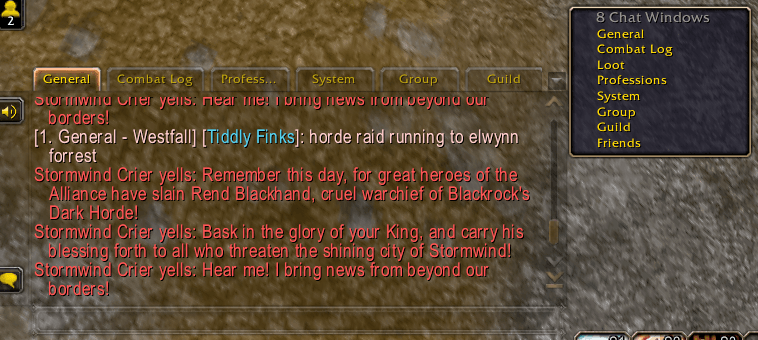
Sorts your WoW Forever chat into Party, Guild, Friends, Loot, Professions, Raid, Instance and System tabs, and clicking a tab sets where you talk, all without changing how your chat looks.
Screenshot 2026-11-16 230817.png
Screenshot 2026-11-16 230322.png
Screenshot 2026-11-16 230252.png
Screenshot 2026-11-16 225807.png
Screenshot 2026-11-16 230329.png
Description
ForeverChat
Sorted chat tabs for WoW Forever. Group, guild, friends, loot, professions and system messages each get their own tab, and General stays readable.
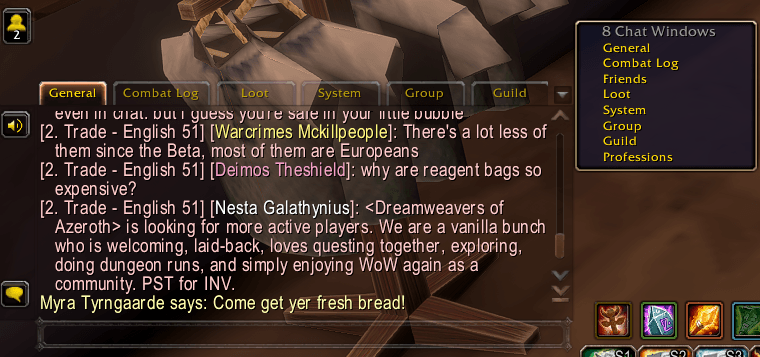
ForeverChat sorts your chat into tabs by what each message is. It uses the game's own chat tabs, so your chat looks and works exactly like it always has, just tidier. It needs no other addons and has no setup: log in and the tabs are there.
Why ForeverChat?
- General stays readable. Loot spam, crafting spam, skill-ups and server messages move out of General, which keeps the conversations around you.
- Nothing changes how chat looks. These are normal Blizzard chat tabs, so your fonts, colors, timestamps, chat search, copying and other chat or UI addons keep working.
- Every tab is optional. Turn any tab off and its messages show in General like normal. Turn the whole addon off and your chat is back to the way it was.
- Lightweight. It sorts by message type, so most lines cost almost nothing. There are no timers and nothing running in the background.
The tabs
| Tab | What goes there |
|---|---|
| General | Say, yell, emotes, trade and other channels, NPC speech: normal chatting. |
| Group | Party, raid (including raid warnings) and instance chat. You're only ever in one group at a time, so they share a tab. |
| Guild | Guild and officer chat. |
| Friends | Whispers from people on your friends list and Battle.net friends. Their say and yell is copied here too, and stays in General so conversations don't get split. Whispers from strangers stay in General. |
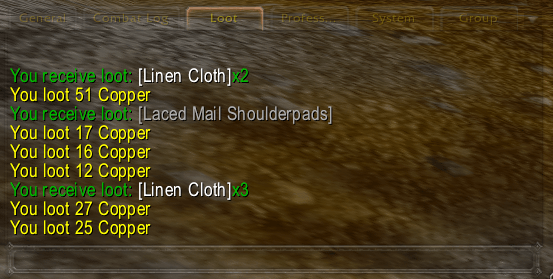
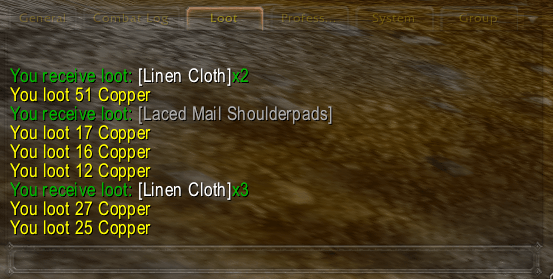
| Loot | Drops from mobs and chests, looted gold, currency, and auction house messages (sold, won, outbid, expired, created). |
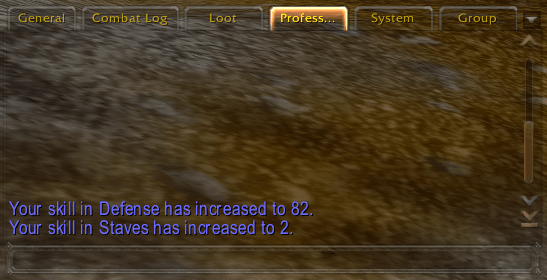
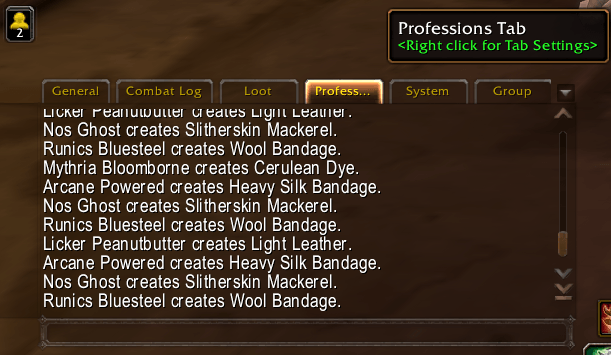
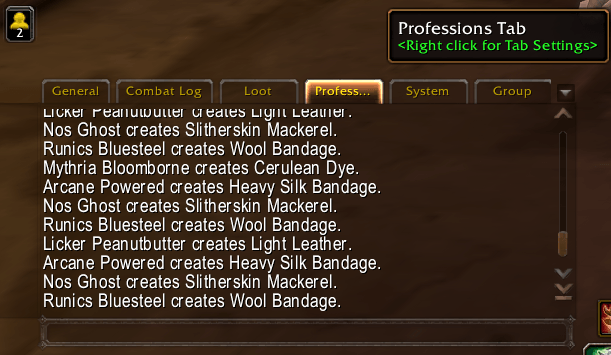
| Professions | Your crafting, other players' crafting nearby, skill-ups, and what you get from fishing, mining and herbalism. |
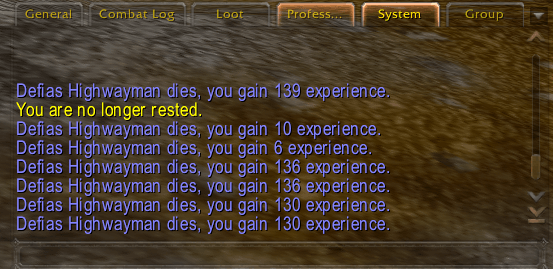
| System | Achievements, XP and reputation, errors, AFK/DND, friends coming online, channel notices, other server messages, and text that addons print. |
Features
Click a tab, talk there
Clicking a tab sets where your next message goes, just like typing /p or /g. Click Group and press Enter to talk to your party, raid or instance group (whichever you're in), or Guild for your guild. Friends whispers the last friend you talked to. General, Loot, Professions and System use Say. If you're not in that kind of group yet, it uses Say, and typing /p, /g and friends still works as normal. You can turn this off in settings.
Gold you can actually see
The game prints nothing when you sell to a vendor, buy from one, pay an auction deposit or take gold from the mailbox. ForeverChat adds one short line to the Loot tab when that happens, for example Vendor: +1g 20s or Auction House: -15s. This also works at trainers and flight masters.
Crafting spam, handled
"Bob creates Bolt of Linen Cloth." lines from everyone nearby go to the Professions tab, never Loot or General. If you don't want to see them at all, turn off Show other players' crafting and they're hidden. Your own crafts always show.
Gathering goes with professions
Fishing loot and anything from an herb or ore node goes to Professions, so the Loot tab stays about mob drops and gold.
Smart fallbacks
Turn a tab off and its messages go to the most sensible place: your crafts and gathering to Loot, skill-ups to System, everything else back to General. Nothing is ever lost.
Works in any language
Auction house and crafting messages are recognized using the game's own text, so sorting works in every client language.
Plays nicely with other addons
ForeverChat never moves, resizes or restyles your chat. It only creates normal tabs and decides which lines each one shows. Any chat windows you made yourself are left alone.
Getting started
- Install and log in. The tabs are created automatically, after General and Combat Log.
- Open Options → AddOns → ForeverChat (or type /fchat) to turn tabs on or off.
- Drag tabs into whatever order you like. ForeverChat remembers them.
Commands: /fchat settings · /fchat apply recreate missing tabs · /fchat reset restore each tab's message types · /fchat on / /fchat off · /fchat check diagnostics
Good to know
- WoW Forever has room for 9 chat tabs, and General and Combat Log use two. ForeverChat uses 6, which leaves one spare. If you already have extra tabs, close one or turn off a ForeverChat tab you don't need.
- If your chat window is too narrow to show every tab, use the small arrow at the right end of the tab bar to pick a hidden tab.
- Addons that write straight into General (instead of using print) can't be moved to System.
- Chest loot counts as gathering, so it shows in Professions. Skinning loot comes from a mob, so it shows in Loot.
- WoW Forever is still changing. If something lands in the wrong tab, please leave a comment with the message and which tab it showed up in.
ForeverChat is all rights reserved (see the LICENSE file): use it and change your own copy freely, but please don't re-upload or reuse it without asking. Not affiliated with Blizzard Entertainment.
ForeverChat Team