Forever Tongues
- By
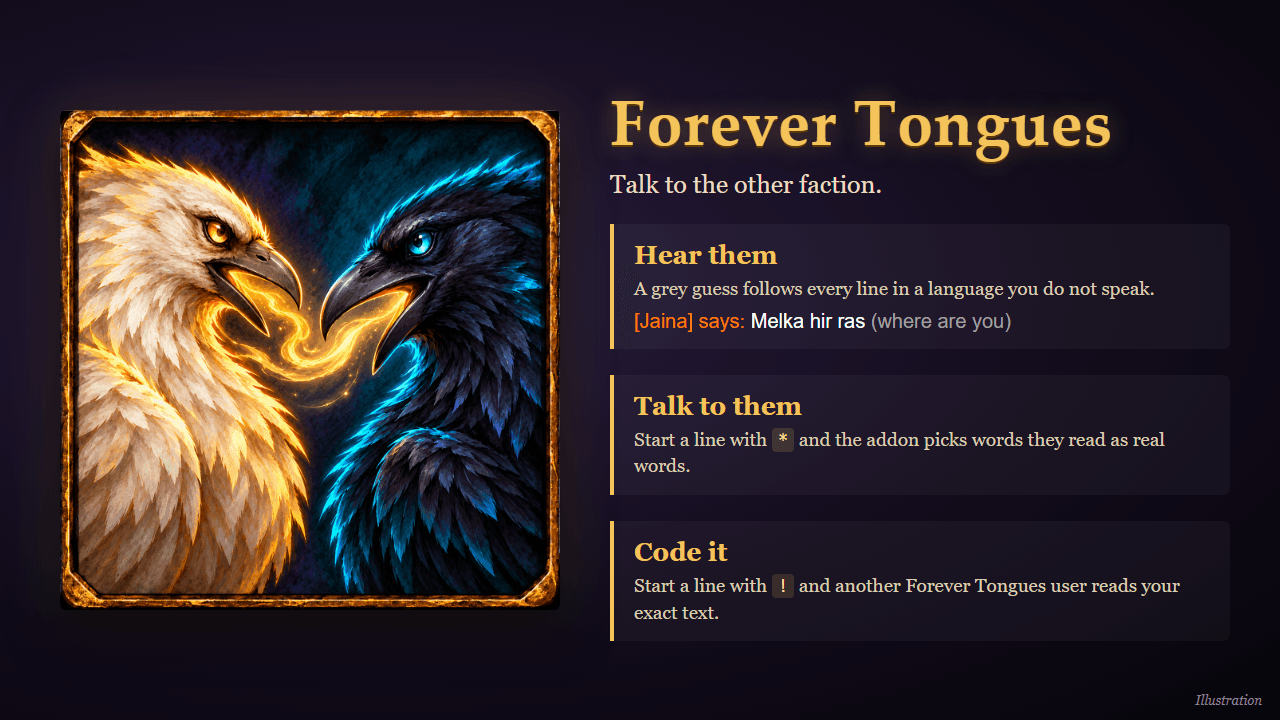
Talk to the other faction: see what their garbled chat may mean, say lines they can read, and send coded messages to other Forever Tongues users.
01-overview.png
02-phrases.png
03-glossary.png
04-settings.png
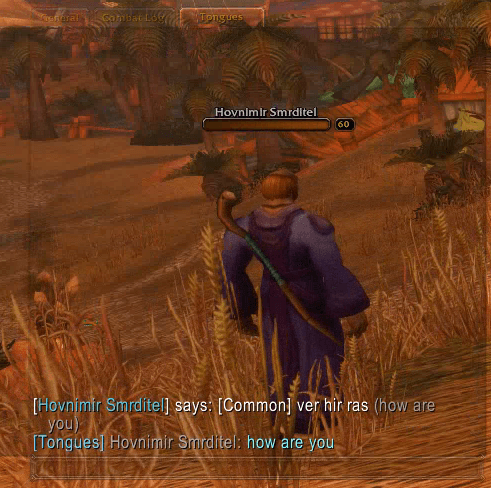
05-chat-guess.png
Description
Forever Tongues
Talk to the other faction. Horde and Alliance cannot read each other's chat: the server turns every word into a fake word of the speaker's language. Forever Tongues works with that garbling instead of against it.
- Hear them. After a say or yell in a language you do not speak, the addon adds a grey guess of what was meant:
Melka hir ras (where are you). - Talk to them. Start a line with
*and the addon picks words that the other faction reads as real words. - Code it. Start a line with
!(or switch the speaking mode to coded) and another Forever Tongues user reads your exact text.
The book
A click on the minimap button opens an old book with parchment pages:
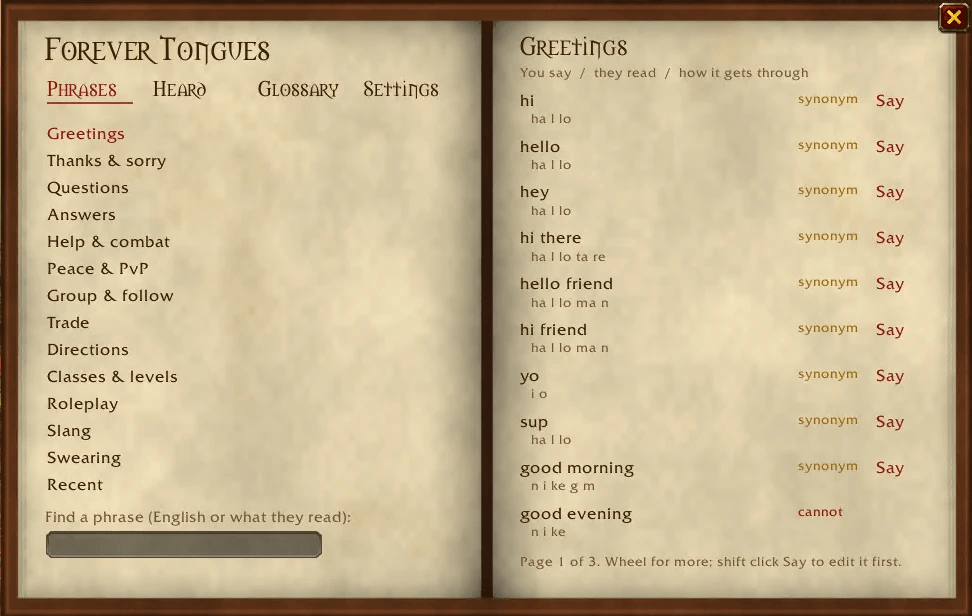
- Phrases – ready-made chat phrases in topics (greetings, help, trade, directions, questing, swearing, ...). Each shows what the other faction will read, whether it gets through whole, and a Say button.
- Heard – the last 40 lines you heard from the other faction, each with the book's guess. Click a word to see what else it may mean, and pick the right one. The book remembers your choice.
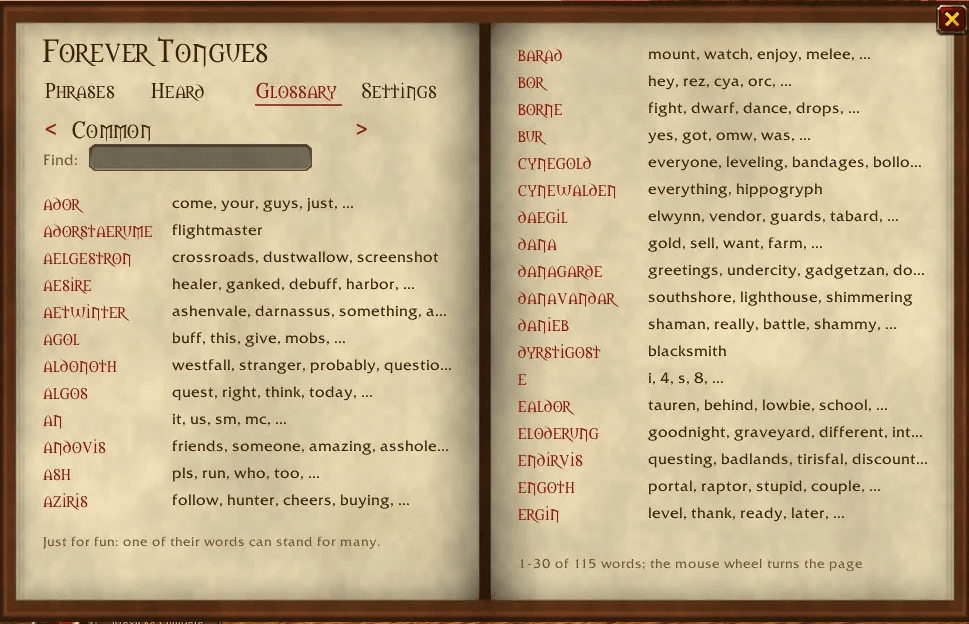
- Glossary – just for fun: their words from A to Z, each with what it may mean. Turn the page to the next language or look up a word.
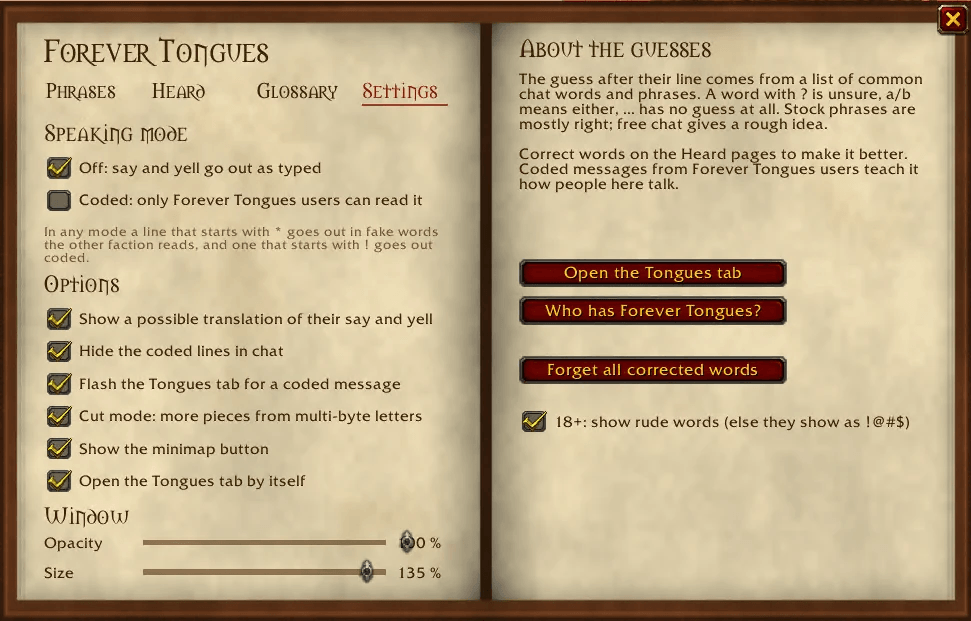
- Settings – the speaking mode, all options, and sliders for the book's opacity and size.
More
- A Tongues chat tab for the cross-faction talk, opened by itself (can be turned off).
- A hint under the chat box while you type: what the other faction will read and which words are left out.
- A sound and a flashing tab when a coded message arrives in another tab.
- An 18+ option: rude words show as
!@#$until you turn it on. - 1,553 chat words and 2,431 phrases in the dictionary.
Commands
/tongues lists all commands. The main ones:
| Command | What it does |
|---|---|
/tongues book |
open or close the book |
/tongues s <text> / y <text> |
say or yell through Tongues |
/tongues p <text> |
preview what the other faction reads |
/tongues mode off \| coded |
speaking mode of the chat box |
/tongues translate on \| off |
the grey guess after their lines |
/tongues adult on \| off |
show rude words (18+) |
/tongues tab [on \| off] |
open the Tongues chat tab |
/tongues options |
settings panel |
Good to know
- The guesses are guesses. Common chat lines are mostly right; free chat gives a rough gist. Words you corrected always win.
- Words are read best for Orcish and Common. Other languages have the dictionary and the glossary, but fewer words get through when you talk.
- Made for the Forever client (Interface 16001); it also loads on the 1.12.1 client.
Forever Tongues Team