Forever Target Support (Controller, Keyboard)
- By
Know exactly where your next target is. Made for gamepad players, works just as well on keyboard.
Description
Forever Target Support
Know exactly where your next target is. Made for gamepad players, works just as well on keyboard.
Playing World of Warcraft: Forever with a controller is great, until you press LB and have no idea which of the five mobs around you gets selected next. Forever Target Support puts a clear arrow over your current target and numbered arrows over the enemies that TAB / LB will pick next, so you always know where targeting will jump.
It is built as an accessibility addon: big, high-contrast markers that are easy to read from the couch, in the dark zones, and in busy fights.
Features
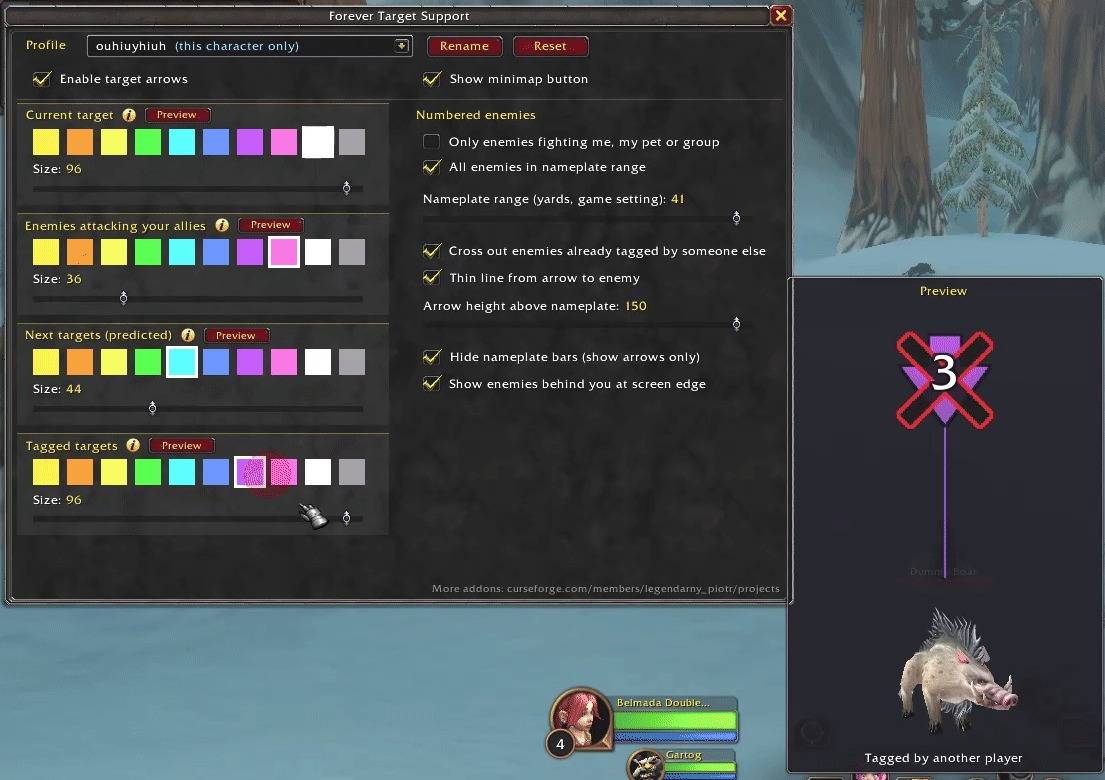
Four arrow types, each with its own colour and size
- Current target: the enemy you have selected right now.
- Enemies attacking your allies: enemies hitting you, your pet/demon, or anyone in your party or raid. Also shown next to your pet when it is being hit.
- Next targets (predicted): numbered 1, 2, 3… in the order TAB / LB is expected to pick them. "1-2" means the game may pick either one first (they are at the same distance).
- Tagged targets: enemies another player already tagged get a black X with a red outline, so you don't waste time on mobs you won't get loot or credit for. The X stays even if you select it or it attacks you.
Made for gamepad
- Works with the default gamepad targeting (LB) and with TAB on keyboard.
- Pop-up prompts can be answered with the controller: A confirms, B cancels.
- B closes the settings window, just like Escape.
Easy to set up
- Settings window (
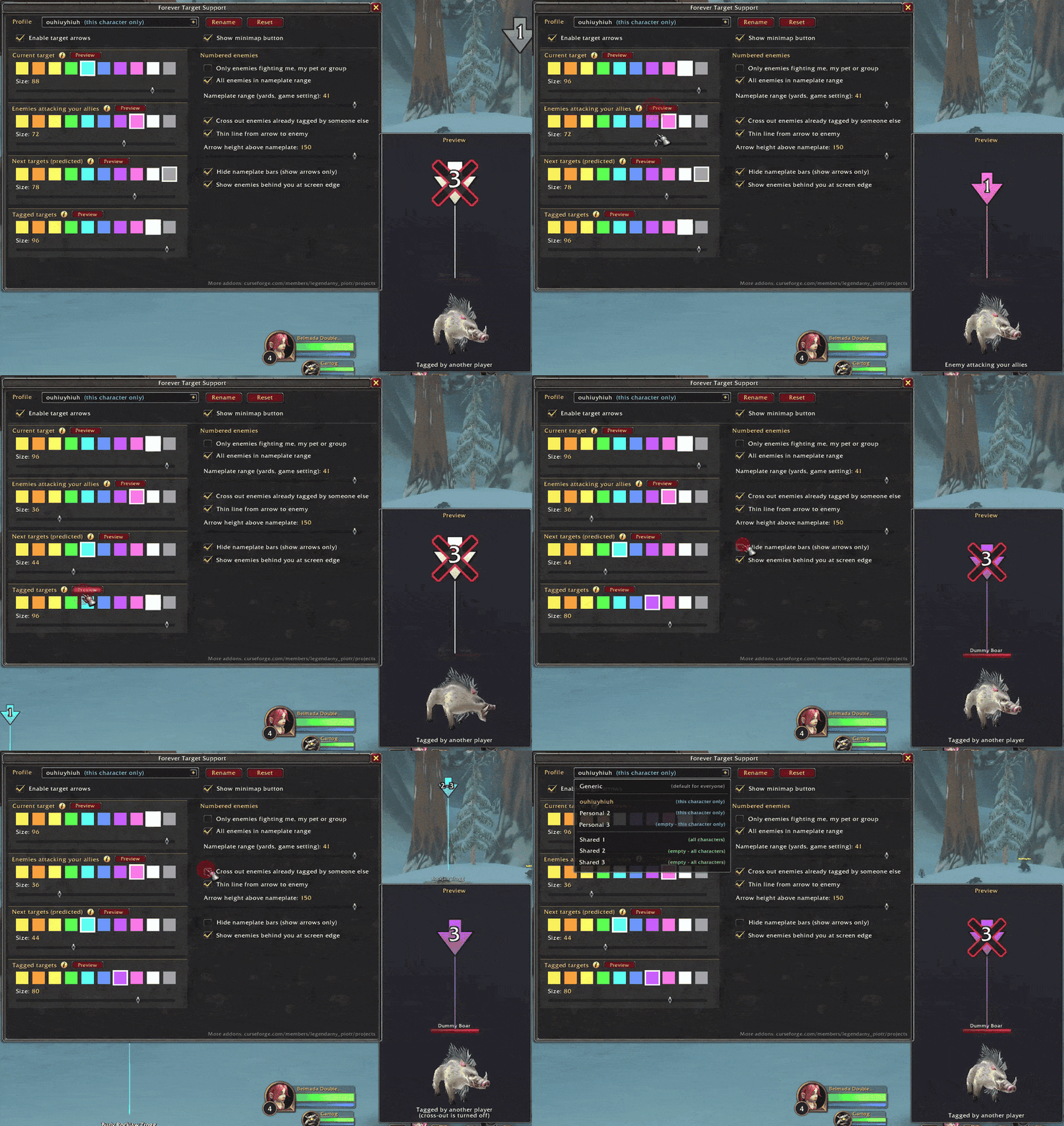
/ftsor the minimap button) with a live preview: a dummy boar in the middle of the screen shows exactly how each arrow will look while you adjust colours and sizes. - 10 colours (no red, so it never gets confused with Hunter's Mark).
- Arrow size, height above the nameplate (so it sits above your DoTs), and an optional thin line pointing down to the enemy.
- Option to number only enemies in combat with you/your group, or all enemies in range.
- Optional: fade the nameplate bars so only the arrows remain.
- Shows enemies behind you at the edge of the screen (game setting, can be turned off).
Profiles
- Generic: default settings for everyone (read-only).
- 3 Personal profiles: for this character only.
- 3 Shared profiles: available on every character on your account.
Fair play / PvP
Forever Target Support does not give any advantage in PvP or against other players:
- It only draws on the nameplates the game already shows you. It has no extra information about any unit.
- It cannot see through walls and does not track players or mobs you can't already see.
- Units in Stealth, Prowl, Shadowmeld, Vanish, Invisibility or Camouflage are ignored, even if they flicker into view for a moment.
- It never targets, casts or presses anything for you. You still do all the targeting yourself; the addon only shows you where it will go.
- Settings are locked during combat.
Good to know
- The game does not tell addons the exact TAB order, so the numbers are a prediction based on distance and on which enemies you already cycled through. In most fights it matches; when two enemies are equally close you will see a shared number like "1-2".
- Arrows need Enemy Nameplates turned on. The addon turns them on for you. If you turn them off, a prompt asks whether to turn them back on (A) or continue without the addon (B).
Commands
/fts: open settings (also via the minimap button)/fts minimap: reset the minimap button/fts debug: print what the addon sees about nearby enemies (for bug reports)
Feedback and bug reports are welcome in the comments.
More addons by legendarny_piotr: Forever Notebook, Forever Craftbook. See my CurseForge profile.
Forever Target Support (Controller, Keyboard) Team