Forever Social Crests
- By
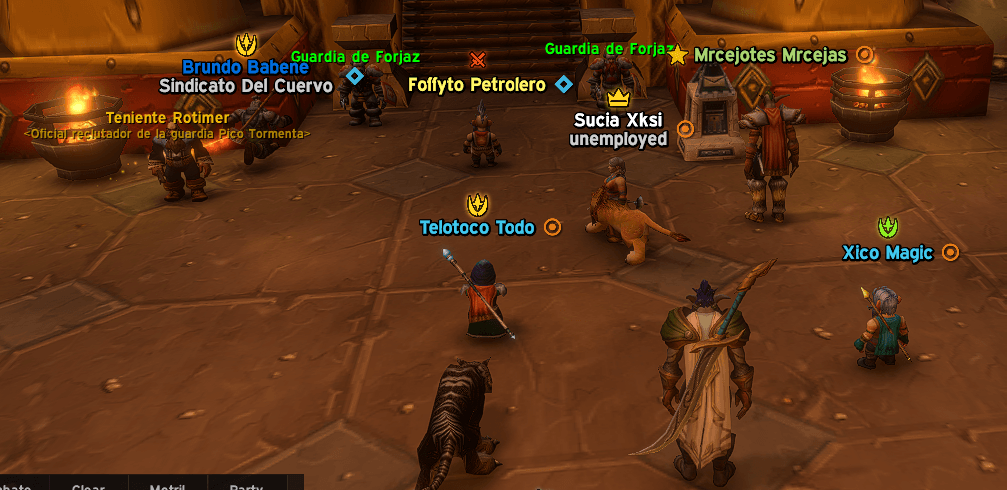
Shows a minimalist party/raid icon and a guild crest on friendly nameplates, plus custom crests for your favorites, allies, friends and hated players, compatible with classic nameplates and BetterBlizzMarkers.
cap1.png
cap2.png
cap3.png
cap4.png
Description
# Forever Social Crests
Know who's who at a glance. **Forever Social Crests** puts small, clean, one-color icons next to player names on friendly nameplates, so your party, raid, guild, friends, favorites and enemies stand out in a crowd.
## Features
**Party & Raid**
- Vibrant icon for party members (sky blue) and raid members (orange)
- 7 minimalist designs: trio, duo, hand in hand, network, diamond, target, sparkle
- Separate icon and color for raid if you want
**Guild**
- Crest on every guildmate: lion, tusks, banner, shield, crown, star, heart, swords, skull, or auto by faction
- Colors: green, Alliance blue, yellow, Horde red, purple or custom
- Optional crowns: a big 5-point crown for the Guild Master and a 3-point crown for officers (you choose which ranks count as officers)
**Favorites, Allies, Friends and Hated**
- Separate lists for favorite and allied players or whole guilds
- Character and Battle.net friends detected automatically
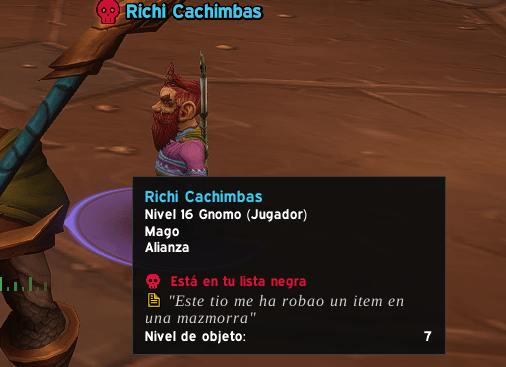
- Hated players and hated guilds, each with its own red crest, plus optional chat alert and sound when one shows up
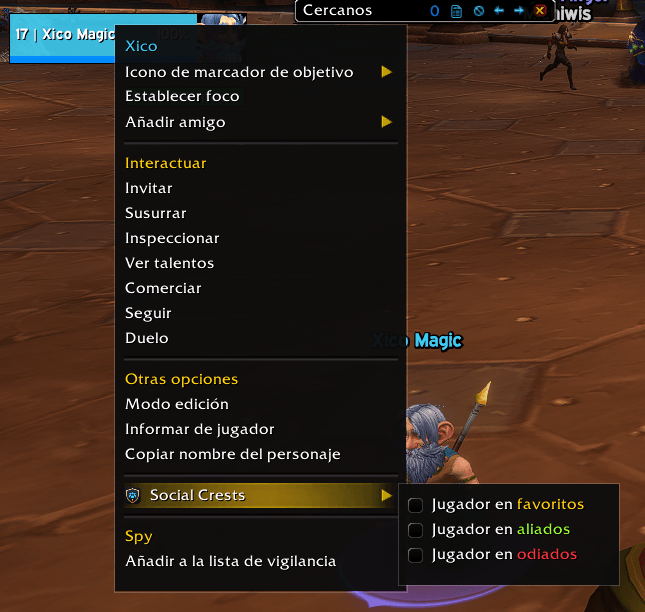
- Add people from the options, with your target (`/fsc fav`, `/fsc ally`, `/fsc hate`) or by right-clicking a player
**Fully customizable**
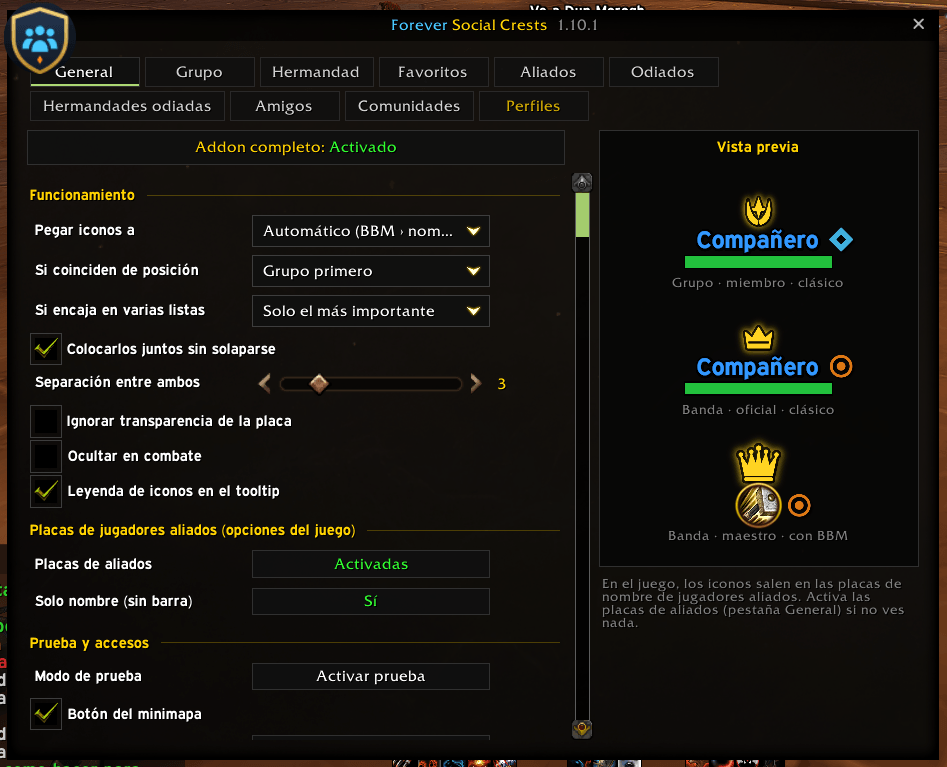
- Every section has its own icon, color, size, opacity, position (left, right, top, bottom), spacing, border, shadow and glow
- Every section can be switched on or off with one click
- Live preview in the options window
**Chat icons (optional)**
- Tiny one-color icon right after the name of hated players, hated guild members, favorites and friends, at text height
**Profiles**
- Per-character profiles: create (blank or as a copy), reset, delete
- Export and import profiles as text to share with friends
## Compatibility
- **Classic mode:** attaches to the name or health bar of Blizzard nameplates, including name-only nameplates
- **BetterBlizzMarkers:** attaches to its class icon when it's shown
- Also works with EllesmereUI Nameplates and Plater
- **EllesmereUI:** the options window uses the EllesmereUI skin automatically
- Built for WoW Forever and Retail
## Access
- Minimap button, AddOn compartment, Options > AddOns, or `/fsc`
- `/fsc test` shows sample icons on nearby friendly players
- `/fsc help` lists all commands
## Languages
English, Spanish, German, French, Italian, Portuguese (Brazil) and Russian.
## Known limitations
- Inside dungeons and raids, Blizzard locks friendly nameplates for all addons, so icons can't be shown there.
- You need friendly nameplates turned on (there's a button for it in the General tab).
- Enemy-faction players only show icons if enemy nameplates are on.
Forever Social Crests Team