Forever LootGroup Toasts
- By
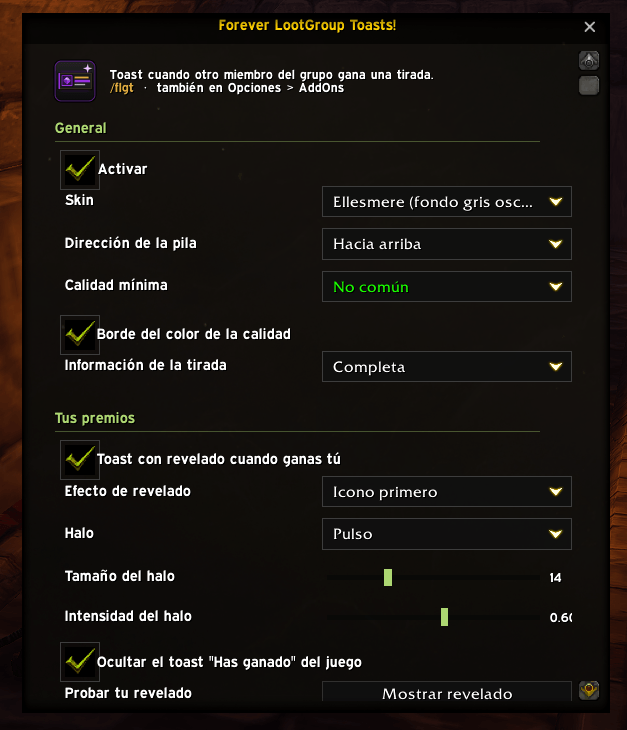
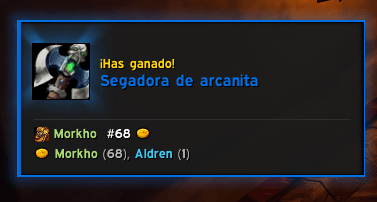
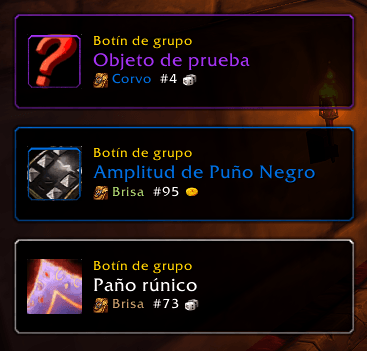
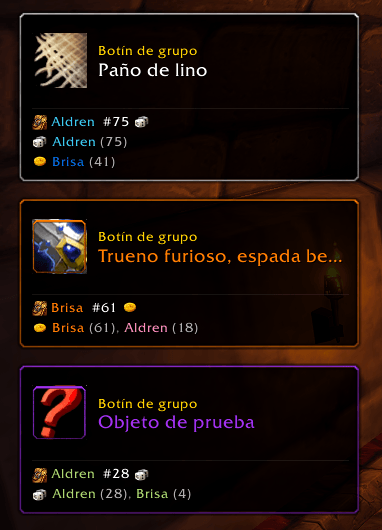
Shows a toast with the winner’s name when another group member wins a Need/Greed roll. Ellesmere/Classic skins.
cap1.png
cap2.png
cap4.png
cap 5.png
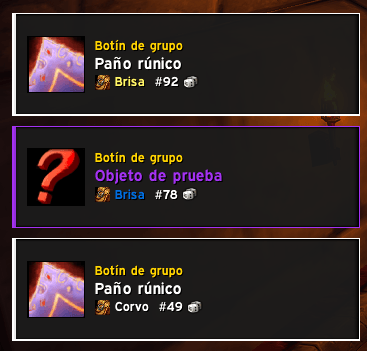
cap 3.png
Description
# Forever LootGroup Toasts!
Never miss who walked away with the loot again. When **another group member wins a Need/Greed roll**, a toast pops up showing the item and the winner's name in their class color. Your own wins are ignored, so only your groupmates' rolls show up.
## Features
- **Two skins**
- **Ellesmere**: a replica of the EllesmereUI loot toast (window border, square icon, rarity strip) with a dark grey background. If EllesmereUI is loaded, it uses the same font, size and scale as its loot toast.
- **Classic**: the game's own dialog frame with a gold border and Blizzard fonts.
- **Winner details**: item name in quality color, winner in class color and, when known, the roll type and number, e.g. *(Need 87)*.
- **Stacking**: several toasts at once, growing **up or down**.
- **Movable with Blizzard's Edit Mode**: open Edit Mode, drag the blue box and you're done.
- **Soft alert sound**: choose from several built-in game whooshes, all different from the default loot toast sound.
- **Test mode**: preview one toast or a burst of three without being in a group.
- **Minimum quality filter**, adjustable duration, spacing and scale.
- **Works in any client language**: it reads the game's own loot messages and loot history.
- **Standalone**: doesn't modify or hook into EllesmereUI. It works with or without it.
## Settings
- **Minimap button**: left-click opens the options window, right-click shows a test toast, drag to move it.
- **Game Options → AddOns → Forever LootGroup Toasts**, built with Blizzard's native controls.
## Commands
| Command | Action |
|---|---|
| `/flgt` | Open the options window |
| `/flgt opciones` | Open the AddOns options panel |
| `/flgt test [n]` | Show n test toasts |
| `/flgt mover` | Open Edit Mode to move the toasts |
| `/flgt reset` | Reset position |
| `/flgt minimap` | Show/hide the minimap button |
| `/flgt on` / `off` | Enable/disable |
## Notes
- Built for **WoW Forever**. EllesmereUI is optional.
- Feedback and bug reports are welcome in the comments.
Forever LootGroup Toasts Team