Forever Quick Fish
- By
Double right-click to cast, lure and hook, with a catch log, HUD, pool spots on the map, gear swap and session stats for WoW Forever.
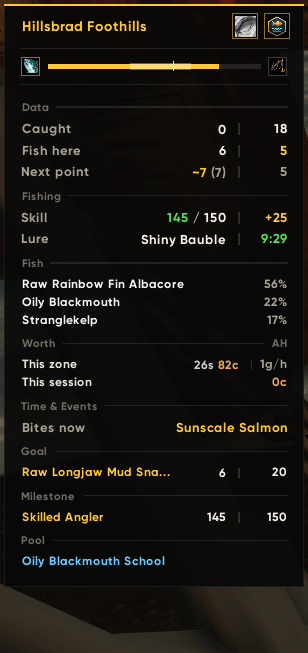
05_hud_fishing.png
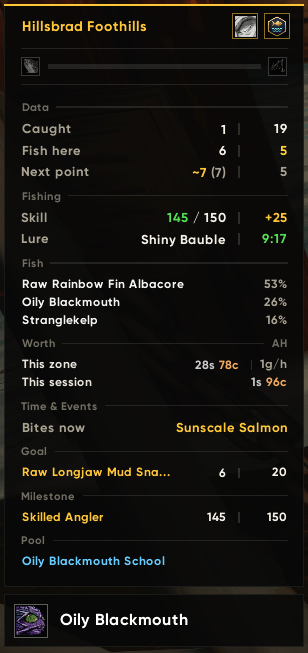
06_hud_catch.png
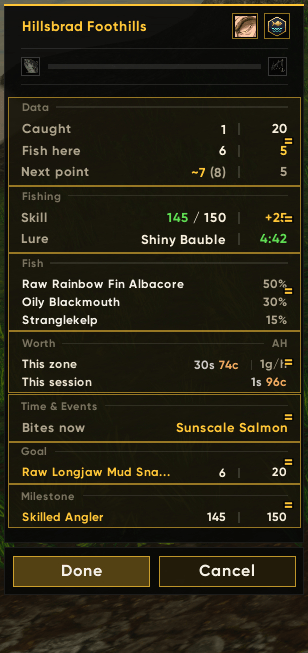
07_hud_arrange.png
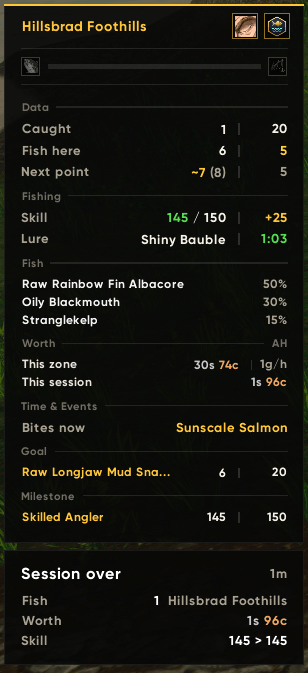
09_hud_session_over.png
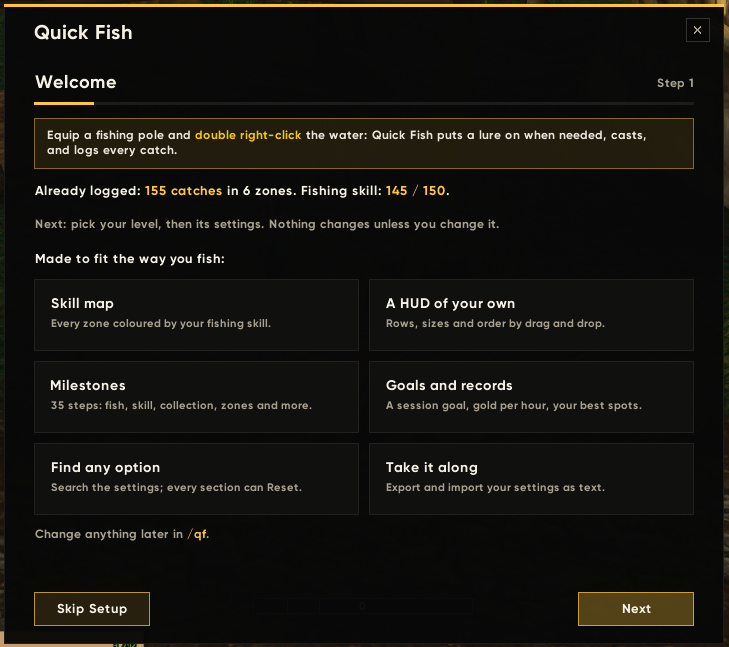
01_wizard_welcome.png
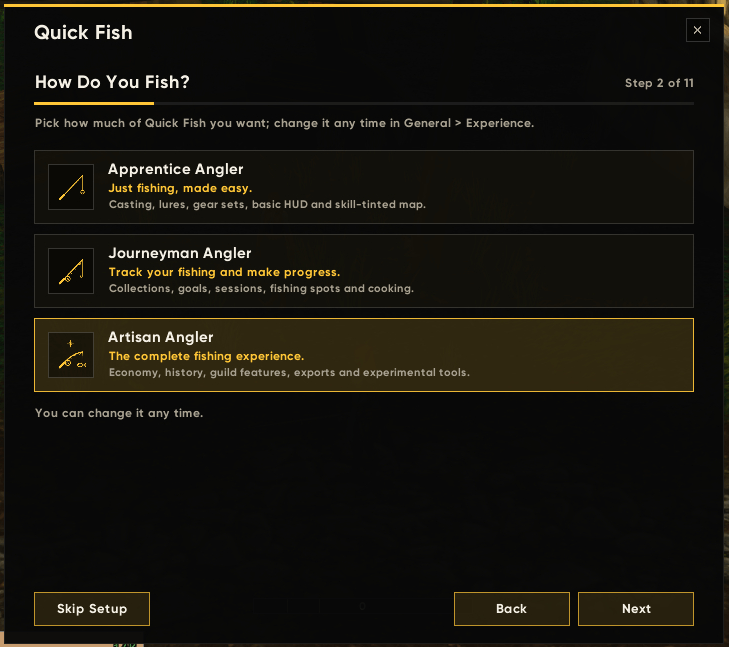
02_wizard_level.png
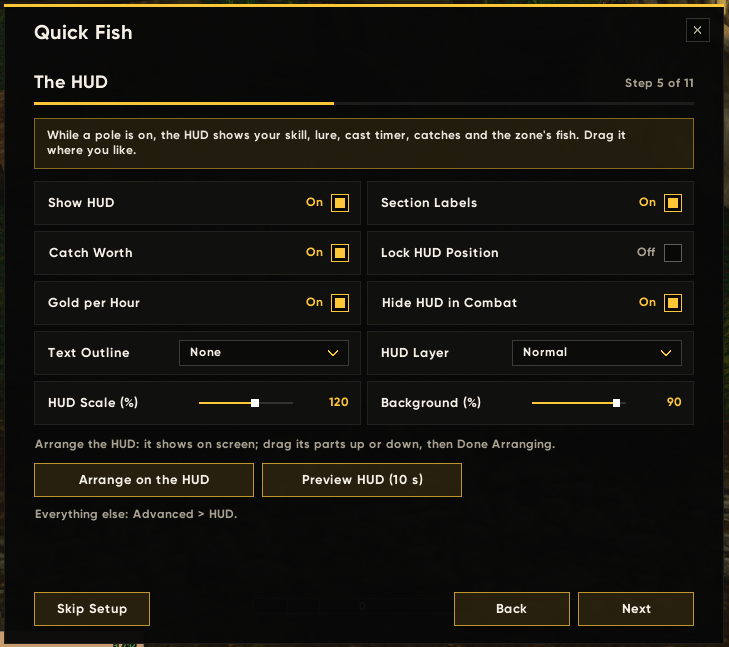
03_wizard_hud.png
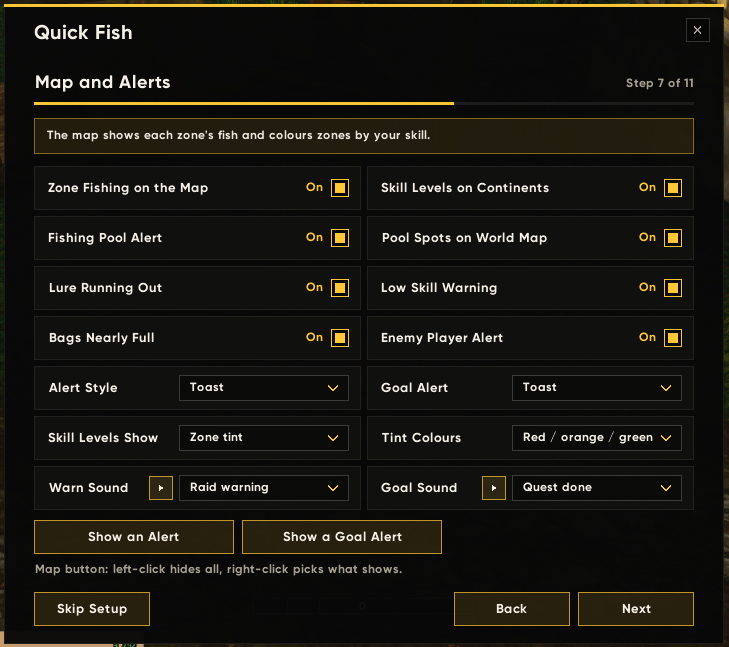
04_wizard_map_alerts.png
05_wizard_ready.png
10_fish.png
11_collection.png
13_milestones_in_progress.png
14_zones.png
15_guild.png
16_guide.png
17_options_experience.png
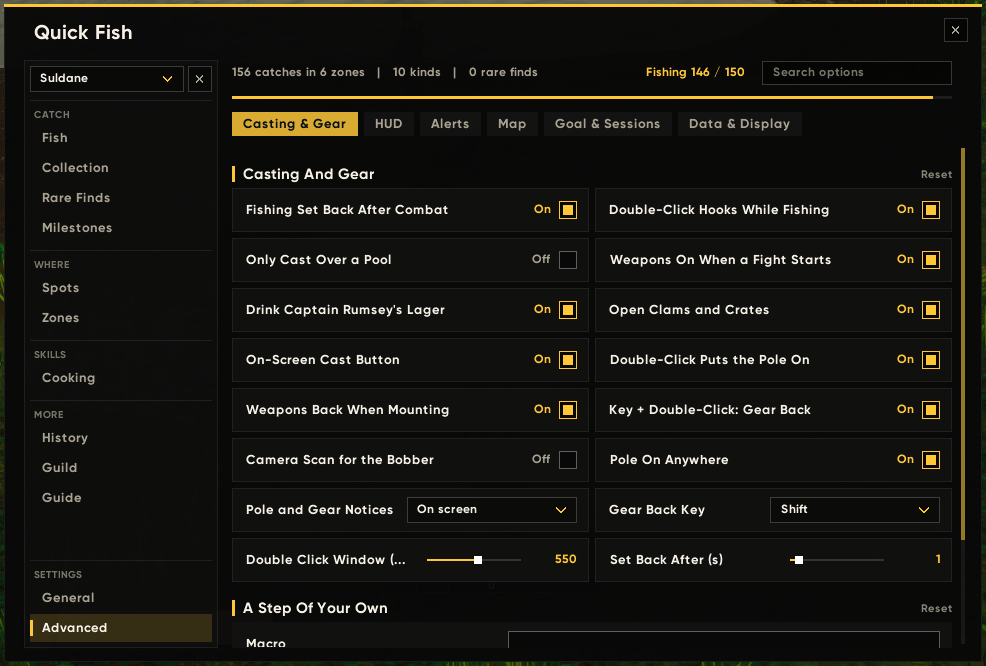
18_options_casting.png
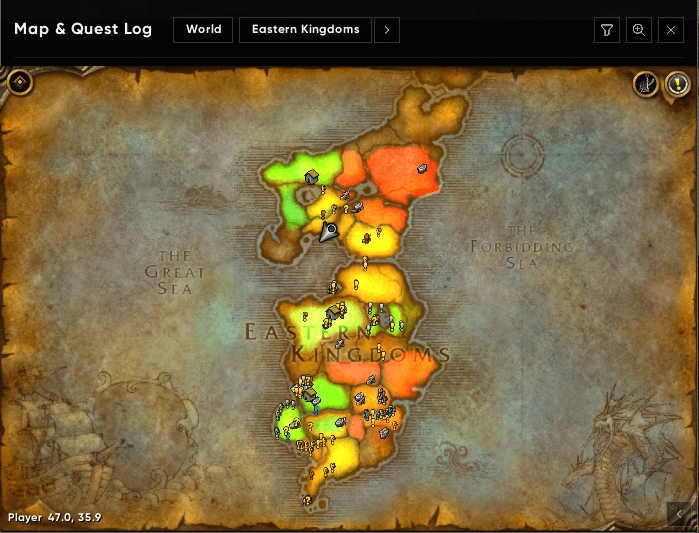
19_map_skill_tint.png
Description
Forever Quick Fish
Fishing for WoW Forever, without the busywork. Double right-click to cast, lure, and hook. A fishing map tints every zone by your skill, a HUD you can arrange your way shows what matters, and every catch is logged.
- Built specifically for WoW Forever. Its zones, its fish, its client.
- Apprentice, Journeyman, or Artisan. Pick how much of Quick Fish you see: just fishing made easy, tracking and progress, or the complete experience. Or mix your own.
- Every cast and hook is still your own input. Quick Fish makes each one a single click or key; it never fishes for you.
New in 0.7.0
- Experience levels. Apprentice, Journeyman, Artisan, or Custom decide which of the 14 features you see; a feature you switch off hides its pages and options. Players from before 0.7.0 keep everything they had (Custom).
- A new setup wizard that follows your level, lets you arrange the HUD by dragging its parts on the HUD itself, pick your warning and goal sounds, and preview the alerts as they will show.
- Milestones. 35 steps across fish caught, fishing skill, the collection, zones completed, goals, sessions, catch value, and rare finds, kept per character, with their own page, a toast, and a HUD line for the next one.
- Both weapons in a fight. Attacked with the pole on, both your weapons go on at once, two identical ones included.
- Vendor tooltips list the fish recipes you don't know yet.
- HUD: the next milestone and the pool you are fishing get parts of their own, the panel grows downwards only, and the lure row lists the lures in your bags.
Fishing
- Double right-click to fish. It puts a lure on if the pole has none; otherwise, it casts, and while the line is out, it hooks the fish. Right-clicking NPCs and players works as usual.
- One key to cast and hook. Bind Cast or Apply Lure in Key Bindings > AddOns. Prefer a button? Turn on the on-screen cast button and drag it where you like.
- Controller. Pick one gamepad button: it casts, and while the line is out it hooks the fish on the soft-targeted bobber, no aiming needed. Listen for the splash and press it.
- The pole goes on by itself. Double right-click the world (not an NPC or a mailbox) and your pole or fishing set goes on; the next double click casts. With Pole On Anywhere turned off, it goes on only over a fishing pool or at water you have fished from: Quick Fish remembers where you stood and which way you faced when you cast, or, where the game hides your position, the subzone you cast in. Your weapons go back on when you mount or a fight starts.
- Your gear back in one gesture. Hold Shift (or Ctrl or Alt) and double right-click: your normal gear goes back on, even while the line is out.
- Lures handled for you. The best usable lure goes on automatically and is replaced before it runs out (you choose how many seconds early), lures are bought at vendors to keep a set amount, and a HUD button puts one on right now.
- Extras on the cast. It drinks Captain Rumsey's Lager, opens clams and crates, and can run a macro of your own once every few minutes (a buff, food, anything).
- Gear sets. Save several fishing sets, rename them, and pick the one the swap key uses. One click on the HUD,
/qfs, or a key puts it on and takes it off. It works with two identical weapons. - Fights. Attacked with the pole on, both your weapons go on at once (main hand and off hand, a shield, or a two-hander), through a weapons-only equipment set Quick Fish keeps for you; the game lets addons change weapons only as a fight starts, so this needs nothing from you. The pole goes back on after the fight, and the HUD can hide while you fight.
- Loot protection. A double click that lands while the loot window is open is dropped, so nothing is cast over your catch.
Fishing map
- Zones tinted by your skill. Open a continent and every zone is coloured for you: green where no fish get away, orange while they still do, red below the zone's minimum. Show the skill ranges as labels instead, or both.
- Zone panel. Open a zone and a panel lists its fish with their chances (by day and by night once you have caught enough there), the skill it takes, and your own spots. Pick its corner and size.
- Pool spots. The fishing pools you have found are pinned on the map.
- Map button. Left-click hides or shows everything Quick Fish draws on the map; right-click picks what shows (pools, the zone panel, the tint, the labels).
HUD
While a pole is equipped, a small panel shows:
- Your zone, and your fishing skill coloured by what the zone needs.
- The lure and its time left, coloured green, amber, and red as it runs out; with none on, "none" in orange when you have lures in your bags and red when you don't (hover for the list).
- Catches now and in this zone, and how many kinds live here that you have never caught (hover for the list of missing fish).
- Casts to the next skill point, from your skill-ups in this zone, and points to the cap.
- Fish per hour, the zone's top fish, and the fish that bite at this hour.
- What your catch is worth, in this zone and this session, with gold per hour, at Auctionator's prices (or the vendor price when there is none).
- Your session goal as
caught | wanted; a click on it opens the goal's options. - The next milestone, with how far you are.
- The fishing pool you are fishing, always at the bottom.
- A bobber timer between a pole and a fish, with the usual bite window.
- Header buttons: open the window, pause, apply a lure, swap gear.
- A catch recap under the panel: what you just caught, for a few seconds.
Make it yours. Turn every row and button on or off, drag the parts (Fishing, Data, Time & Events, Fish, Worth, Goal and Quests, Next Milestone) into any order, right on the HUD or in the options, set the text sizes per part or all at once, the width, row spacing, background, and text outline. The panel grows downwards only, so its top stays where you put it.
Collection and guide
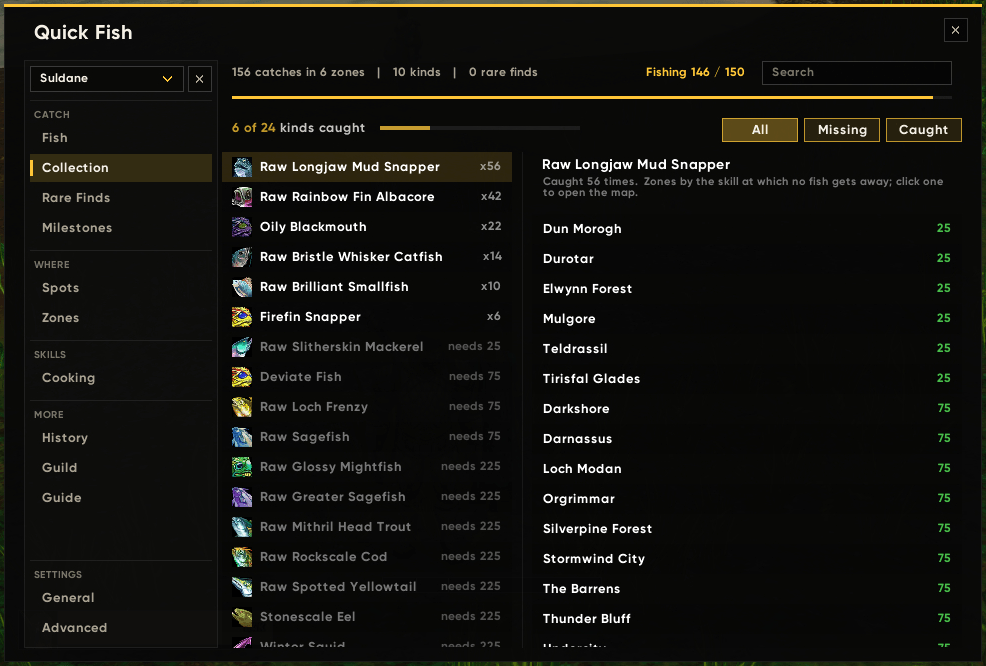
- Collection. Every fish the zone data knows, caught or still missing, with how many times you caught it. A missing fish shows the zones it comes from, by the skill they take and coloured for your skill; click a zone to open the map. Your first catch of a new kind is announced in chat.
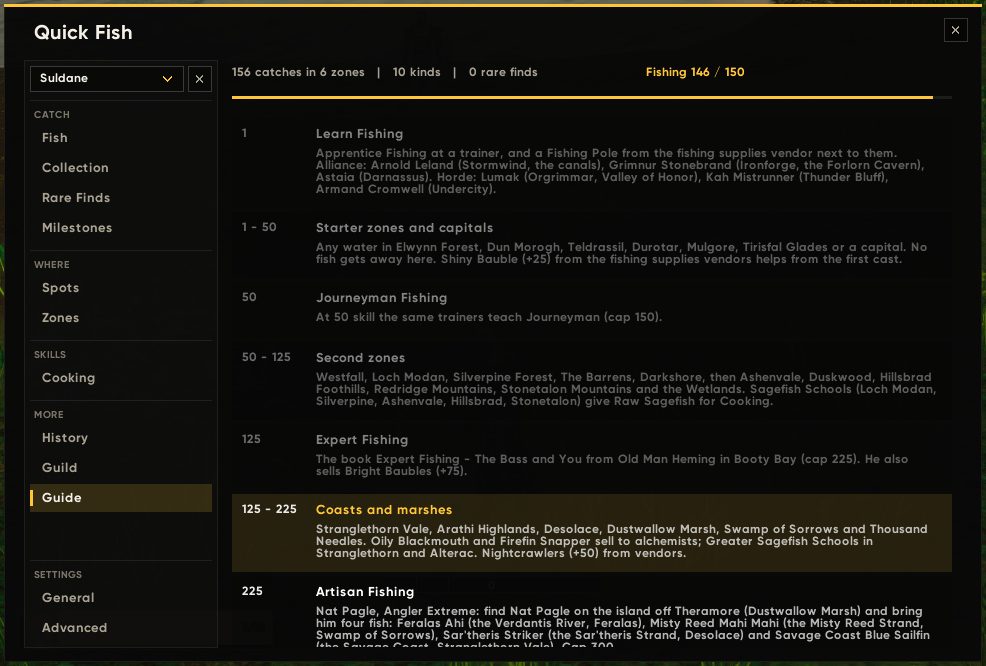
- Guide. Fishing 1 to 300 step by step: trainers, the Expert book, the Artisan quest with its four fish, zones by skill tier, and the Extravaganza. The step for your skill is marked.
- Spots. Your best zones by gold per hour or by value per cast (click a column to sort), with a plan line: the zone that pays best for your skill and the next skill tier.
Catch log
- Every catch is logged per zone, per character, and for the whole account.
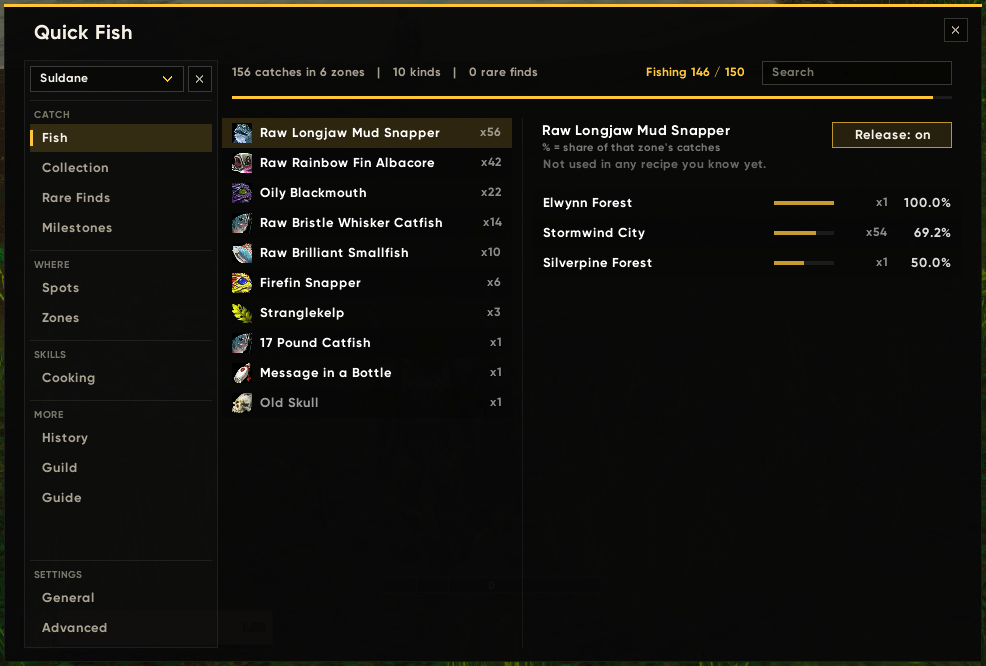
- Fish and Rare Finds list what you have caught.
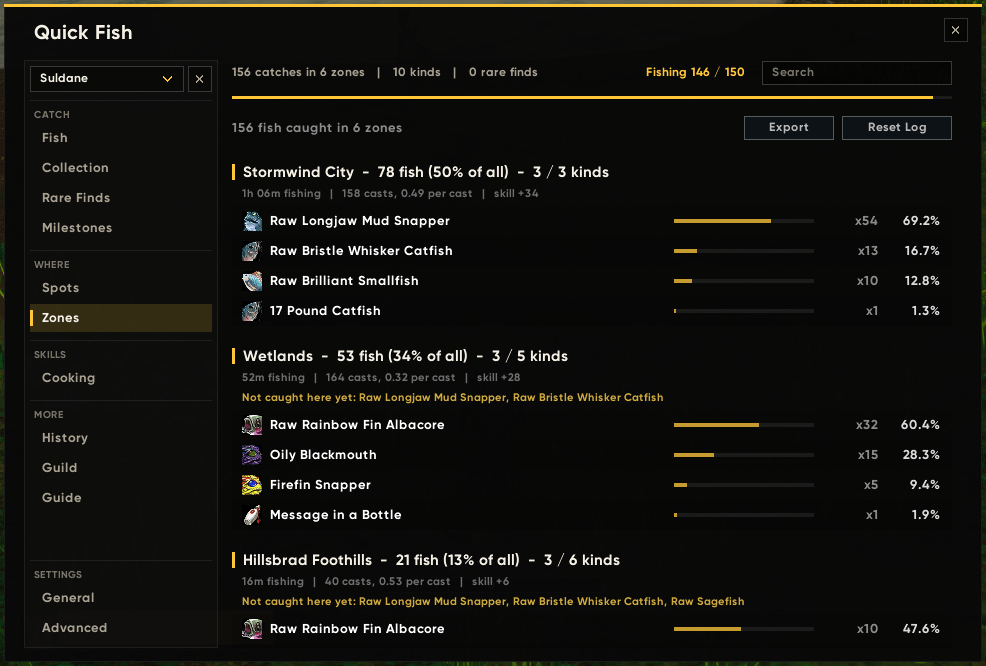
- Zones shows how many kinds you have caught in each zone and what is still missing.
- History shows fish, gold, and per hour, plus your recent sessions.
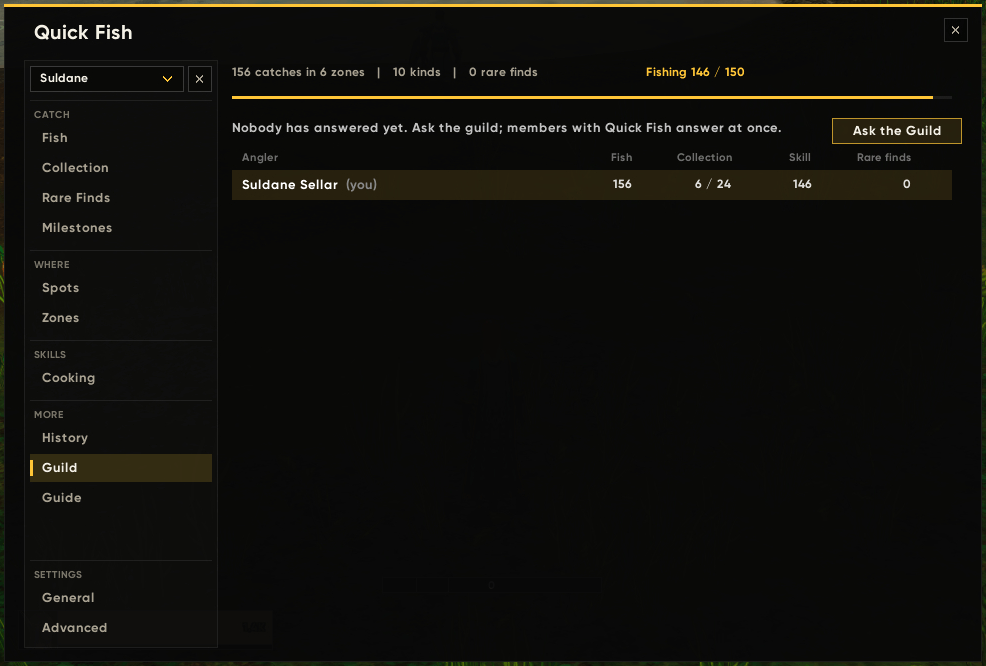
- Guild. Ask your guild and see who fishes how much (needs Quick Fish on both sides).
- View all characters together or one at a time, and delete a character's data.
- Backups. Your data is copied aside once a day; Back Up Now and Restore Backup sit under Advanced > Data & Display.
Cooking and prices
- Cooking. See which recipes use the fish you catch, and which fish recipes you are still missing, with the vendor and town to get each one from (your faction's and the neutral ones). Recipe tooltips say whether you know the dish, a vendor's tooltip lists the fish recipes it sells that you don't know (and whether you can learn them yet), and a vendor selling one is called out in chat once per visit.
- Prices. Values come from Auctionator or from Quick Fish's own Auction House scan.
- Bag helpers. Fishing junk is sold at vendors, split fish stacks are merged, and fish you mark for release are deleted with one key.
Alerts
- A louder splash, with music and ambience muted.
- A short chime once the bobber lands.
- No bite before the cast ends.
- Bags nearly full.
- Lure running out.
- Skill too low for the zone.
- Bobber out of the hook key's reach, with an optional camera scan that turns the view a little until it finds the bobber.
- An enemy player nearby, with an optional pause on casting.
- Warnings as a toast card, text in the middle, or off, with your own sound and sound channel.
Goals
- Session goal. Pick a fish and how many you want. A toast tells you when it is reached, and the goal can stay on the HUD or clear itself.
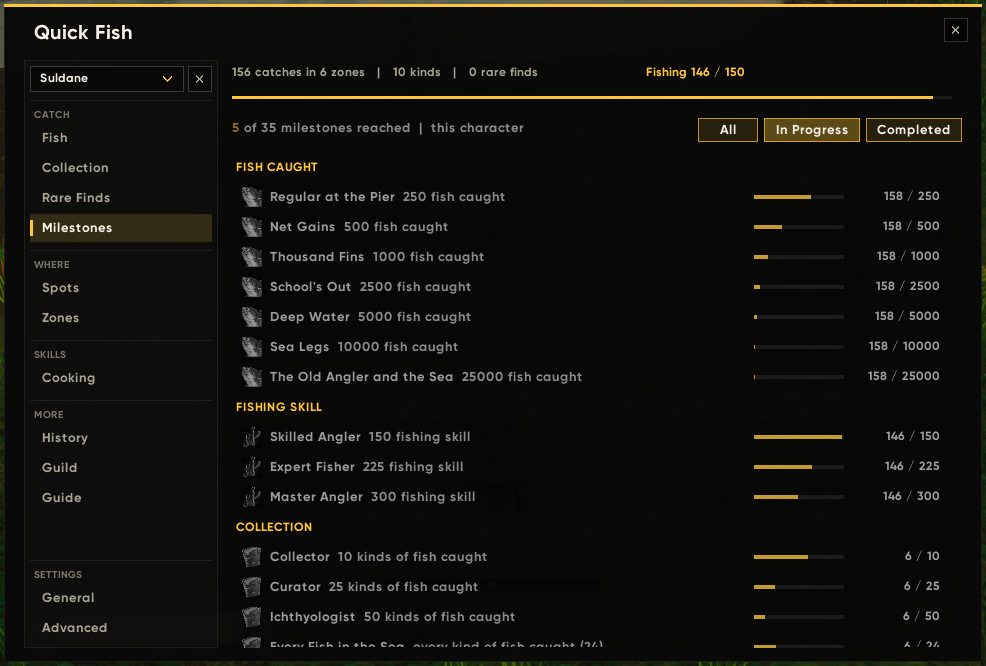
- Milestones. 35 steps: fish caught, fishing skill, the collection, zones completed, goals, sessions, catch value (with Economy on), and rare finds. Each character earns its own, from its own catches. A toast and a chat line (guild chat if you like) for each, a Milestones page with progress bars, and the next one on the HUD.
- Session card. When you put the pole away: the time, the fish, what they are worth and gold per hour, your skill before and after, and rare finds.
- Stranglethorn Fishing Extravaganza. A countdown and your Tastyfish count during the contest.
Sound, auto loot, and targeting changes apply only while you fish. Your own settings come back when the pole comes off, or you log out.
Setup and options
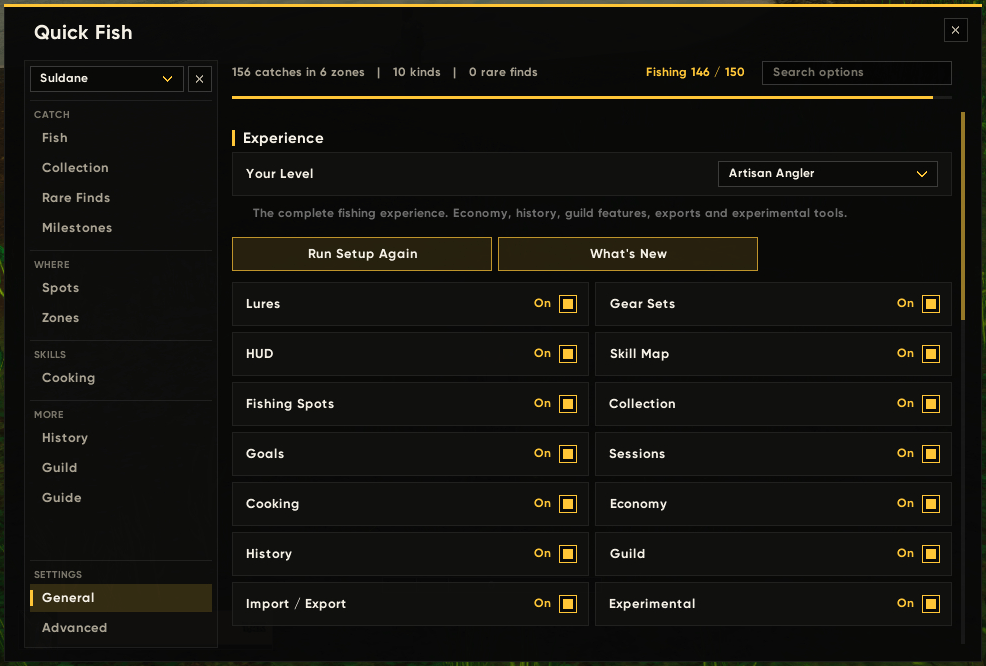
- Experience levels. Apprentice, Journeyman, Artisan, or Custom (General > Experience): 14 features you can switch on and off, each hiding its own pages and options when off. Restore puts a Custom mix back to the level it came from.
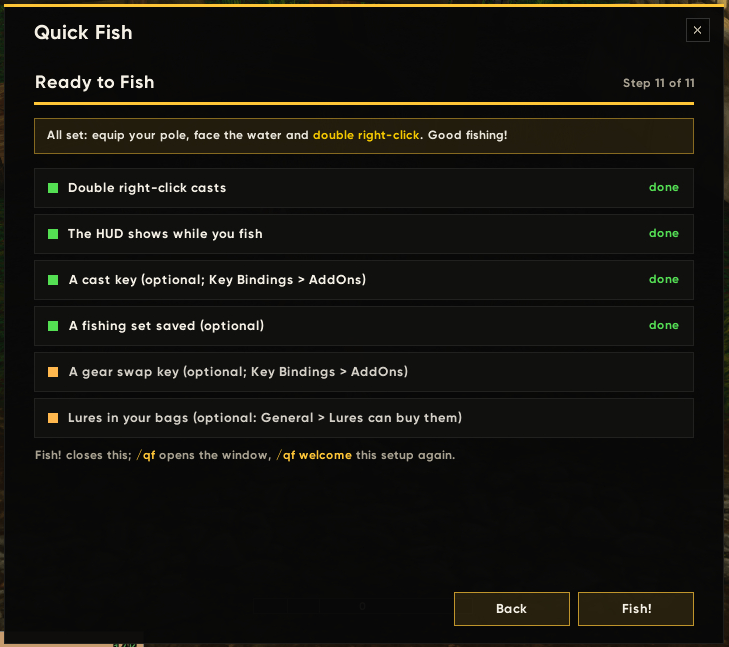
- Setup wizard. 8, 10, or 11 short steps on first start, depending on your level: your level, casting, fishing gear, the HUD (arrange it right on the screen), a session goal, map and alerts (with your sounds and a preview of each alert), tracking, gold and sharing, a theme, and a "ready to fish" checklist where every line takes you to its step. It shows the settings you already have and changes nothing unless you do.
- Options. General for what most players set once, and Advanced in tabs: Casting & Gear, HUD, Alerts, Map, Goal & Sessions, Data & Display.
- Search. A box over the settings finds any option and takes you to it.
- Reset on every section, and click a slider's number to type a value.
- Settings as text. Export your settings, with your level and features, and import them on another account or computer.
- 8 colour themes for the window and the HUD.
Commands
| Command | What it does |
|---|---|
/qf |
Open the window. |
/qfs |
Swap fishing gear on or off (also /qf swap). |
/qf saveset |
Save what you wear as a new fishing set. |
/qf on / /qf off |
Turn the double-click on or off. |
/qf lure |
Turn automatic lures on or off. |
/qf welcome |
Open the setup wizard again. |
/qf luas |
Quick Fish's Lua errors, with a Copy All button for bug reports. |
/qf export |
Your catch log as text, to copy. |
/qf debug |
Explain why a right-click did or did not arm. |
Key Bindings > AddOns has Cast or Apply Lure, Swap Fishing Gear, and Delete Released Fish.
Works with
- Forever Achievements Tracker. Adds a Quick Fish section of achievements: zones fished, rare finds, kinds of fish, the collection (10, 20, and every kind; zones fished out), and Quick Fish's milestones.
- Sellar's Forever UI (optional). Warnings and goal toasts use its alert cards; without it, Quick Fish shows its own.
- Auctionator (optional). Fish prices.
- Questie (optional). The map button sits next to Questie's.
- Other addons.
QuickFishAPIexposes read-only data:Collection(),ZonesComplete(),Catches(),Milestones().
Help with WoW Forever's zones
The zone data covers the classic zones, plus Zephras Isle. Riverglades lists its known fish with an estimated skill range (shown with a "?"). If you fish in Riverglades or other new Forever zones, open Advanced > Data & Display > Export Zone Data and paste the text in the comments: your catches and skill go into the next version for everyone.
Good to know
- Made for the English client. Zones and pools are recognised by their English names.
- Every cast and every hook is your own key press or click. Nothing is automated.
- In a fight, the game lets addons change only your weapons, and only as the fight starts; the rest of your fishing set stays on until the fight ends.
- This is an alpha. Bug reports and ideas are very welcome in the comments;
/qf luasgives you the error text to paste.
Forever Quick Fish Team