Forever Prot Rage Coach
- By
Rage coach for Warrior & Druid tanks on WoW Forever. Save/dump thresholds that work with secret values, live costs, Revenge/Primal Bite glow, Spot-to-focus. Combat only. /prc
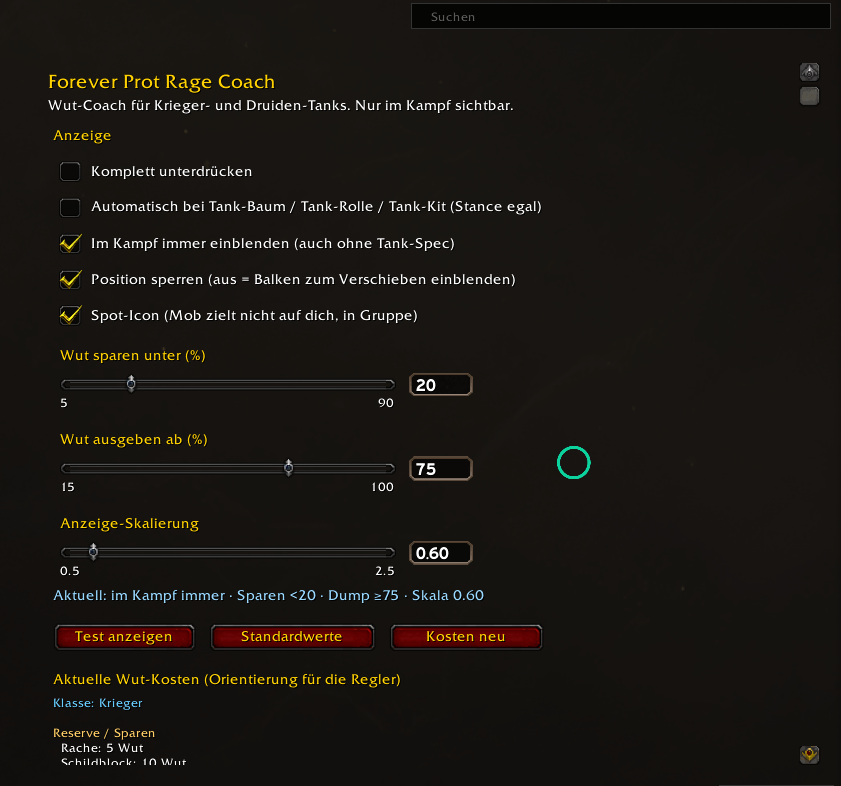
2026-10-10_17-21.png
Description
What it does
Save / Dump hints
-
SAVE RAGE when your rage is below your threshold — keep enough for core threat tools.
-
DUMP RAGE when rage is high — spend into your rage dump before you cap.
Warrior: Revenge, Shield Block, Thunder Clap, Demoralizing Shout → dump into Heroic Strike / Sunder / Cleave
Druid (Bear): Primal Bite, Growl, Demoralizing Roar, Bash → dump into Maul / Swipe / Lacerate
Defaults are 40% save / 60% dump; change them with sliders or number inputs.
Live spell costs
The options panel lists current rage costs for those abilities, including talent modifiers (e.g. Improved Thunder Clap / Ferocity), so you can set thresholds with real numbers.
Reactive highlight
The save panel shows a live Revenge (Warrior) or Primal Bite (Druid) icon that glows when the ability is usable — including when the proc/CD is ready but you are short on rage.
Spot (groups)
If you are in a group and your current target is attacking someone else, a Spot icon appears.
Click it to set that target as focus. Silent auto-focus is blocked by Blizzard’s secure API.
Combat only
Panels are hidden out of combat (except /prc test).
Display modes (/prc → Anzeige)
-
Off — never show
-
Auto (tank) — show when you look like a tank (tank talent tree / tank role, or Defensive Stance / Bear Form)
-
Always in combat — show in combat even without a tank spec
Slash commands
|
Command |
Action |
|---|---|
|
|
Open options |
|
|
Set display mode |
|
|
Save threshold (%) |
|
|
Dump threshold (%) |
|
|
UI scale |
|
|
Lock or move the frame |
|
|
Flash both panels briefly |
Install
-
Extract so you have:
World of Warcraft/_classic_beta_/Interface/AddOns/ProtRageCoach/ -
Restart or
/reload, enable the addon. -
Open
/prc, set thresholds, unlock and drag if needed.
Client: WoW Forever 1.60.x (## Interface: 16001)
Not for Classic Era or Retail.
Notes
-
Focus requires clicking the Spot button (secure action).
-
Spot uses your current target (tab to the mob that peeled, then click Spot).
-
License: MIT
Forever Prot Rage Coach Team