Forever Portrait Frames
- By
Custom player, target and target-of-target frames for WoW: Forever with round portraits, cast bar, style presets and a graphical settings menu.
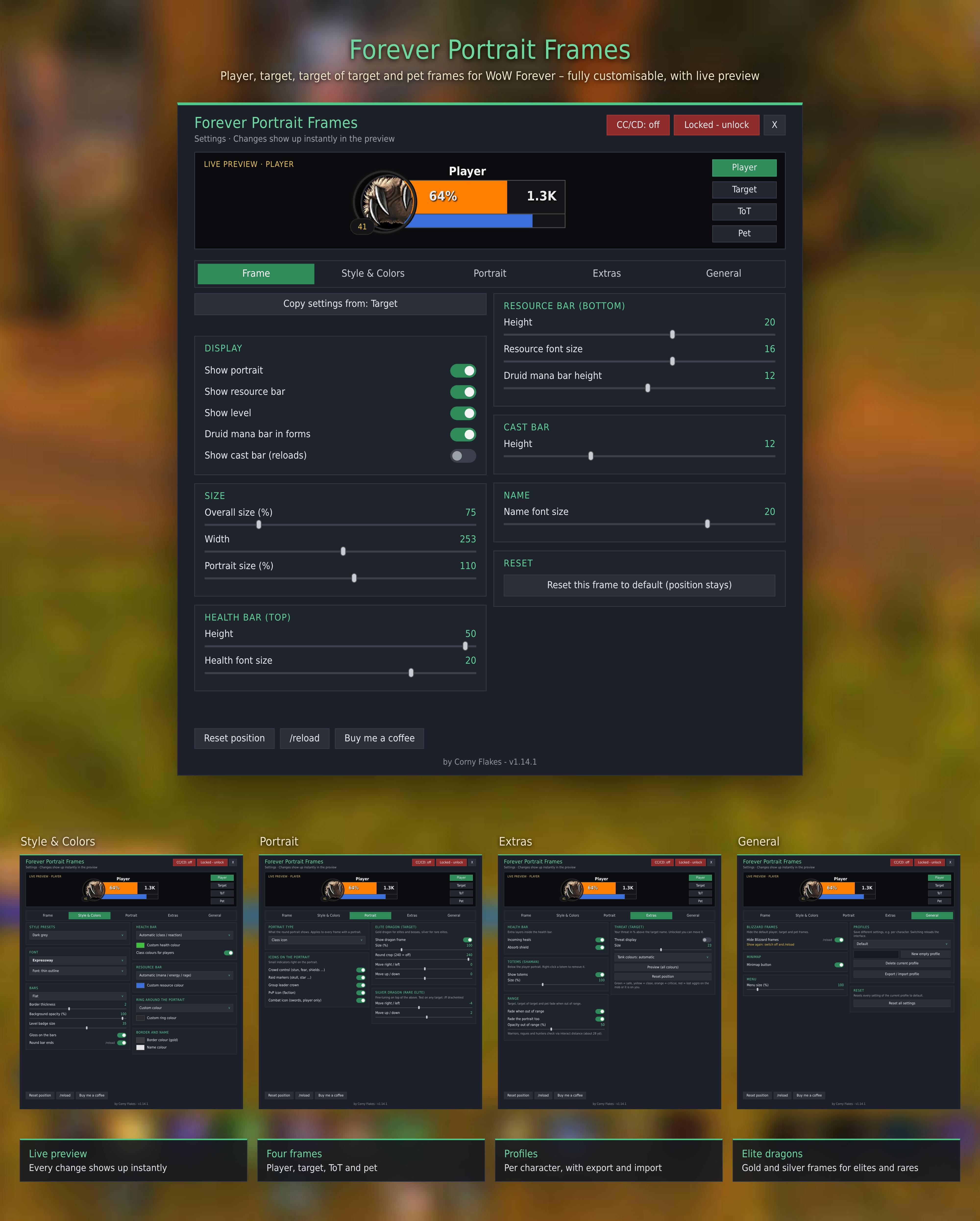
ForeverPortraitFrames-overview-en.jpg
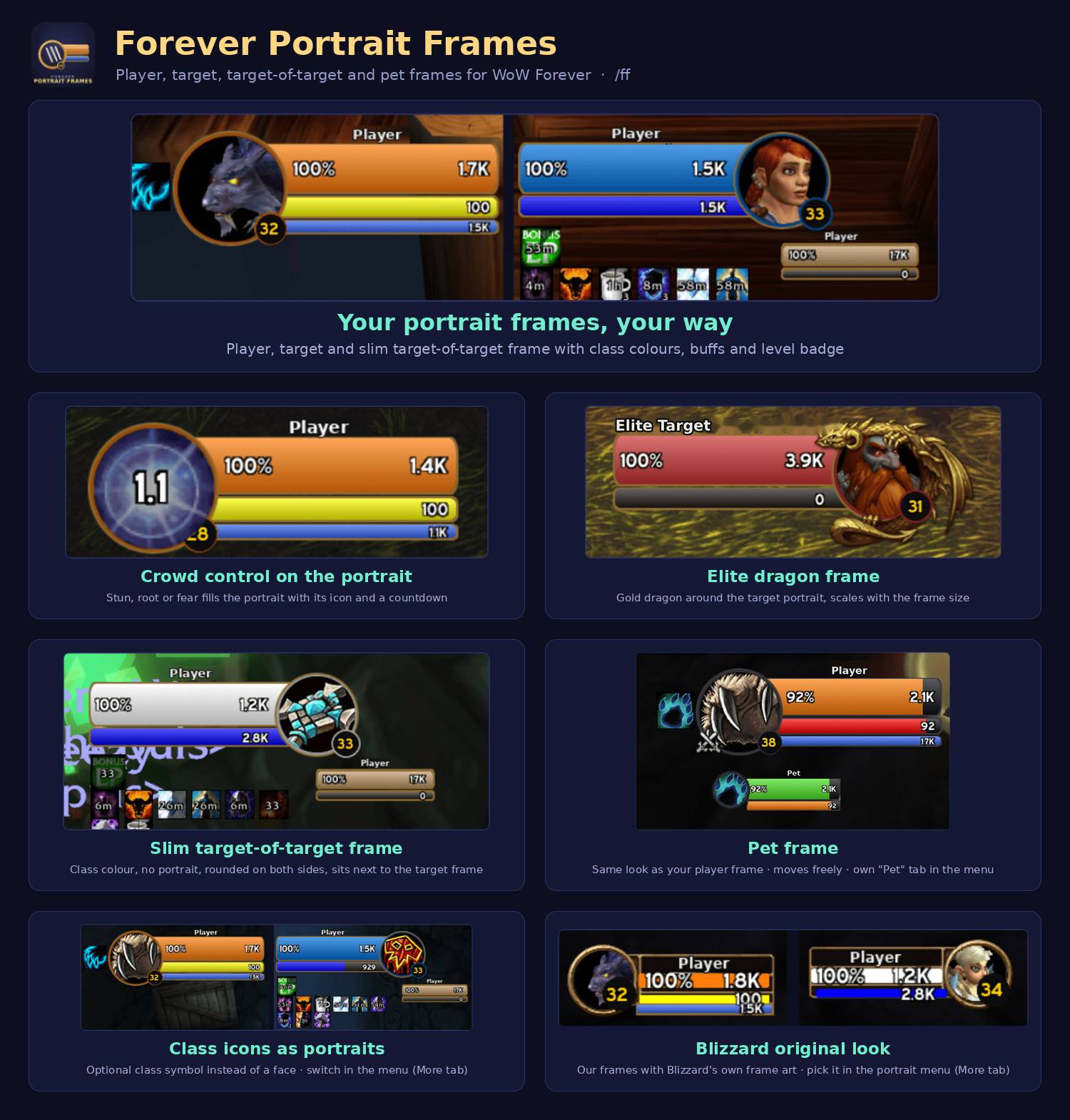
overview2.jpg
ForeverPortraitFrames-CC-Auras-EN-blur.png
Description
More from the same author
https://www.curseforge.com/wow/addons/forever-aura-durations
https://www.curseforge.com/wow/addons/foreverhatelist
Forever Portrait Frames
Clean, customizable player, target and target-of-target frames for WoW: Forever. Round portraits, glossy bars with a gold border, a cast bar and a graphical settings menu. Change everything in game with /ff, no files to edit.
Features
- Player, target, target of target and pet frames, each with its own size, width, bar heights and text sizes
- Portraits: 2D picture, 3D model, class icon or your own image
- Style presets: Classic Gold, Modern Dark, Neon Cyan, Frost, Fel Green, Blood Red, Black, Dark Gray, Minimal. Mix your own with colors, fonts, bar textures, border thickness and opacity
- Fonts: built-in fonts plus every font from LibSharedMedia, with a live preview in the list
- Health colors: class / reaction, your own color or a red-yellow-green gradient
- Cast bar for player and target with spell icon, name and remaining time
- Incoming heals and absorb shields on the health bar
- Druid mana bar in cat and bear form
- Gold elite dragon and silver rare-elite dragon around the target portrait, with a test button to adjust them live
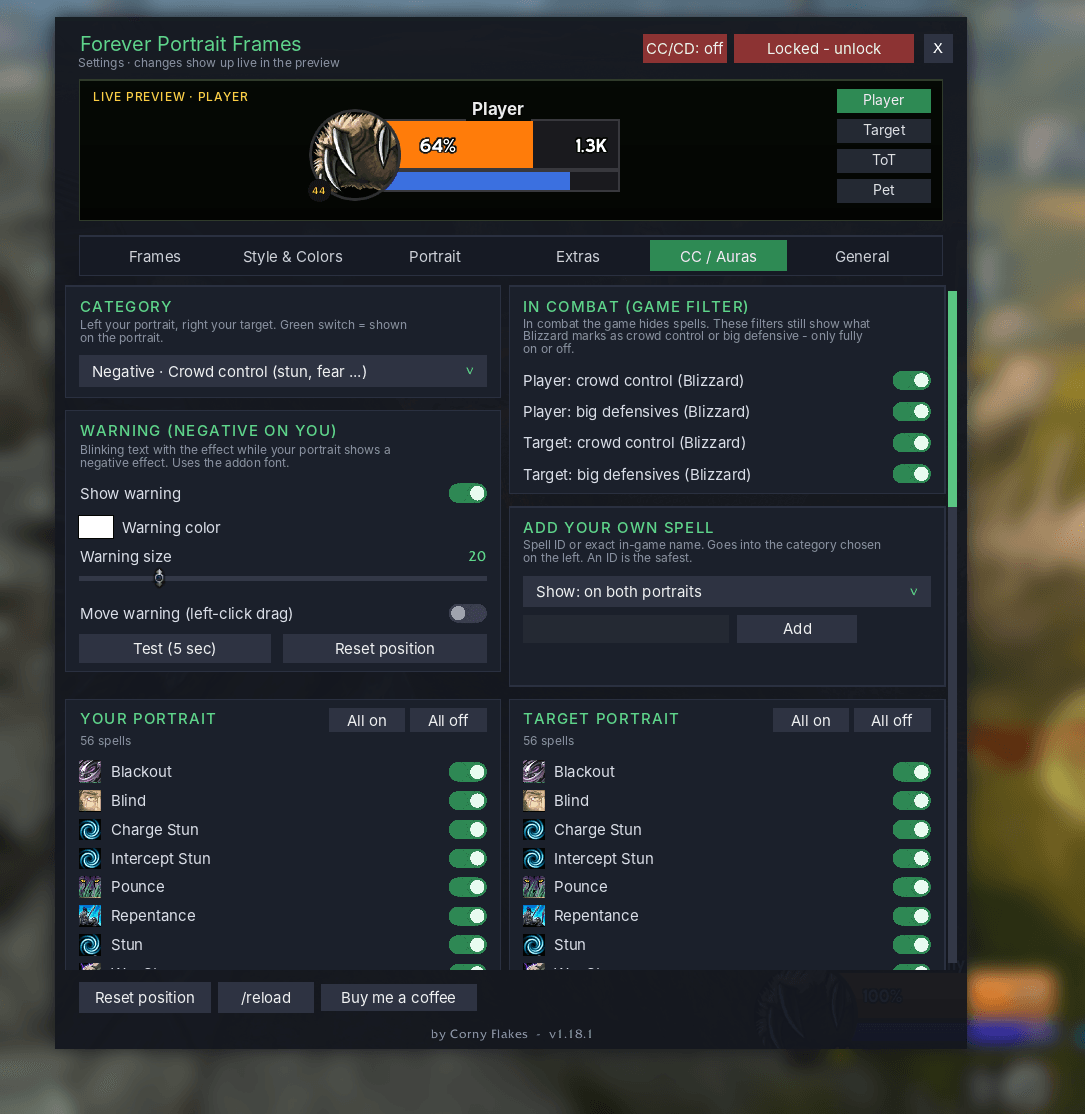
- Portrait icon: crowd control (stun, fear, silence, roots …) and protective buffs show on the portrait with a timer, also in combat
- Own defensives: Barkskin, Shield Wall, Ice Block, Evasion and more show on your portrait while active
- CC / Auras tab: pick spell by spell what shows on your portrait and on the target portrait, sorted into positive and negative. Add your own spells by ID or name. Combat filters can be switched per frame
- Warning text: blinking text with the effect name when a negative effect is on you. Color, size and position are adjustable
- Hit text: damage taken, heals and dodge / parry / miss as numbers on your frame. Pick one of three styles: on the portrait, next to the health bar, or rising above it
- Extras: totem bar for shamans, fade out of range, threat display on the target
- Status at a glance: PvP flag, resting (zzz), AFK / DND, dead / offline, combat icon, group leader, raid markers, level badge. Each can be switched off
- Profiles: save different setups (e.g. per character), plus export / import
- Unlock and move the frames, or copy settings from one frame to another with one click
- Works in combat. Values are only displayed, the addon does no math with them
- Works together with Forever Aura Durations: target auras hang below the target frame and scale with it
- German and English, follows your game client (other languages get English)
How to use
- Copy the
ForeverFramesfolder toInterface/AddOns/and restart the game. - Type
/ff(or click the minimap button) to open the menu. - Click “Locked - unlock” to drag the frames where you want them.
Commands
/ff- open the menu/ff unlock//ff lock- move / fix the frames/ff reset- reset positions/ff minimap- minimap button on / off/ff dragontest- show the elite dragons on any target
Notes
- The default Blizzard player and target frames are hidden. Untick “Hide Blizzard frames” in the menu and type
/reloadto get them back. - In combat the game hides some aura and combat data from addons. Some spell names or numbers may then show differently or not at all.
- The addon is made for WoW: Forever and may not work on other game versions.
Support
Found a bug or have an idea? Leave a comment. If you like the addon, you can buy me a coffee. All rights reserved.
Forever Portrait Frames Team