Forever Pally Seal Cooldowns
- By
Tracks paladin seal duration with countdowns, refresh alerts, and a glowing combat reminder in WoW Forever.
Screenshot 2026-10-03 094554.png
Screenshot 2026-10-03 094719.png
classicGold.png
high_Contrast.png
minimal_texture.png
Description
Pally Seal Cooldowns
Keep track of your paladin seals with clear countdowns, refresh reminders, and a display you can customize to match your UI. Built for WoW Forever beta.
Features
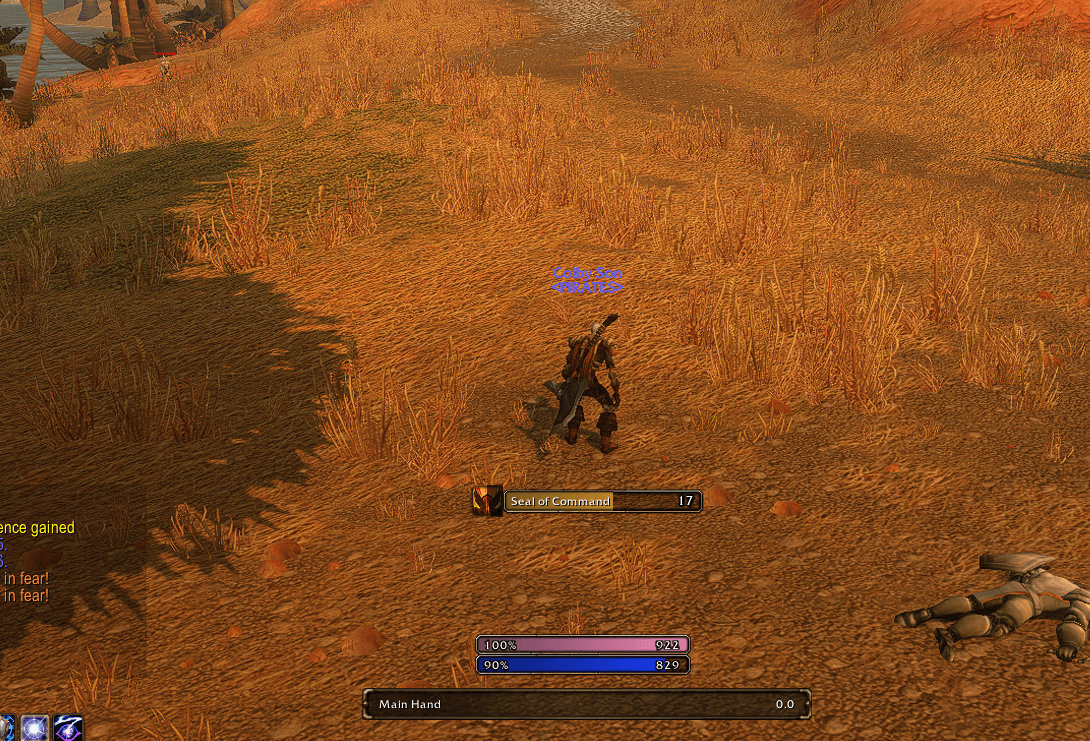
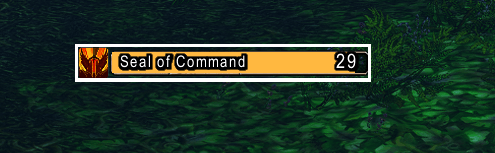
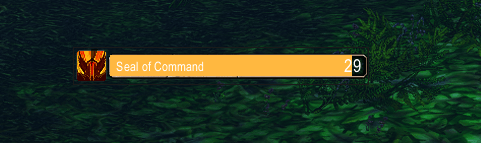
- Two display layouts: a large icon with a radial timer or a compact horizontal duration bar.
- Combat-aware tracking: checks buff data every half second and on aura events to update readable cancellations, seal replacements, and duration changes.
- Immediate cast feedback: casting, recasting, or switching seals starts a countdown while the addon waits for updated buff data.
- Refresh reminders: configurable warning threshold, red warning colors, and optional countdown numbers that appear only when a refresh is due.
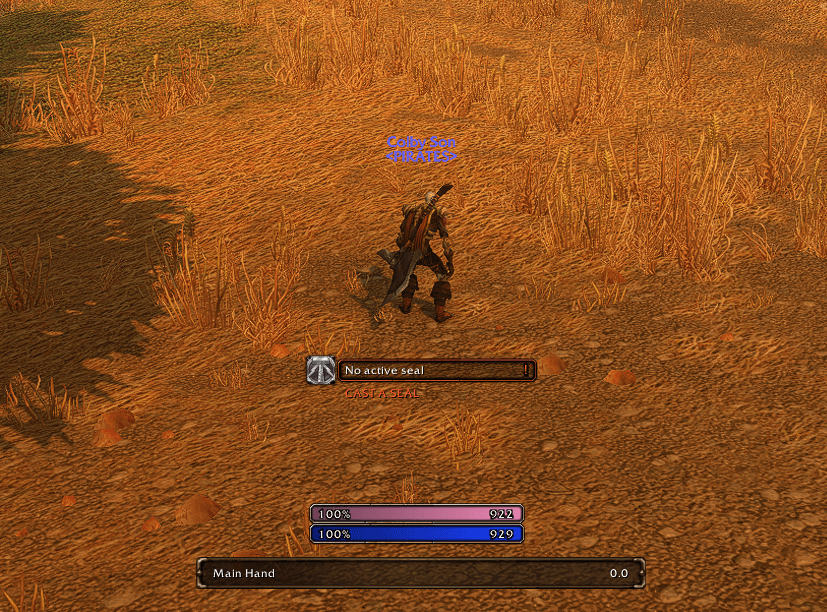
- Missing-seal alerts: a repeating glow and bounce when a seal is confirmed missing or readable timing shows it has expired in combat.
- Sound choices: raid warning, whisper, or soft UI click, with audio-channel selection and a test button.
- Flexible layout: movable tracker, adjustable scale and bar width, optional combat-only visibility, and separate toggles for the seal name and status text.
- Saved preferences: settings and minimap button position persist between sessions. No additional addons are required.
Make it match your UI
Choose a font, set countdown and seal-name sizes independently, and adjust outlines and text shadows. Customize border style, color, and thickness, or choose a different bar texture. Warning colors remain active with every style.
Six built-in presets make it easy to get started:
- Default: the original game-style fonts and icon border.
- Minimal: a thin dark border and flat bar with no text outline or shadow.
- High Contrast: a thicker white border and bold text outlines.
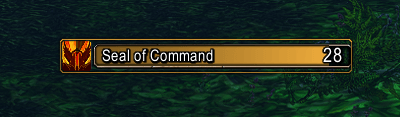
- Classic Gold: a gold tooltip-style border and outlined text.
- Paladin Pink: a pink border, Arial Narrow, and a flat bar.
- Clean Text: a borderless layout with Arial Narrow and text shadows.
All presets work without extra downloads. Optional LibSharedMedia-3.0 support adds fonts, borders, and bar textures provided by installed media packs. If a selected media pack is unavailable, the display falls back to its defaults.
One settings page
Open Options > AddOns > Pally Seal Cooldowns, type /psc, or click the minimap seal icon.
General options, alerts, appearance controls, and presets are all on one scrollable page. Wider windows show two columns; narrower windows stack the sections. Changes apply immediately. Presets change appearance without altering your timing, sound, position, or visibility settings.
Compatibility
Targets WoW Forever beta 1.60.1, interface 16001. Other WoW versions have not been tested, and future beta builds may require updates.
Recognizes localized names for Seal of Righteousness, Command, Justice, Light, Wisdom, the Crusader, and Fury. Display labels and commands are in English.
How combat tracking works
The addon uses actual buff data whenever the client allows it, both in and out of combat. Readable removal events also clear the tracked seal's timer when a fresh buff query is restricted.
When buff data is restricted, it can retain an ESTIMATED TIMER based on a successful cast or previously readable timing. Cast estimates use the last learned duration for that seal, or a 30-second baseline until a duration is learned. Readable buff data corrects the estimate when available.
If both buff data and removal information are hidden, cancellations, dispels, or duration changes cannot be confirmed. An expired estimate shows unavailable status rather than claiming the seal is definitely missing. The addon never casts or refreshes spells automatically.
Commands
| Command | Action |
|---|---|
/psc |
Open the unified settings page |
/psc unlock |
Unlock the icon for dragging |
/psc lock |
Lock its position |
/psc warn 5 |
Warn with 5 seconds remaining; accepts 1–30 |
/psc counter refresh |
Show countdown numbers only at the warning threshold |
/psc counter always |
Always show countdown numbers (default) |
/psc sound |
Toggle the audible warning |
/psc scale 1 |
Set display scale; accepts 0.5–2 |
/psc reset |
Reset position and size |
/psc status |
Show client version, build, interface, and aura API status |
The default warning threshold is 5 seconds, sound is enabled, and position is locked.
Manual installation
Extract the PallySealCooldowns folder into your Forever client's _classic_beta_/Interface/AddOns directory. Restart WoW and enable Pally Seal Cooldowns on the character selection AddOns screen. Log into a paladin; the tracker stays hidden on other classes.
Feedback
Forever is a beta client and future builds may need addon updates. When reporting a problem, include your client build (/psc status), addon version, game language, seal name, steps to reproduce, and any Lua error text.
Forever Pally Seal Cooldowns Team