Forever Bag Mover
- By
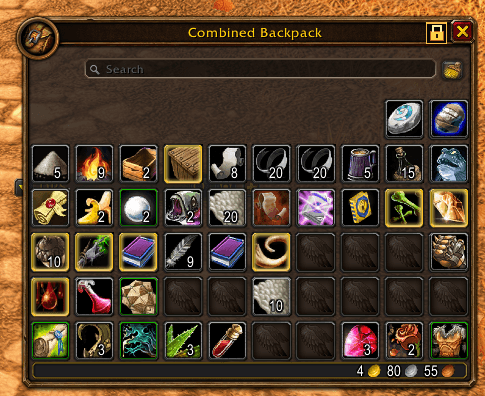
Freely reposition the default backpack or combined bags, with click-to-lock controls and saved positions per character.
Screenshot 2026-10-03 134526.png
Screenshot 2026-10-03 134556.png
Screenshot 2026-10-03 134632.png
Screenshot 2026-10-03 134704.png
Description
Forever Bag Mover
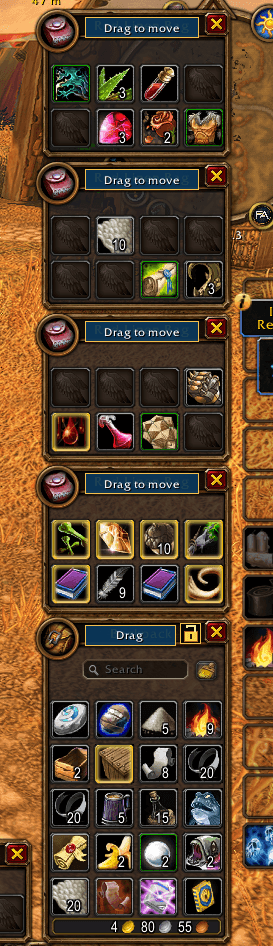
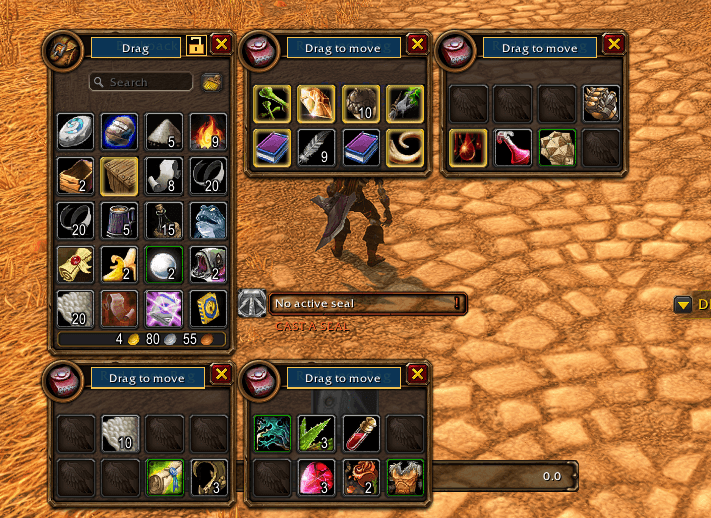
Move each Blizzard inventory bag independently, or arrange the combined-bag window as one piece. Positions and sizes save per character, with a separate layout for combined bags. Existing saved positions migrate automatically.
Features
- Free placement. Drag any bag anywhere on screen - separately or as a group.
- Per-bag resizing. Drag a bag's corner to scale it smoothly from 50% to 150%. Each bag slot and the combined bag keep their own size.
- Group mode. Move or resize every open bag together while preserving their relative spacing. Resizing with Group on scales the whole group together, so bags can't grow into overlapping their neighbors.
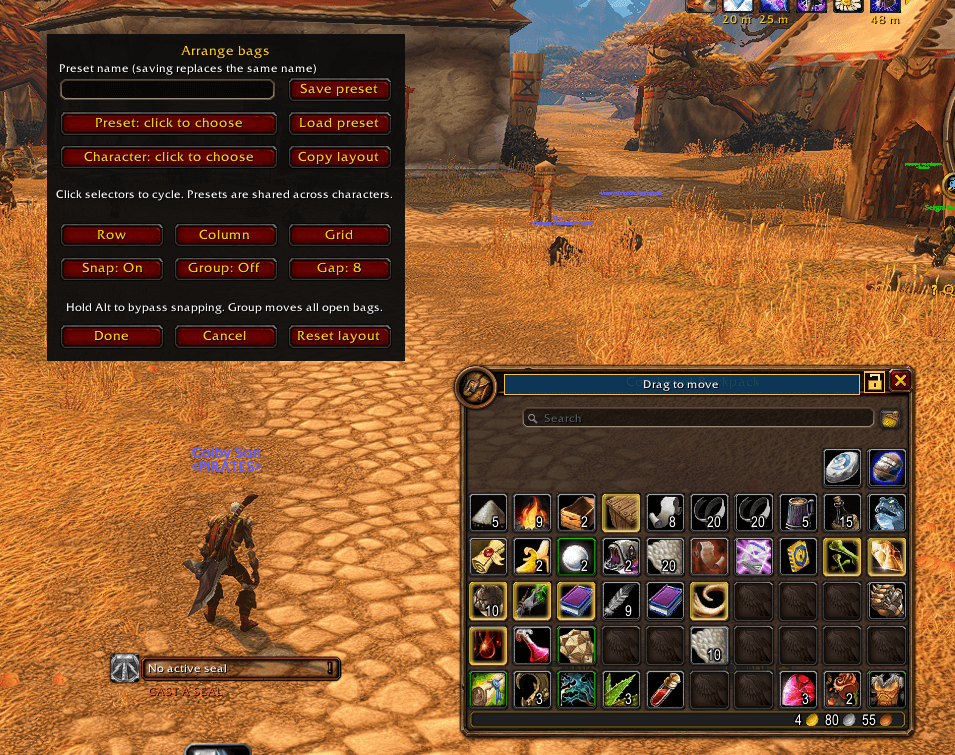
- Snap and guides. Bags snap to screen edges and to each other, with on-screen alignment guides. Hold Alt to bypass snapping temporarily.
- Row / Column / Grid layouts. One click to arrange all currently open bags, with adjustable spacing.
- Reset layout. Instantly preview Blizzard's default position and default (100%) size for every bag. Keep it with Done or back out with Cancel.
- Presets. Save named layouts to an account-wide library and load them on any character. Copy another character's last saved layout directly.
- Item filtering. A funnel icon next to the search box filters to Food, Drinks, Potions, Quest items, Reagents, Equipment, or Junk.
- Everything is a safe preview until you confirm it - Cancel always restores your last saved layout, and reloading without saving discards the preview.
Install and use
- Copy the
ForeverBagMoverfolder into your client'sInterface/AddOns. - Restart WoW and enable Forever Bag Mover.
- Open your backpack and click the closed padlock beside its close button
to enter Arrange bags mode (the combined bag has the same button).
/fbmalso works. - Drag the highlighted Drag to move bar on each bag. Drag a bag's bottom corner to resize it.
- Click the open padlock or Done to save and hide the drag highlights, or Cancel to discard changes and restore your saved layout.
Commands: /fbm (arrange), /fbm done, /fbm cancel, /fbm reset.
Known compatibility notes
FrameUnlocker can fight with Forever Bag Mover over bag frame positioning, since both addons try to control the same frames' movement. If you use FrameUnlocker, exclude your bags from it (or disable it) to avoid position fights with this addon.
Changelog
See the full version history in CHANGELOG.md.
Forever Bag Mover Team