Forever Loot
- By
One key loots the nearest corpse or quest object: instant auto loot, soft-target interact and highlight for nearby objects.
ForeverLootKey-screenshot.png
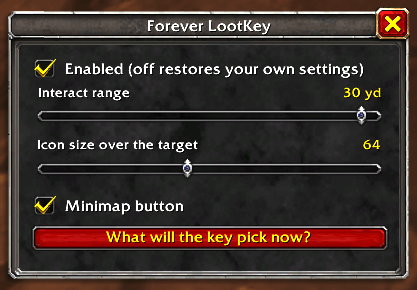
image.png
Description
Press one key to loot the nearest corpse or pick up the nearest quest object. You don't need to aim, click or target anything.
Features
- One-key looting. Turns on the game's soft-target interact. The nearest corpse, quest item, herb, ore or chest within 10 yards becomes your interact target, so your "Interact with Target" key uses it.
- Instant auto loot. Takes everything as soon as the loot is ready. Hold Shift to loot by hand.
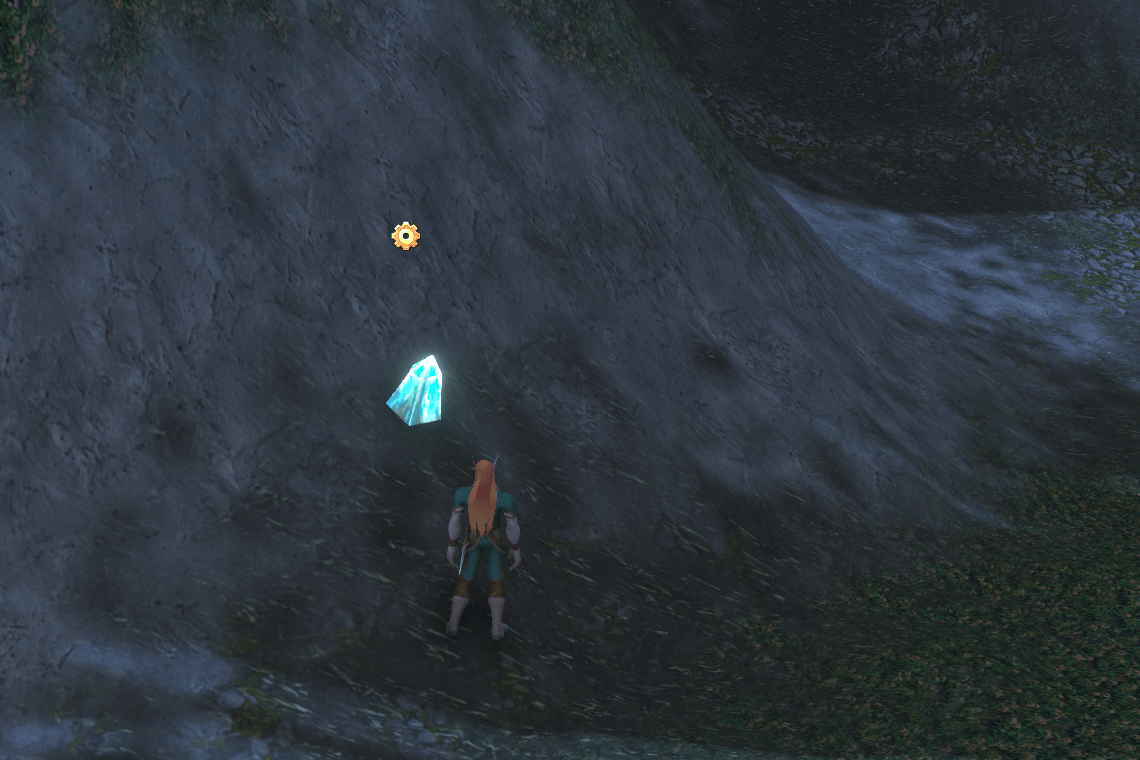
- Highlight. Shows an icon over nearby interactable objects, so quest items on floors and walls are easy to spot.
- Room in full bags (optional, off by default). When your bags are full, auto loot throws away the cheapest gray item, or food / drink weaker than your best, so the new loot fits. Quest items, green or better and bind-on-pickup loot always get room. When the junk can't go on its own, a row of 4-5 bag slots appears under the loot window: the cheapest item of each kind with its vendor price. Click one, drop it on the ground, and the loot goes into the freed slot.
It only uses the client's own settings. You still press a key for every loot.
Setup
- Install and log in. The addon applies its settings once.
- Options → Keybindings → Targeting → bind "Interact with Target" (the mouse wheel or a side mouse button works well).
- Walk up to a corpse and press the key.
Settings Open the settings window with the minimap button, the addons menu or /lootkey: turn the addon on or off, set the interact range and the highlight icon size, and turn on room in full bags. The window shows the version you have loaded.
Commands
/lootkey who: shows what the key will interact with right now/lootkey range <3-30>: sets the interact range in yards (default 10)/lootkey on//lootkey off: applies the settings, or restores the settings you had before (runoffbefore uninstalling)
Languages: English, Russian. Source: https://github.com/olegsuv/ForeverLootKey
See also: Forever Rotation (next spell to press, damage numbers on your buttons) and Forever Gear (green arrows on better gear in your bags).
Forever Loot Team