ForeverExaltedUI.png
fe widget.png
Description
 Forever Exalted
A Reputation Planner for WoW Forever.
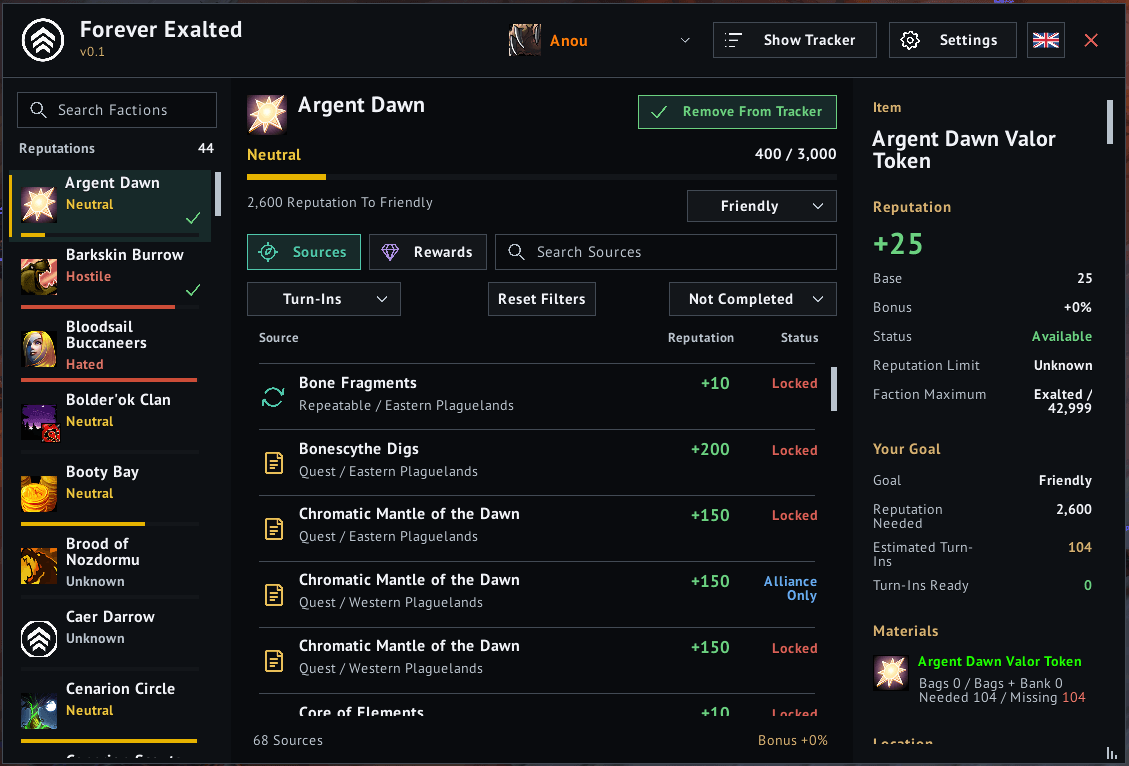
Pick a faction, choose your goal and see what it takes to get there. Forever Exalted brings reputation sources, quest requirements, turn in materials and faction rewards into one window, with a separate tracker for the reputations you are working on. Find your next Source
Browse quests, repeatable turn ins, dungeon sources and creature kills for each faction. Search for a source by name or ID, filter by type or completion state, and check whether it is available, in progress, completed, locked or capped. Quest prerequisites, level restrictions and known reputation limits help explain which options are open to your character. Know how much is left
Aim for your next standing, a specific rank up to Exalted, or the faction's maximum. For supported sources, the planner estimates kills or turn ins needed, lists the required materials, and compares them with your recorded bag and bank counts. If a source stops giving reputation before your goal, the remaining gap stays visible. Relevant item tooltips show what a turn in item is used for, its reputation value and your progress toward the selected goal. Follow the quest, find the reward
Open quest chains to review prerequisites and follow up quests. Switch between Quest Giver and Turn In locations, or add an active quest to your quest tracker. Show On Map opens recorded locations for quest NPCs, dungeon entrances and faction vendors, with a waypoint where the map supports it. The Rewards view shows faction rewards and their required standings. Inspect item tooltips, filter for available rewards and find the recorded vendors. Keep progress in view
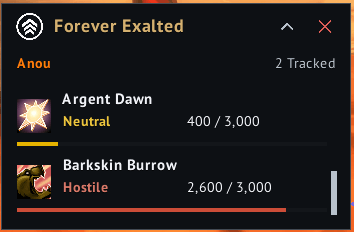
Pin favourite factions to a movable tracker with standing, reputation values and progress bars. Click a tracker entry to reopen that faction's sources. Use the character selector to review reputations, quest completion and material counts saved for your alts. Each character is recorded when you log in with the addon enabled, offline characters show their last recorded state. Set it up your way
Move and resize the main window, adjust its scale, and choose whether to show all factions, item-tooltip additions and the minimap icon. Diplomat bonus detection is enabled by default, with an Additional Bonus % setting for other reputation bonuses.
Entries with unresolved data stay marked Unknown. Calculations use the included source data and the selected character's recorded progress. Getting started
Install the addon and open /fe or /foreverexalted. Select a faction, choose a goal and click a source to see the details. Use Add To Tracker to keep that reputation visible while you play./fe tracker toggles the tracker, /fe reset resets the main window's position and scale. The minimap icon opens the window with a left-click and toggles the tracker with a right-click.
Support & feedback
Get help, report a bug or suggest an improvement through Discord.





Forever Exalted Team