


Forever Cooldowns
- By

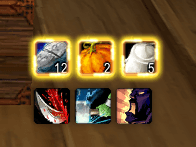
Anything you put on a bar sits where you want it. What is ready stays marked, using Blizzard's own spell alert glow where the client has it.
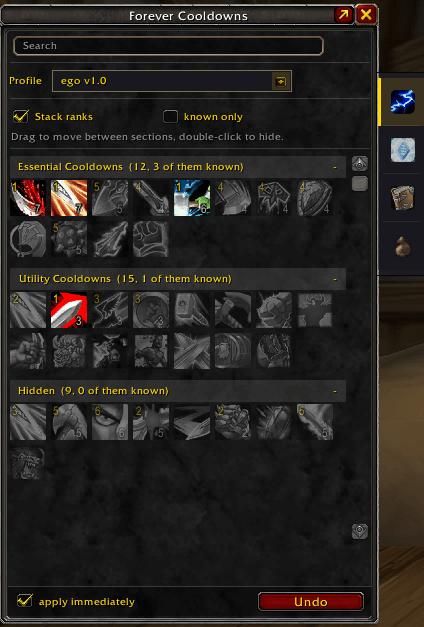
The same ability in thirty ranks collapses into a single row showing the highest rank you know. The number on the icon tells you which one.
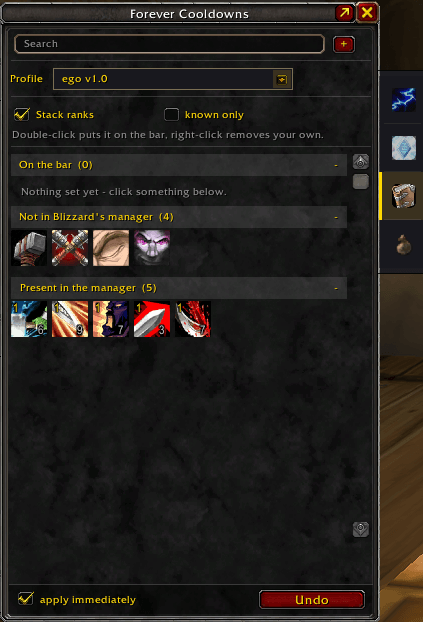
A section that shows exactly what their curated list leaves out. Add anything else by ID, or drag it in from your bags.
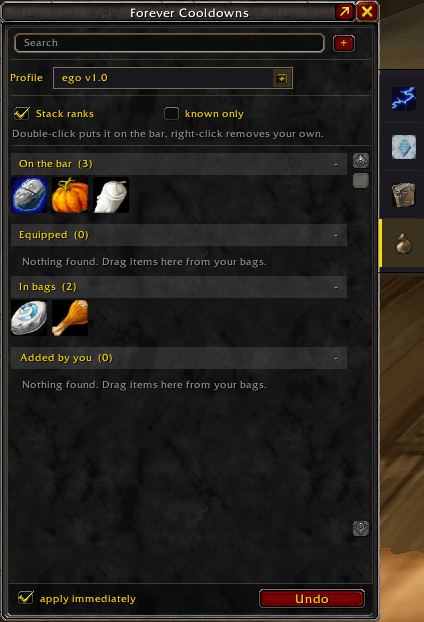
Equipped gear and bag contents in one list, with a section for what you added yourself. Drag straight from your bags to put something on a bar.
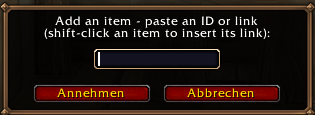
Paste an item ID or shift-click an item to insert its link — including things that are not in your bags right now, so a bar can be ready before the item is.
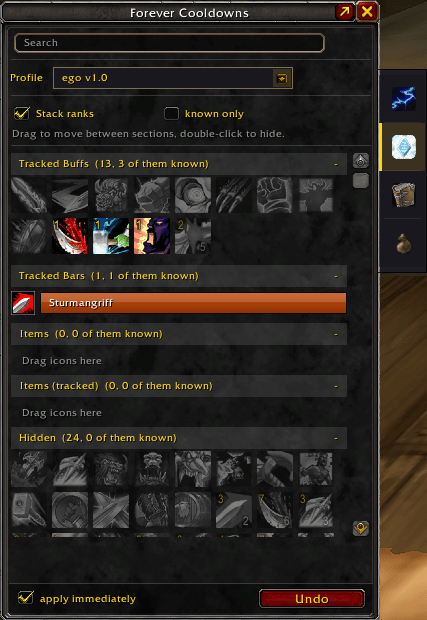
The second tab holds their buff side — tracked buffs, tracked bars and party buffs. Same handling as the cooldown tab: select, drag, done.
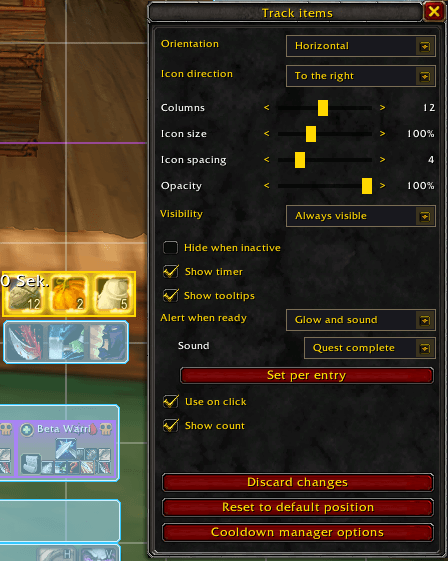
Orientation, size, spacing, opacity, visibility and ready alerts — per bar, in a window built to match Blizzard's Edit Mode.
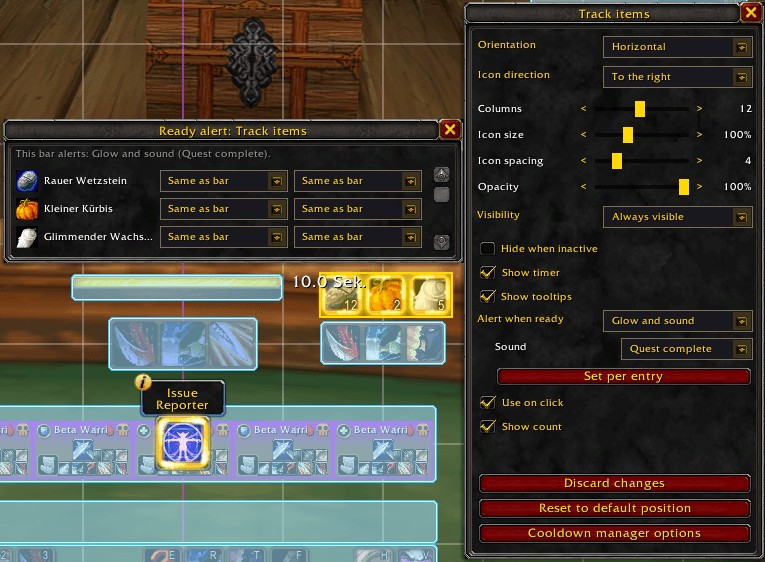
Each icon can differ from its bar: a silent bar with one alerting spell, or one of twenty left out. The sound is picked from what your client actually has.
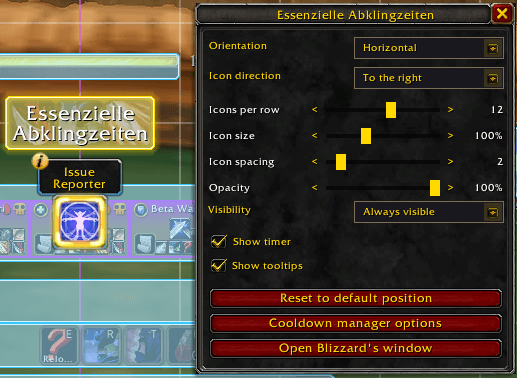
Click one of their bars in Edit Mode and this window opens instead of theirs. The values stay theirs — their "Save changes" saves yours along with it.
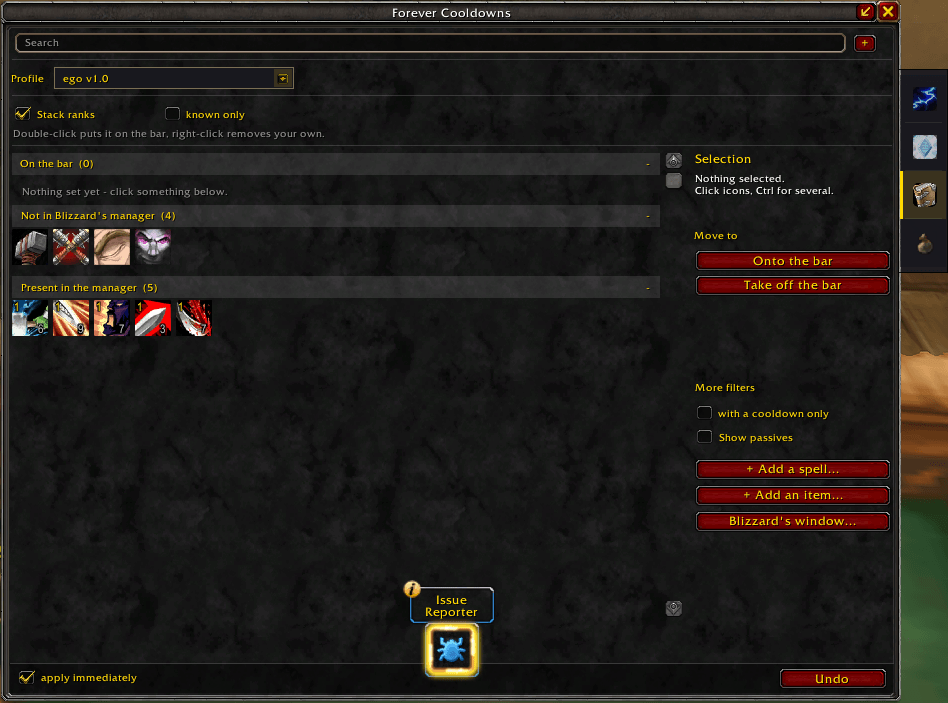
Ctrl and Shift select several entries at once, then move them between sections in one go. The wide view adds the tools the narrow one has no room for.
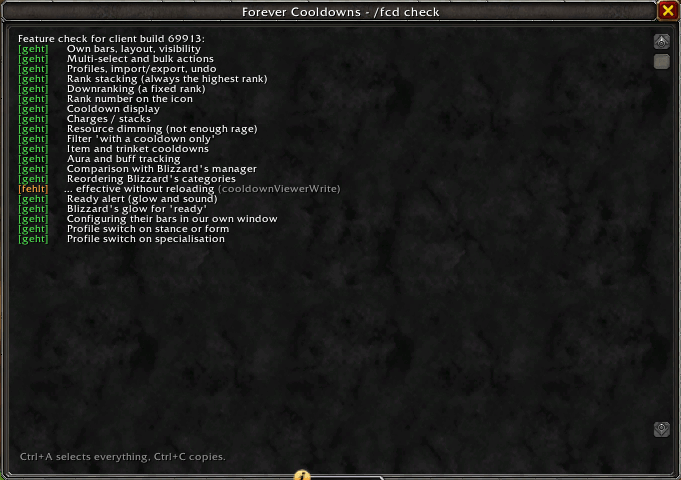
Every function the addon needs is probed individually. If one is missing, only the feature built on it falls away — and this list says so before you wonder why.