Forever Controller Tweaks
- By
Extends WoW Forever's controller support: remap bumpers and triggers, any action on any button, an on-screen keyboard, action rings and touch bars.
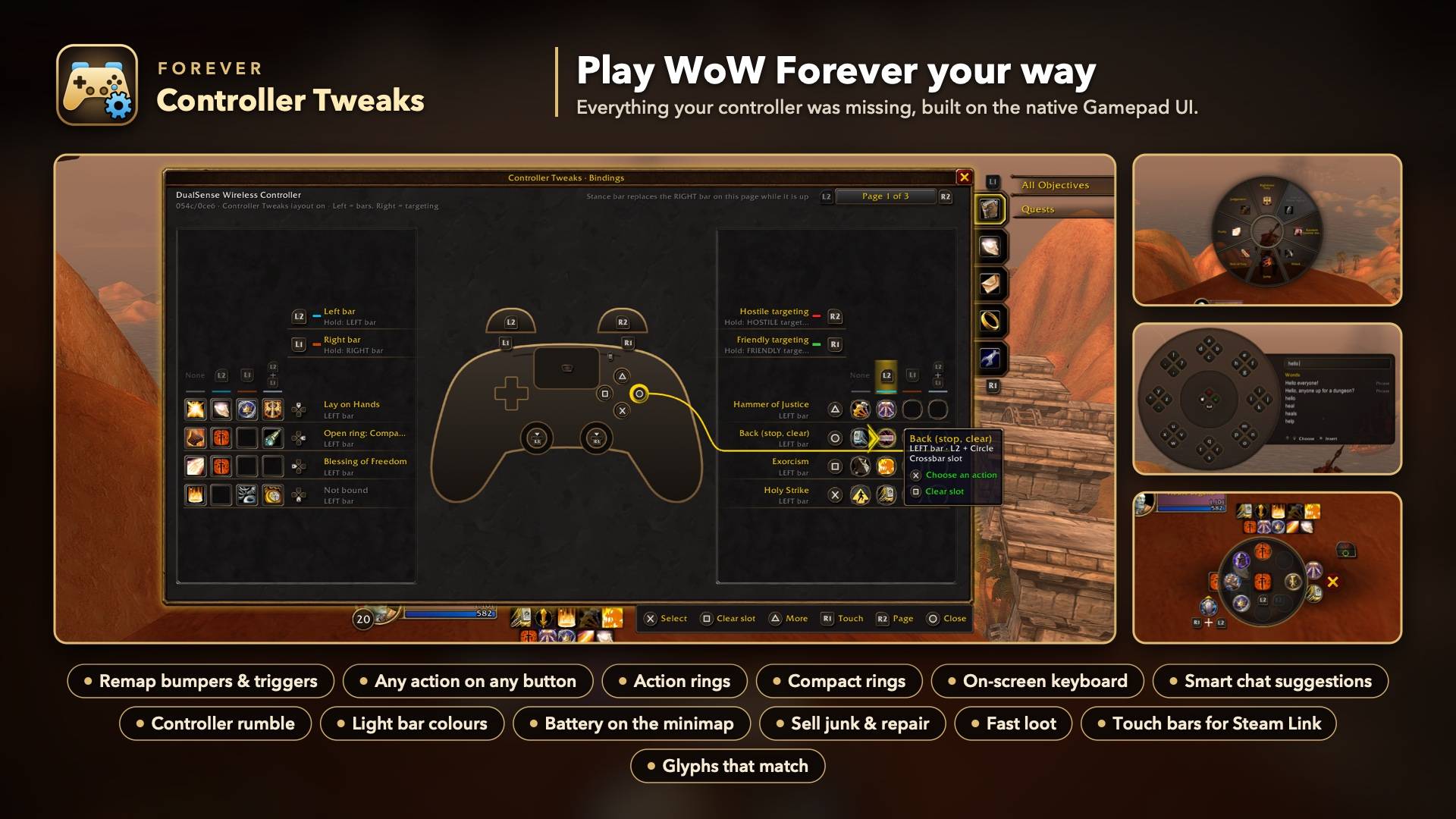
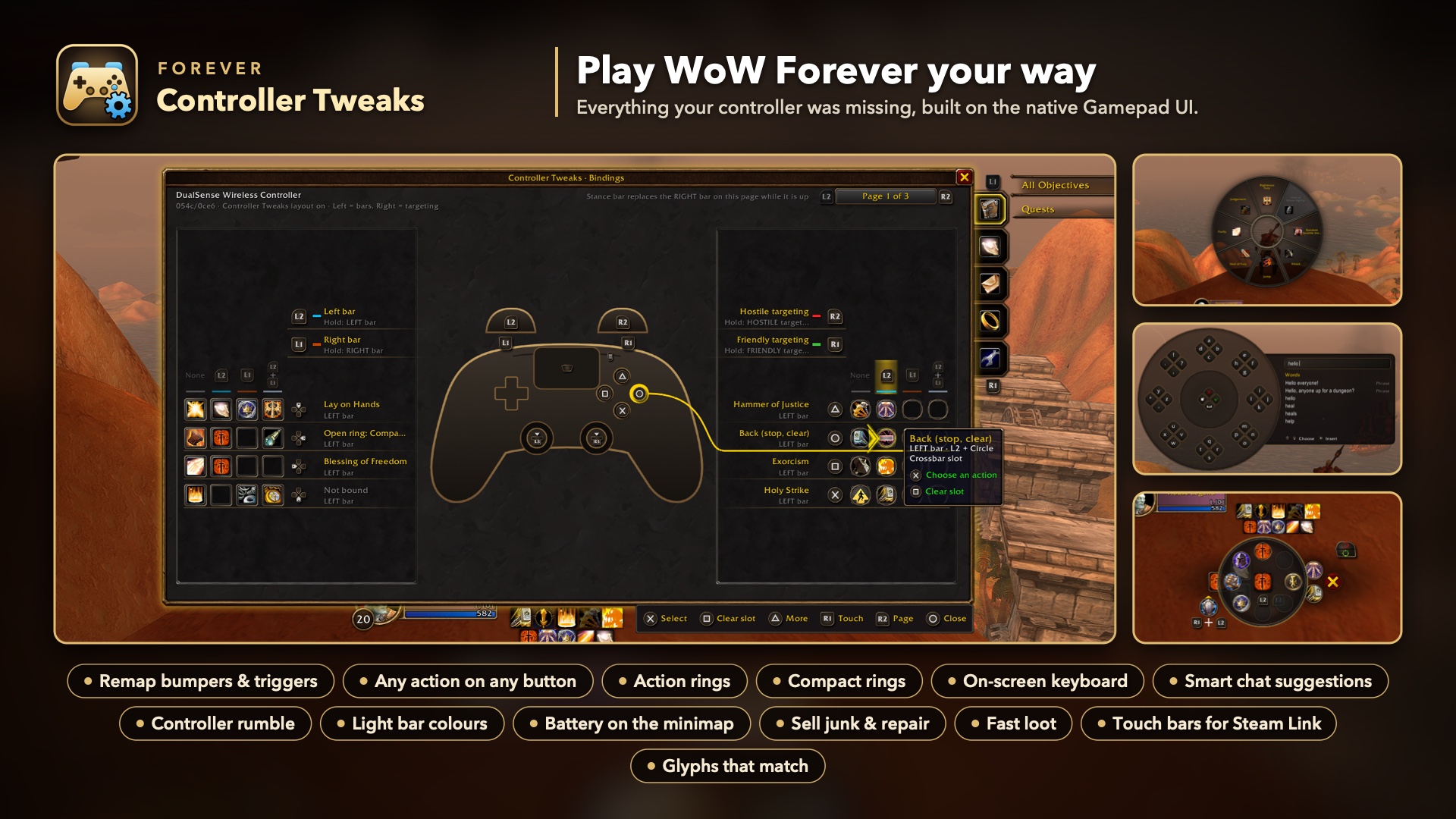
Everything your controller was missing: remap, any action on any button, rings, keyboard, rumble and more.
Description
Forever Controller Tweaks
Play WoW Forever on a controller your way. Choose which bumper or trigger opens each crossbar bar and targeting mode, put any spell, item or action on any face or D-pad button, type in chat with an on-screen keyboard, open your own action rings, turn on small conveniences like Sell junk and controller rumble, and tap spells on screen when you play through Steam Link. The glyphs always match the buttons you press, and you set everything up with the controller.
Forever Controller Tweaks builds on Forever's own Gamepad UI instead of replacing it. Every native bar, glyph and targeting mode keeps working. Only the buttons change.
Features
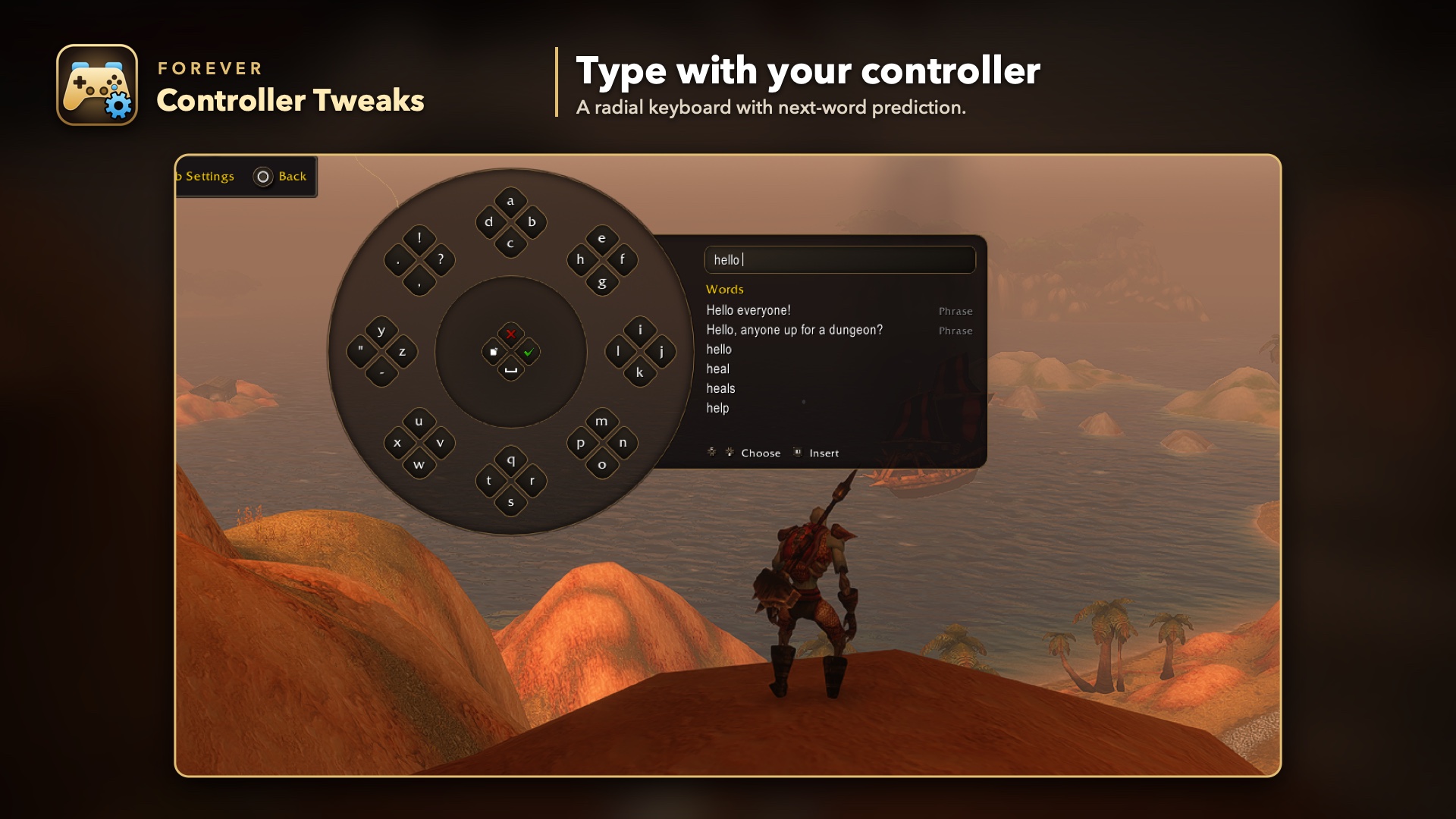
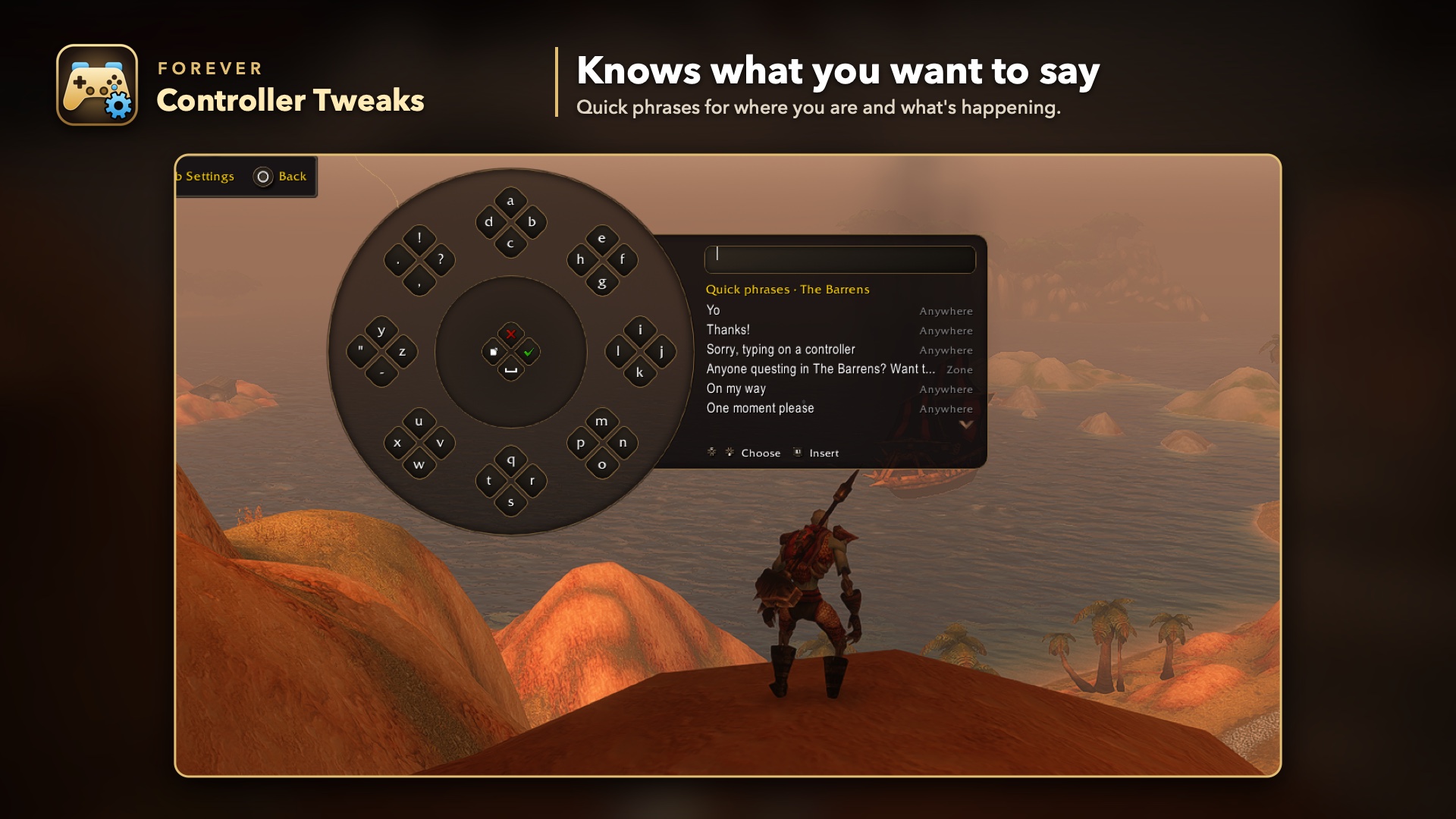
- On-screen keyboard. A radial keyboard in Forever's style opens on any text box: chat, whispers, bag search, mail, macros. Both sticks type, and it places itself clear of the chat window and your bars. Chat goes out through the addon's own secure button, so the game's chat box is never written to.
- Smart suggestions. 137 hand-written lines for 31 situations plus Always (ready check, resurrect, invite, trade, dungeon, raid, city, guild and more), 76 replies to chat aimed at you (165 recognised phrases and words such as "inv?", "LF healer" and "ready?"), your own quick messages, progress for the quest you follow, and next-word prediction that learns how you write. All offline: nothing is ever sent for you.
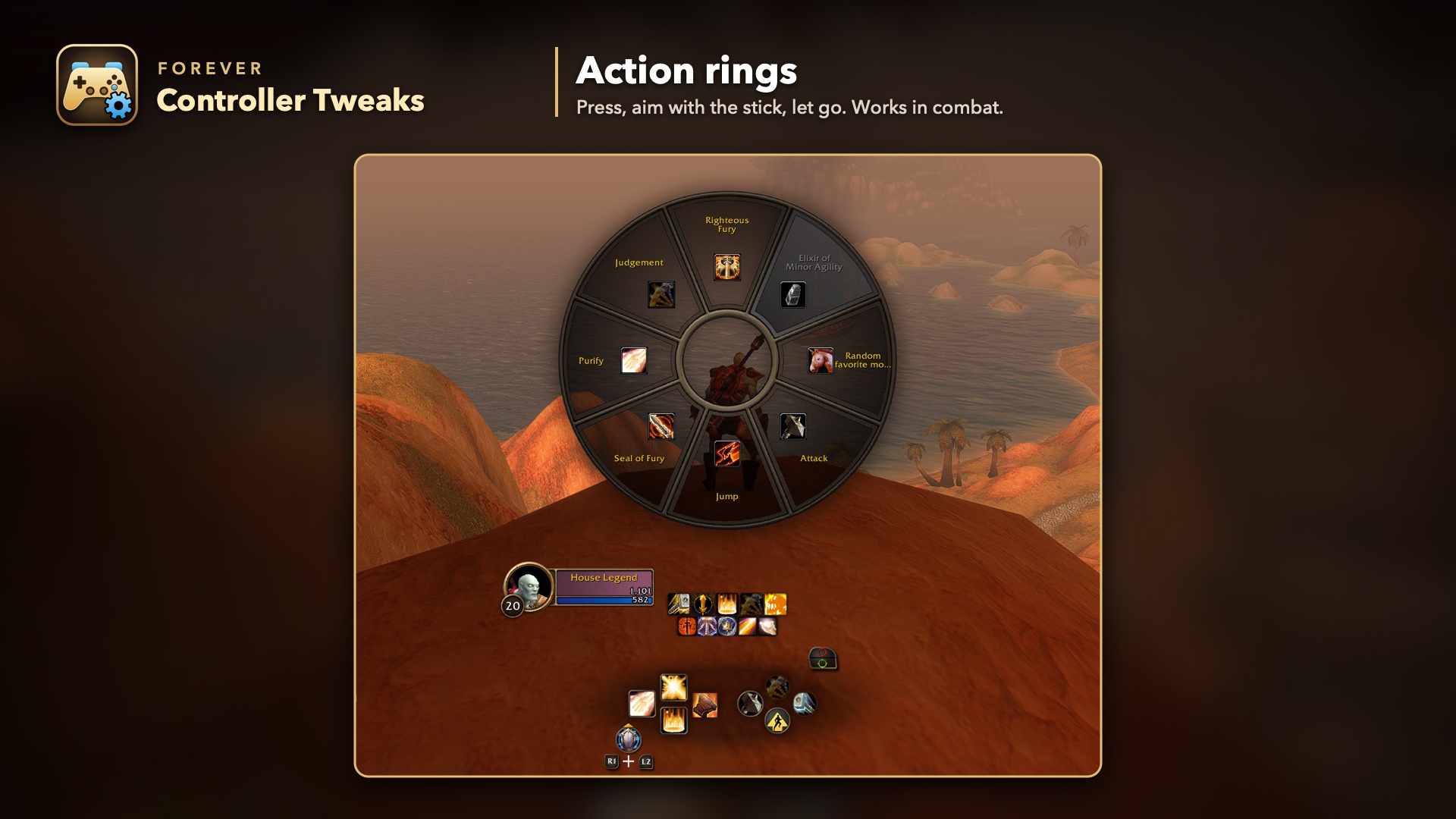
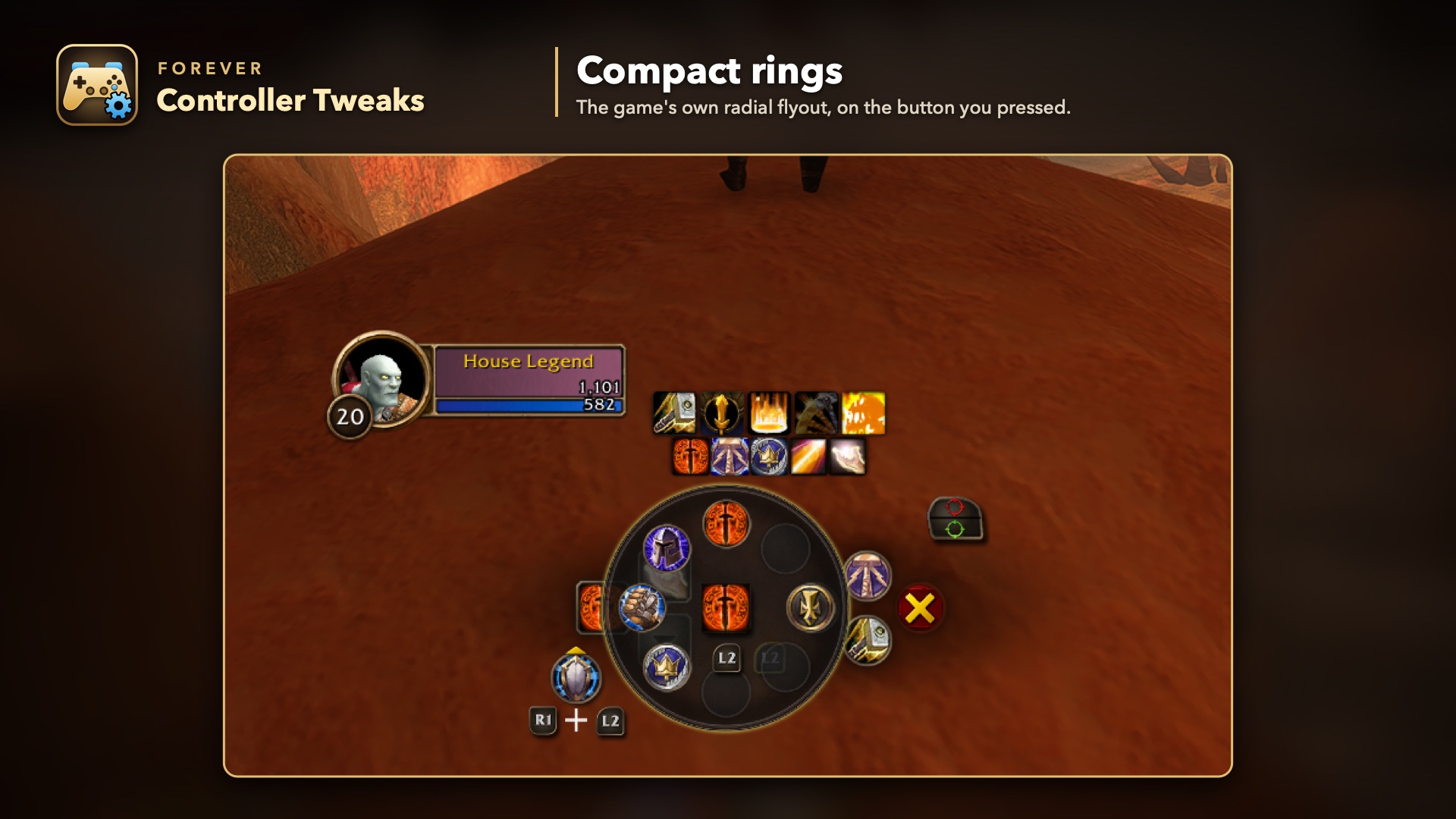
- Action rings. Build up to 12 radial menus of 4 to 8 slots, with any action and any icon. They look like the game's own radial menu. Put a ring on any face, D-pad or touch button: press it, aim with the stick, and let the stick go to use the slot. Per ring, Show is Toggle (open until you use a slot or close it) or Hold (open while you hold the button), and the aiming stick is Right, Left or Dynamic. Style is Full (the radial wheel) or Compact (like the game's radial flyout, the aura and stance picker). Works in combat.
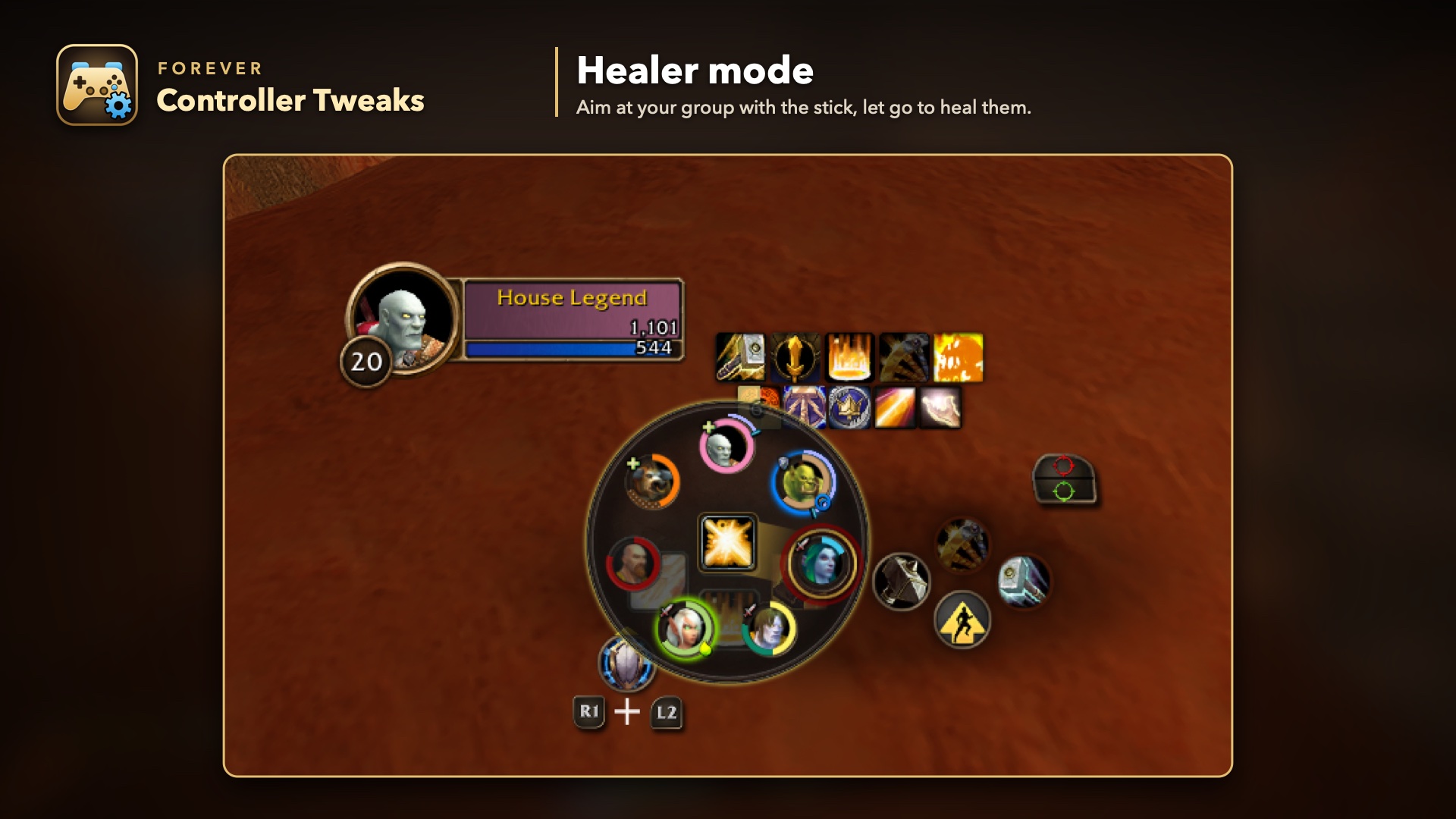
- Healer mode. Turn it on for any button that holds a heal, spell group or item: pressing it opens a small ring of your group on that button (you, party 1 to 4, target and focus), each with portrait, health ring in the class colour, incoming heals, shields and a debuff you can dispel. Aim at someone and let go to cast on them; let go in the middle to cast nothing. Works in combat.
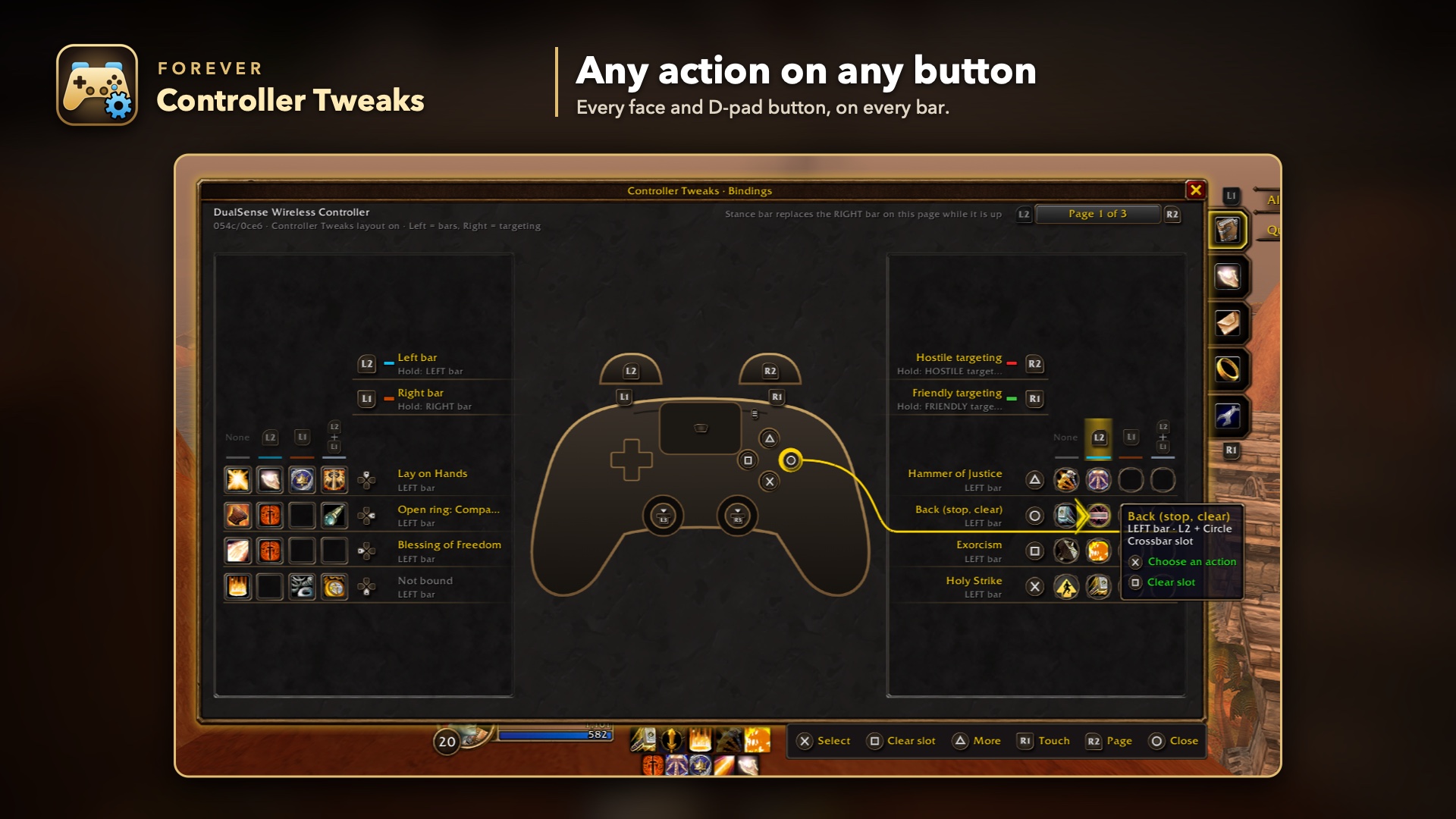
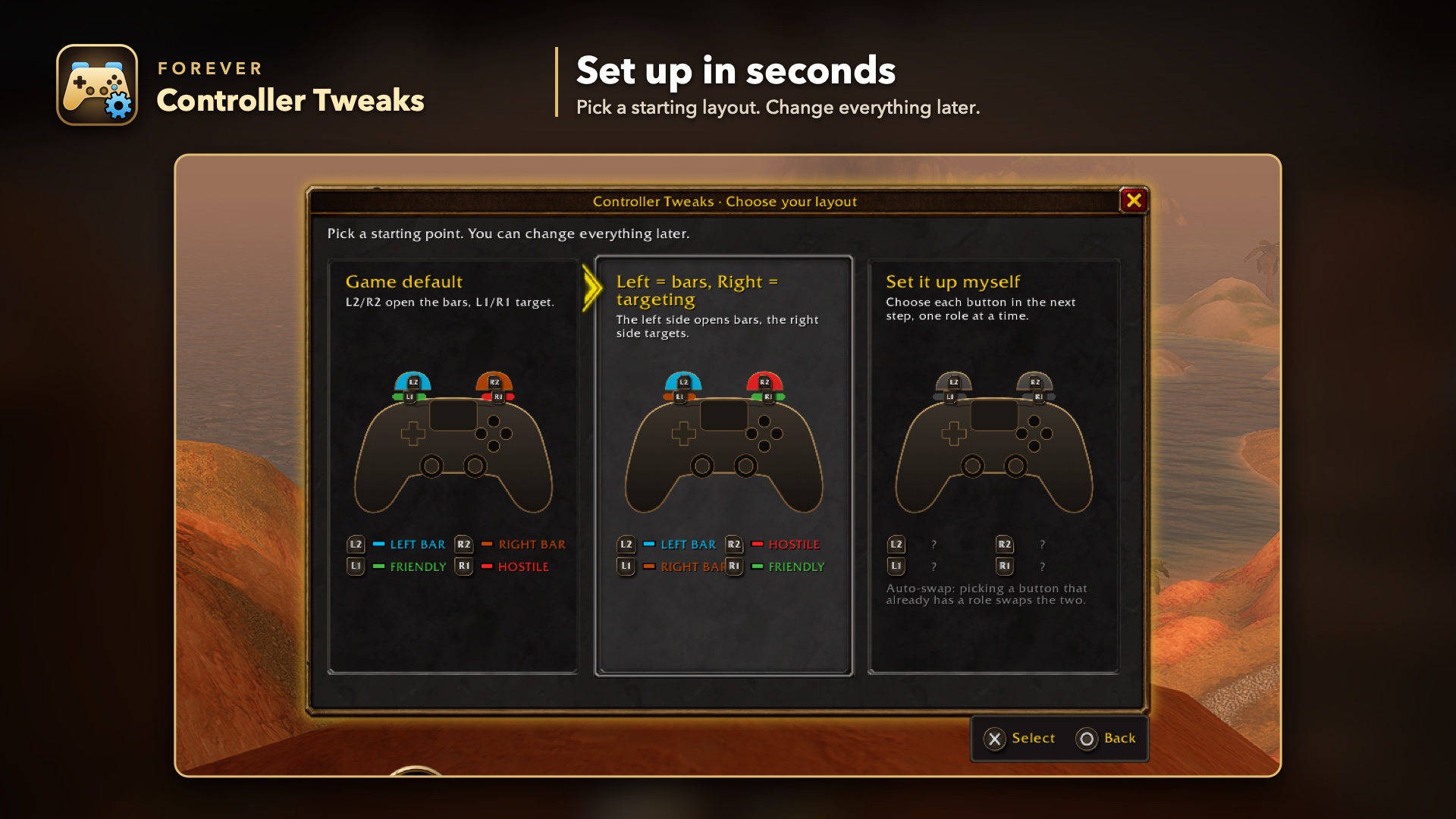
- Remap the modifiers. Right on the Bindings screen, give the left bar, right bar, friendly targeting and hostile targeting to any of L1, R1, L2, R2 or the back paddles. Picking a role another button already has swaps the two. One preset sets "Left = bars, Right = targeting".
- Any action on any button. Every face and D-pad button on every bar can hold a spell, item, toy, mount, equipment set, macro or game action. Jump, Interact, Back and Inspect can go anywhere too, and Interact keeps hold-to-loot.
- Buttons that behave like native ones. Moved actions show cooldowns, range, mana, charges, proc glow and tooltips, and respond to mouse clicks, exactly like the game's own slots.
- Spell ranks. Spells with ranks are grouped. Pick a specific rank, or Highest Rank, which moves up by itself when you learn a new one.
- Other addons' buttons. Key bindings from other addons (for example WellMet) can go on any controller button.
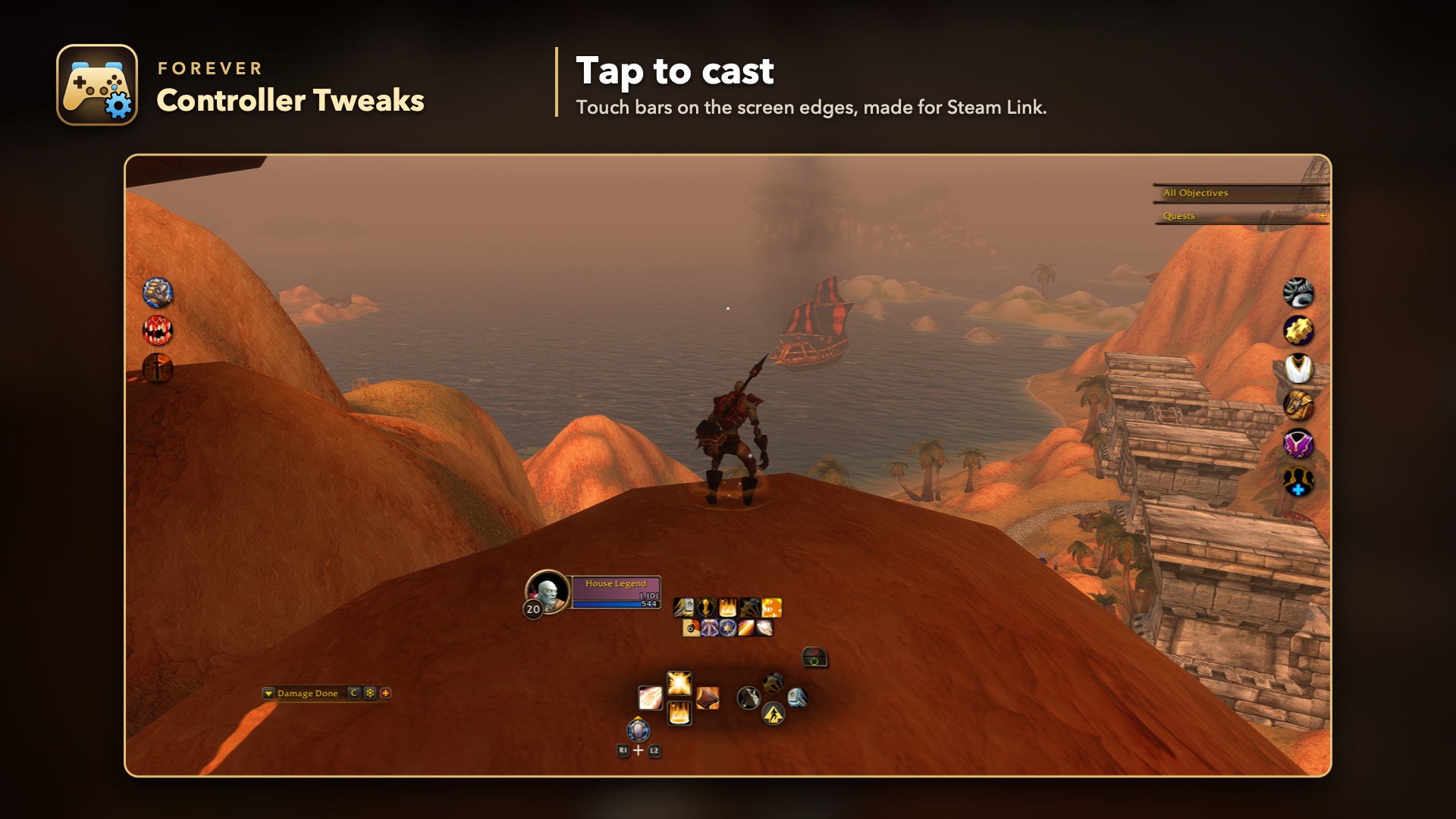
- Touch bars. Two bars on the left and right edges of the screen for tapping spells, made for Steam Link on a phone or tablet. Each button has an action per bar, following your modifiers. Per side, choose how many buttons, their size, position and shape, and whether empty buttons show.
- Glyphs that match. The bar hints, class prompts, targeting markers and on-screen legend show the buttons you actually press, in Xbox, PlayStation or Nintendo style.
- Any controller. If the game doesn't recognise your pad, pick PlayStation, Xbox or Switch layout, or press each button once to teach it.
- Controller-first settings. Five tabs (Bindings, Touch, Keyboard, Rings and Tweaks) in Forever's own look, driven entirely with the D-pad, with the controller drawn in the middle so you see which button you're editing. Triangle opens More on every screen.
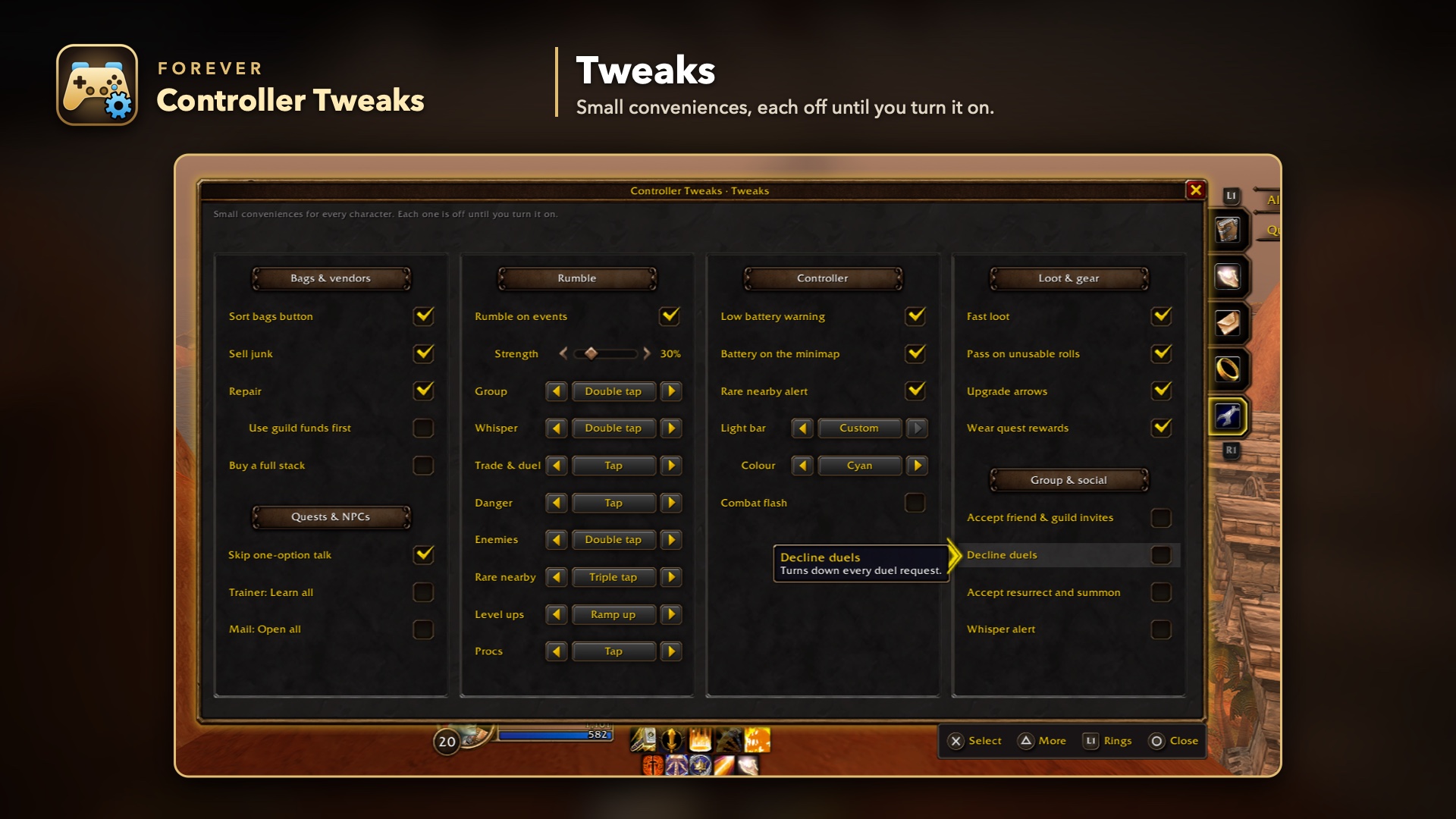
- Tweaks. Small conveniences, each off until you turn it on: sort bags, sell junk, repair, buy a full stack, skip one-option NPC talk, learn all at the trainer, open all mail, fast loot, upgrade arrows, accept friend and guild invites, decline duels, whisper alerts, controller rumble on events, the light bar colour and a battery button on the minimap. Plus new picker actions such as Best healing potion, Mark next, Peek map and Eat & drink.
- Leaves no trace. Logging out or disabling the addon puts the game's controller setup back to default.
Getting started
- Turn on Options → Gamepad → Enable Gamepad UI (Beta).
- Log in with your controller. A short guide asks how you want to play.
- Open the settings any time: hold L2 + R2 and press Create (PlayStation) or View (Xbox), click the minimap button, or type
/fct.
More screenshots are in the Gallery tab.
Controllers
- Tested: DualSense, Xbox Series / One, GameSir X5 Lite over Steam Link.
- Supported, not yet tested: DualShock 4, Switch Pro, back paddles (DualSense Edge, Xbox Elite), Steam Deck.
- Anything else: choose its layout when asked, or run controller setup with
/fct detect.
Commands
/fct: open or close the settings/fct rings: open the Rings tab/fct setup: run the first-start guide again/fct detect: controller setup (press each button)/fct family xbox(orplaystation,switch,reset): set the controller type/fct preset nativeorsplit: game default, or Left = bars, Right = targeting/fct learn L1(or another bumper, trigger or paddle;cancelstops it): learn which input that button sends/fct status,/fct selftest: details for bug reports/fct ringlog: the last ring events, for a ring bug report/fct help: every command
Good to know
- Hidden action slots. Actions you move onto face buttons, and your touch bar buttons, are stored in empty slots of keyboard action bars 6–8 (slots 145–180), which the Gamepad UI never shows. Only empty slots are used, and they're freed when you clear the button. Rings don't use any. If you play with a keyboard and use those bars, you'll see them there.
- Interact prompts in the world (over NPCs, herbs, ore and chests) always show the game's default Interact button, even after you move Interact. The game draws them from its own locked binding, which addons can't change. To hide them, set Options → Accessibility → Interact Key Icons to None.
- Game actions (Bags, Map …) are small macros named
FCT:…in your macro list. Macros you made yourself are never touched. - Windows in combat. A game window opened in combat keeps your layout's bumpers until combat ends. Out of combat, game windows get their normal L1/R1 tabs.
- Controller setup needs a mouse or keyboard for Skip and Save, because it records every button you press.
- The keyboard can't type everywhere. The game blocks addons from typing into a few boxes, such as the Options search, the Group Finder's boxes and spellbook search. There the keyboard stays closed and says so. Slash commands other than channel switches (
/s,/p,/g,/w…) need a real keyboard. - In combat the keyboard sends only party, raid, instance, guild and whispers. A say, yell or channel line stays in the box for after the fight.
- The addon never changes the game's own gamepad options, apart from the stick-as-buttons setting a held ring turns on while it's open.
Is it safe?
Yes. It uses the game's own controller config, the same mapping the game's options write, plus secure action buttons. Nothing is automated: one press is still one action. To go back to normal, choose Game default or disable the addon.
Feedback
Bug reports, controller reports and ideas are welcome on GitHub. Please include the lines from /fct selftest.
Open source (MIT) by HouseLegend. Thanks to Improved Forever and Controller Companion for ideas and techniques, and to ConsolePort for inspiring the bindings screen and the keyboard. PlayStation, Xbox, Nintendo Switch and Steam are trademarks of their respective owners. This addon isn't affiliated with Blizzard Entertainment.
Made with the help of AI: this addon was designed by HouseLegend and written with Claude Code, Anthropic's AI coding assistant. Every change is reviewed and tested in game before release.
Forever Controller Tweaks Team