


Forever Boosted UI (FBUI)
- By
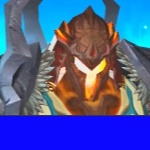
Modern unit frames with live 3D portraits for WoW: Forever, plus an info bar, XP and rep bars, threat meter, interrupt alerts, crowd control timers, range finder, GearScore, modern tooltips, item upgrades, enhanced graphics and quest sparkles.
What's new
Forever Boosted UI 1.7.0
Added
- A font for the unit frames, in both portrait styles: the names, health, level and power on the player, target, focus, focus target, pet and target of target frames, and their cast bars. A Portrait Font card on the Unit Frames page, applied as you choose; it starts on the addon font from the Home page, so nothing changes until you pick one.
- A name text size for each portrait, beside the level and power and health sizes on the Unit Frames page, applied live. Each name starts at the size it has always been, and a name grows only as far as its bar has room for, so it never runs into the other text on the frame.
- The preview on the Unit Frames page now shows your name in the portrait font and at your player frame's name size.
- An outline choice for the unit frames' text: Normal, as before, Thick, or None, which keeps the shadow. On the Unit Frames page, beside the font, applied as you choose.
- A name color choice on the Unit Frames page: White or gold, by style, as before, or Class and reaction colors: a player's name in their class color, and a creature's by how it feels about you, gray once someone else has tagged it. On the 3D Head Box, whose name bar shows that, a creature's name stays gold.
- A box to shorten health and power on the Full 3D Portrait and the 3D Head Box, such as 4.6M / 4.6M, in and out of combat. Off to start, so they read exact.
- A player who goes offline now shows grayed out, with Offline where their health was.
Changed
- The level is now colored by how dangerous a unit you can attack is, gray to red, as on Blizzard's frames, and every frame now shows Elite, Rare, Rare Elite or Boss after the level, as the 3D Head Box did.
- The 3D Head Box's name bar now takes the color of how the unit feels about you: red, yellow or green, gray once someone else has tagged it, with the name gold on it and white on the yellow bar. Your own frame stays dark blue. Before, it stayed dark blue for every unit.
- On the Full 3D Portrait, target of target and the focus target now show their level and power, as they do on the 3D Head Box, and the level and power and health sliders under ToT on the Unit Frames page now size them. Before, those two sliders did nothing in that style.
- The pet frame without a portrait is now a little taller and shows the pet's level and power too, and the level and power and health sliders under Pet now size them. Before, its power bar was too thin for any text and those two sliders did nothing on it.
- GearScore now waits while Blizzard's talents window shows another player's talents, and for a few seconds after anything else asks to inspect a player, as Inspect Talents does, so its own inspecting cannot point that window at someone else or keep it from opening.
Fixed
- Moving a text size slider no longer turns the 3D Head Box's level from pale yellow to white, or a GearScore tag on the target or focus to white until the next update.
- On the 3D Head Box, moving a text size slider no longer shrinks the level and power on target of target, the focus target and the pet, or the health percentage, until the next reload.
- The focus target's text now follows the sizes set under ToT, as the Unit Frames page says it does.
- A rare or elite creature's level no longer runs into the power value beside it, as it could on the 3D Head Box, or with a wider font or a larger text size. The level, and a GearScore after it, are cut short where the power value begins, as the name is where the health begins.
All Relations
- All Relations
- Embedded Library
- Optional Dependency
- Required Dependency
- Tool
- Incompatible
- Include
This mod has no related projects