Forever Aura
- By
A lightweight WoW Forever cooldown tracker that shows spell icons only while their cooldowns are active.
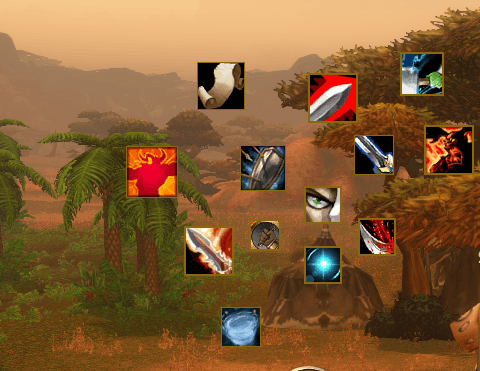
Move them Anywhere. Added bandage
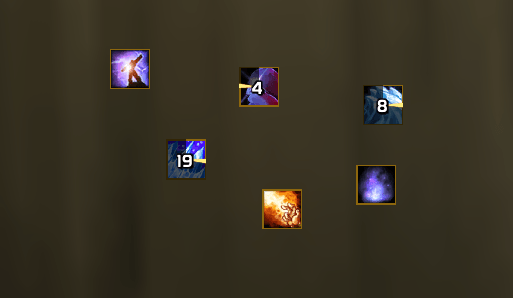
Placed from Spellbook
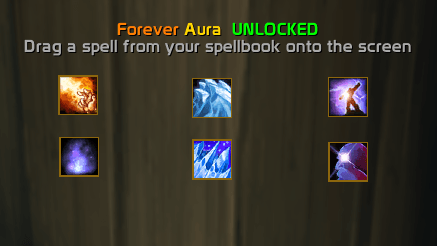
Unlock using /fa u
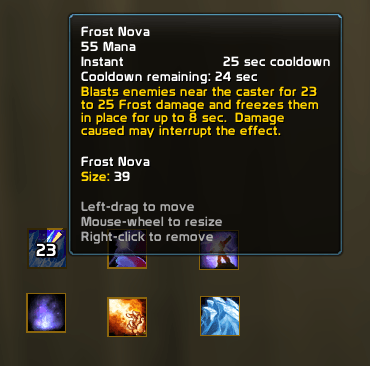
Tooltips show when in edit mode
Description
Forever Aura
A simple drag-and-drop cooldown tracker. Drag spells and bandages onto your screen, and each icon appears only while it's on cooldown. When the cooldown finishes, it flashes.
Features
- Drag-and-drop setup: Place any spell or bandage anywhere on your screen.
- Hidden when ready: Locked icons show only during a cooldown, with a swipe and a countdown number.
- Finish flash: A golden flash with a star burst plays when a cooldown ends, so you know the spell is ready. Turn it off with
/fa flash. - Short cooldowns ignored: Cooldowns of 3 seconds or less, such as global-cooldown blips, don't show or flash. You can change this with
/fa cutoff. - Shared cooldowns: If two spells share one cooldown, such as Fire Ward and Frost Ward, only the spell you actually cast shows. The addon learns these pairs on its own.
- Bandage tracker: Tracks the 60-second "Recently Bandaged" timer, in and out of combat.
- Per-character settings: Positions, sizes and learned data are saved separately for each character.
Getting started
- Type
/fa unlock. - Open your spellbook yourself (default key: P).
- Drag a spell from the spellbook onto your screen. Each spell becomes its own icon.
- Arrange the icons:
- Left-drag to move
- Mouse wheel to resize
- Right-click to remove
- Type
/fa lockwhen you're done. Icons now show only while their spell is on cooldown.
Adding and moving auras can only be done out of combat. The addon refuses to unlock or accept drops during combat.
Bandages
Bandages are items, not spells, so you add them from your bags.
- Type
/fa unlock. - Drag a bandage from your bags onto your screen.
- Repeat for each bandage type you use, such as Linen, Silk and Runecloth.
- Type
/fa lock.
Each bandage you add gets its own icon. When you use a bandage, only that bandage's icon appears, with a 60-second countdown. It flashes when the timer ends, so you know you can bandage again.
To swap a bandage icon, drag a different bandage onto it while unlocked. /fa bandage places a generic bandage icon in the center of the screen.
Commands
| Command | What it does |
|---|---|
/fa unlock (or /fa u) |
Unlock to add, move, resize or remove auras |
/fa lock (or /fa l) |
Lock, so icons show only on cooldown |
/fa flash |
Turn the finish flash on or off |
/fa cutoff <seconds> |
Hide cooldowns at or below this length (0 to 10, default 3) |
/fa bandage |
Add a generic bandage tracker |
/fa shared |
List shared-cooldown pairs the addon knows |
/fa forget |
Clear learned shared-cooldown pairs |
/fa reset |
Delete every aura |
Tips
- Run
/reloadafter unlocking and arranging your auras. It clears any leftover interface issues from the unlocked session. - Shared cooldowns are learned the first time you cast one spell of a pair, when the game lets the addon read the cooldown. Pairs it hasn't learned yet show both icons until then.
- In combat, the bandage timer starts when you begin bandaging. Out of combat, it syncs to your actual "Recently Bandaged" debuff.
Author: Toomasu
Forever Aura Team