Durability Widget
- By
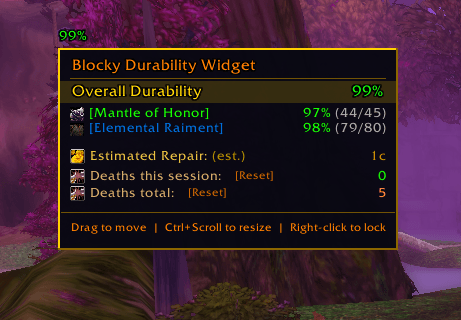
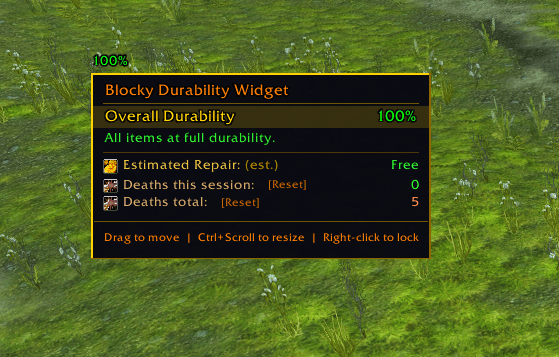
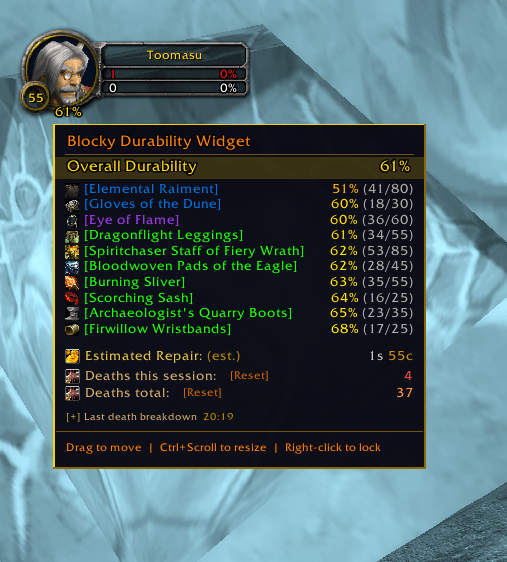
Tracks all gear durability in one sleek tooltip. Shows per-slot %, repair cost estimate, death counter with damage log, and alerts you to repair vendors in cities. Pulsing red border warns you before your gear hits zero.
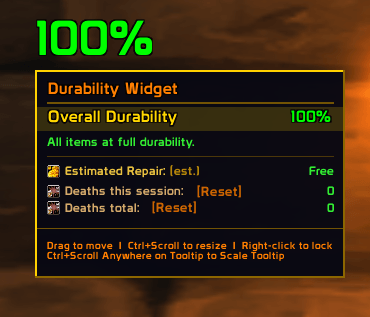
Scale the percent number using CTRL+Wheel
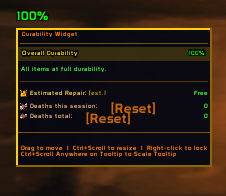
Scale the percent number using CTRL+Wheel
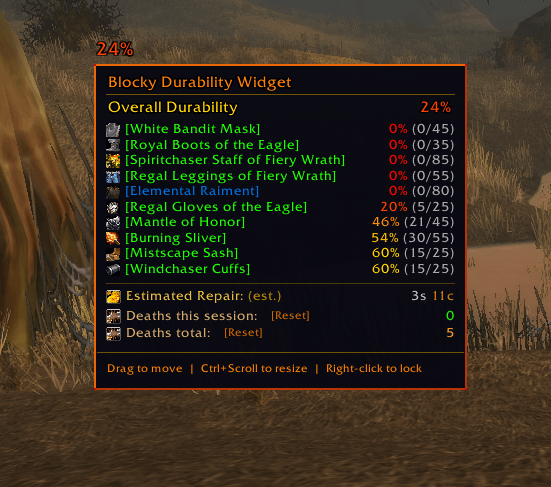
{C89792BA-F1D8-476A-97E7-C53459E5199B}.png
{F723282C-8371-4180-B348-BCB0D13F4B1F}.png
{E8665808-F00E-485B-8529-D37ED175B03C}.png
{0AD64113-AF9B-41C5-8284-B51E2134F573}.png
Blocky Durability.png
Description
Durability Widget
A compact, information-rich durability tracker. Everything you need to know about your gear's health — at a glance, in one place.
## Features
Updated: CTRL+scroll anywhere on the tooltip to resize.
Also, added an "Automatic Resolution Scaler" so the tooltip renders according to your current resolution.
Overview
Durability Widget replaces the default durability display with a clean, floating percentage label that lives wherever you put it. Hover it to open a detailed tooltip showing every equipped item, its current durability, repair cost, death statistics, and more — all wrapped in a custom gold-bordered frame that matches WoW's classic aesthetic.
Features
Durability Tooltip
- Full gear list sorted by lowest durability first
- Per-slot percentage, current/max values, and real item icons
- Hover any gear row to show the native WoW item tooltip
- Overall durability highlighted at the top with color-coded percentage
- Dynamic width — tooltip expands to fit long item names cleanly
Repair Cost Estimate
- Shows exact repair cost when standing at a repair vendor
- Falls back to a per-slot heuristic estimate when away from a vendor
- Displays in full gold/silver/copper breakdown
City Repair Reminder
- Automatically detects when you enter a major city or hub
- Prints a formatted chat notice if your durability is below 30%
- Shows your worst damaged item for quick reference
- Fires once per city visit — never spams
Death Counter & Damage Log
- Tracks deaths this session and total deaths (persists across sessions)
- On each death, snapshots every slot's durability before and after
- Stores the last 5 deaths with per-item loss breakdown
- Expandable in the tooltip: click [+] Last death breakdown to see exactly which pieces took damage, how much, and what percentage they dropped to
- Individual reset buttons for session and total counters
Visual Alerts
- Pulsing red tooltip border when any item drops below 20% durability
- Border intensity scales with damage: faint at 20%, medium at 10%, deep red at 0%
- Slow 4-second sine-wave pulse — noticeable but never distracting
- Widget pulse on the main percentage label below 20% overall
Sound Alert
- Configurable durability threshold triggers an audio alert
- Uses WoW's native ready-check sound
Slash Commands
| Command | Description |
|---|---|
/dw or /dw help |
Show all commands |
/dw lock / /dw unlock |
Lock or unlock widget position |
/dw size 1-20 |
Resize the widget |
/dw alert 25 |
Set sound alert threshold |
/dw alertoff |
Disable sound alert |
/dw deaths |
Print death damage log to chat |
/dw reset |
Reset to defaults |
/dw testmode |
Preview with fake damaged gear |
/dw testrepair |
Test the city repair reminder |
/dw testvignette |
Test the border pulse effect |
/dw testsound |
Test the alert sound |
Controls
- Drag to reposition
- Ctrl + Scroll to resize
- Right-click to lock/unlock position
Credits
Created by Toomasu. Feedback and bug reports are welcome on the project page.
Durability Widget Team