
Follow The Arrow
- By


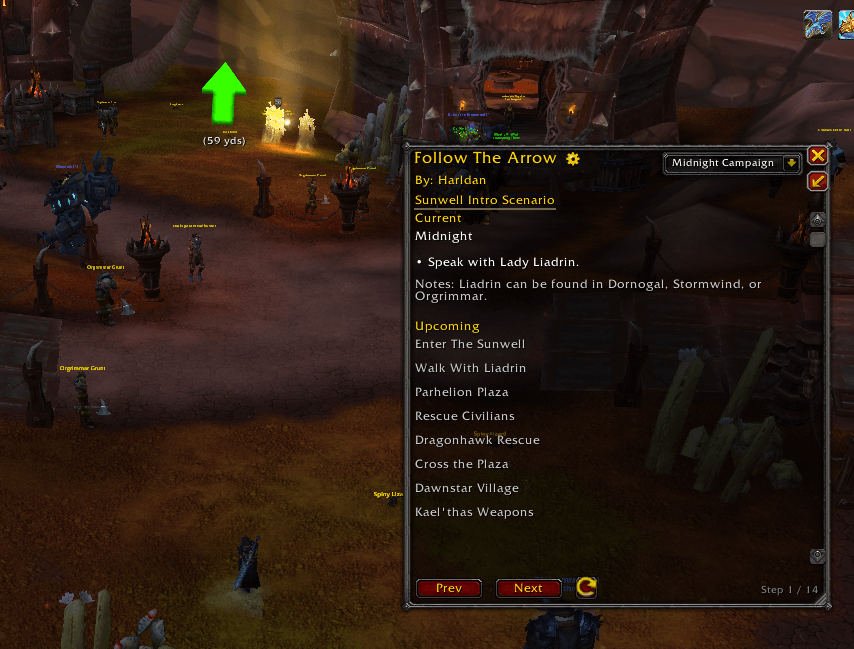
The addon currently contains multiple routes for 80-90 leveling. One of the routes is for the Midnight 80-90 Campaign, and it's meant to be done on your first character.
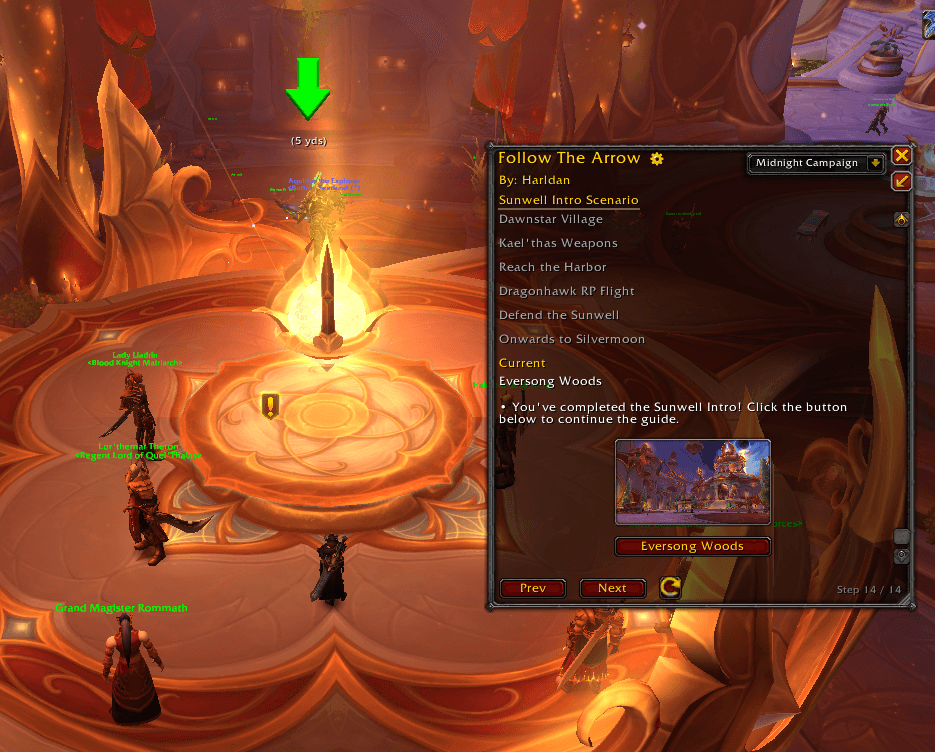
Each route is separated into multiple "modules". When you finish a module, such as "Sunwell Intro Scenario", as shown in the image, the guide will display multiple buttons directing you towards follow-up modules.
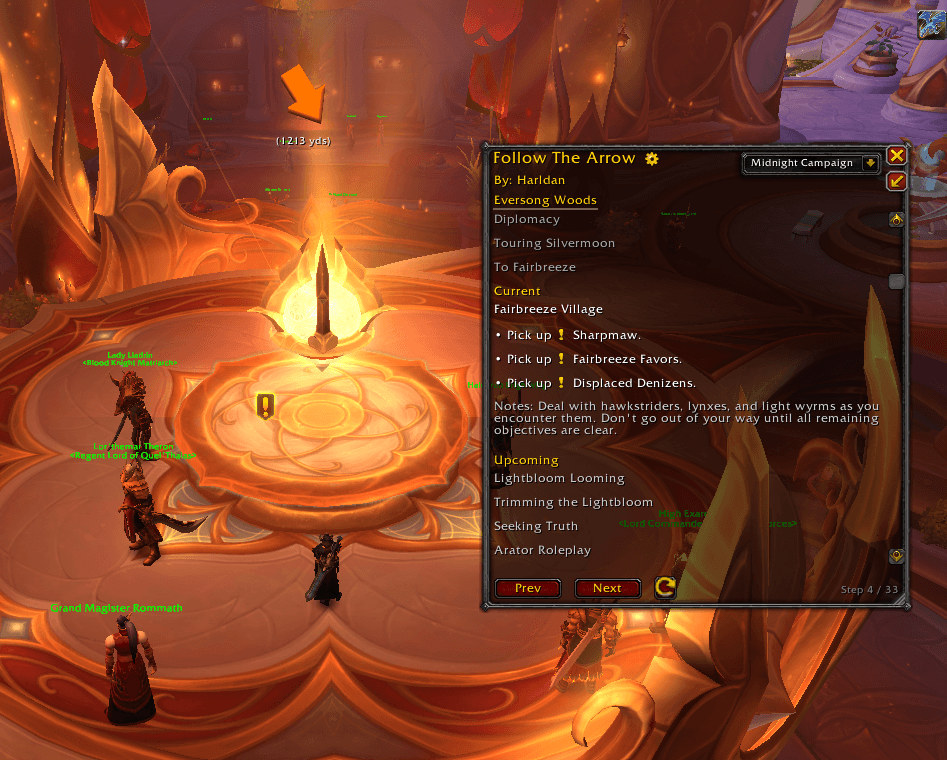
The addon automatically detects which quests you've completed and skips to the next relevant step. The arrow points you in the correct direction, and the main window dynamically displays the current objectives.
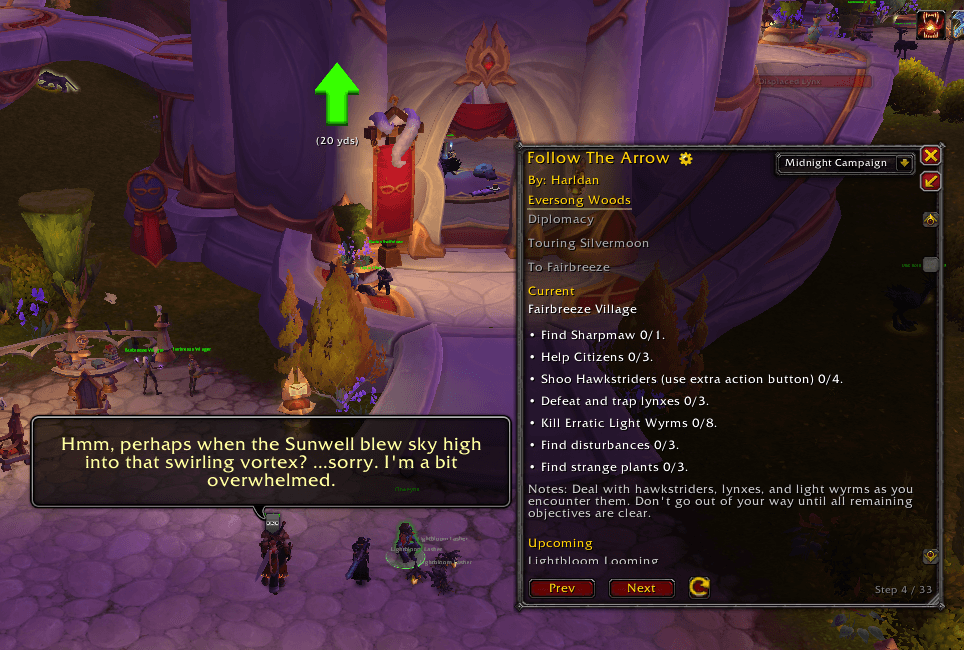
Everything in the main window tracker will automatically update as you complete different objectives. In this example, you can see that the "Pick up x quest" steps dynamically shifted to the quest objectives, all within the same display area.
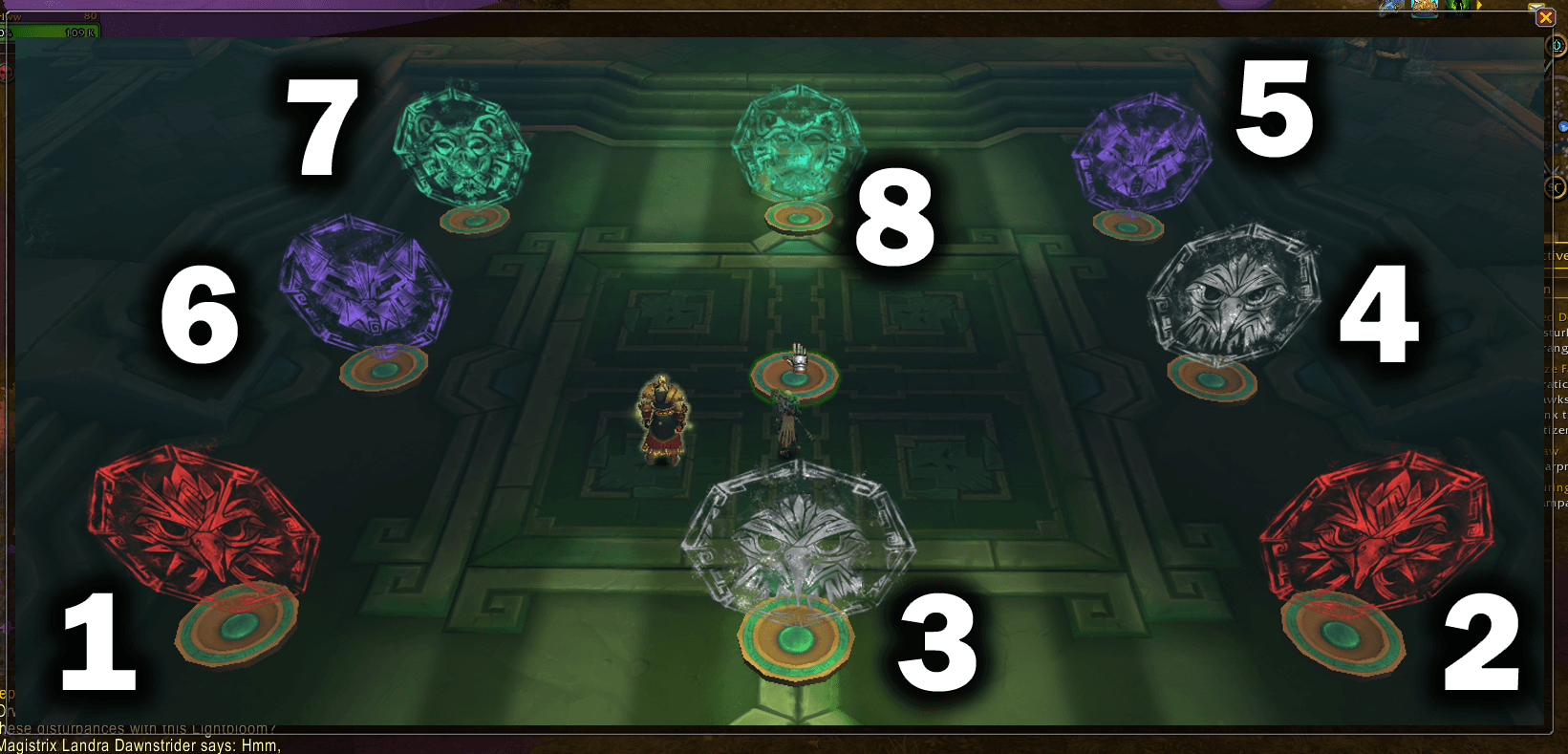
In some cases, quests can involve confusing puzzles that aren't easily explained with a description and an arrow direction. For these quests, I've included special solutions, such as the numbered image above, which is embedded in the guide.
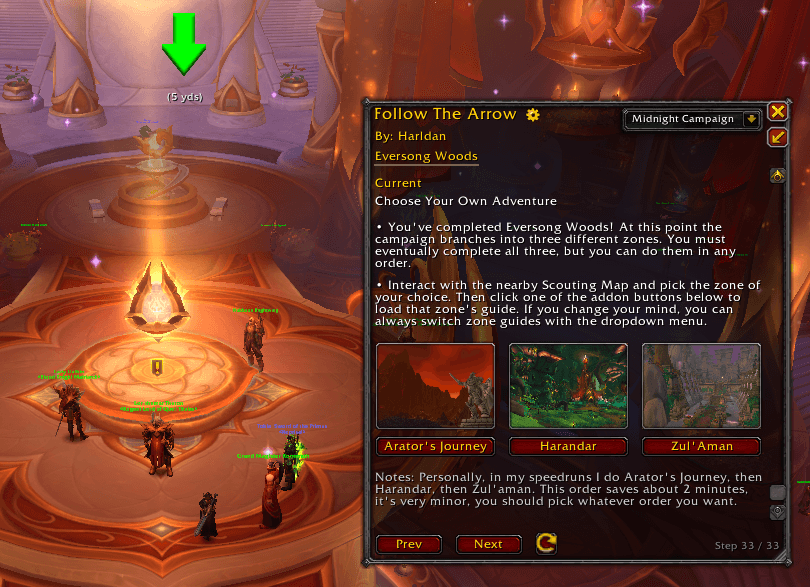
In some cases, questlines have branching paths, and multiple modules can be chosen next. The addon dynamically tracks which zones you've already completed, and the end-of-guide display only suggests modules you still need to finish.
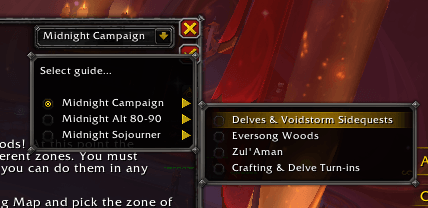
If you want to change your active route, or manually switch between modules within a route, the dropdown menu allows you to do this very easily. Note that most routes are intended to be done in order from the top to bottom module.
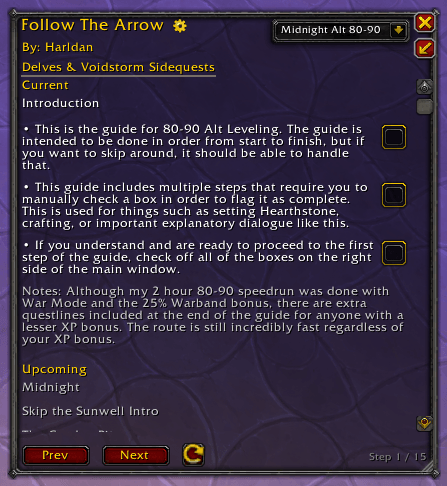
I recently completed an 80-90 Speedrun in only 2 Hours and 17 Minutes, and I've built a route for Follow The Arrow based on that run. The first step contains important information that players need to know before they start.
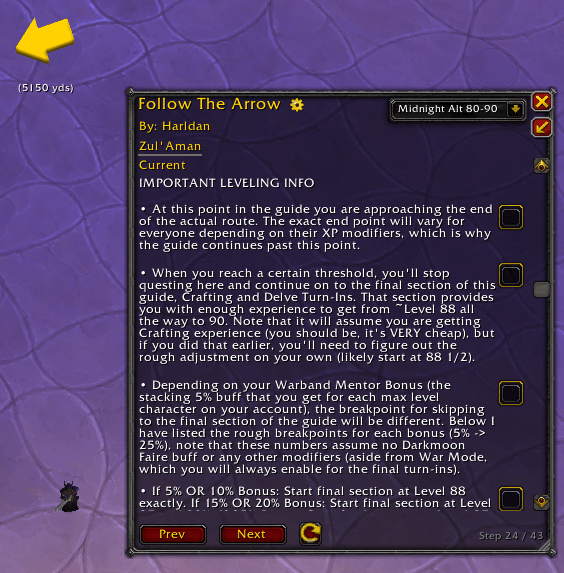
In some cases, the guide will include these manual checkbox steps which require the user to read through it and select the box to indicate they understand and/or have completed said step.
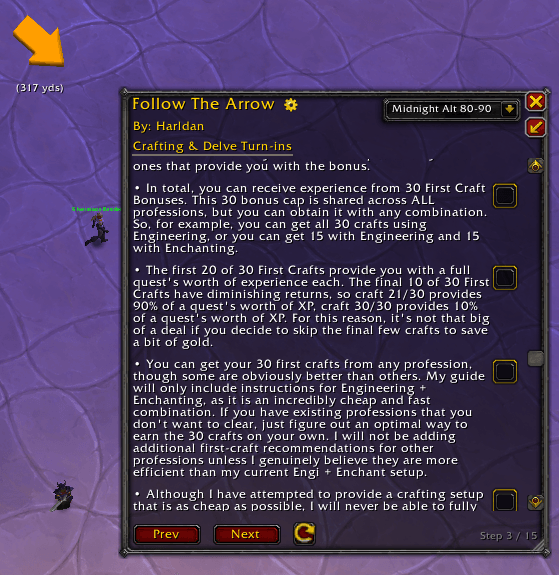
First Craft Bonuses are an important part of Midnight's leveling, but they can be a bit hard for new players to understand. The alt guide includes a comprehensive walkthrough, including this step with a lot of general key information.
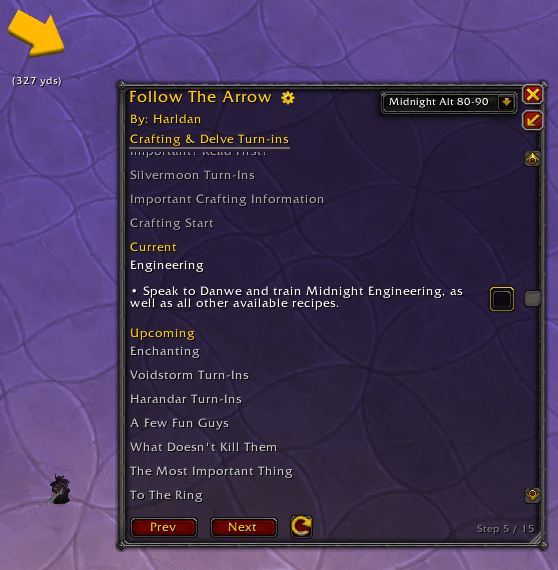
Once you've clicked the checkboxes to confirm that you understand the crafting essentials, the guide will present you with a step by step walkthrough on leveling professions and obtaining all 30 first craft bonuses.
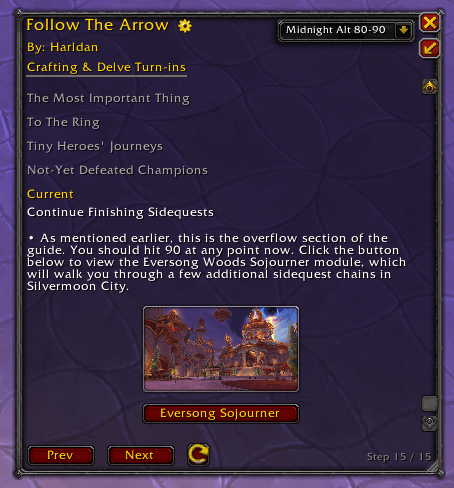
WoW leveling has a lot of minor XP modifiers, so different players may reach level 90 at different sections of the guide. For this reason, I've included a lot of bonus quests at the end of the standard route to help players with lower modifiers.
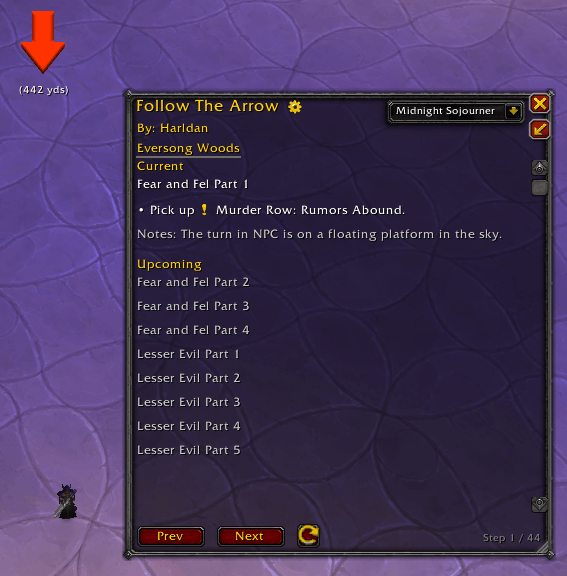
I'm in the process of adding all of the Midnight Sojourner questlines to the addon. These serve as bonus leveling options for players, but can also be followed for anyone trying to farm all of the reputation.
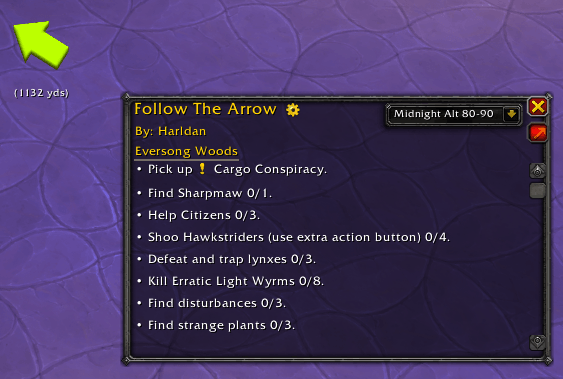
By clicking on the small arrow in the top right of the main window, you can turn on minimized mode. This hides any notes, as well as some other UI elements such as the manual Next and Prev buttons.
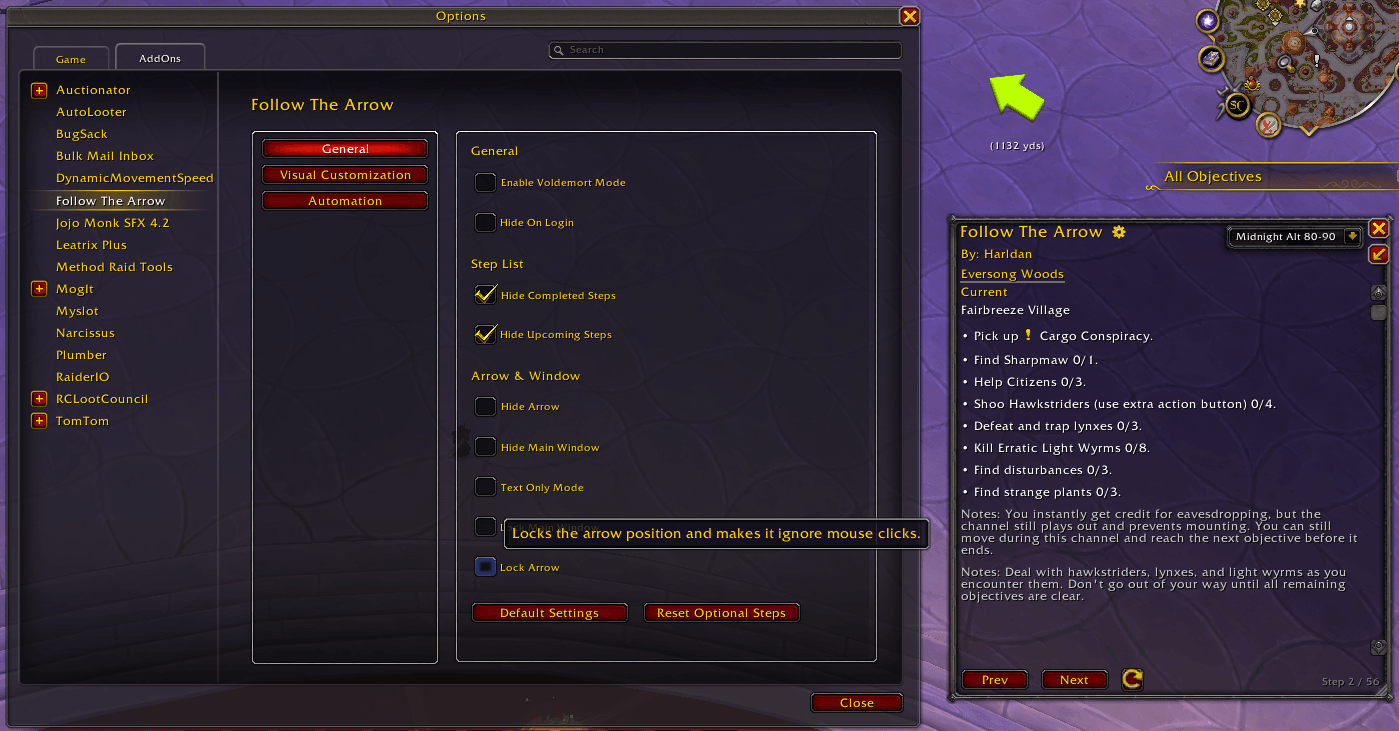
The settings page will be continuously updated with more QoL and automation features, but there's a lot in there already. Some important settings include locking the arrow/main window or hiding completed/upcoming steps on the display.
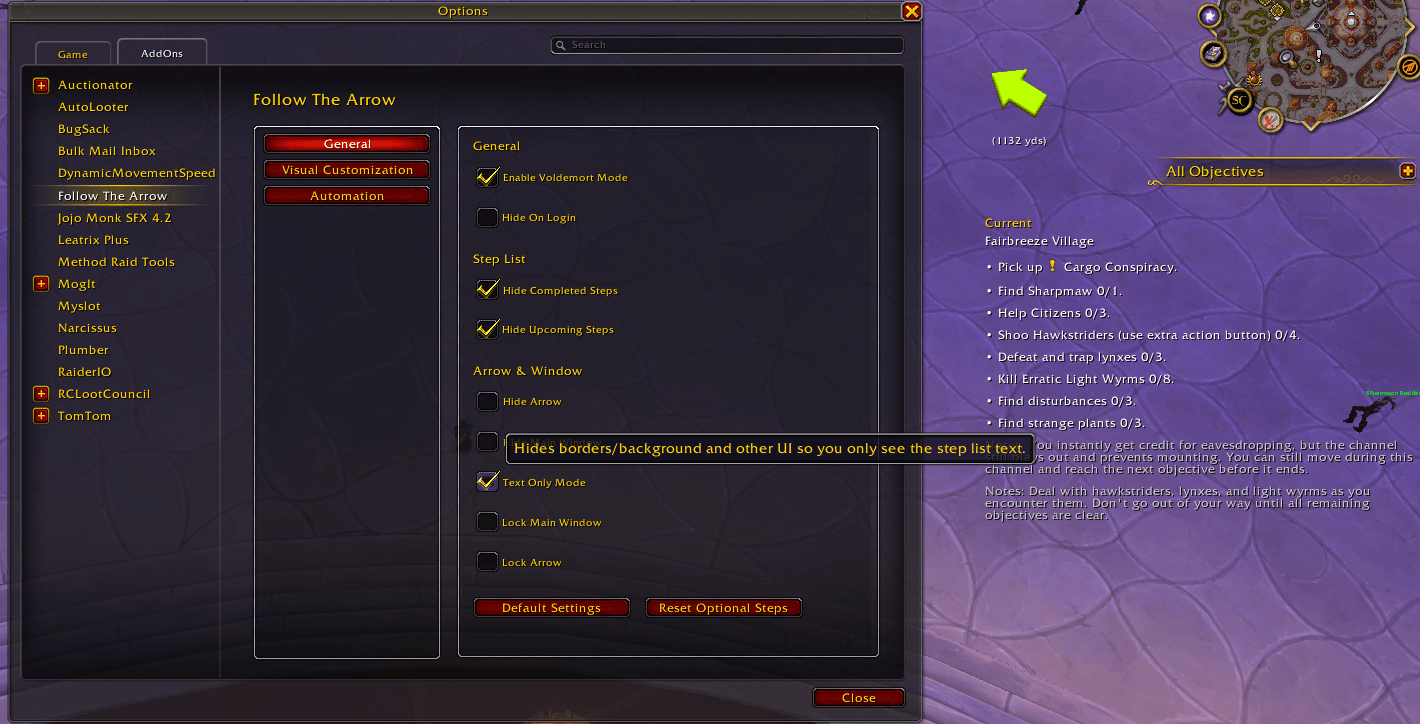
Another setting is text-only mode, which hides ALL UI elements, and only shows the tracker text. There's also the mysterious "Voldemort Mode", which does something every time you level up. Turn it on and see for yourself.
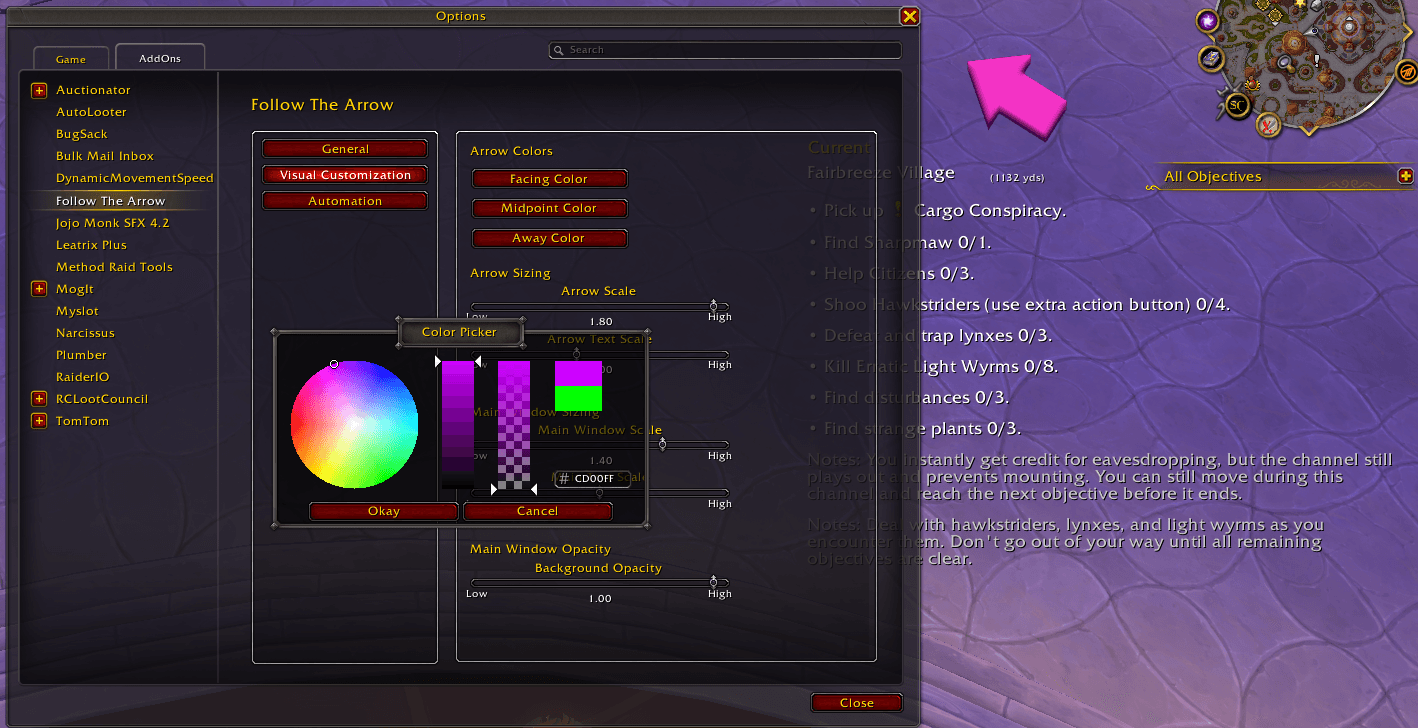
By default, the Arrow will change colors from Red -> Yellow -> Green if you're facing away or towards your objective, respectively. To help colorblind users, you can manually change the colors of the arrow, as well as the scaling.
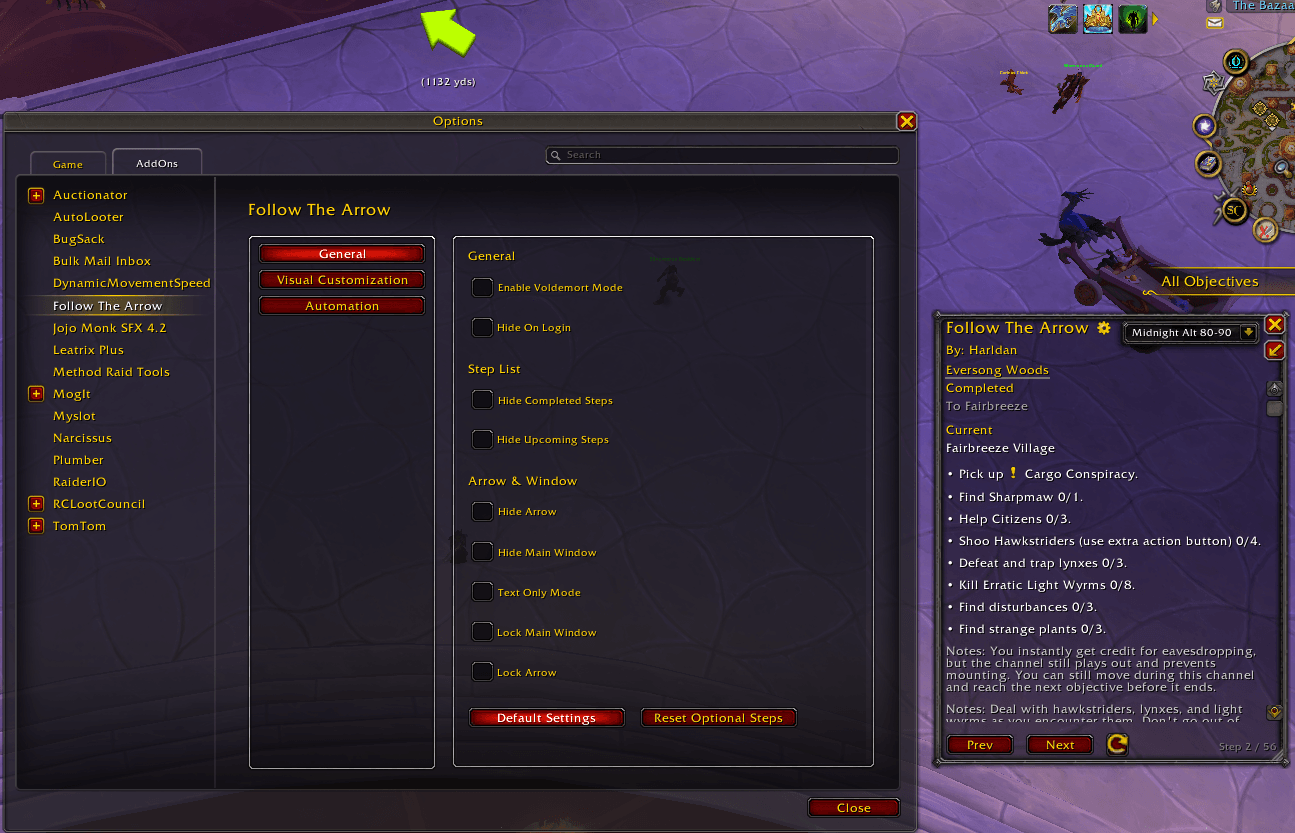
If you mess around with the settings too much and want to return to the baseline options, you can select the Default Settings button under the General tab in the Settings window.