FlockSync
- By
FlockSync is a comprehensive guild management suite that syncs raid schedules, rosters, professions, and player gear to a central dashboard.
FlockSync: Guild & Raid Management for WoW Forever
Less spreadsheet juggling. More time playing with your guild.
FlockSync connects an in-game addon, an officer's Windows sync companion, and a guild-hosted web dashboard. Share character information, plan lineups, find crafters, and keep mains and alts together.
Built for WoW Forever (Interface 16001) by GearDuckDev. Release-channel, still pre-1.0: features continue to evolve.
📦 Which download do I need?
🦅 Regular guild members — install the addon and play
Install FlockSync from this CurseForge page. Regular members do not need the desktop app, AppHelper, or a website account to broadcast character data.
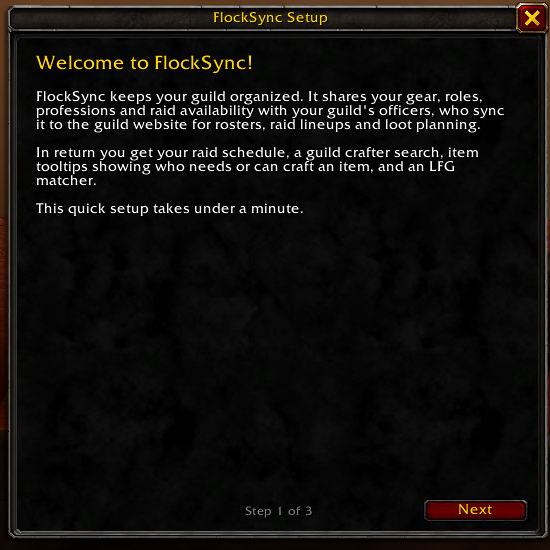
- 🚦 First-time walkthrough: choose your main, primary/off-spec role, and features.
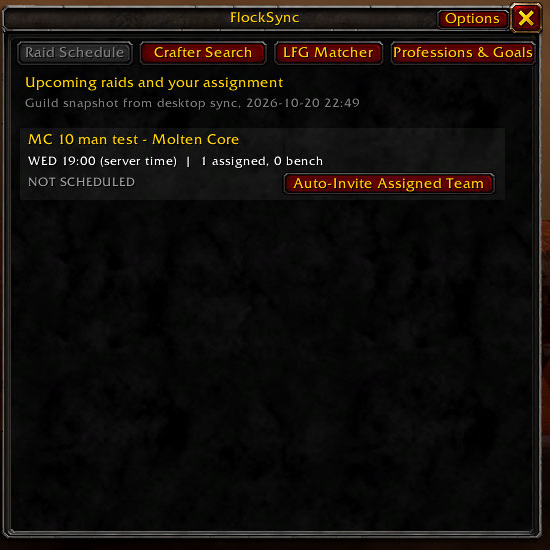
- 📅 Raid Schedule: view returned assignments, groups, roles, and standby placement.
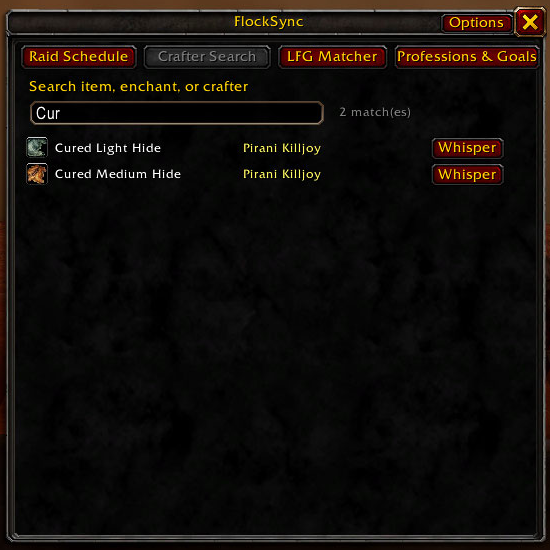
- 🛠️ Crafter Search: find synced guild recipes and contact crafters in game.
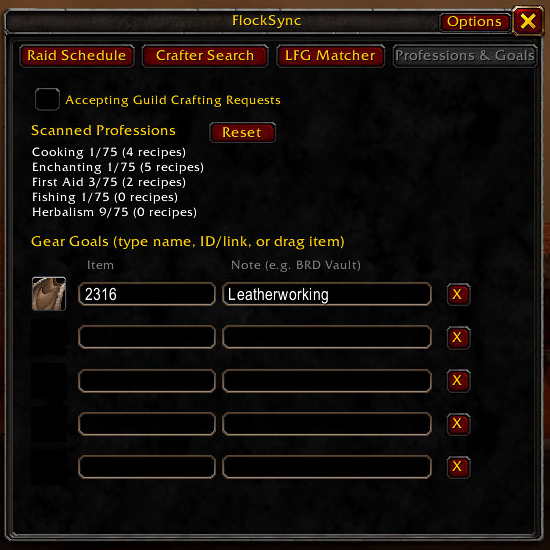
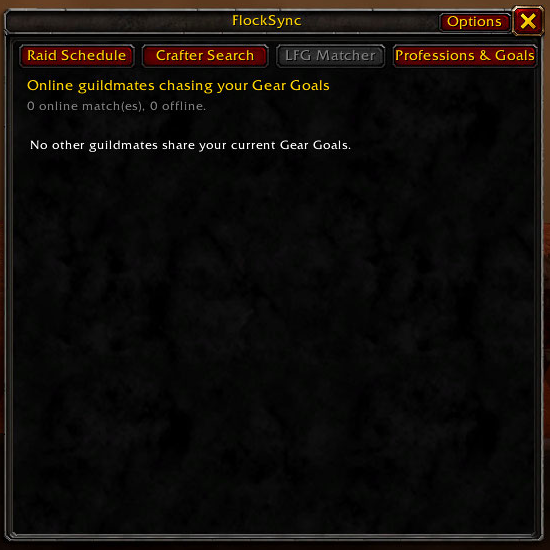
- 🎯 Gear goals and matching: record wanted items and find guildmates with matching goals.
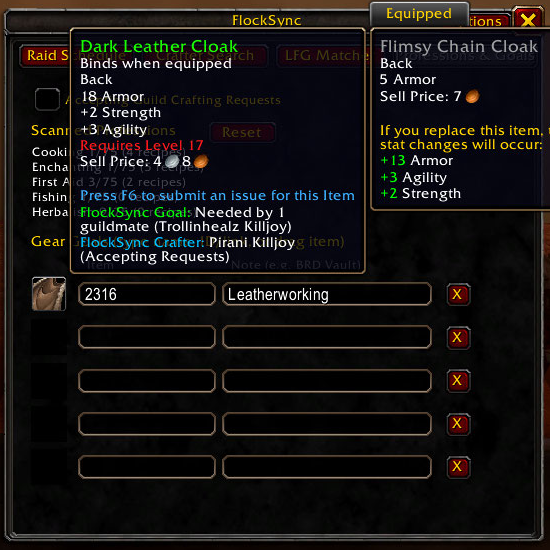
- 🎒 Item tooltips: see relevant guild crafting and gear-goal information.
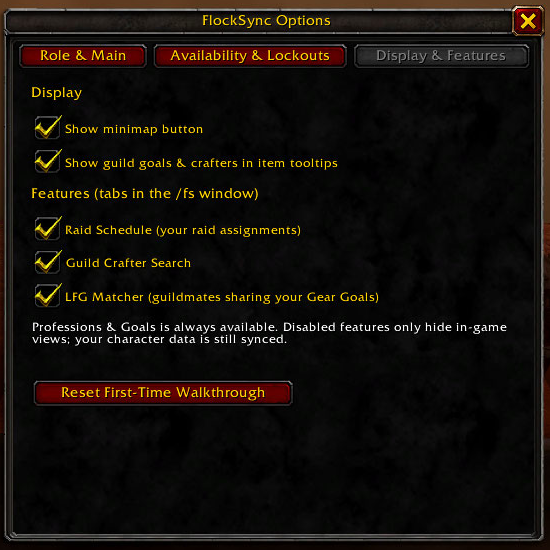
- ⚙️ Configurable UI: manage feature tabs, tooltips, and the minimap button.
Your guild needs an active collector and configured server for shared dashboard and server-returned information. Shared addon views use the latest received snapshot, not a continuous live website connection.
👑 Officers — connect the guild
You need three components:
- FlockSync: the same main addon everyone installs from CurseForge.
- FlockSync AppHelper: loads information returned by the guild server.
- FlockSync Desktop: the Windows companion that uploads saved addon data and writes server-returned information.
Download the officer components on GitHub.
Get FlockSync-Addon-Bundle.zip and choose either the Windows Setup or Portable executable. There is no separate officer edition of the main addon. If CurseForge manages FlockSync, extract only FlockSync_AppHelper from the GitHub bundle alongside it.
👑 Officer Setup
- Exit WoW before replacing addon files. Preserve SavedVariables when updating.
- Confirm both paths exist, without an extra ZIP-named folder:
   Interface\AddOns\FlockSync\FlockSync.toc
Interface\AddOns\FlockSync_AppHelper\FlockSync_AppHelper.toc- Sign into the desktop app with an OFFICER or ADMIN website account.
Ask your administrator for the full server URL; enter it without
/api. Self-registered accounts start as MEMBER and need promotion before collection. - Select the WoW client folder containing Interface and WTF.
- Enable both addons, finish the walkthrough, and log in on a character in the intended guild. Native guild permissions or a synced website grant determine collection access; installing AppHelper alone does not authorize collection.
- Log out, wait for desktop sync success, then log back in to load returned
information.
/reloadalso saves/loads, but logout -> sync -> login is the clearest return-file sequence. Refresh the web dashboard after sync.
Website-authorized OFFICER/ADMIN collectors can use low-ranked alts in the same guild and realm after loading a synced grant. Each WoW account folder needs its own sync. Unrelated guilds, realms, and guildless characters do not inherit it. Collectors only catch broadcasts while logged in.
🖥️ Your companion and dashboard
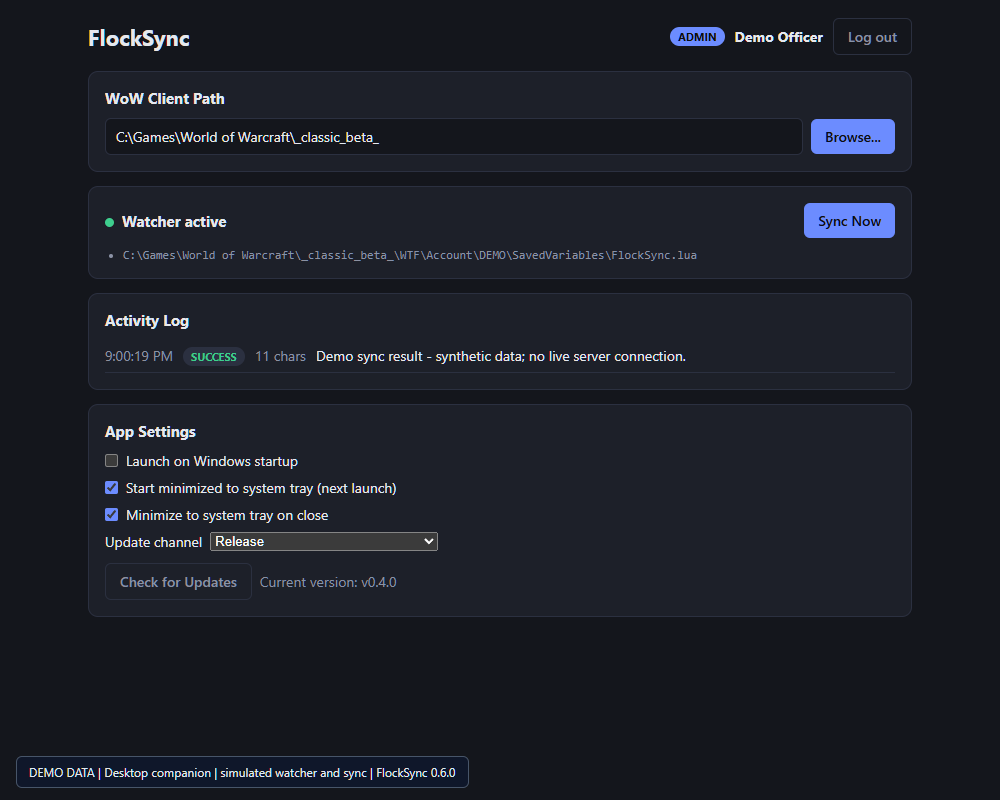
- 🪟 Windows tray: keep syncing in the background, with separate toggles for Windows startup, start-minimized, and close-to-tray behavior.
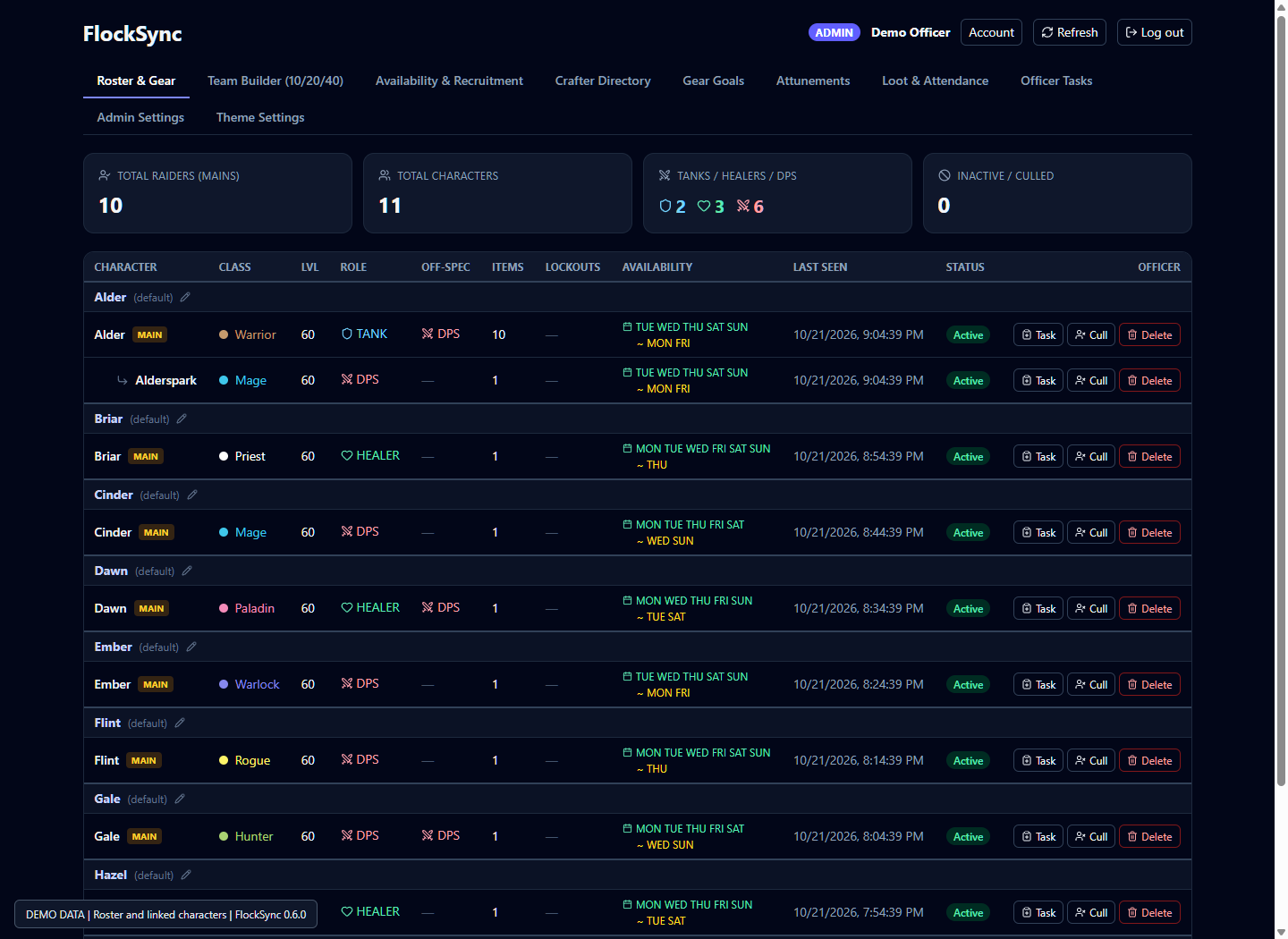
- 🎒 Roster and gear: keep mains/alts linked and inspect synced equipment.
- 🛡️ Team Builder: plan raid, dungeon, and PvP lineups, groups, bench, and role targets.
- 📅 Availability: see weekly coverage and recruitment gaps.
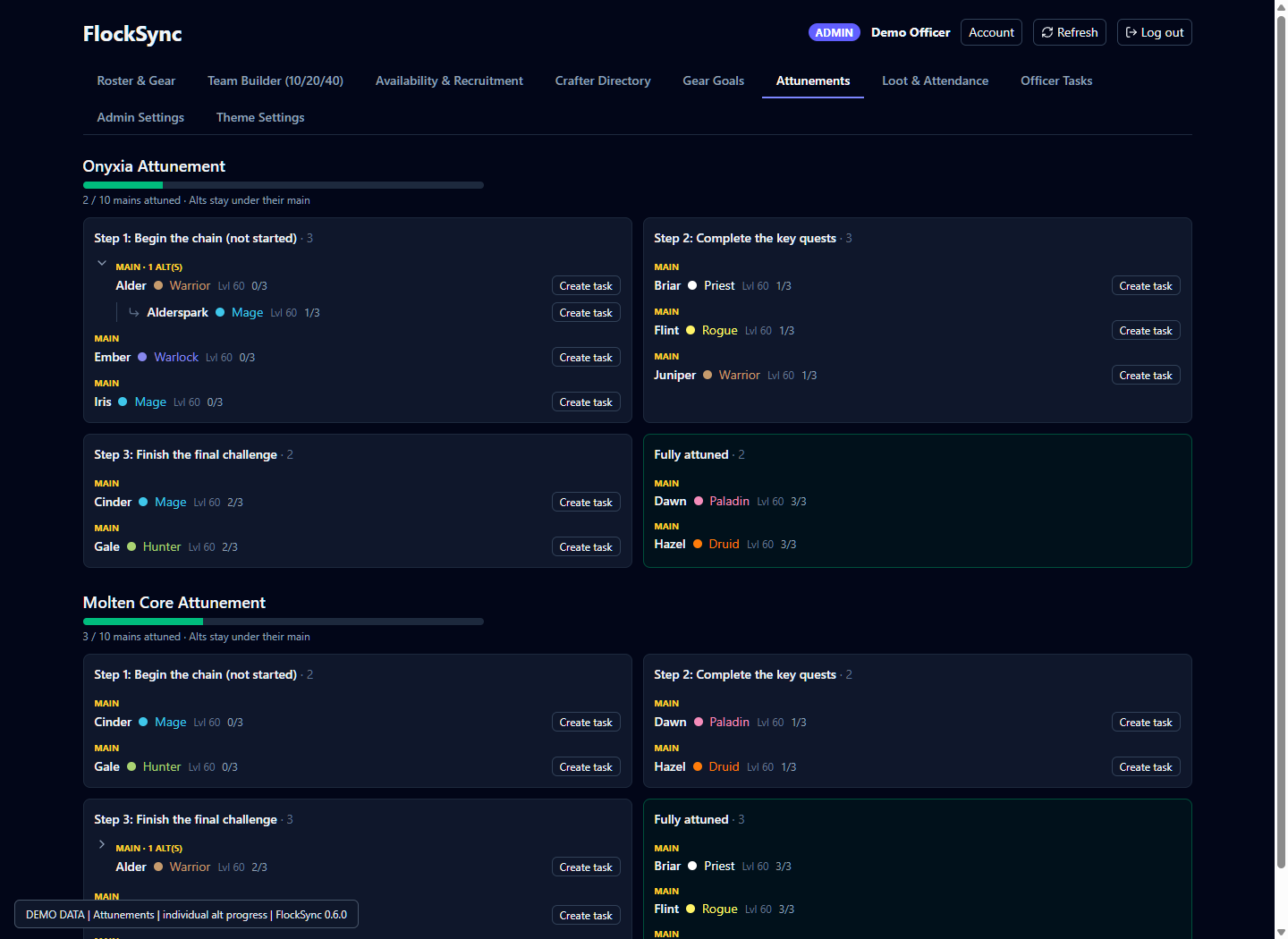
- 🗝️ Attunements: group alts beneath their main, initially collapsed, with individual progress visible when expanded.
- 🛠️ Crafters and goals: browse guild recipes and shared gear targets.
- 📋 Loot, attendance, and tasks: review recorded activity and officer follow-up.
- 🎨 Themes: optional Alliance/Horde/World of Warcraft or custom PNG/JPEG backgrounds, opacity controls, admin defaults, and personal overrides. The initial background is None.
In-game officer invite tools remain subject to WoW's normal group and leadership restrictions. Dashboard planning is not unattended gameplay automation.
📸 Screenshots: in-game addon
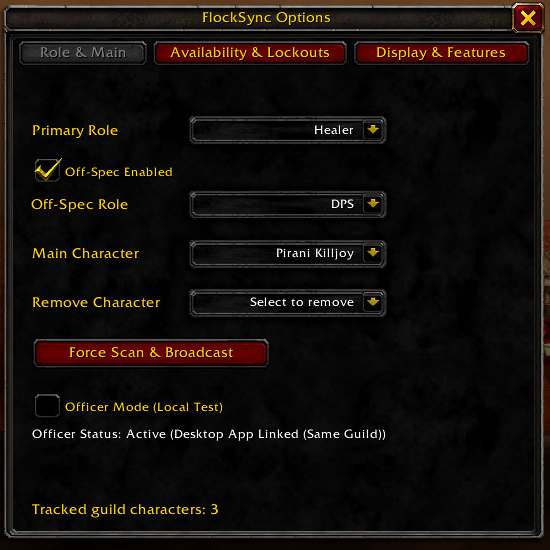
Actual in-game captures supplied by the developer. Character names and sample guild data are visible; the raid screenshot shows a test lineup, not encounter size guidance.
🚦 First-time setup
🦅 Roles, main character, and collector status
🛠️ Guild crafter search
🎯 Professions and gear goals
🎒 Crafting and goal tooltips
📅 Raid schedule
🤝 Goal matching
⚙️ Display and feature controls
🖥️ Screenshots: web and desktop companions
The following companion screenshots use fictional demo data. Desktop watcher/sync responses are simulated. These are not in-game addon screenshots, and example lineups/attunement steps are not encounter guides.
🎒 Web roster
🗝️ Web attunements
🪟 Windows companion
Browse the full screenshot gallery.
🔄 How Synchronization Works
Guild addon messages -> collector SavedVariables -> desktop -> guild server -> AppHelper -> addon
WoW saves addon data on logout or /reload. The collector's desktop watches
FlockSync's saved file, not other addons' SavedVariables. New web data appears
after a successful upload and dashboard refresh; returned addon data must be
loaded on a subsequent login/reload. Old files are not treated as fresh scans.
Open profession windows to capture recipes. Item-name search uses a local encountered-item cache, not a complete game database.
💬 Slash Commands
| Command | Action |
|---|---|
/fs |
Features window |
/fs options / /fs config / /fs setup |
Options |
/fs role / /fs main |
Role & Main |
/fs raid / /fs schedule |
Raid Schedule |
/fs craft |
Crafter Search |
/fs prof |
Professions & Goals |
/fs minimap |
Toggle minimap icon |
/fs help |
Command help |
Left-click the minimap icon for Features, right-click for Options, or drag it
to reposition. /fs debug officer is a local test override, not normal
officer setup or server authorization.
📥 Downloads, Updates, and Hosting
- CurseForge updates FlockSync only; AppHelper and desktop downloads live on GitHub.
- Main addon and AppHelper versions are checked independently. Helper chat notices point officers to GitHub for the officer bundle.
- Addon notices use synced metadata and appear at initial character login, not repeatedly on reload. WoW does not fetch GitHub directly.
- Release is the normal channel; Beta/Alpha builds are opt-in previews. Components compare their own versions, so unchanged addons do not need reinstalling.
- Use your own guild's server URL. The GearDuckDev dashboard is not automatically a shared service for every guild.
Downloads | Installation and hosting | Documentation
🔒 Lightweight & Privately Hosted
- Throttled, hidden guild addon messages.
- No desktop application required for regular members.
- Guild-controlled server deployment and backups.
- Publicly visible source; proprietary, not open source. Use and hosting are subject to the repository license.
No claim of official server approval or ban immunity is made; confirm your server's rules, including the desktop file bridge.
FlockSync Team