Flightsim
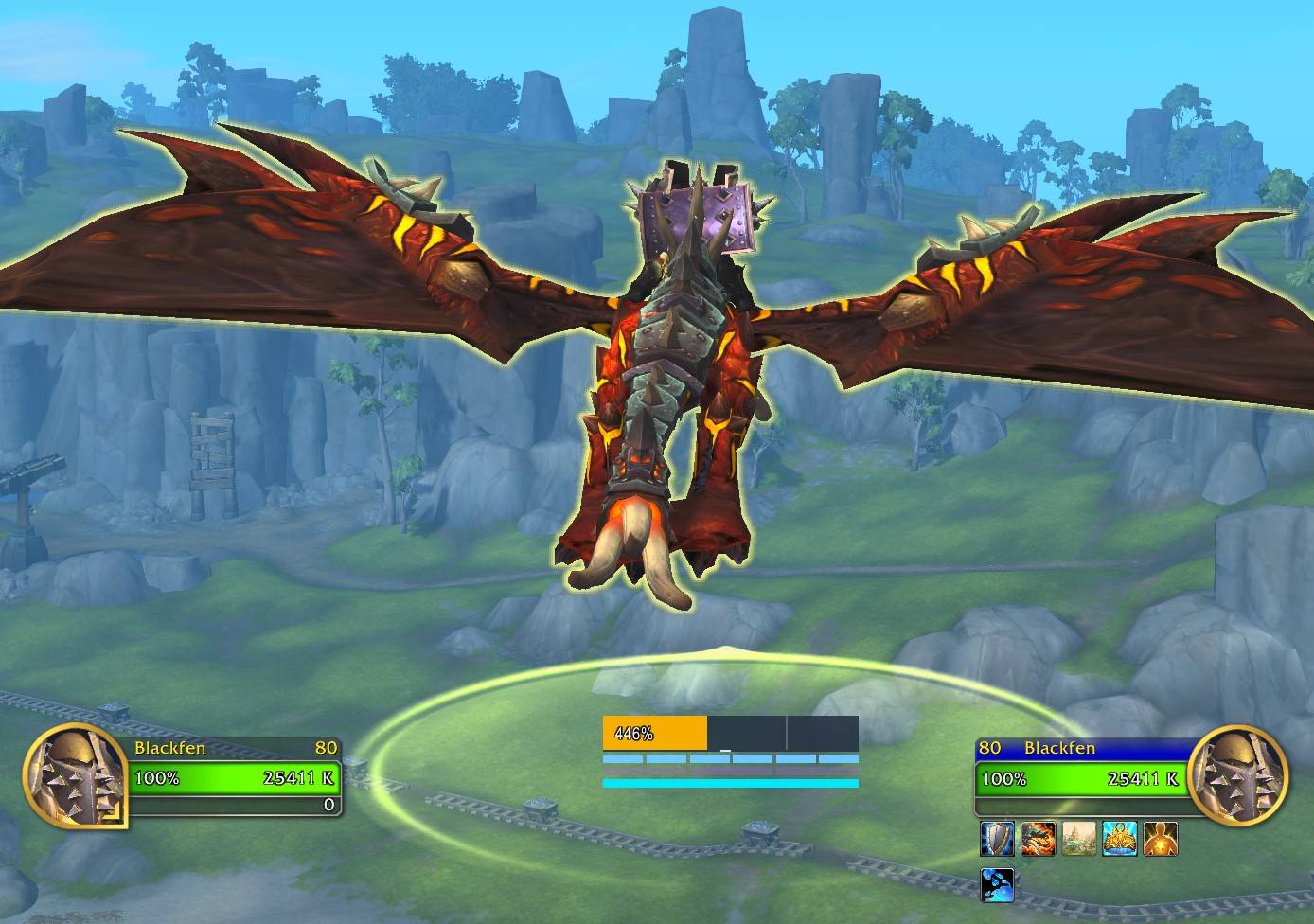
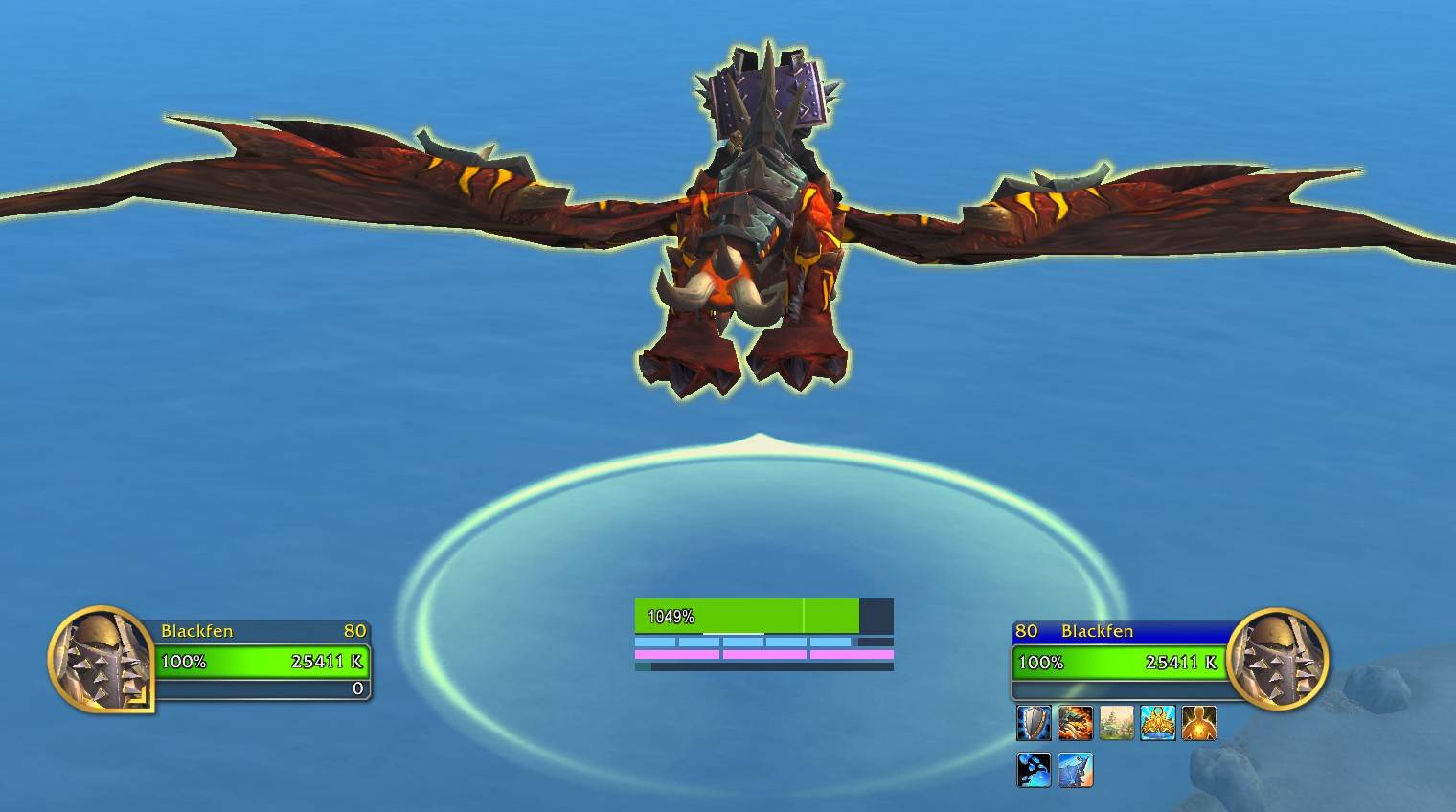
A lightweight World of Warcraft addon that displays flight speed, acceleration, and skyriding ability cooldowns while skyriding. Fully supports Druid Flight Form (Travel Form while flying).




Midnight Ready: Built for WoW 12.0+ with proper handling of secret values and modern C_Spell APIs.
Credits
Inspired by Dragonriding UI, a WeakAura by Darianopolis. Flightsim is a standalone addon reimplementation with additional features and performance optimizations.
Features
- Speed Display - Current flight speed as a percentage, with color gradient from red (slow) to green (fast)
- Acceleration Bar - Visual indicator of current acceleration/deceleration with optional dynamic coloring
- Sustainable Speed Marker - Reference line showing the speed you can maintain indefinitely
- Ability Cooldown Bars:
- Surge Forward - 6-charge ability with individual charge bars (blue gradient)
- Second Wind - 3-charge ability with individual charge bars (purple gradient)
- Whirling Surge - 30-second cooldown bar (cyan gradient)
- Second Wind bars dim automatically when Surge Forward is at max charges
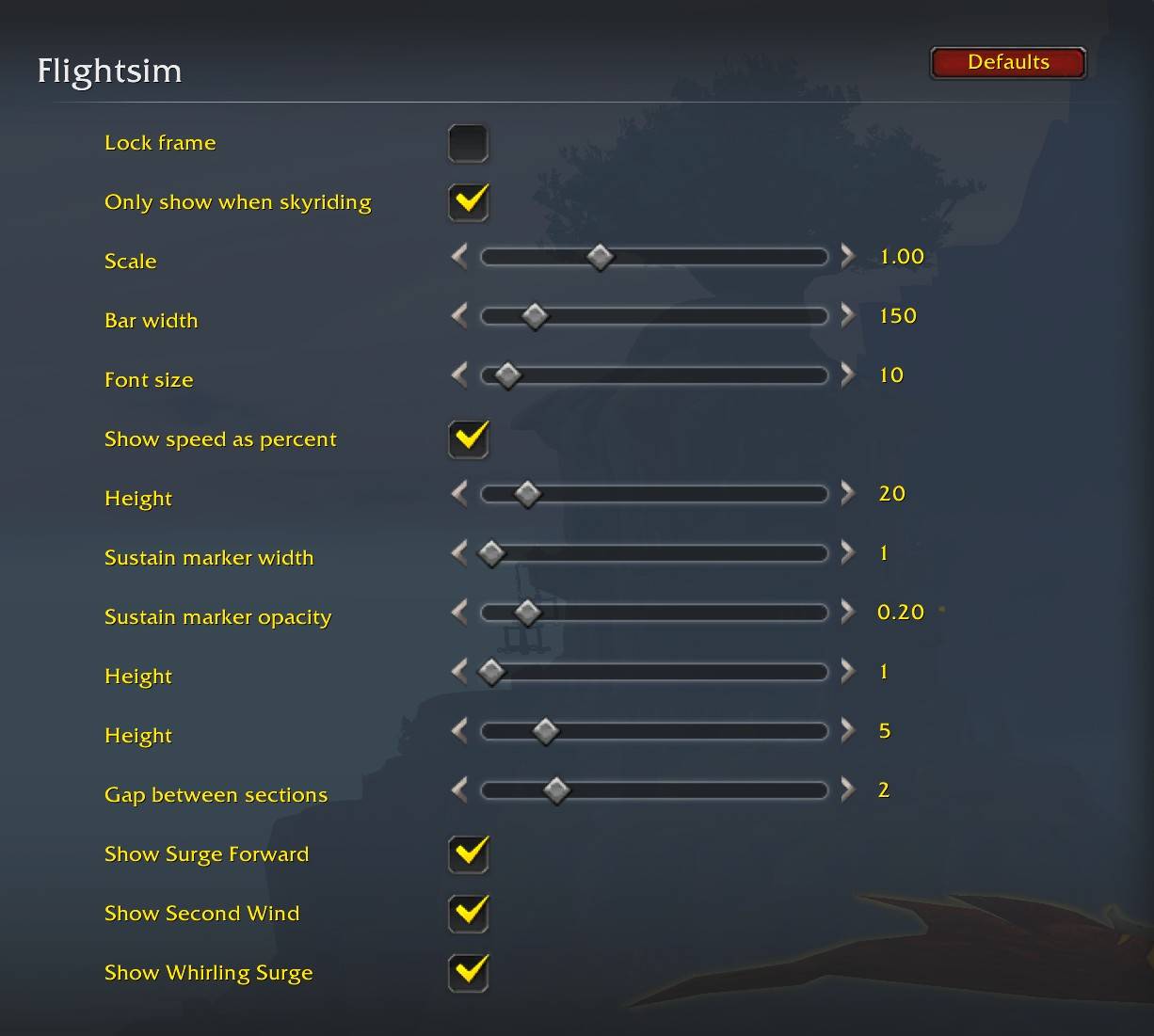
- Each ability bar can be individually toggled in Settings
- Custom Colors - Full color customization for speed bar gradient, acceleration bar, and all ability bars
- Localization - Full translations for 10 languages (DE, ES, FR, IT, KO, PT, RU, ZH-CN, ZH-TW)
- MechanicLib Integration - Debug tools, performance metrics, and testing when Mechanic is installed
Installation
CurseForge / Wago
Search for "Flightsim" in your addon manager, or:
Manual Installation
- Download or clone this repository
- Place the
Flightsim folder in your WoW addons directory:
World of Warcraft/_retail_/Interface/AddOns/
- Restart WoW or type
/reload if already running
Usage
The display automatically appears when you are skyriding and hides otherwise.
Slash Commands
All commands use /flightsim or /fs:
| Command |
Description |
/fs |
Open settings panel |
/fs lock |
Lock frame position |
/fs unlock |
Unlock frame (drag to move) |
/fs scale <0.5-2.0> |
Set UI scale |
/fs reset |
Reset position and settings to defaults |
/fs status |
Show brief status information |
/fs debug |
Show detailed debug information |
Settings Panel
Open Game Menu > Options > AddOns > Flightsim for graphical settings:
- General: Lock toggle, scale, width, background color, visibility options
- Speed Bar: Height, font settings, sustain marker, custom gradient colors
- Accel Bar: Height, dynamic color toggle (green=accelerating, red=decelerating)
- Ability Bars: Height, gap, show/hide toggles, custom colors for each ability
Visibility
The addon only displays while actively skyriding:
- Hidden on ground
- Hidden during steady flight
- Hidden when skyriding state cannot be confirmed
- Gracefully handles Midnight secret values
Architecture
Flightsim follows the AFD (Adapter-Framework-Domain) pattern:
Logic/          Pure domain logic (no WoW APIs)
  ├── speed.lua         Speed calculations
  ├── acceleration.lua  Acceleration state machine
  ├── color.lua         Color gradients and palettes
  └── visibility.lua    Visibility rules

Bridge/         WoW API adapters
  ├── Context.lua       Build context from WoW APIs
  ├── Events.lua        Event registration
  ├── Executor.lua      Orchestrate updates
  └── Secrets.lua       Secret value handling

View/           UI rendering
  └── init.lua          Frame creation and updates

Locales/        Translations (11 files)
Dependencies
Flightsim uses embedded libraries (no external dependencies required):
- Ace3 - AceDB, AceConfig, AceConsole, AceGUI for settings
- FenCore - Pure logic domains (Math, Secrets, Charges, Cooldowns)
- MechanicLib - Optional integration with Mechanic development hub
Requirements
- World of Warcraft Retail 12.0+ (Midnight)
- Skyriding unlocked on your character
Support
If you find Flightsim useful, consider sponsoring on GitHub to support continued development and new addons. Every contribution helps!
License
GPL-3.0 License - see LICENSE for details.