Flight Path Finder
- By
Standalone Alliance flight-master finder for Forever / Interface 16001. Open `/fpf` or `/flightpaths`, or use its button in Tranquility Guild Toolkit. No Questie, guild membership, bot or third-party addon is required for the standalone finder.
FPF1.jpg
FPF2.jpg
FPF3.png
Description
Standalone Alliance flight-master finder for Forever / Interface 16001. Open `/fpf` or `/flightpaths`, or use its button in Tranquility Guild Toolkit. No Questie, guild membership, bot or third-party addon is required for the standalone finder.
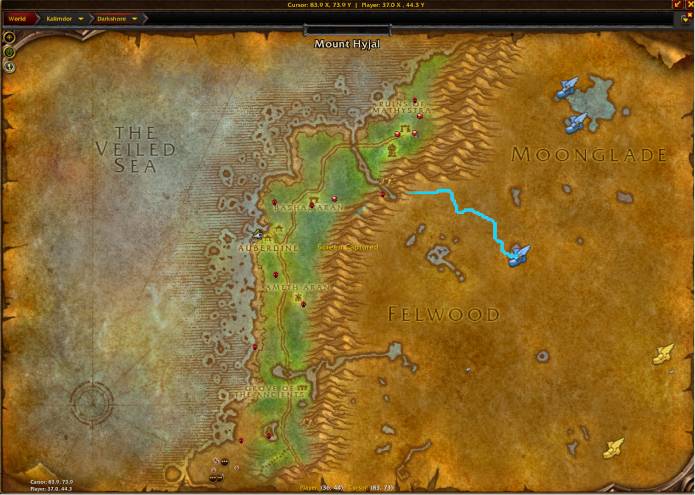
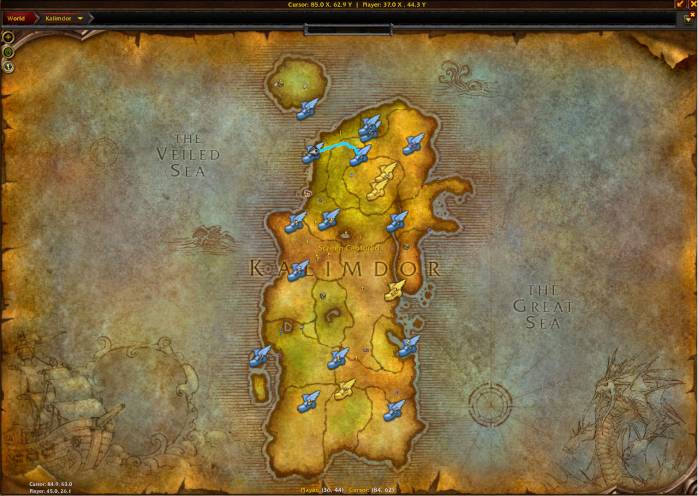
Large world-map markers locate Alliance flight nodes and optional neutral hubs. Search by town/region, browse the coordinate directory, click Show on map, toggle labels and cycle marker size. Discovery state is per character only when the native API explicitly provides it. Visiting the flight master is still required to learn routes or fly.
The addon queries the client's `C_TaxiMap.GetTaxiNodesForMap` and native map hierarchy rather than shipping an old copied coordinate list. It starts with Eastern Kingdoms/Kalimdor, then scans map descendants in bounded background batches. This includes undiscovered native flight nodes exposed by that client and adapts to its current map data. Coordinates are relative to the displayed/listed map. More specific town/zone maps are preferred where native conversion data is available.
An absent API or missing client data is reported as unavailable; it does not fabricate markers. This release targets Interface 16001, not every Retail/Classic variant. Class, quest, faction, learned-route and connection requirements are enforced by WoW. A node on the map is not proof you can currently use every route from it. A flight/departure point may differ slightly from the NPC's exact standing position.
The same addon folder is bundled with Tranquility; installing both distributions replaces that same folder, so it does not create a second set of pins. Saved settings are global; learned/unknown status is character-specific. No external network requests, automatic travel, player tracking, credentials or compiled helper are included.
The minimap icon opens two independent checkboxes: **Enable markers** and **Enable pathing**. Right-click opens the flight directory; drag moves the icon. The interface uses blue and dark gray.
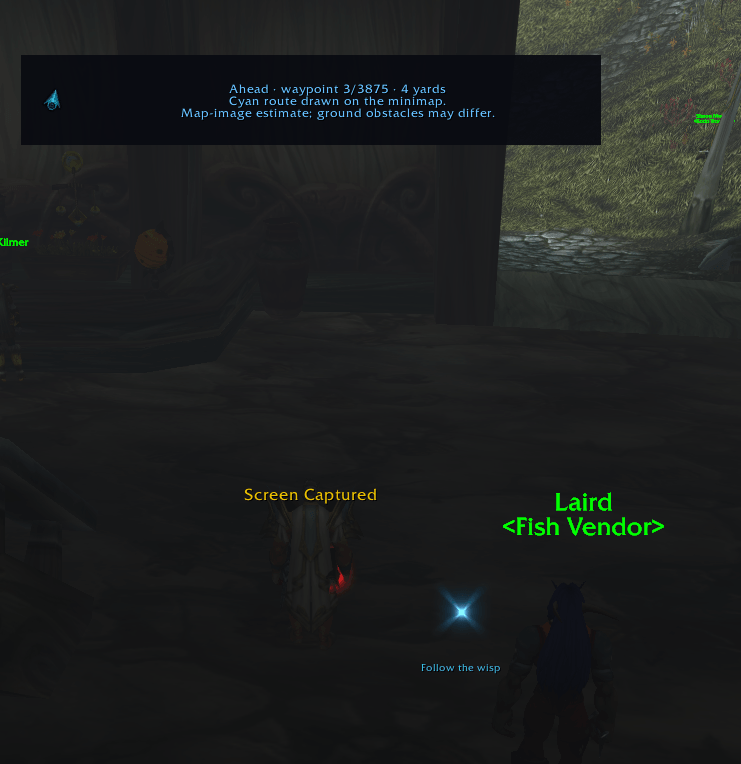
For walking directions, enable the bundled optional **WorldNavigation** addon, enable pathing, and select **Show on map**. Blue lines follow the returned terrain/recorded route, with a waypoint-distance display. `/wnav` or **Route editor** records walked corridors and marks hazards/no-pass areas. Pathing is guidance only; it does not move your character.
Flight Path Finder Team