FlashHUD
- By
A customizable Hunter toolkit for WoW Forever with combat timers, cooldown tracking, pet tools, alerts, and everyday conveniences.
01-description-combat-overview.jpg
02-description-unlock-mode.jpg
03-description-mend-pet-alert.jpg
04-description-settings-themes.jpg
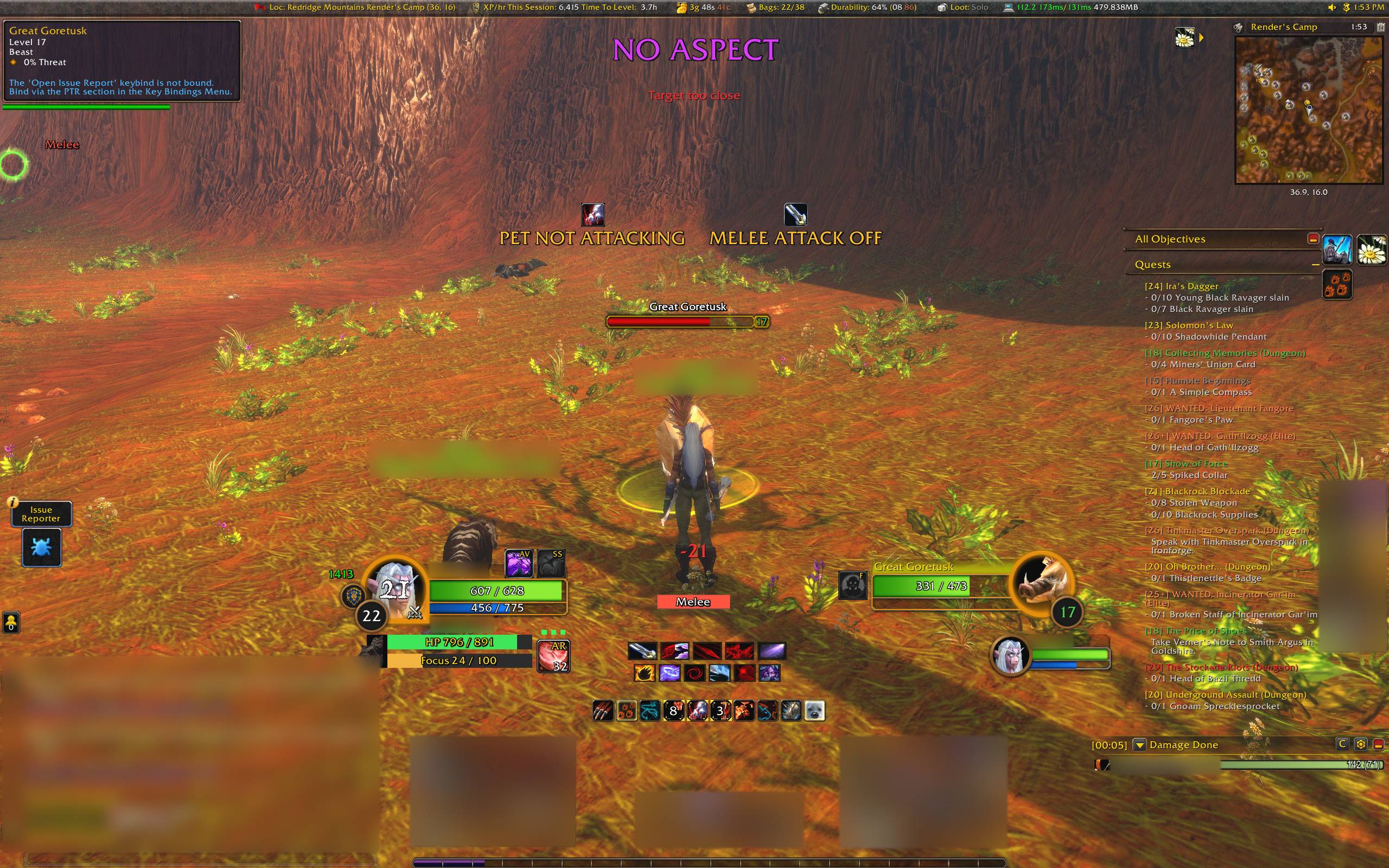
05-gallery-hunter-warnings.jpg
Description
FlashHUD — Your Hunter toolkit, your layout
FlashHUD brings combat timing, cooldowns, pet tools, alerts and everyday Hunter conveniences into one customizable addon for WoW Forever.
Its biggest strength is how easy it is to make the HUD your own. Choose the features you want, see what they look like before enabling them, and place them where they fit your screen. Keep a small, focused setup or build a complete Hunter HUD.
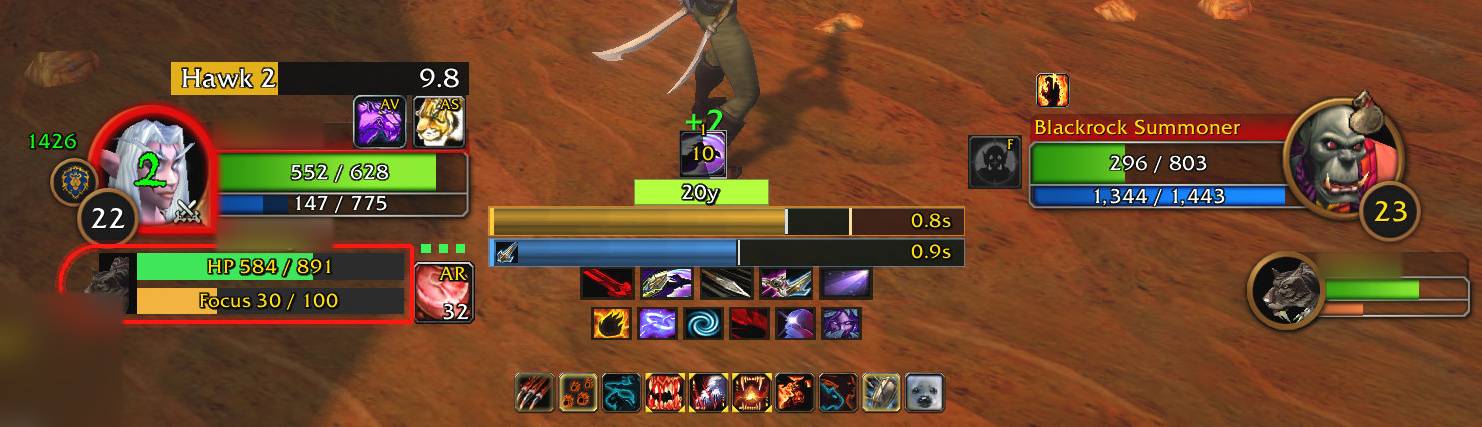
Combat timing, pet health and Hunter indicators in one customizable layout.
Spend less time setting up your HUD
FlashHUD puts editing alongside the feature you are configuring:
- See what you are editing. Open a feature tab and hold Alt to reveal its placement outlines. Release Alt to hide them.
- Preview before committing. Main-tab preview galleries show Active/Inactive examples, layouts, timers and supported glow/sound effects without enabling live tracking.
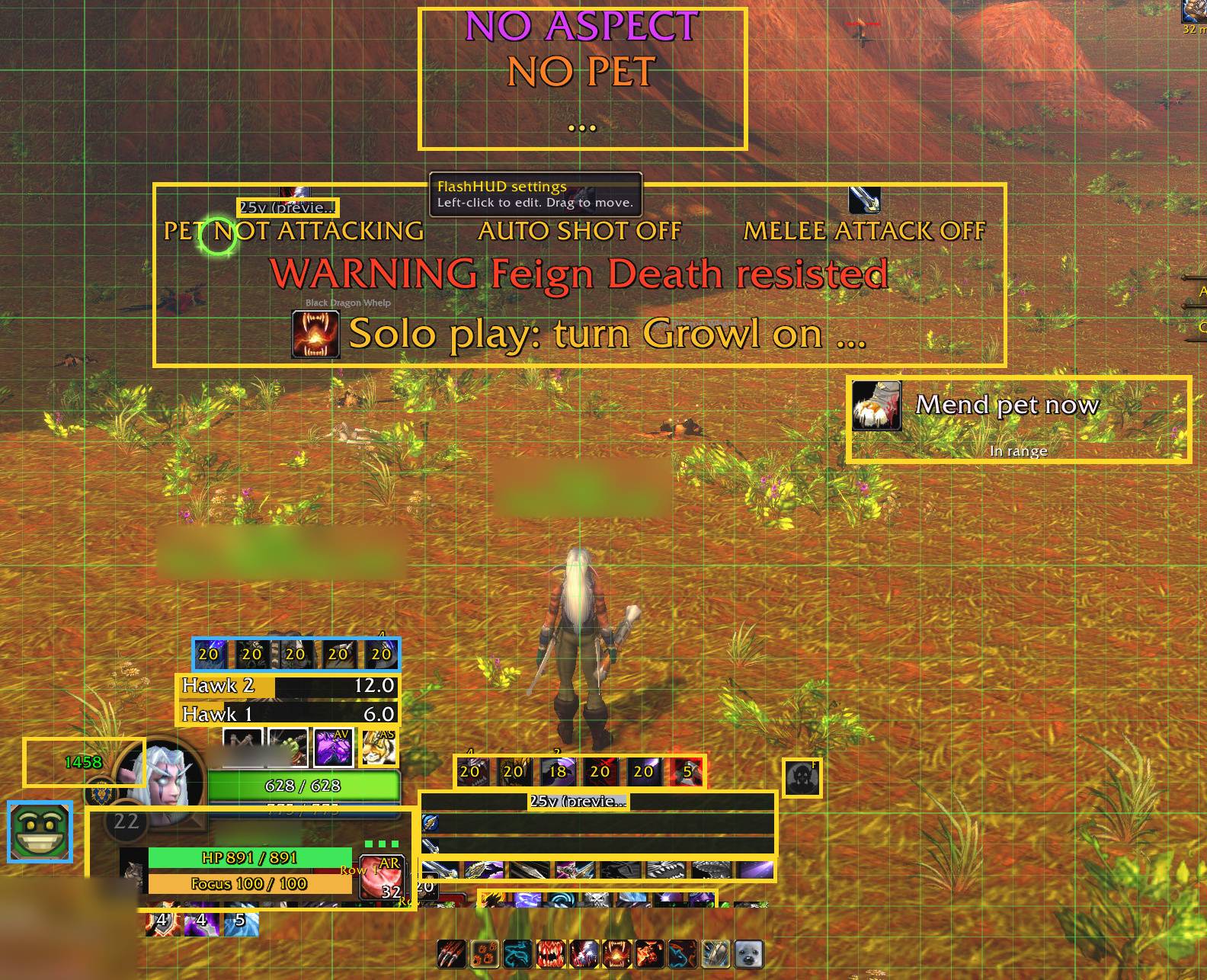
- Click straight into settings. In Unlock mode, click supported HUD icons and text to open their controls.
- Undo a move. Use Ctrl+Z to undo and Ctrl+Y to redo while editing.
- Line things up. Hold your configured magnetic-alignment modifier while dragging to snap nearby HUD elements into place.
- Find a setting quickly. Search takes you to the relevant tab, control or preview example.
Unlock, drag and align your HUD. Click supported elements to jump into their settings.
A guided Quick Setup gets you started with a Hunter layout. Advanced setup gives you access to the full toolkit. Saved profiles and full or section-based sharing make it easier to keep different setups.
Make it fit the way you play
Most features can be enabled independently. Adjust sizes, positions, colours, fonts, spacing, growth directions and visibility options across the toolkit.
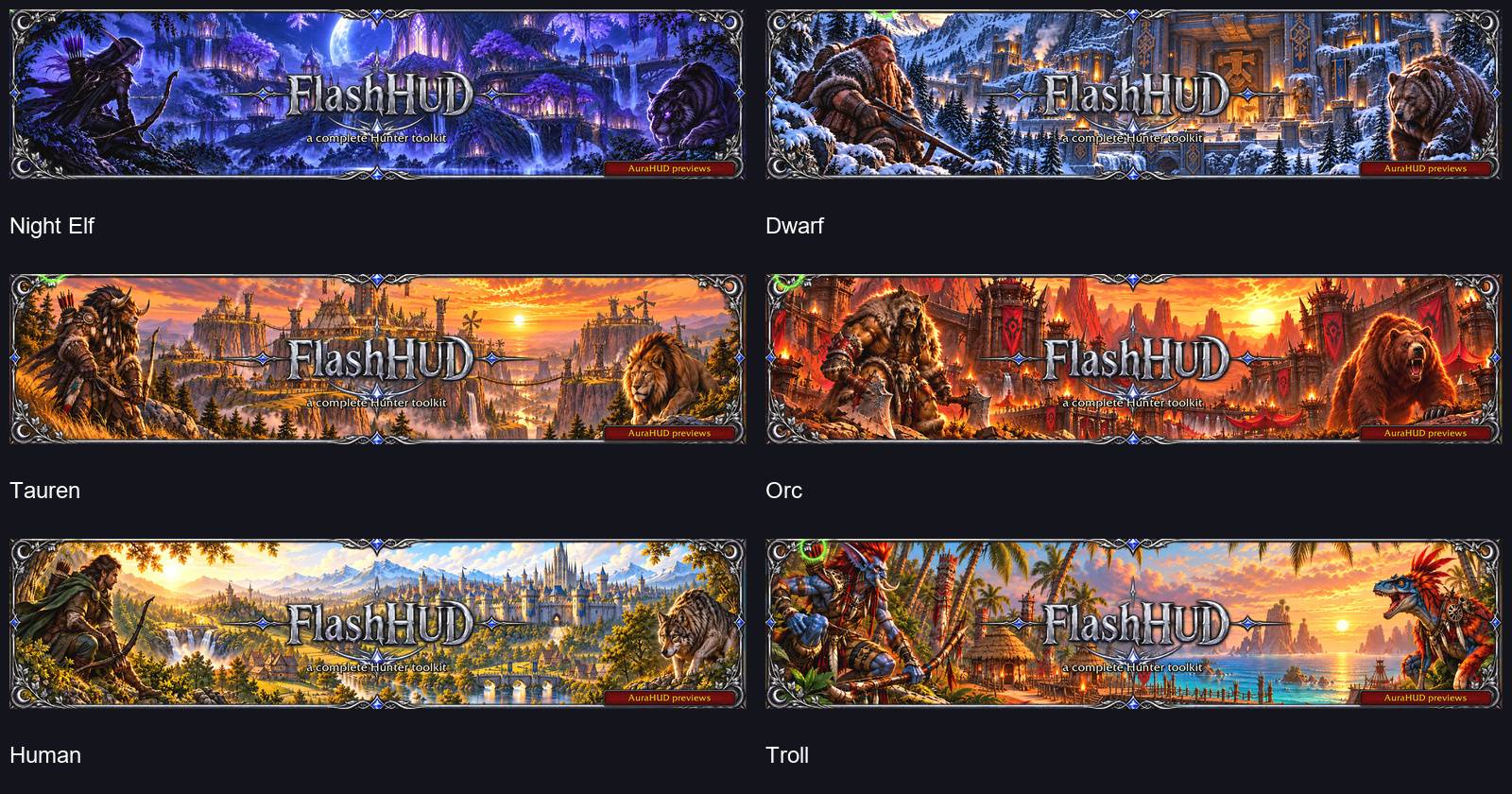
Use six matching menu themes—Night Elf, Dwarf, Tauren, Orc, Human and Troll—plus optional grid, cursor and mouse effects. You can replay the tutorial whenever you need it, without resetting your customized profile.
Six menu themes to match your Hunter.
Combat timing and cooldowns
- Auto Shot timer with a configurable stop-moving window and optional latency allowance.
- Cast/channel, melee swing and mana bars, including a five-second-rule indicator.
- Three customizable cooldown rows, spell/item imports and separate specialization layouts.
- Target Sting timers, player/pet buff tracking and Mongoose Bite readiness.
- Optional ready, buff and Sting glows, with colour and animation choices.
- Compact target or mouseover range displays.
- Indicators for Aspect, Hunter's Mark, Lone Wolf, Trueshot Aura and Summon Hawk.
Pet care and control
- PetHUD with health, focus, happiness, optional portrait and aggro outline.
- Pet-debuff tracking in combat, with tooltips, timers and stack counts. Attach it to your pet frame or place it independently; choose horizontal or vertical growth.
- Feed Pet with food selection, bag controls, combined food counts, feeding-buff countdown and a configurable keybind.
- Keybindable Call/Dismiss Pet, Tame Beast and Beast Training buttons.
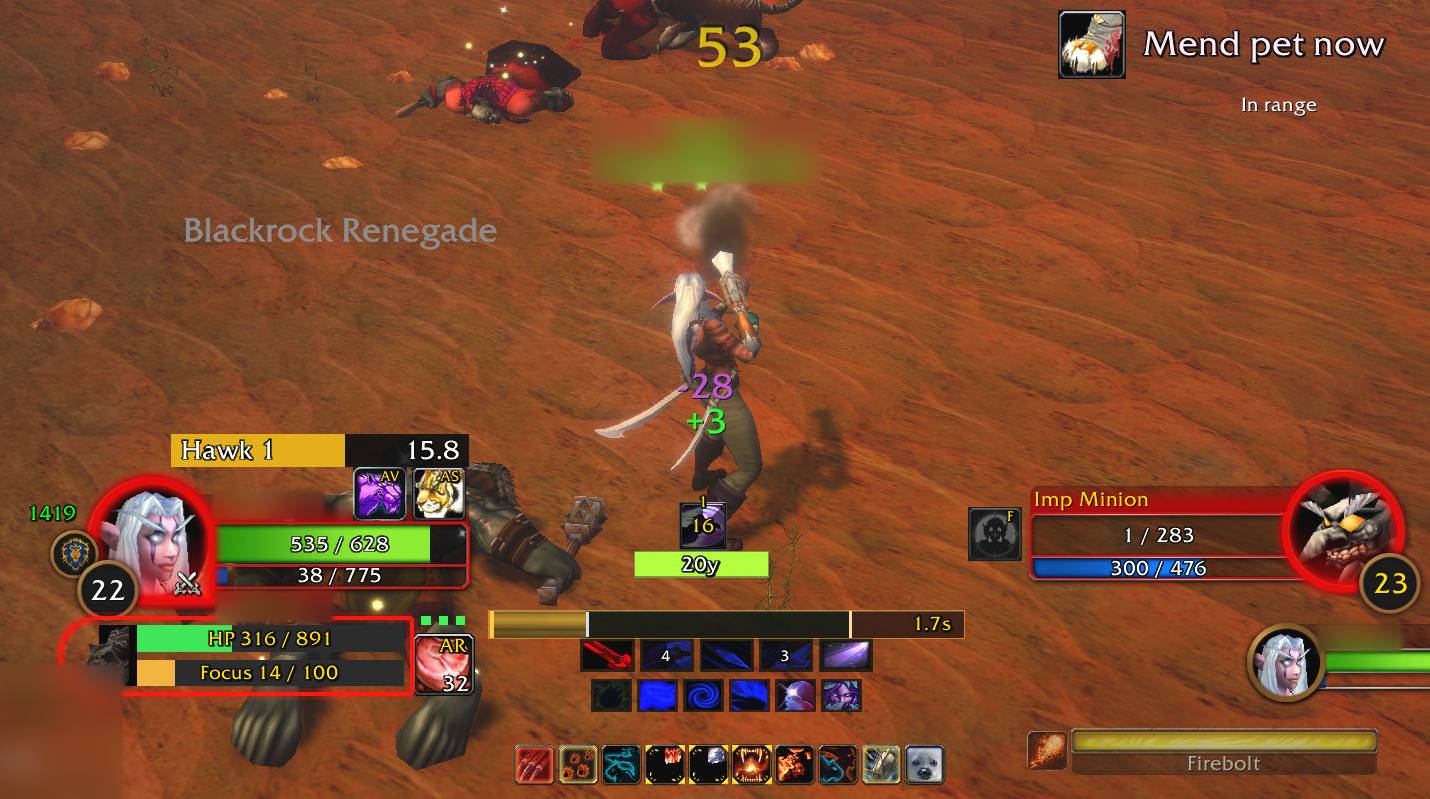
- Visual Mend Pet warning with In range/Out of range text and colour choices.
- Pet-attack and Growl reminders, plus options to hide Blizzard's pet frame and Summon Hawk display.
Know when your pet needs healing, with an at-a-glance range indicator.
Alerts and everyday conveniences
- Missing pet, Aspect and Trueshot Aura reminders.
- Improved Tracking warning with optional sound, plus an unspent talent-point reminder.
- Feign Death resist warning with optional sound when the client provides an explicit resist notification.
- Ammo count, low-ammo, durability, Auto Shot and melee reminders.
- Three-second duel countdown with optional sounds, and optional automatic duel decline.
- Optional auto-repair, grey-junk selling and separate weapon-sound muting.
- Ammo restocking based on your quiver or pouch capacity, with purchase confirmation every time.
- Weapon-training tooltip hints and Hunter trainer map markers.
Optional TrinketHUD
An optional two-slot TrinketHUD provides layout, keybind, bag-selection, cooldown and buff/debuff controls. It starts disabled. Advanced trinket use, swaps and effect tracking are still being validated in-game.
Have an idea? Help shape FlashHUD
Missing a feature or want a better way to handle something? Join The Hunting Grounds and post in the FlashHUD forum. Suggestions from Hunters help shape the addon—if the idea fits and the client supports it, let's see what we can build.
For bug reports, include your addon version, client build, what happened and the first complete Lua error, if available.
Install and get started
- Extract the download so
Interface/AddOns/FlashHUD/FlashHUD.tocexists in your Forever client. - Start WoW and enable FlashHUD.
- Type
/fdor left-click the minimap button to open settings.
Right-click the minimap button to unlock HUD movement. With settings open, hold Alt to see which area you are editing. Editing pauses during combat.
When updating, replace the old FlashHUD addon folder and keep your WTF folder and saved settings. Existing profiles and keybinds are preserved.
No other addon is required. Optional LibSharedMedia/SharedMedia installations provide additional media choices. FlashHUD is built for WoW Forever; compatibility with other WoW versions is not claimed. Range measurements are approximate, and Summon Hawk timers are cast-based estimates.
Credits
Inspired by Nock, ElvUI and WeakAuras, with additional reference from Improved Auto Shot Timer and What's Training?. Full credits, library acknowledgements and font licences are included in the documentation.
Thanks to everyone sharing feedback and helping FlashHUD grow!
FlashHUD Team