FixedRaid - Raid Leader Toolkit
- By
One-window raid assistant for roles, assignments, groups, party buffs, announcements and auto markers.
Zrzut ekranu 2026-09-26 163128.png
Zrzut ekranu 2026-09-26 163302.png
Zrzut ekranu 2026-09-26 163332.png
Zrzut ekranu 2026-09-26 163930.png
Description
FixedRaid - Raid Leader Assistant
Plan your raid once, run it every week. FixedRaid keeps your whole raid plan in one window: who plays which role, who does what on every boss, how the raid groups are set up and which party buffs each group gets. When the raid starts, you only put today's players on their roles and everything else is ready.
Made for WoW TBC Anniversary, for Karazhan, Zul'Aman, Gruul's Lair, Magtheridon's Lair, Serpentshrine Cavern, Tempest Keep, Mount Hyjal, Black Temple and Sunwell Plateau.
How it works
- Build a template for your raid: the roles (Main tank, Healer 1, DPS 3…) and the assignments for every boss.
- Start raid and put the players of the evening on the roles, by dragging or clicking.
- Announce the assignments, mark the targets and move the players into their groups, all from the same window.
- Finish raid and decide what to keep: save the changes, save them as a new template or throw them away.
Assignments are written for roles, not for players. When someone is missing, you swap one name on the Roster tab and every boss plan follows.
Features
Bosses: assignments for every encounter
- A list of all bosses of the raid, plus your own entries such as trash packs.
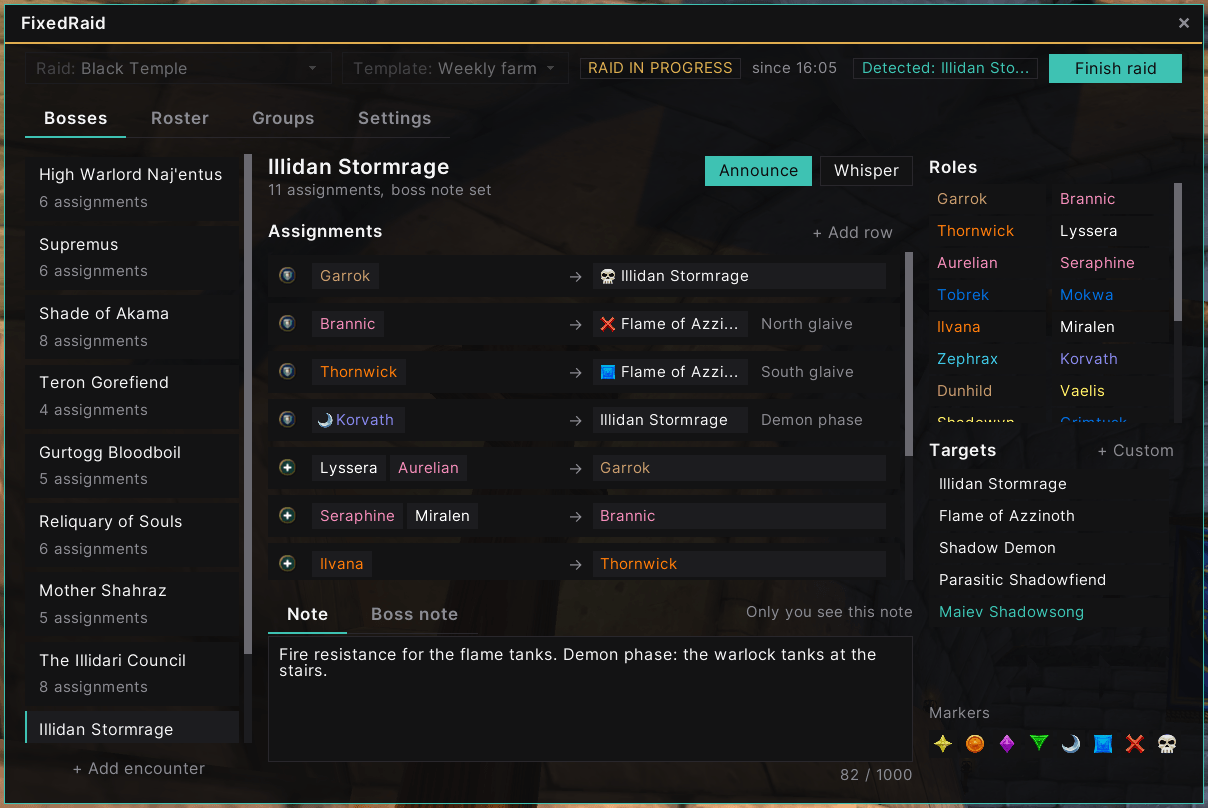
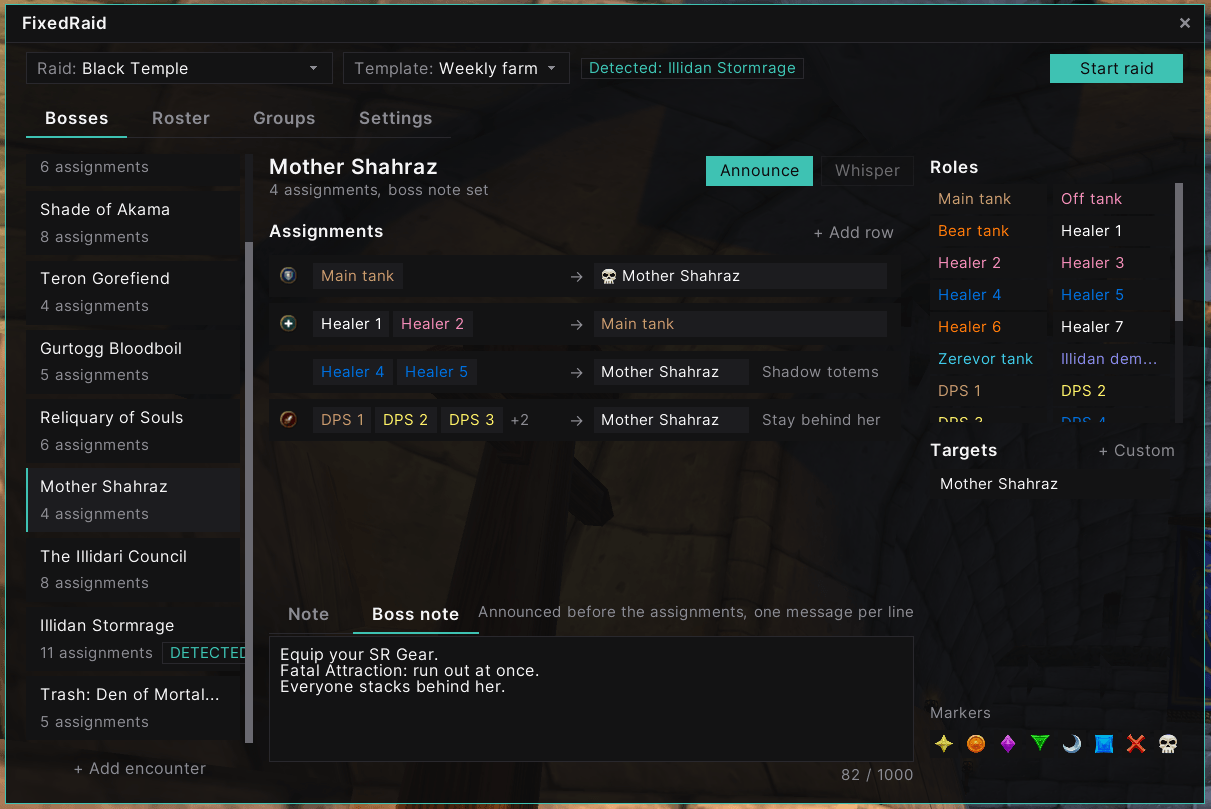
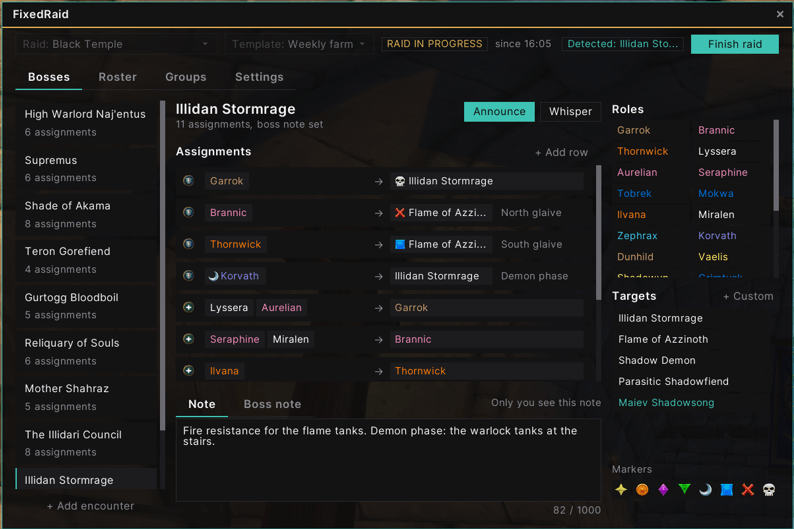
- Rows like Main tank -> Lady Vashj or Healer 3 -> Core carrier, with a note per row, plus a Note and a Boss note for every encounter.
- A palette with roles, targets and raid markers: drag them onto a row, or click to fill.
- Raid markers on targets and on players, so an announcement reads "{star} Garrok -> {skull} Lady Vashj".
- The raid and the boss are selected for you when you enter the instance or target the boss.
Announcements
- Announce sends the assignments to raid chat or raid warning.
- Whisper tells every player only their own tasks.
- The tooltip shows exactly what will be sent. Messages go out at a safe pace, and you can stop them at any time.
Automatic raid markers
- The targets of the selected boss get their markers as soon as someone in the raid sees them: target, focus, mouseover or nameplate.
- The players of marked roles get their markers too, for example the kiters or the tanks.
- Markers placed by someone else are never moved.
Roster
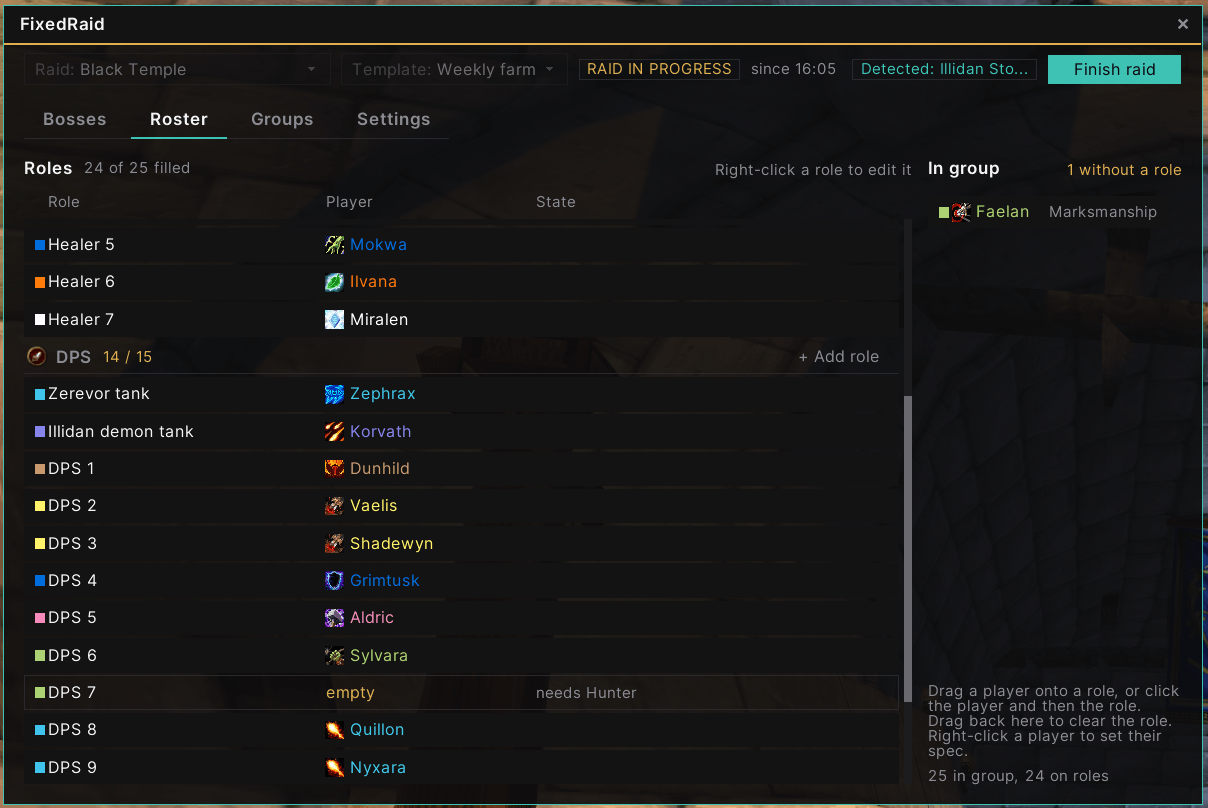
- Tanks, healers and DPS roles in every template, with ready layouts for all nine raids.
- Players in the group are put on roles by drag and drop, with the class color and spec icon next to their name.
- The "In group" list shows who has no role yet.
Groups and party buffs
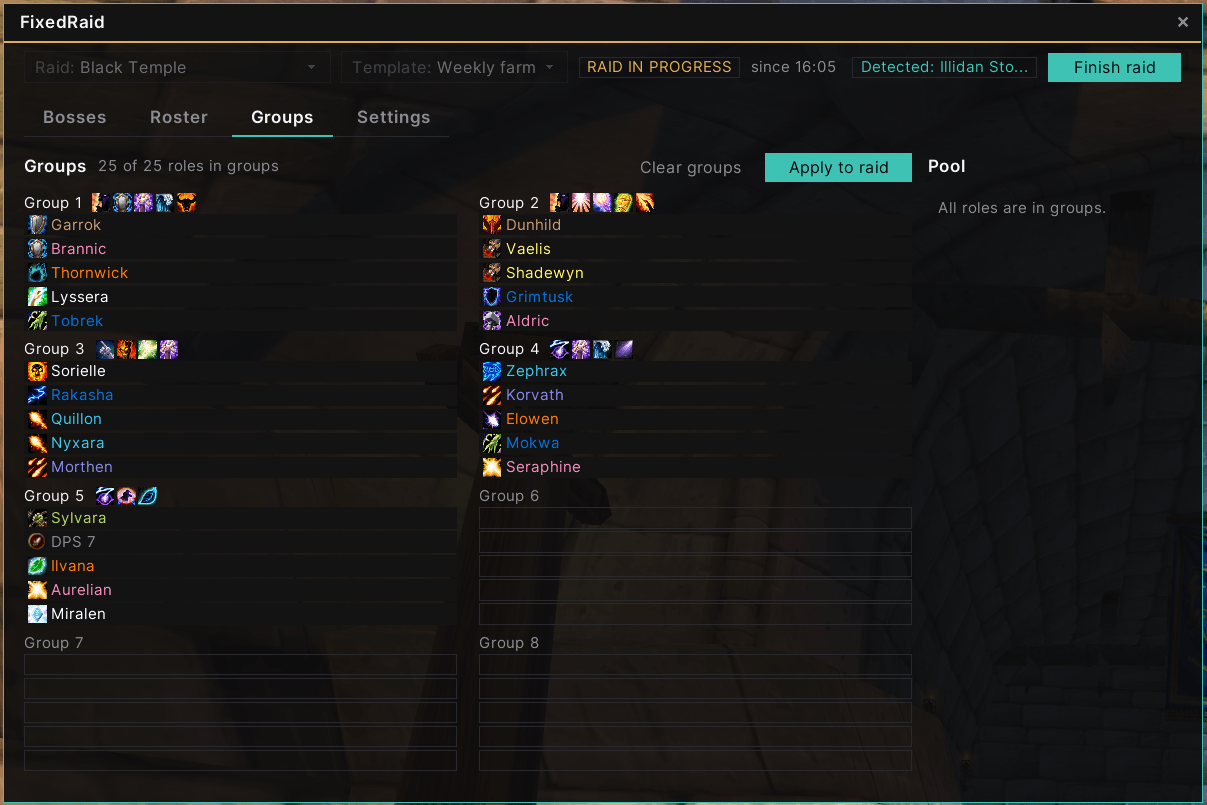
- Plan the eight raid groups with a grid of roles, laid out like the default raid window.
- Every raid comes with a sample group setup to start from.
- Apply to raid moves the players into the planned groups one by one, safe even with lag. Shift + click copies the raid's current groups into the plan instead.
- Icons next to every group show the party buffs and auras it gets from the specs of its players (Windfury Totem, Trueshot Aura, Moonkin Aura and more), with the spell tooltip on hover.
- Set a spec for a role or a player with a right-click. FixedRaid remembers the spec of each player.
Raid session
- Changes made during a raid are kept apart from the template until the raid ends.
- Finish raid lists every change (roles, groups, rows, targets, notes) before you choose to save it.
Commands
/fraidopens or closes the window./fraid minimaphides or shows the minimap button.
You can also open the window with the minimap button.
Settings
- Announce to: Raid or Raid warning.
- Mark targets automatically.
- Select raid and boss automatically.
- Show minimap button.
Notes
- Moving players and placing raid markers need raid leader or assist, as in the default UI.
- Assignments, groups and markers are all planned on your side. The other players do not need the addon.
Feedback, bug reports and ideas are welcome in the comments.
The FixedRaid - Raid Leader Toolkit Team