FishPoleEquipped
- By
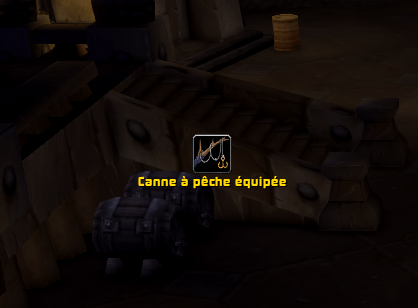
Shows an icon (and an optional text) while a fishing pole is equipped, so you never forget to switch back to your weapon. Movable in Edit Mode, fully customizable.
Capture d'écran 2026-11-15 210451.png
Capture d'écran 2026-11-15 210514.png
Description
FishPoleEquipped
Never get pulled into a fight with a fishing pole in your hands again.
FishPoleEquipped shows an icon on your screen, with an optional text, as long as a fishing pole is equipped. Swap back to your weapon and it disappears. Simple, light, and out of your way.
Features
- Shows up only when it matters. The icon appears as soon as you equip a fishing pole and hides when you take it off.
- Your pole's own icon. The display uses the icon of the pole you are holding.
- Place it anywhere. Move it with the game's Edit Mode, like any other part of your interface.
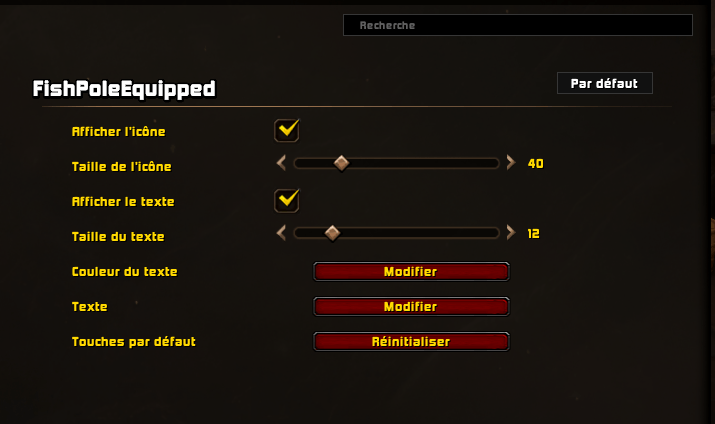
- Make it yours. Change the icon size, the text size, the text color and the text itself, or show only the icon or only the text.
- Speaks your language. The default text follows your game language: English, French, German, Spanish, Italian, Portuguese, Russian, Korean and Chinese.
- One-click reset. Put every setting back to default without losing the position you chose.
- Saved per character.
Options
Open Esc → Options → AddOns → FishPoleEquipped.
| Option | What it does |
|---|---|
| Show icon | Shows or hides the icon |
| Icon size | From 16 to 128 pixels |
| Show text | Shows or hides the text under the icon |
| Text size | From 8 to 32 |
| Text color | Opens the color picker |
| Text | Type your own text; leave it empty to get the default text back |
| Reset to default | Restores every option (the position is kept) |
To move the icon, open Edit Mode (Esc → Edit Mode) and drag it.
Français
Ne vous faites plus surprendre en combat avec une canne à pêche dans les mains.
FishPoleEquipped affiche une icône, et un texte si vous le souhaitez, tant qu'une canne à pêche est équipée. Remettez votre arme : elle disparaît.
- Déplacez-la avec le mode Édition du jeu.
- Réglez la taille de l'icône, la taille, la couleur et le contenu du texte dans Échap → Options → AddOns → FishPoleEquipped.
- Le texte par défaut suit la langue du jeu.
- Un bouton remet tous les réglages par défaut, sans toucher à la position.
FishPoleEquipped Team