Firestorm.IO
- By
Alt keystone main window.png
blacklist main window.png
kereso.png
main window.png
match history.png
Description
Firestorm.IO
Your keys, your progress, your party history.
Firestorm.IO brings Mythic+ profiles, saved runs, raid progress and character tools together in one addon, built specifically for Firestorm’s The War Within custom Season 4.
Check your dungeon results, remember who you played with, view your alts’ keystones and keep personal notes about players—all from inside the game.
Designed for the Firestorm 11.2.5 client.
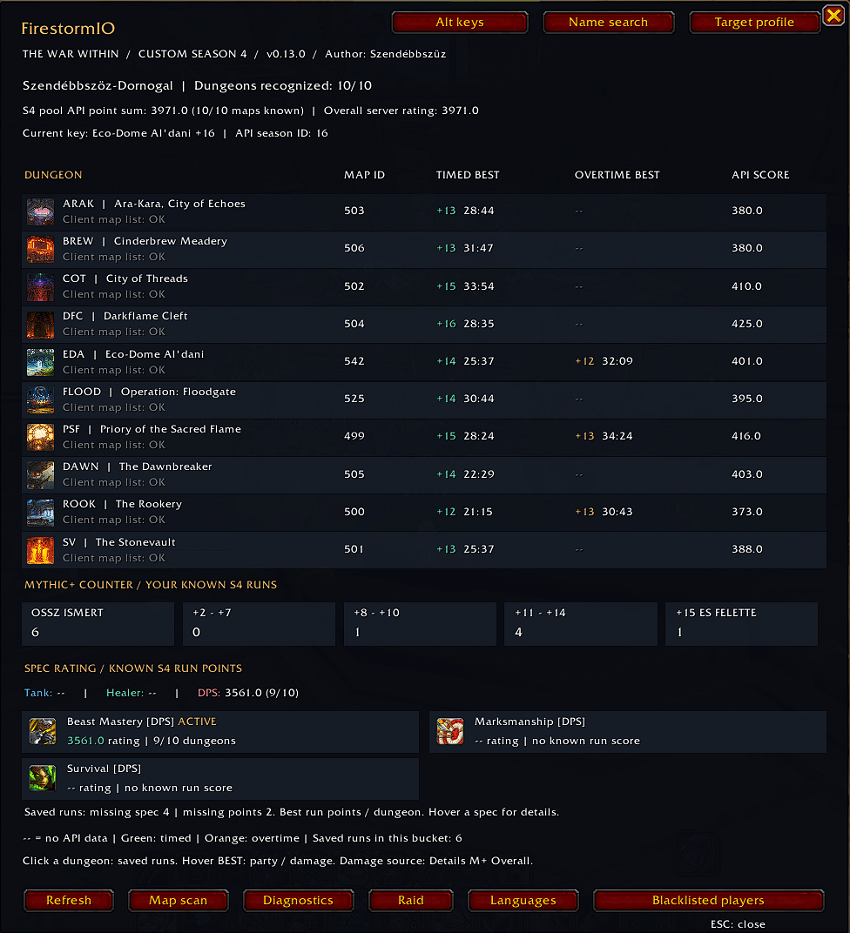
Mythic+ Profiles
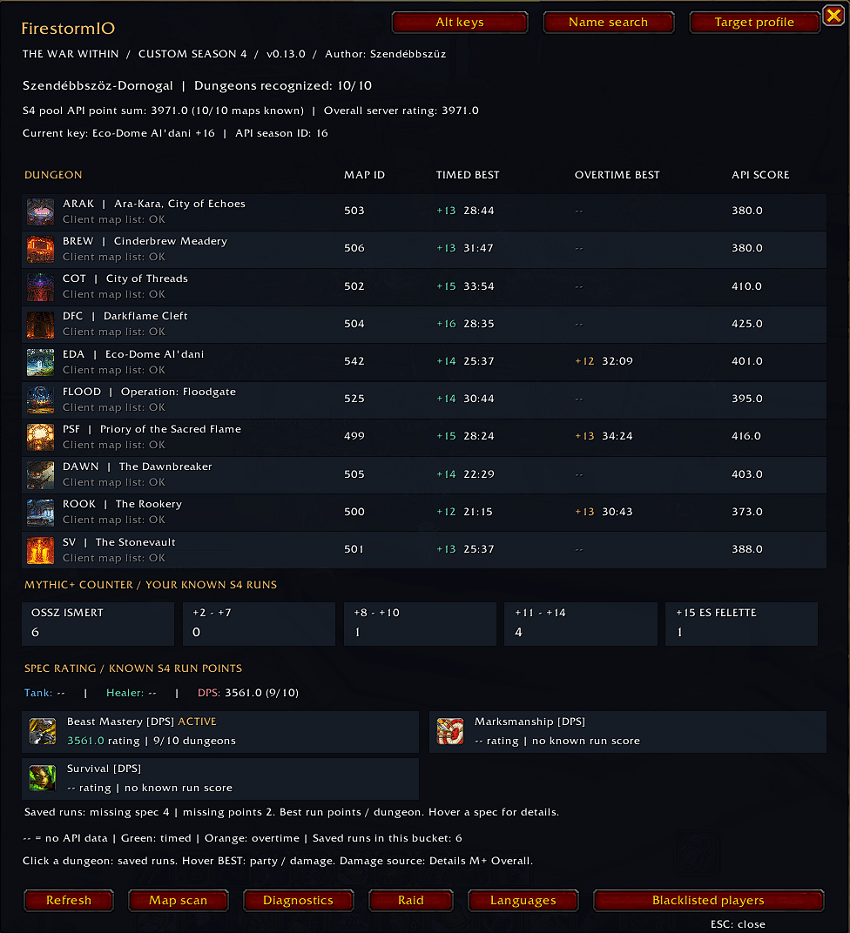
View all 10 custom Season 4 dungeons in a dedicated profile window, featuring:
-
Dungeon icons, full names and familiar abbreviations.
-
Your best known timed and overtime runs.
-
Keystone levels and readable completion times.
-
Server-provided dungeon scores and overall rating.
-
Your currently owned keystone.
The full server rating and the known custom dungeon score total are displayed separately.
Player Profiles & Group Finder
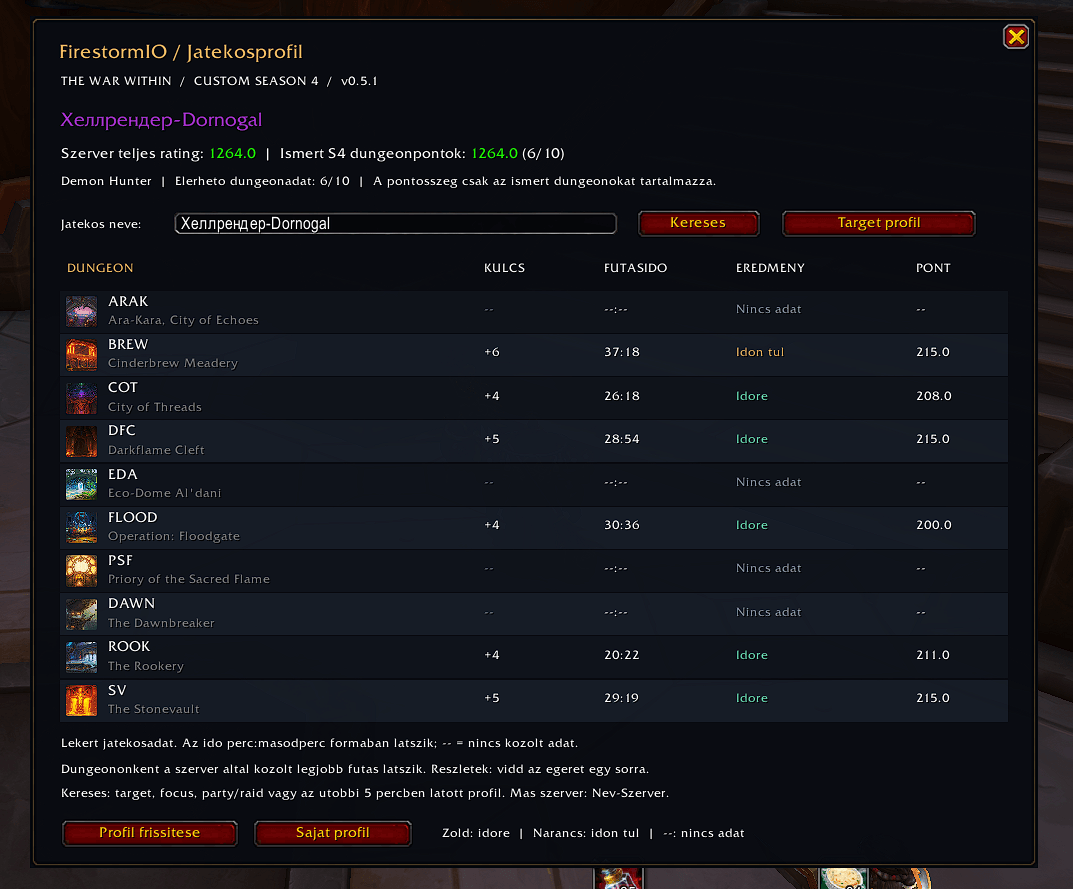
Target a nearby player and open their profile to view the Mythic+ information available from the server.
Player profiles show dungeon results, key levels, completion times, scores and timed status. You can also search accessible players and profiles recently seen during your current session.
Group Finder integration adds rating and available best-run information to group leader and applicant tooltips, alongside a compact dungeon profile panel.
Saved Runs & Party History
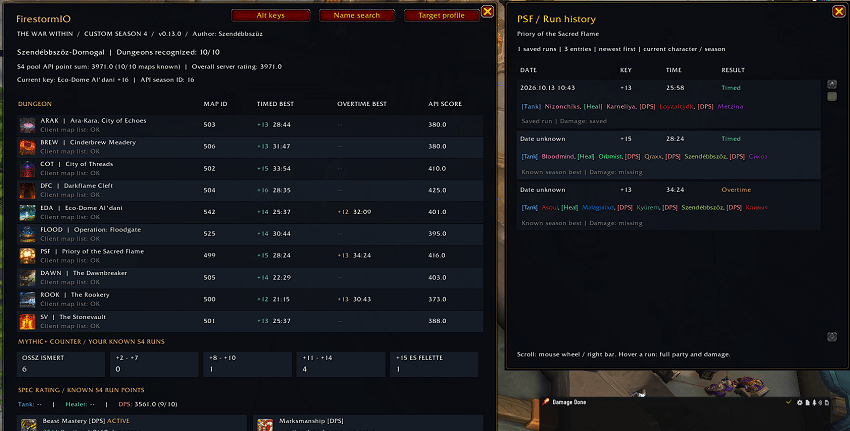
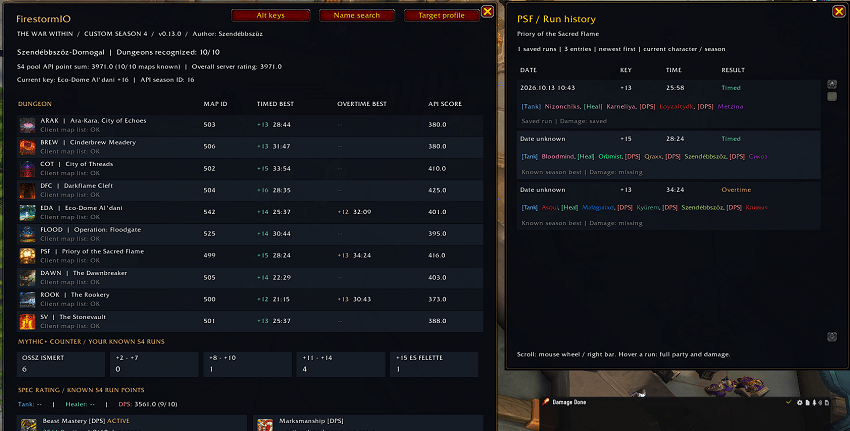
Click a dungeon in your own profile to open its scrollable run history.
Review saved key levels, dates, completion times and results. Hover over a run to see its recorded party members, with class colors and known Tank, Healer or DPS roles.
Party rosters appear when they were recorded locally or supplied by the server. Other players’ profiles can also show rosters from identifiable shared runs.
Damage from Details!
With Details! enabled and a matching full Mythic+ Overall segment available, Firestorm.IO can save each party member’s total damage alongside your run.
Previously saved damage remains available even after Details! clears the original segment.
Details! is optional: the rest of the addon works without it.
Specialization Ratings & Run Counters
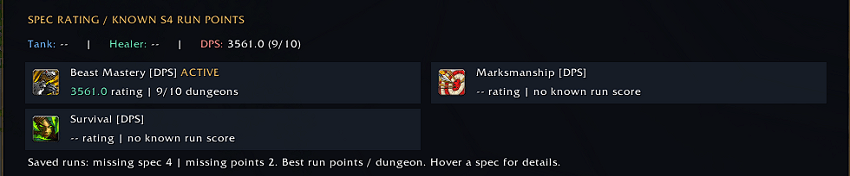
Track your best known dungeon score contributions separately for each talent specialization, with additional Tank, Healer and DPS summaries.
Your Mythic+ counter groups known completed Season 4 runs into:
+2–7 · +8–10 · +11–14 · +15 and above
Specialization totals use known server run scores. Missing historical specialization data is not guessed from your current talents.
Raid Profiles
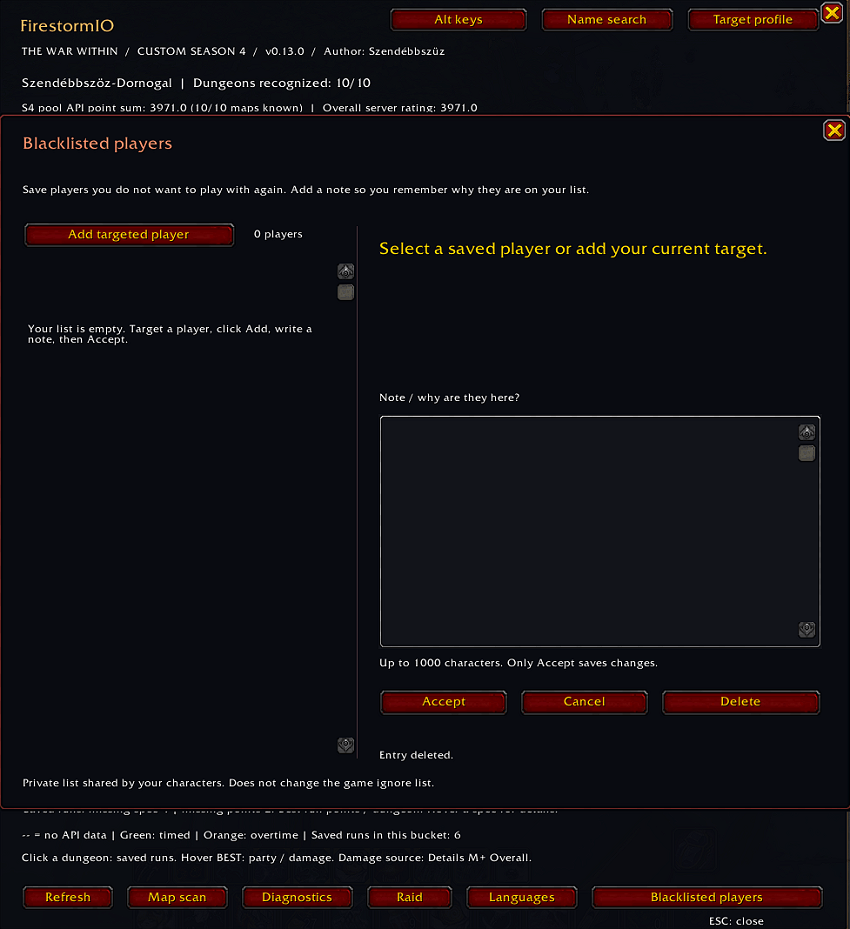
Open a separate raid window for:
-
Nerub-ar Palace
-
Liberation of Undermine
-
Manaforge Omega
View boss icons and available kill counts across LFR, Normal, Heroic and Mythic difficulties.
Your own profile supports server character statistics and a separate local Season 4 kill record. Other players’ raid statistics are available when the server supports achievement comparison.
Server statistics may include older kills; they are not a weekly lockout tracker or a Season 4-only total.
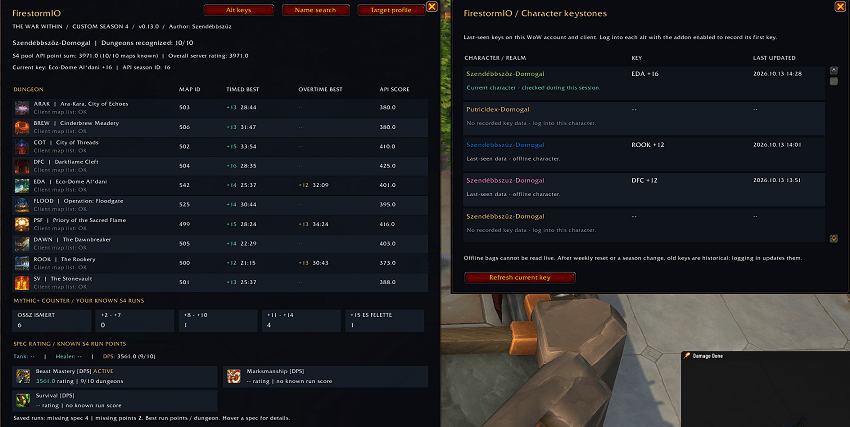
Alt Keystones
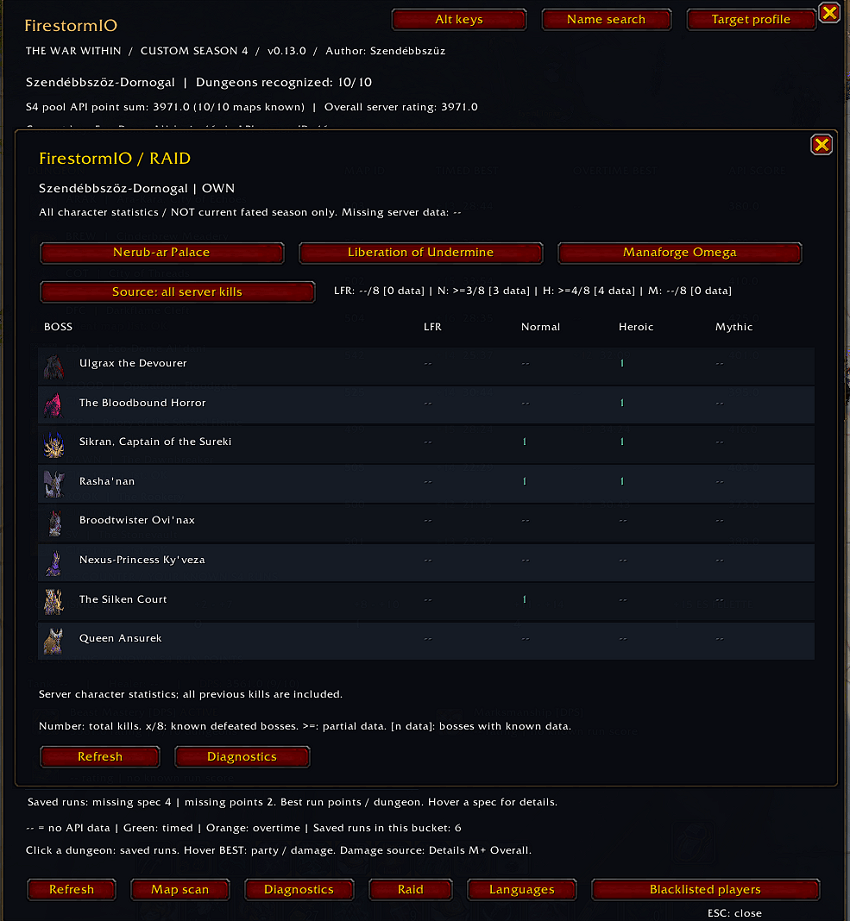
Check your alts’ last recorded keystones without switching characters.
The character list shows names, realms, class colors, dungeon abbreviations, key levels and update times.
Log into each alt with the addon enabled to record its key. Offline entries are clearly labeled as saved information, with old-data indicators after a weekly reset or season change.
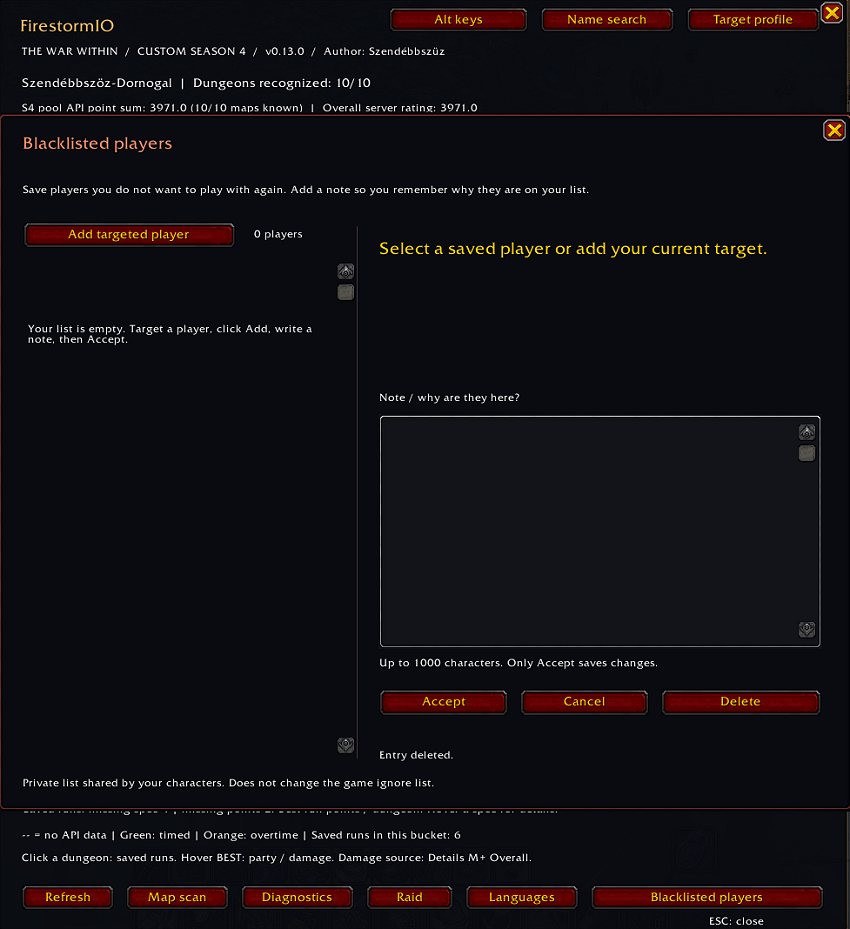
Blacklisted Players
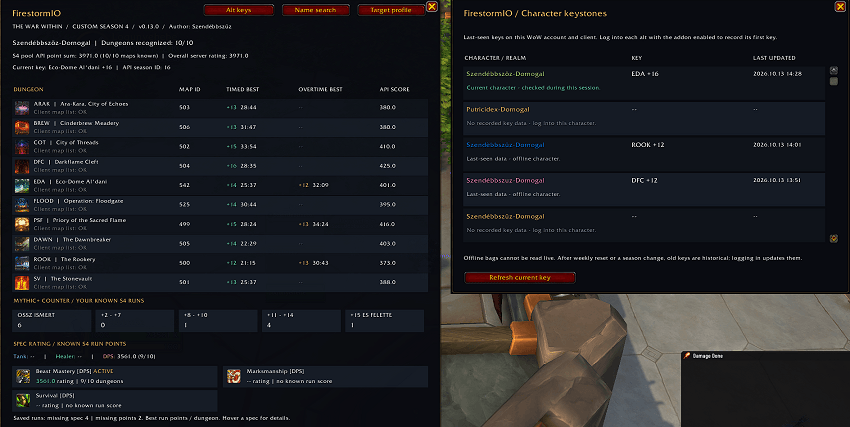
Keep a private player list with personal notes to remember who you would rather avoid playing with again.
Target a player, open Blacklisted players, write your reason and press Accept.
Entries include the player’s name and realm, known level, class and available cached specialization. Notes can be edited, and entries can be removed. The list is shared by your own characters on the same account and client.
This feature does not modify WoW’s built-in ignore list or automatically reject Group Finder applicants.
Languages & Easy Access
Choose English, Hungarian or Spanish through the Languages button. Your selection is saved for future sessions.
Open the addon with /fsio or its draggable minimap icon.
Useful commands:
-
/fsio target— Open the targeted player’s Mythic+ profile. -
/fsio raid— Open your raid profile. -
/fsio alts— View saved character keystones. -
/fsio blacklist— Open your private player list. -
/fsio language— Choose the interface language. -
/fsio help— Show available commands.
Data Availability
Firestorm.IO uses the information available from the game and your local saved records. Unknown values appear as --, rather than invented scores or statistics.
It does not contain a complete offline character database. Another player’s run counter shows only your saved shared runs, and offline alt keystones update when you log into that character.
Raider.IO is not required.
When updating, keep your WTF folder to preserve saved runs, settings and player notes.
Created by Szendébbszüz. Discord name: Csocsesz97.
Firestorm.IO Team