Finer Cooldown Manager Forever
- By
Make Blizzard's Cooldown Manager yours: line trackers up your way, hide what is idle, and get a glow, a sound and a pop-up the moment a spell is ready.
Description
Your Cooldown Manager, the way you want it.
Blizzard's Cooldown Manager shows your cooldowns and buffs, but it decides how they line up, shows everything all the time, and never taps you on the shoulder when a spell is ready. Finer CDM fixes that. Line your trackers up exactly where you want them, hide what is not on cooldown, and get a glow, a text and a sound the moment a spell comes back. Important spells can even fly into a focus frame right where you are looking.
It works on top of the Cooldown Manager you already have. Nothing is replaced, and your spells stay where you put them.
Why you will like it
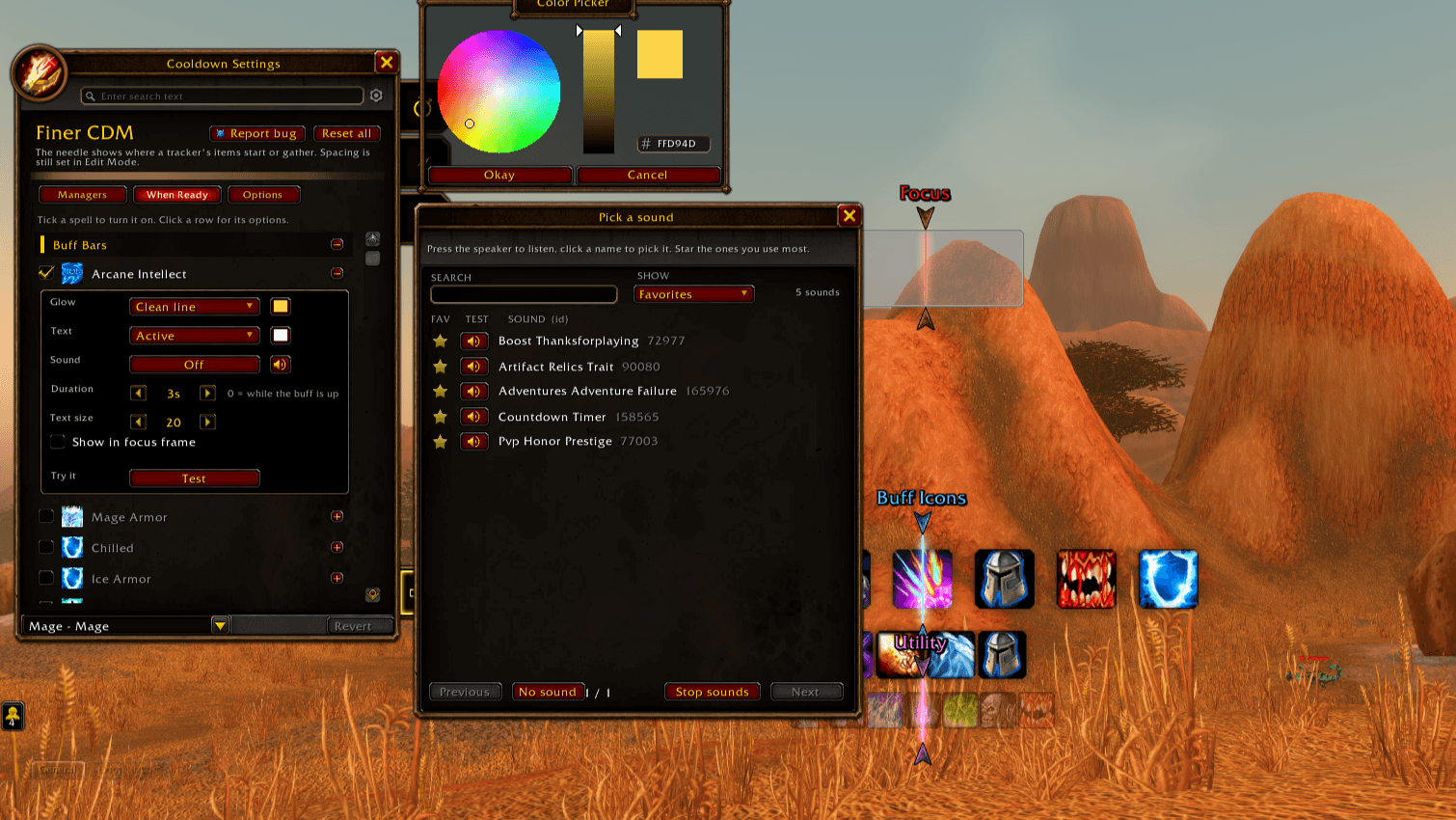
- Never miss a proc or a ready spell. A glow, a READY text (or the spell's keybind) and a sound of your choice when a cooldown ends.
- A focus frame for what matters. Choose the spells that should pop up in a frame you place anywhere in Edit Mode. Their icons can fly in and have a glow.
- A cleaner screen. Show a spell only while it is on cooldown.
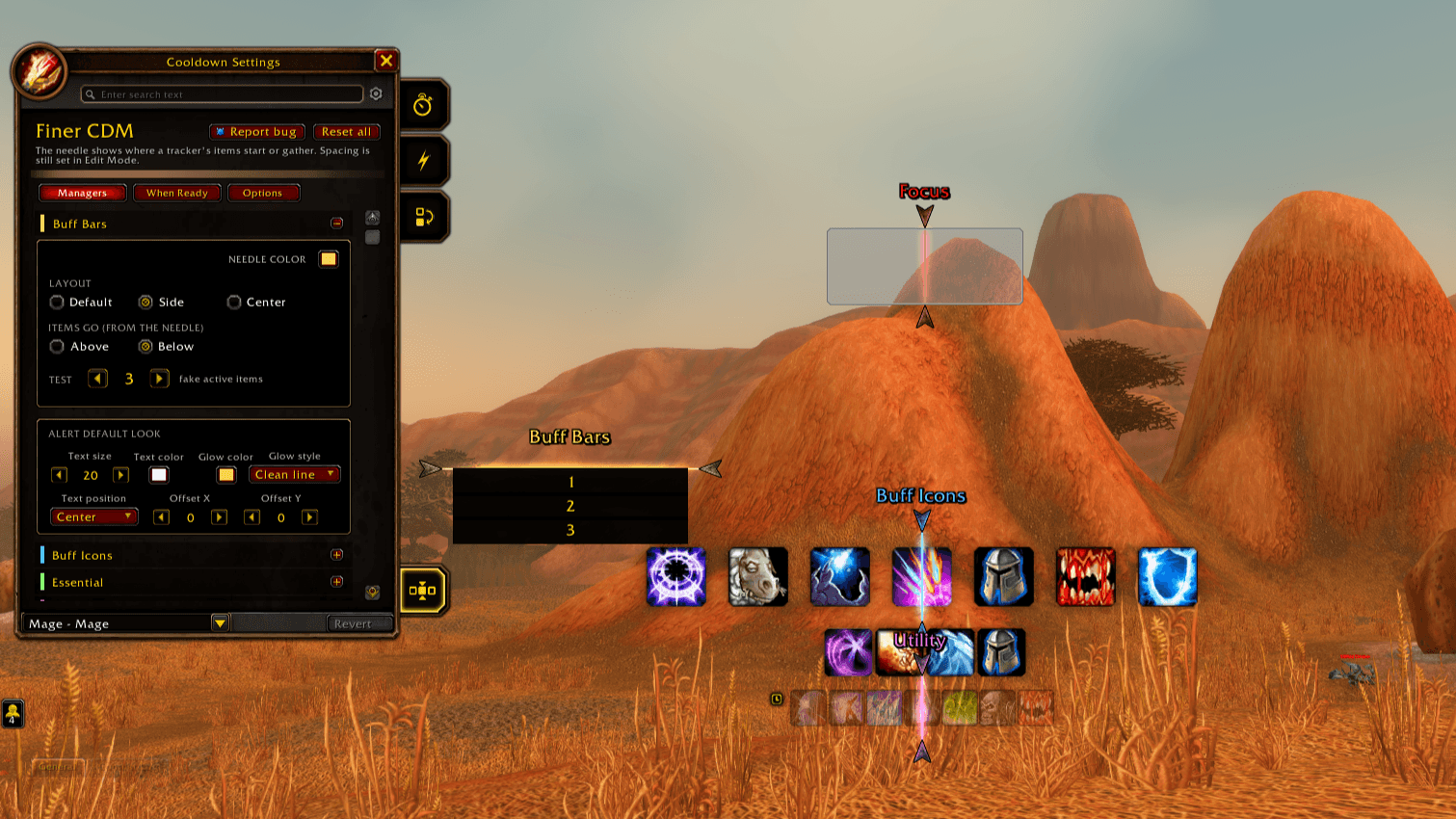
- Trackers laid out your way. Start the icons at one edge or gather them around a centre point. A needle on screen shows you exactly where.
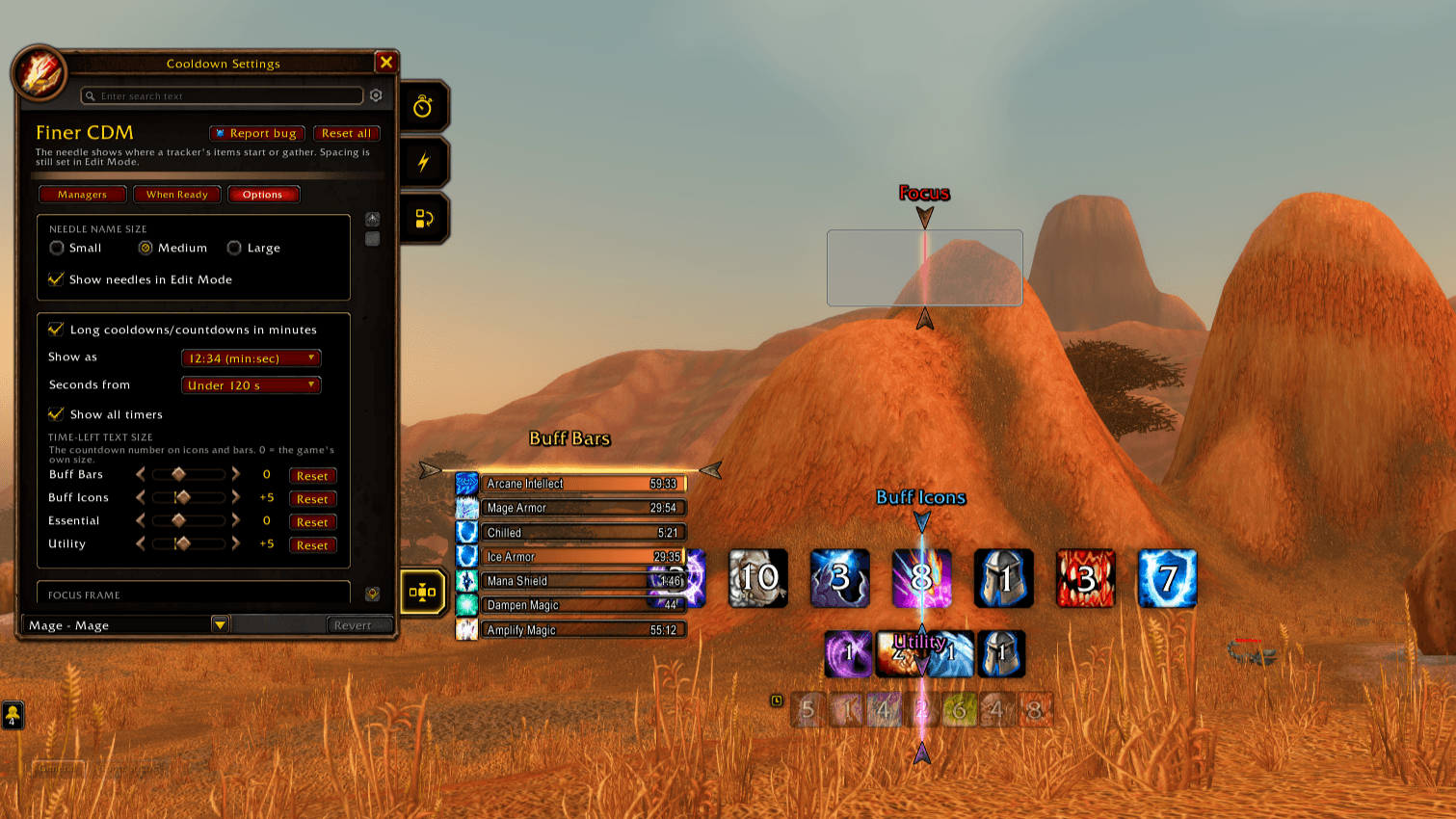
- Timers you can read. Long countdowns as "8 min", "8m" or "8:32" instead of a wall of seconds, and a text size you set for each tracker.
- Easy to set up. Everything lives in a tab inside Cooldown Settings, with a Test button on every spell so you can see and hear the result before you play.
What is inside
| For | You get |
|---|---|
| Layout | Default, Side or Center for Buff Bars, Buff Icons, Essential and Utility. Needles show where the items start. |
| Only while on cooldown | Essential and Utility show a spell only while it is cooling down, with an optional "stay" time. |
| When Ready alerts | Glow, text and sound when a cooldown ends. Choose when it counts (always, in combat, with a target), the order and how long it stays. |
| Buff alerts | Glow, ACTIVE text and sound when a buff appears. |
| Glow styles | Blizzard glow, Classic glow (marching), Classic glow (breathing), Clean line, Soft border (breathing), Pulsing border. |
| Sounds | A sound picker with categories, favourites and a play button. |
| Focus frame | Drag it in Edit Mode (it snaps to other elements), set orientation, direction, size, padding, opacity and visibility. Icons arrive instantly, flying in, flying in an arc, flying with a tail, or popping in. |
| Timers | Minutes in your own style, a time-left text size per tracker, and a Show all timers preview. |
| Per spell or per tracker | Set a default look for each tracker, then change any single spell. |
Get started in a minute
- Switch on Blizzard's Cooldown Manager and put your spells in it.
- Open Cooldown Settings: Finer CDM has its own tab on the side. (It is also under Options > AddOns. The slash commands are
/fmand/fcdm.) - On Managers pick a layout. On When Ready, tick the spells you want alerts for and press Test. Under Options, switch on the focus frame if you want it.
This addon is vibe-coded
The code was written by an AI (Claude), not by a programmer. I described what I wanted and tested it in the game, and the AI wrote and changed the code. I cannot review the code myself.
What that means for you:
- It has been tested on one account, not across many setups.
- There may be bugs I have not run into. Please tell me (see below).
- The code is open in the download if you want to read it before you install it.
Good to know
- Made for World of Warcraft: Forever and its Cooldown Manager.
- In combat the game hides some values from addons, so some timers (for example on buffs gained in combat) may be shown in the game's own way.
- If another addon fades or hides a tracker, Finer CDM does not undo that.
- Your settings are saved by the game, so updating the addon keeps them.
- Commands:
/fmopen,/fm reportreport a bug,/fm fixbring the trackers back,/fm offpause the addon (again to resume).
Reporting a problem
Press Report bug in the addon (or type /fm report), answer a few quick questions, and copy the text it makes. Paste it in a comment on this page.
Finer Cooldown Manager Forever Team