Arcane Blast Counter Fix
- By
Mage hotfix for WoW Forever: shows your Arcane Blast stacks and the time left on its Cooldown Manager icon, in and out of combat.
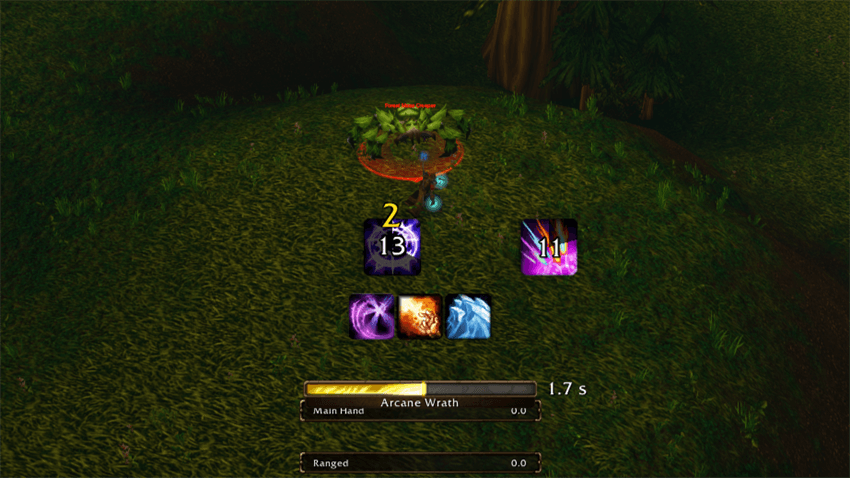
Counter Showcase.png
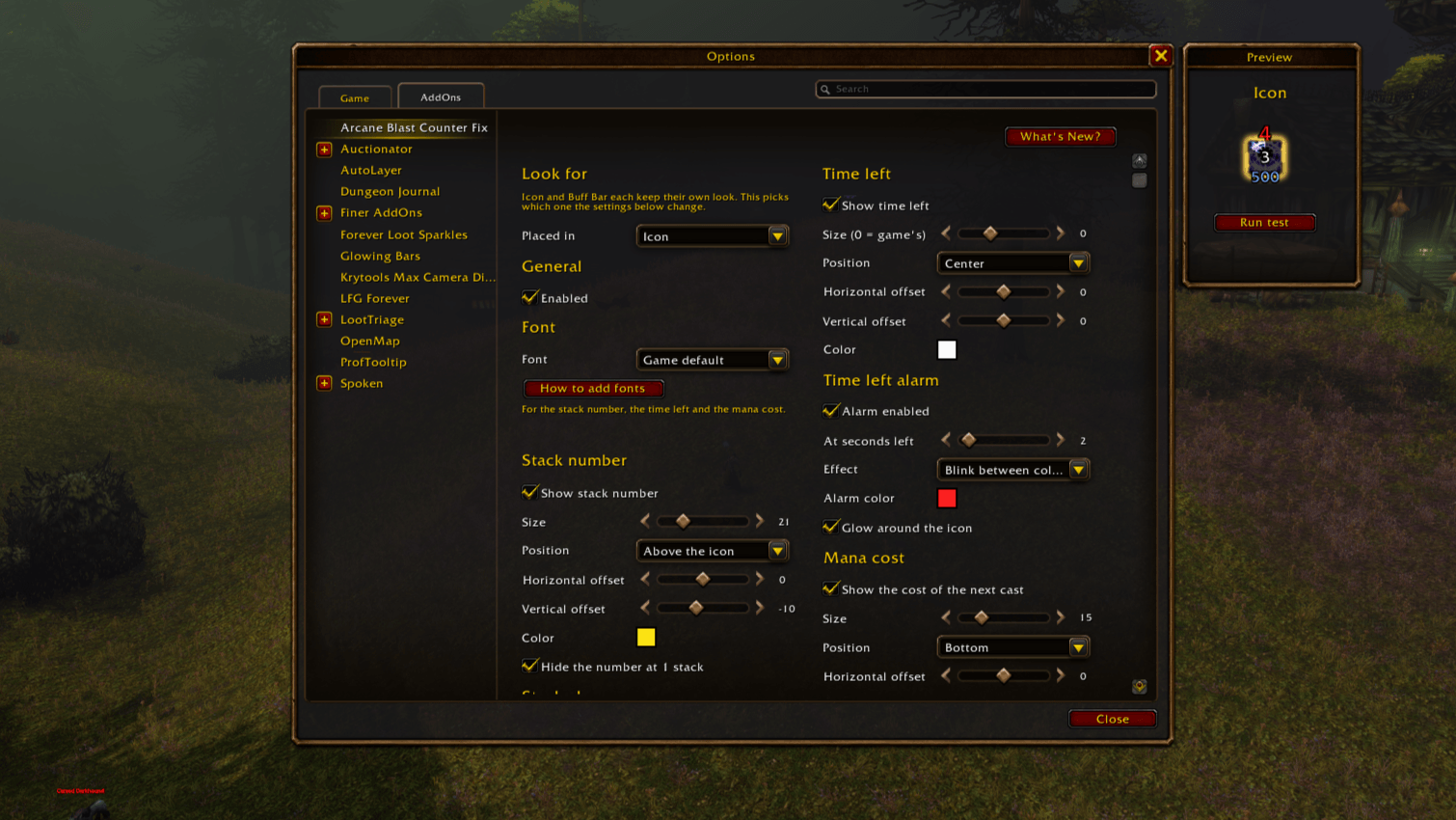
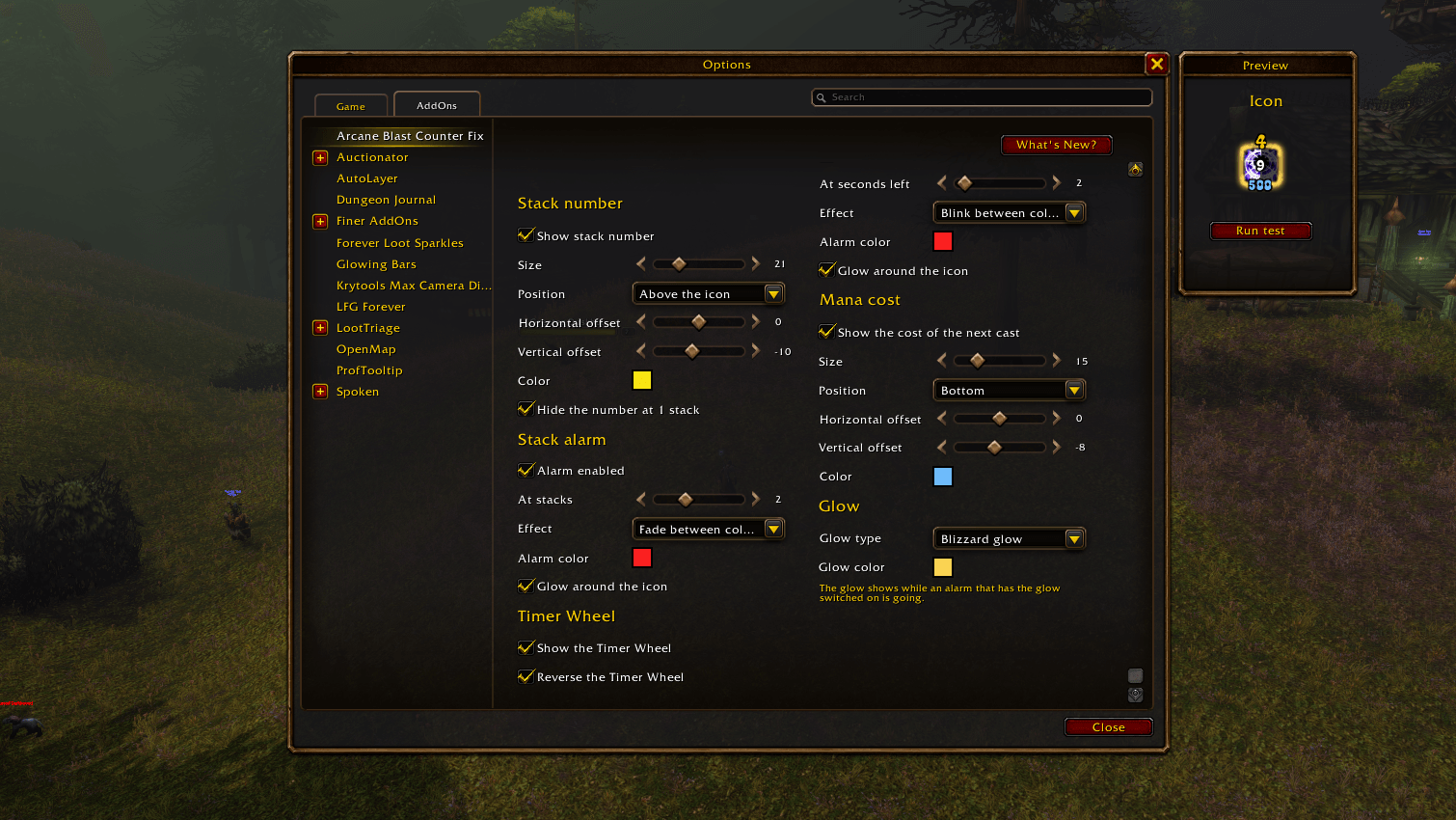
Description
Arcane Blast Counter Fix is a small addon for mages in World of Warcraft: Forever.
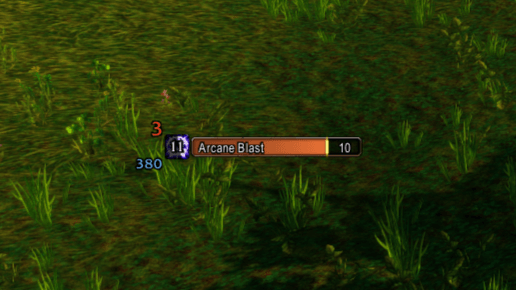
Blizzard's Cooldown Manager shows the Arcane Blast icon while the debuff is up, but not how many stacks you have or how long they last. This addon draws both on that icon, or on the icon of its Buff Bar entry:
| What | Shown as |
|---|---|
| Stack number | 1 to 4 |
| Time left | 18 seconds from the first cast |
| Timer Wheel | The dark clock-style shading that turns in step with the time left |
| Mana cost (optional) | What the next Arcane Blast costs |
| Glow (optional) | A glow around the icon when an alarm goes off |
It works in and out of combat, and it only does anything on a mage.
This addon is vibe-coded
The code was written by an AI (Claude Code), not by a programmer. I described what I wanted, tested it in the game on my own mage, and the AI wrote and changed the code. I cannot review the code myself.
What that means for you:
- It has been tested on one mage on one account, not across many setups.
- There may be bugs I have not run into. Please report them (see below).
- The code is open in the download if you want to read it before installing.
- I can make quick hotfixes when bugs are found.
Setup
- Switch on Blizzard's Cooldown Manager (Options > Gameplay Enhancement).
- Add Arcane Blast to it, as an icon or in the Buff Bar. The options stay greyed out until it is there.
- Type
/abcfto open the options (Options > AddOns > Arcane Blast Counter Fix).
Options
| Option | What you can set |
|---|---|
| Looks | A separate look for Arcane Blast in an icon and in the Buff Bar |
| What's New? | A button with the changes of each version |
| On and off | The whole addon, the stack number or the time left, separately |
| Font | The game's own fonts, 18 free fonts that come with the addon (Comic Neue, Anton, Bangers, Bebas Neue and more), or your own |
| Stack number | Size, position, offset and color. Can be hidden while you only have 1 stack |
| Time left | Show or hide, size, position, offset and color |
| Timer Wheel | Show or hide, and reverse |
| Stack alarm and time left alarm | Recolor a number at a value you choose, as a color change, a blink or a fade, with an optional glow around the icon |
| Glow | The type (Blizzard glow, classic glow, clean line, soft border or pulsing border) and its color |
| Mana cost | Show what the next Arcane Blast costs (in the preview and the test it is an estimate until the addon has seen your real cost) |
| Preview | A live preview beside the options, with a Run test button |
Fonts
The Font list has the game's own fonts and 18 free fonts that come with the addon. Every name in the list is written in its own font, and the icon and the Buff Bar each keep their own font.
To use your own fonts:
- Put your font file in the addon's
Fontsfolder:Interface\AddOns\ArcaneBlastCounterFix\Fontsinside your game folder. Use.ttffiles (.otffiles may work as well). - In the same folder, open
MyFonts.luawith Notepad and add a line for each font between the curly brackets, for example{ "My Font", "MyFont.ttf" },. The first text is the name shown in the Font list, the second is the exact file name. Save the file. - Close the game completely and start it again. The game only notices new files when it starts, so a reload is not enough.
Your fonts are then at the end of the Font list. The How to add fonts button under the Font list shows these steps in the game, with the folder path ready to copy.
The game does not let an addon look inside a folder, so you tell the addon the file names in MyFonts.lua.
Updating the addon can replace the Fonts folder. Keep a copy of your own font files and of MyFonts.lua, and put them back after an update.
How it works
The game hides buff and debuff data from addons in combat. Instead of reading the debuff there, the addon counts your own Arcane Blast casts: the first cast starts an 18 second timer, every further cast inside that window adds a stack up to 4, and when the timer runs out it starts over. Out of combat it corrects itself against the real debuff.
Update notice
Addons cannot reach the internet. To tell you about a newer version, each copy quietly shares its version number with your guild and group (never in combat or in instances), and tells you once in chat if someone else has a newer one. Nothing else is sent.
Known limitations
- In combat the count is based on your casts. If, somehow, a cast does not give a stack, the number can be one too high until combat ends.
- The options cannot be opened in combat (a game restriction).
- The numbers are only shown while Arcane Blast is added to the Cooldown Manager and its icon is showing.
Credits
The fonts that come with the addon are free fonts, unchanged, each under its own licence (the licence texts are in the download, in Fonts\Licenses). Arial Narrow, Morpheus and Skurri in the Font list are fonts of the game itself.
| Licence | Fonts |
|---|---|
| SIL Open Font License 1.1 | Anton, Bangers, Bebas Neue, Black Ops One, Cinzel Decorative, Comic Neue, Creepster, Lato, MedievalSharp, Pacifico, Press Start 2P, Righteous, Russo One, Share Tech Mono, Silkscreen, VT323 |
| Apache License 2.0 | Permanent Marker |
| Ubuntu Font Licence 1.0 | Ubuntu |
Reporting a problem
In case of any issues, please report them in the comments of the addon.
Type /abcf debug right after the problem happens. A window opens with the text already selected: press Ctrl+C and paste it into your comment.
Arcane Blast Counter Fix Team