Farming Counter
- By
A modern, lightweight gathering and gold tracker for WoW. It monitors materials, crafting quality, time, and gold-per-hour in real time, featuring Auctionator integration, sound alerts, and a compact mode.
minimap_icon.jpg
settings.jpg
full_screen.jpg
mini_screen.jpg
Description
Smart Gathering & Material Tracking
- Automatically tracks looted materials: Herbs, Ores, Leathers, Cloth, Enchanting, Gems, and Cooking/Fishing reagents.
- Filters out junk and non-crafting items automatically to keep your list clean.
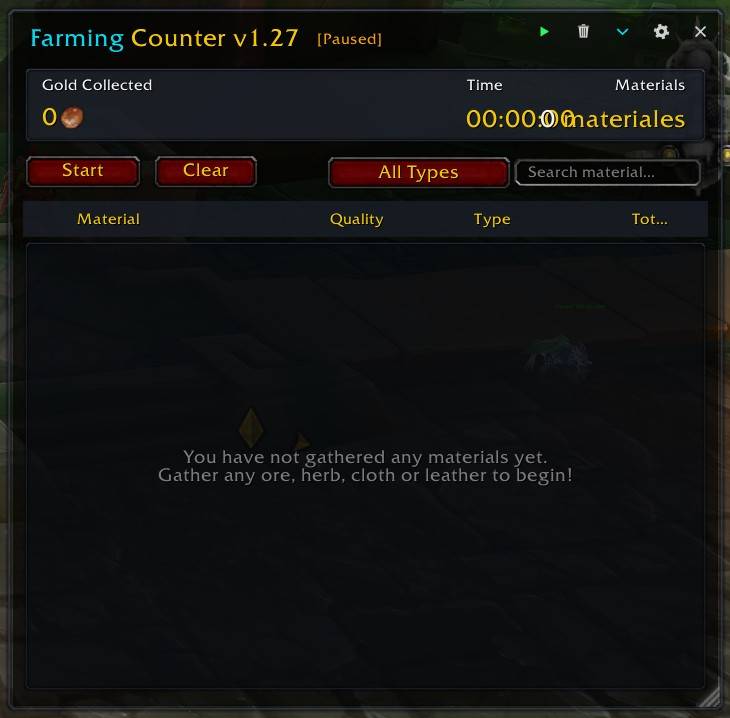
- Real-time search bar and one-click category filtering.
Full Crafting Quality Support
- Built for modern World of Warcraft (Midnight 12.x, The War Within 11.x, and Dragonflight).
- Automatically detects and displays crafting quality tiers (Quality 1 Silver Diamond, Quality 2 Yellow Pentagon, and Quality 3 Gold Star/Pentagon).
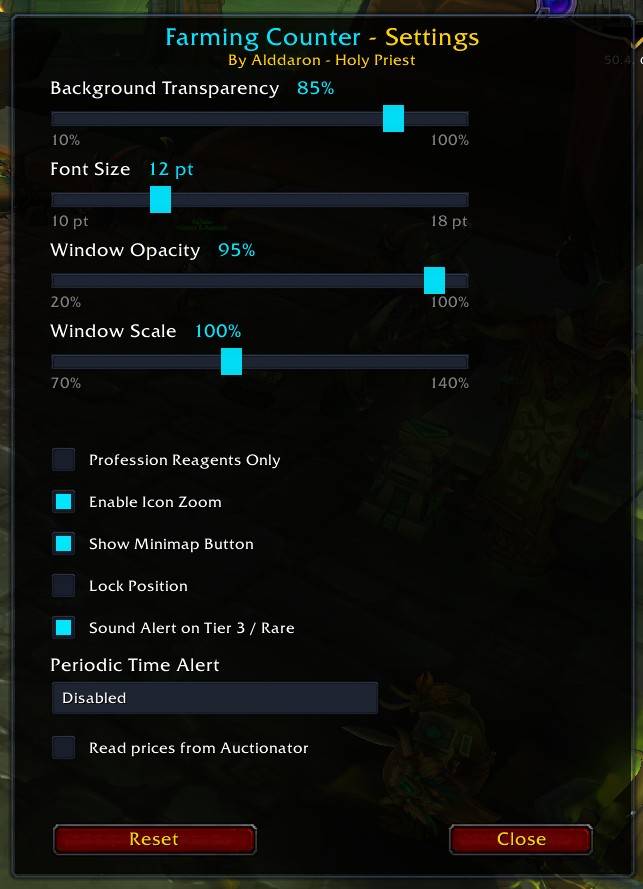
- Optional audio chime when looting rare or max-quality items.
Live Gold & Economy Tracking
- Tracks raw copper looted directly from monsters, nodes, and treasures.
- Computes the total monetary value of all gathered materials in real time.
- Auctionator Integration: Seamlessly reads live Auction House market prices to display true farming profits.
- Calculates live Gold / Hour efficiency as you farm.
Session Timer & Periodic Audio Alerts
- Real-time session stopwatch with Start, Pause, and Clear controls.
- Periodic Chime Reminder: Configure an alarm to ring every 5, 15, 30, 60, or 90 minutes to notify you of elapsed farming time—even while the window is hidden.
Dual Display Modes (Expanded & Compact)
- Expanded Mode: Full view with detailed item categories, unit prices, total value, and filters.
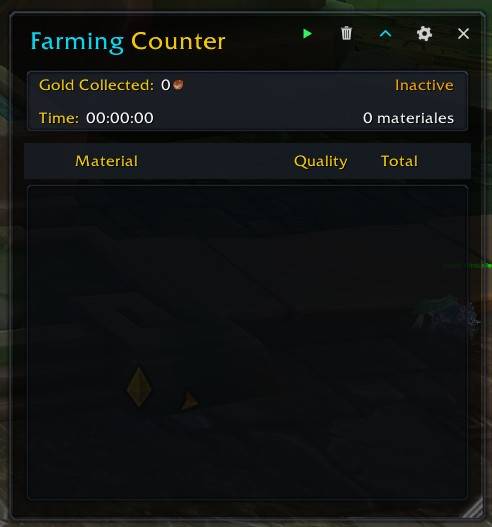
- Compact Mode: A minimal widget designed to sit neatly near your minimap or farm HUD, displaying only Material, Quality, and Quantity.
Modern Minimalist UI
- Dark translucent glass theme inspired by modern UI designs (Details! / ElvUI).
- Borderless vector icons, smooth flat scroll controls, and zero legacy Blizzard UI dependencies (taint-free).
- Independent sliders for window opacity, background transparency, UI scale, and font size.
- Icon zoom toggle to remove default dark icon borders.
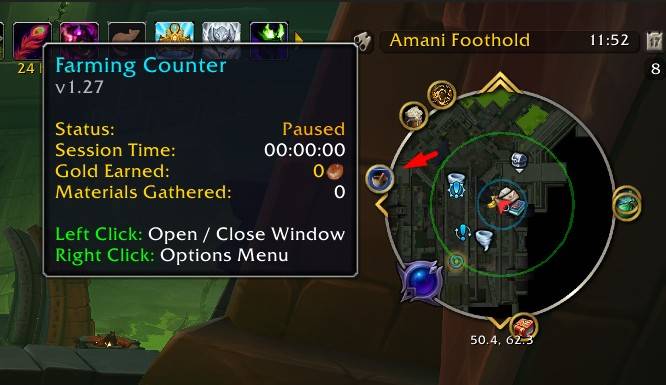
Interactive Minimap Button
- Left-click to toggle the tracker window.
- Right-click for quick controls: Start, Pause, Clear, and Settings.
- Rich tooltip summary showing session status, elapsed time, total materials, and gold earned.
Quick Start
- Open the Tracker:
- Click the Milling Mortar icon on your Minimap, or
- Type
/fcin your chat window.
- Start Gathering:
- By default, Auto-start is active — picking up any herb, ore, skin, or cloth will automatically start your session clock.
- Alternatively, click the Start button at the top of the tracker window.
- Finish / Reset:
- Click Pause to freeze the session timer.
- Click Clear to wipe the current session data and start fresh.
Slash Commands
/fc— Open or close the tracker window./fc config— Open the settings panel./fc start— Start or resume the active gathering session./fc pause— Pause the active session timer./fc clear— Reset session statistics, gold, and materials.
Requirements & Compatibility
- World of Warcraft: Retail (Midnight 12.x, The War Within 11.x, Dragonflight 10.x).
- Optional Addon: Auctionator .
Farming Counter Team