promotional bannermobile promotional banner

FamilyGrouper

When multiple WoW1, WoW2, and WoW3 accounts are opened simultaneously, the group finder tool for alts.
3.jpg
3.jpg

4.jpg

4.jpg

2.jpg

2.jpg

1.jpg

1.jpg

Description

Because Blizzard does not support checking all your own online alts.

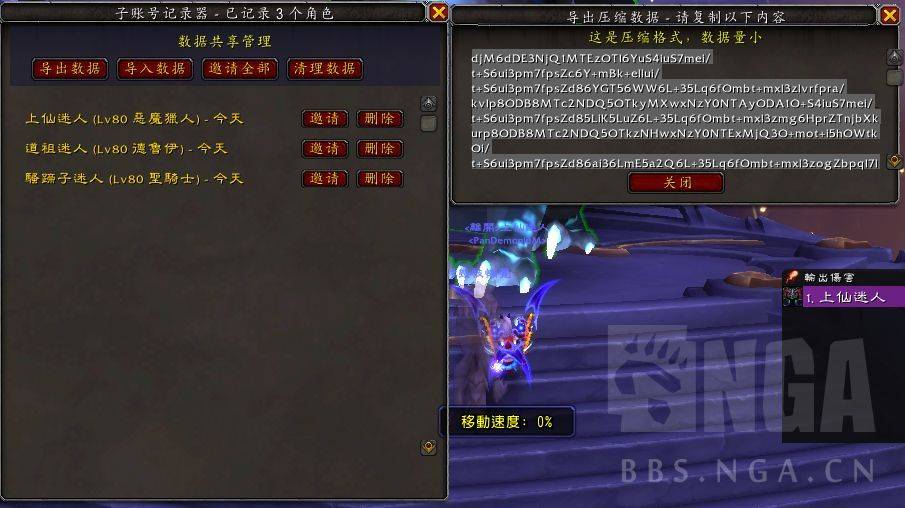
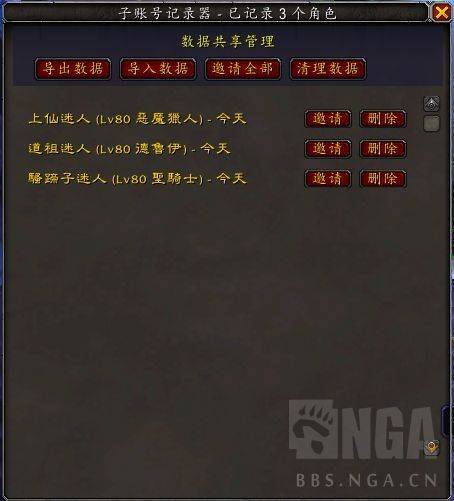
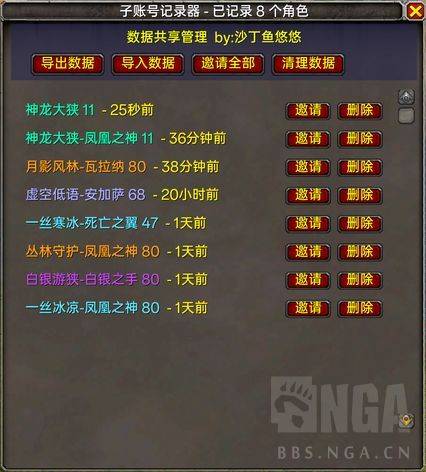
So, we found a workaround: once you enable this addon, any time you log in, your current character will be recorded in our addon's table.  
Your alts must have logged into the game at least once to have their names saved.  
Then, you can simply click "One-Click Grouping" to form a party.

However, WoW1 and WoW2 do not share data. I’ve tried many methods, but there’s no way to automatically synchronize two different sub-accounts.  
So, I came up with a method similar to copying talents:  

Export and import... Open WoW1, select "Export," and copy the code string. Then go into WoW2 and click "Import."  
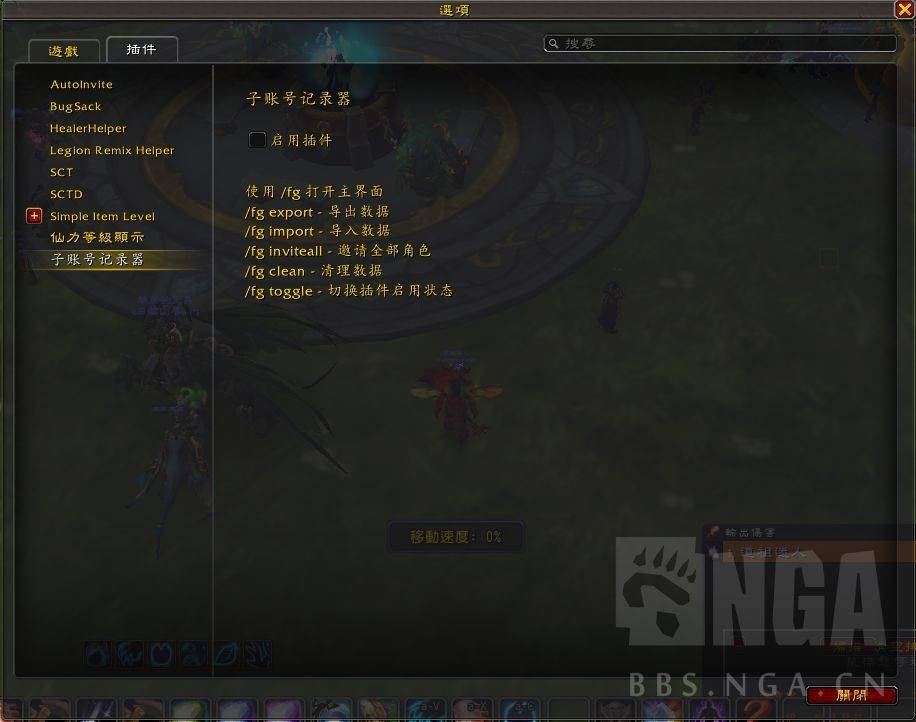
To prevent losing the interface if you accidentally close it, we added an interface option. It’s just a simple checkbox—check it, and the interface reappears.

The FamilyGrouper Team

profile avatar
  • 24
    Projects
  • 16.8K
    Downloads

More from zpdream2View all

  • WeeklyGoldTracker project image

    WeeklyGoldTracker

    Weekly Gold Quest Tracker

    • 893
    • August 20, 2026
  • SkillDisplay project image

    SkillDisplay

    Record the sequence of all skills used by the player. Hold Shift and drag to change their positions.

    • 64
    • August 15, 2026
  • Pokey project image

    Pokey

    Pokey addon, automatically sends the link to the player's Keystone in the bag when the Pokey button is clicked. When a player types !key in the guild/party chat, automatically sends the Keystone link in the corresponding channel.

    • 133
    • August 15, 2026
  • PlayerLink project image

    PlayerLink

    We'll add a small frame to the right of Blizzard's official chat frame to invite players

    • 62
    • August 15, 2026
  • WeeklyGoldTracker project image

    WeeklyGoldTracker

    Weekly Gold Quest Tracker

    • 893
    • August 20, 2026
  • SkillDisplay project image

    SkillDisplay

    Record the sequence of all skills used by the player. Hold Shift and drag to change their positions.

    • 64
    • August 15, 2026
  • Pokey project image

    Pokey

    Pokey addon, automatically sends the link to the player's Keystone in the bag when the Pokey button is clicked. When a player types !key in the guild/party chat, automatically sends the Keystone link in the corresponding channel.

    • 133
    • August 15, 2026
  • PlayerLink project image

    PlayerLink

    We'll add a small frame to the right of Blizzard's official chat frame to invite players

    • 62
    • August 15, 2026