EzWoW - Font Changer
- By
Easily change and customize system, chat, combat text, and UI fonts across your game client without manual renaming.
2026-10-21 15 10 50.png
2026-10-21 15 12 02.png
Description
EzWoW - Font Changer
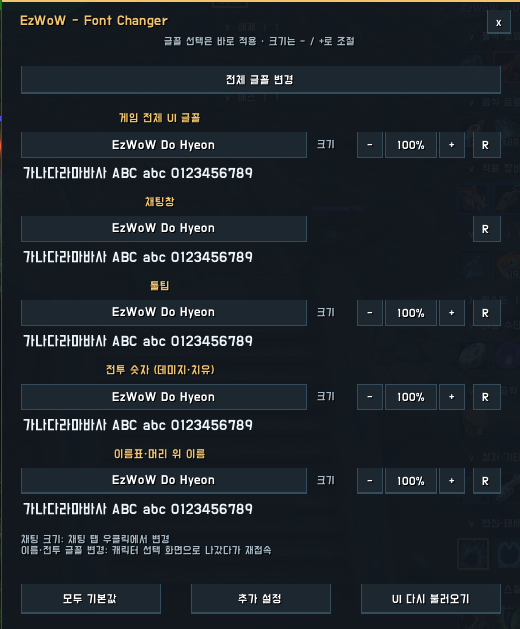
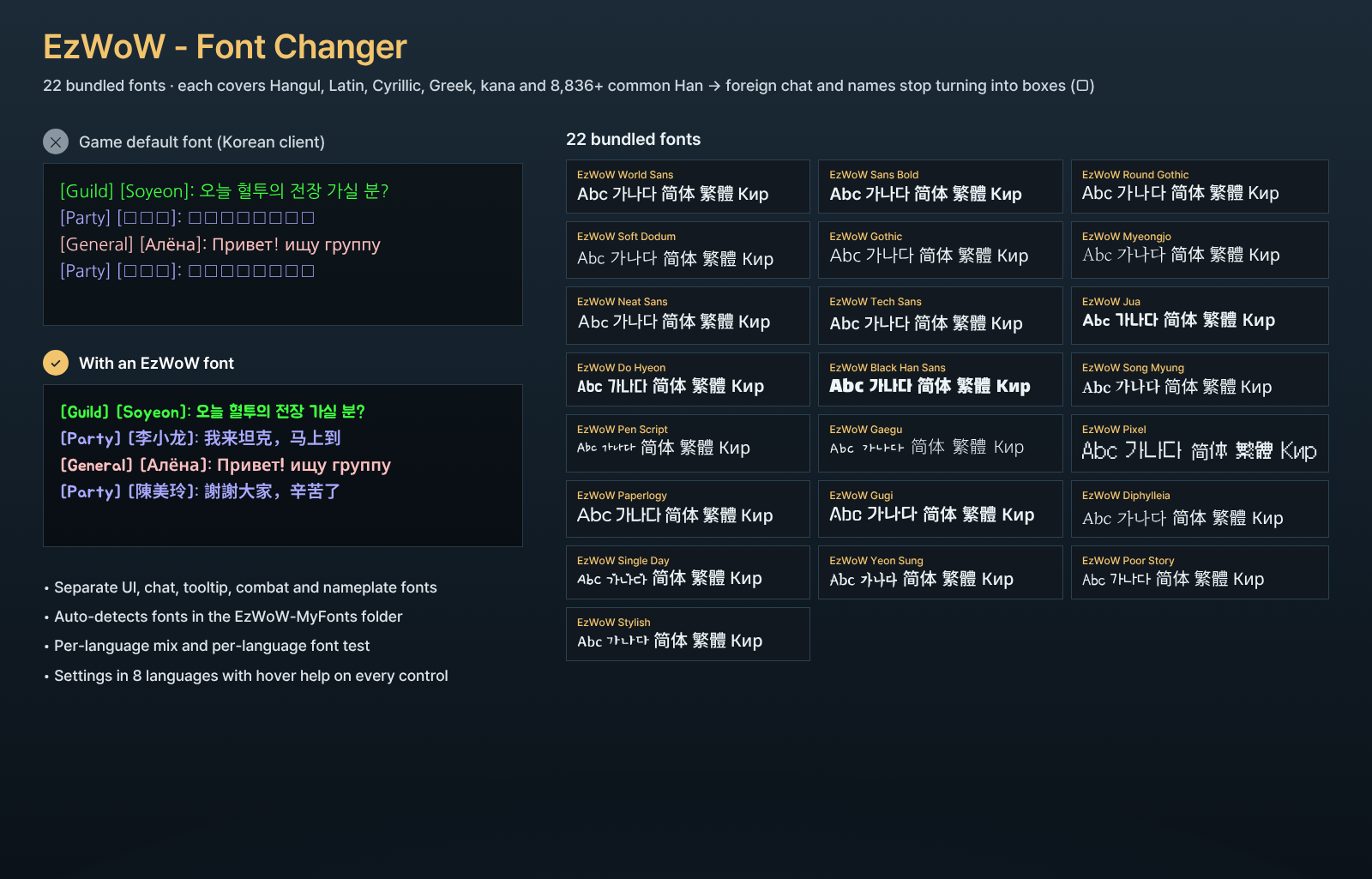
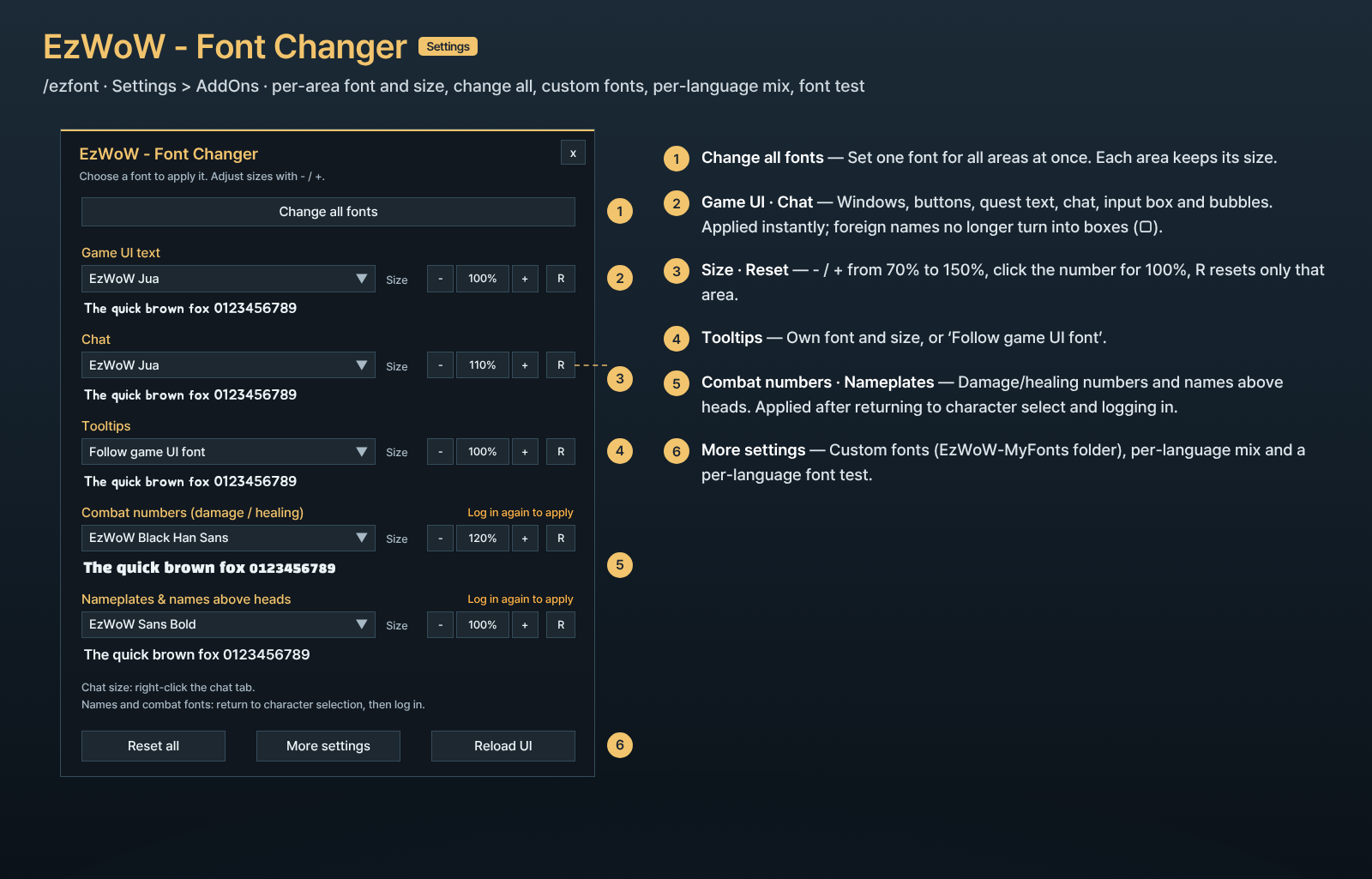
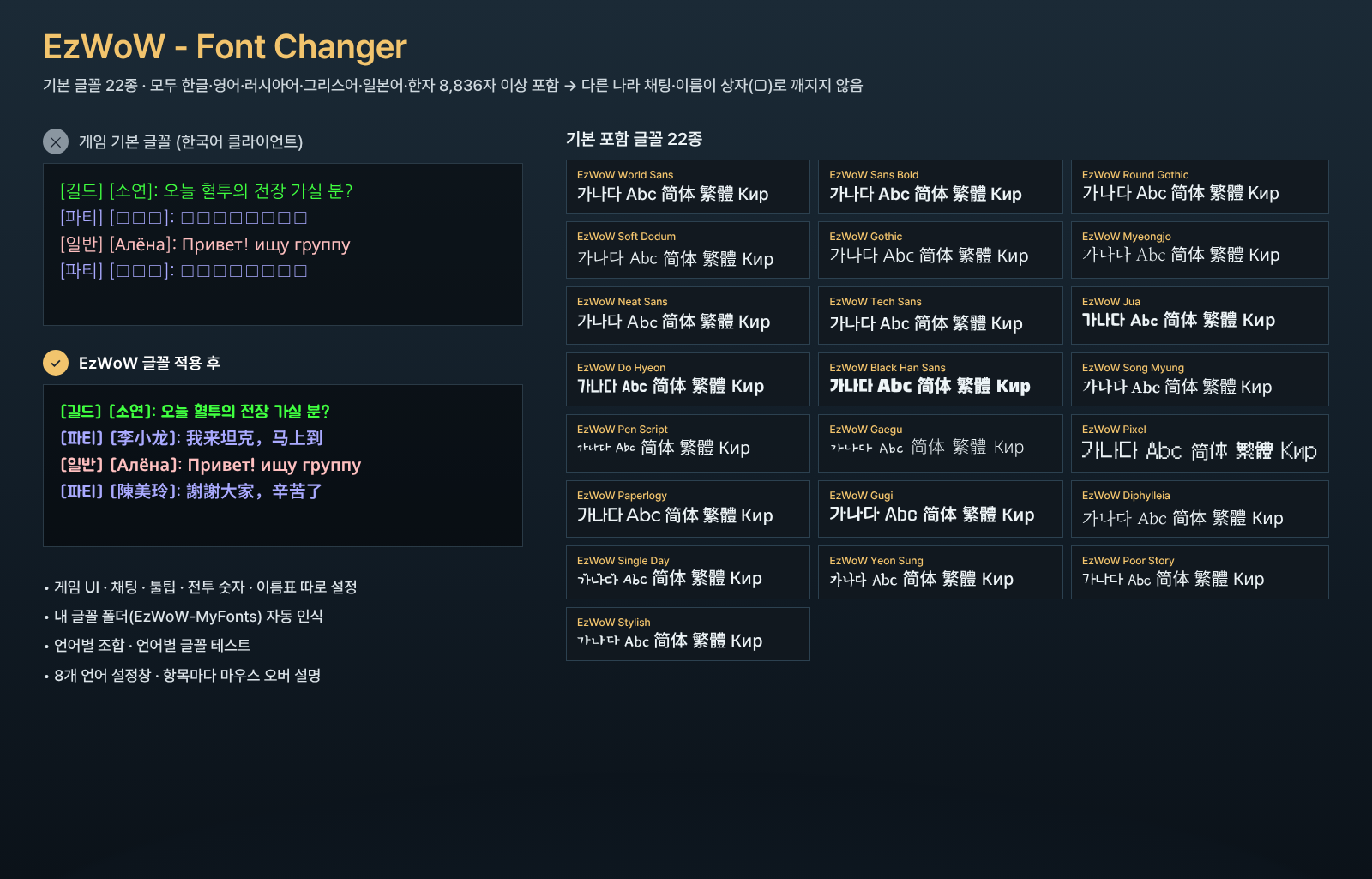
Customize fonts for WoW Forever (Interface 16001) with 22 bundled multilingual fonts. Open settings with /ezfont or through Settings > AddOns.
Features
- Separate controls for the game UI, chat, tooltips, combat numbers, and nameplates / overhead names. Chat input remains part of chat.
- Independent tooltip font and size, with an option to follow the game UI font.
- Change all fonts together, reset individual areas, and preview fonts before choosing.
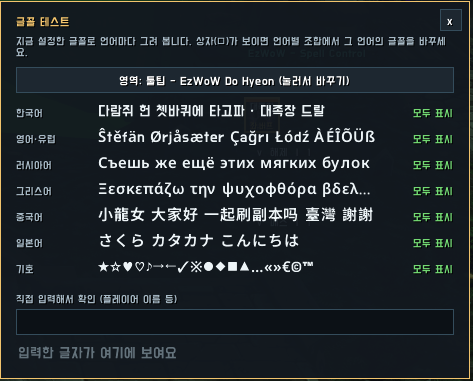
- Custom font files, SharedMedia fonts, per-language combinations, and a font test window.
- Settings and help in English, Korean, German, French, Spanish, Russian, Simplified Chinese, and Traditional Chinese.
The bundled fonts contain Hangul, Latin, Cyrillic, Greek, kana and common Han characters. World Sans includes a wider BMP Han repertoire. Rare or supplementary Unicode characters may still be missing; the font test checks samples rather than every possible character.
Installation and use
Extract the EzWoW-FontChanger folder into Interface/AddOns. Fully restart the game after installing or changing font files. Changes to overhead name and combat font files require returning to character selection and logging in again. Other addons may apply their own fonts.
Put custom fonts in Interface/AddOns/EzWoW-MyFonts/ so addon updates do not replace them. Name them font1.ttf ~ font30.ttf (or .otf) and they are detected automatically; for other file names, type the name in More settings. Use More settings for per-language combinations.
한국어
게임 UI·채팅·툴팁·전투 숫자·이름표의 글꼴을 각각 바꿉니다. 대화 입력창은 채팅창에 포함되며, 툴팁은 글꼴과 크기를 별도로 지정하거나 게임 UI 글꼴을 따르게 할 수 있습니다.
/ezfont 또는 설정 > 애드온에서 여세요. 전체 글꼴 변경, 항목별 초기화, 사용자 글꼴, 언어별 조합, 글꼴 테스트를 제공합니다.
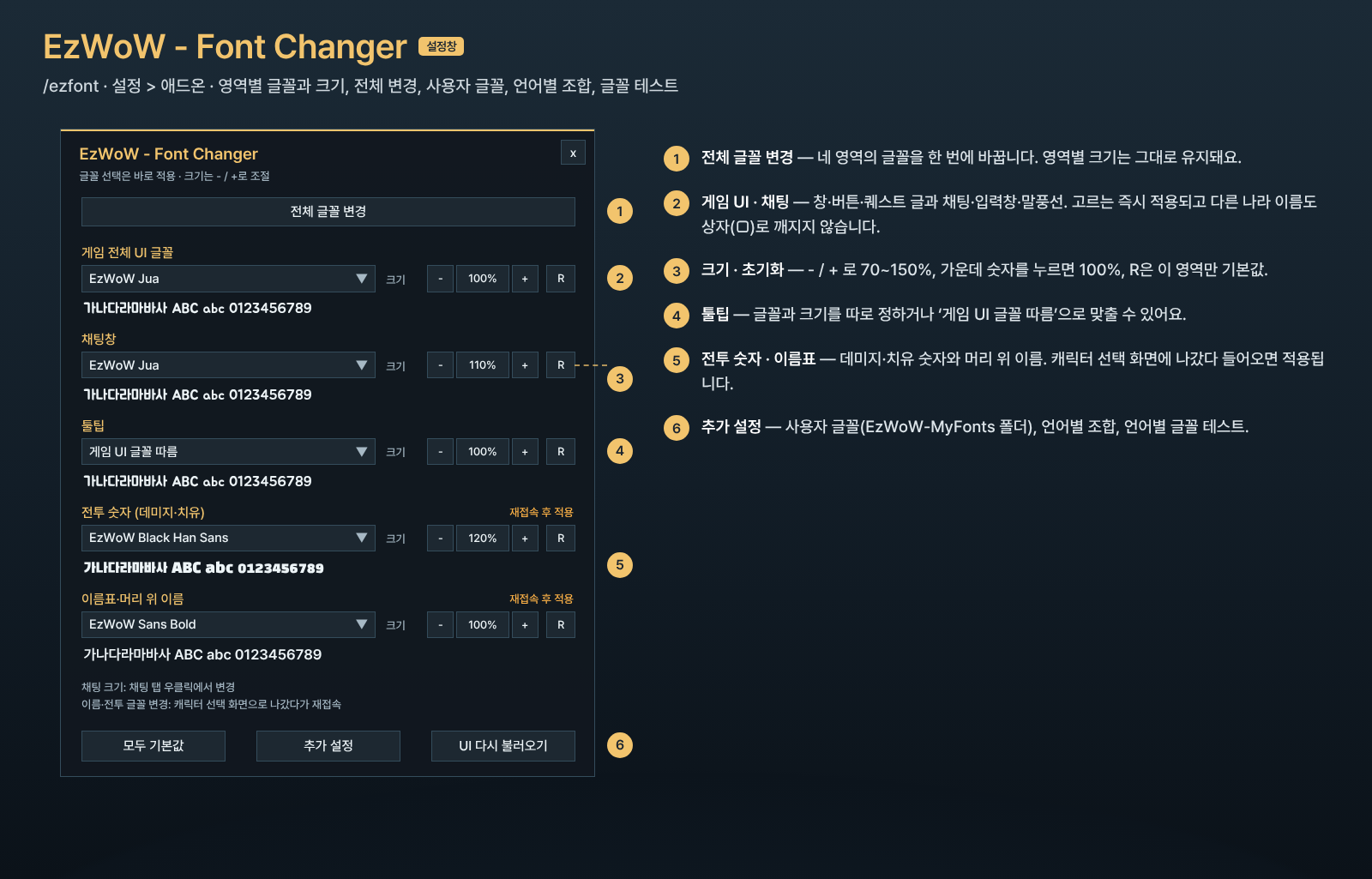
사용자 글꼴은 Interface/AddOns/EzWoW-MyFonts/ 폴더에 font1.ttf ~ font30.ttf 이름으로 넣으면 자동으로 인식됩니다. 다른 이름은 추가 설정에서 파일 이름을 입력하세요.
새 글꼴 파일을 넣은 뒤에는 게임을 완전히 다시 실행하세요. 머리 위 이름과 전투 글꼴 파일 변경은 재접속 후 반영됩니다. 일부 드문 문자는 글꼴에 없을 수 있습니다.
Source and font licenses
GitHub source · Report an issue
The bundled fonts are modified SIL Open Font License 1.1 fonts. Their notices and terms are included in Fonts/LICENSE-EzWoWFonts.txt; the project license selection does not replace these font licenses.
Support
If this addon helps you, you can support development here.

EzWoW - Font Changer Team