


Extended Transmog Sets
- By


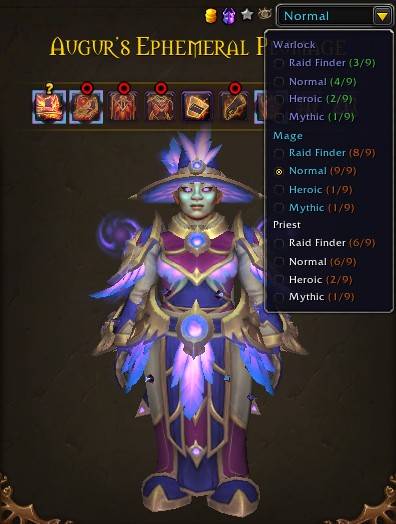
Easily view other classes within the same armor type.
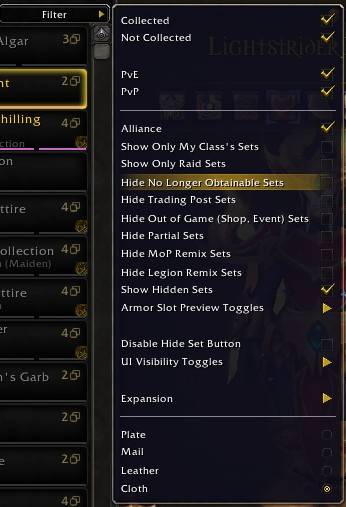
The settings menu. Allows swapping to other armor types, hiding various UI and features and filtering out various sets such as Trading Post and Store sets and showing only sets from selected expansions.
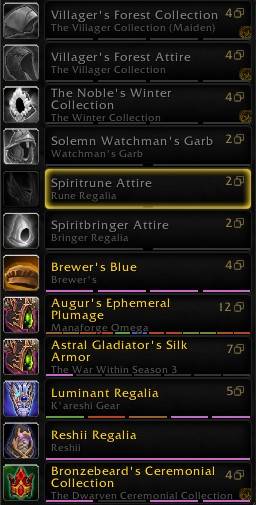
The Collection window list showing features such as number of variant sets, per variant collection status via colored bars (0% grey, 1-99% red-green, 100% blue, 100% and usable by the current class pink), and icons marking sets such as Trading Post.
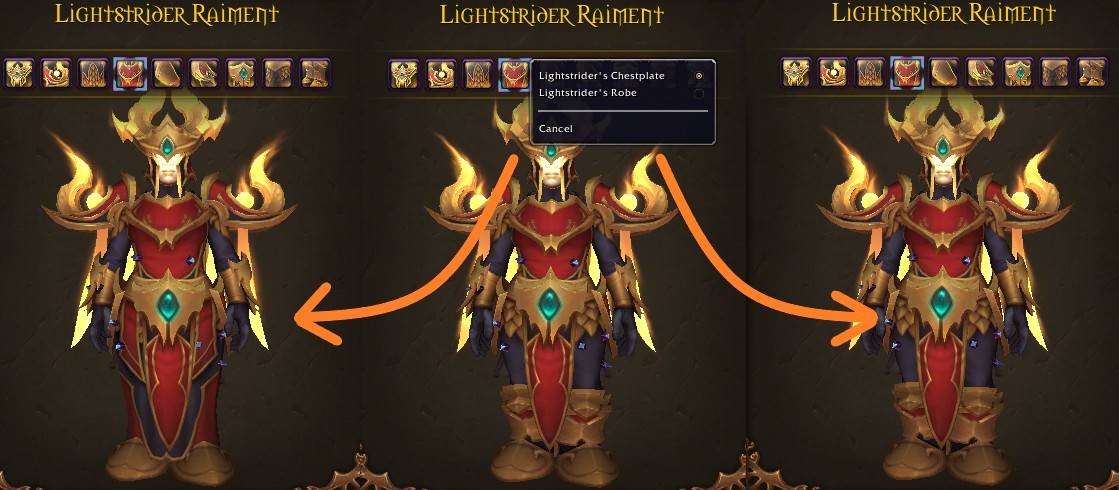
Many sets have pieces with an alternate appearance. This feature lets you swap between them. Items with alternates will have a unique border and can be left-clicked to cycle through them or selected through a right-click window.
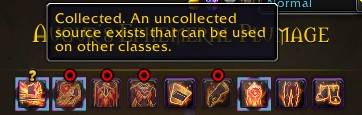
Icons will display to show the collection status such as Collected, but a less restricted can still be collected and that an item is only usable by the related class. (This feature can be disabled in the settings.)
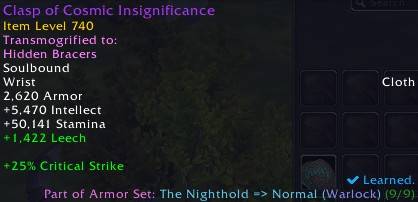
Shows set info in the tooltip of items. (This feature can be disabled in the settings.)
![Thumbnail An additional tab showing sets of weapons. With many of the same features as Armor sets and can change how weapons are displayed (Just the Weapon, Player holding it [idle/action pose], dual wielding). (Weapon Sets can be disabled in the settings.)](https://media.forgecdn.net/attachments/1373/448/weaponsets-jpg.jpg)
An additional tab showing sets of weapons. With many of the same features as Armor sets and can change how weapons are displayed (Just the Weapon, Player holding it [idle/action pose], dual wielding). (Weapon Sets can be disabled in the settings.)