Crate Images
Settings Menu

Error Message
Description
Lua Error Collector, History Viewer & Error Reporting Tool
ErrorCrate is a lightweight World of Warcraft addon designed to capture, organize, and manage Lua errors without interrupting your gameplay.
Instead of dealing with constant Lua error popups, ErrorCrate quietly collects errors in a convenient interface, allowing you to review, copy, and share reports whenever needed.
Keep Your Errors in the Crate!
Whether you're an addon developer debugging Lua issues or a player trying to identify what's causing errors, ErrorCrate provides a convenient way to collect, review, and share error reports.
Capture it. Crate it. Fix it.
Designed for WoW Forever, with additional interface compatibility declarations for other WoW clients.
Automatic Error Detection
ErrorCrate automatically monitors and records Lua errors generated during gameplay.
Features include:
- Automatically captures Lua errors.
- Records detailed error messages and stack traces.
- Detects addon attempts to perform protected actions.
- Optionally suppresses Blizzard's default Lua error popups.
- Captures errors occurring during loading screens.
- Preserves error history between gaming sessions.
- Groups identical errors together instead of creating unnecessary duplicates.
- Tracks how many times each error occurs.
- Records the first and most recent occurrence of each error.
- Stores up to 300 unique error records.
- Automatically removes the oldest records when storage reaches its limit.
Error Storm Protection
ErrorCrate includes built-in protection against addons generating excessive errors.
When an addon produces too many errors in a short period, ErrorCrate temporarily pauses collection to help prevent unnecessary processing overhead.
Error History & Detailed Reports
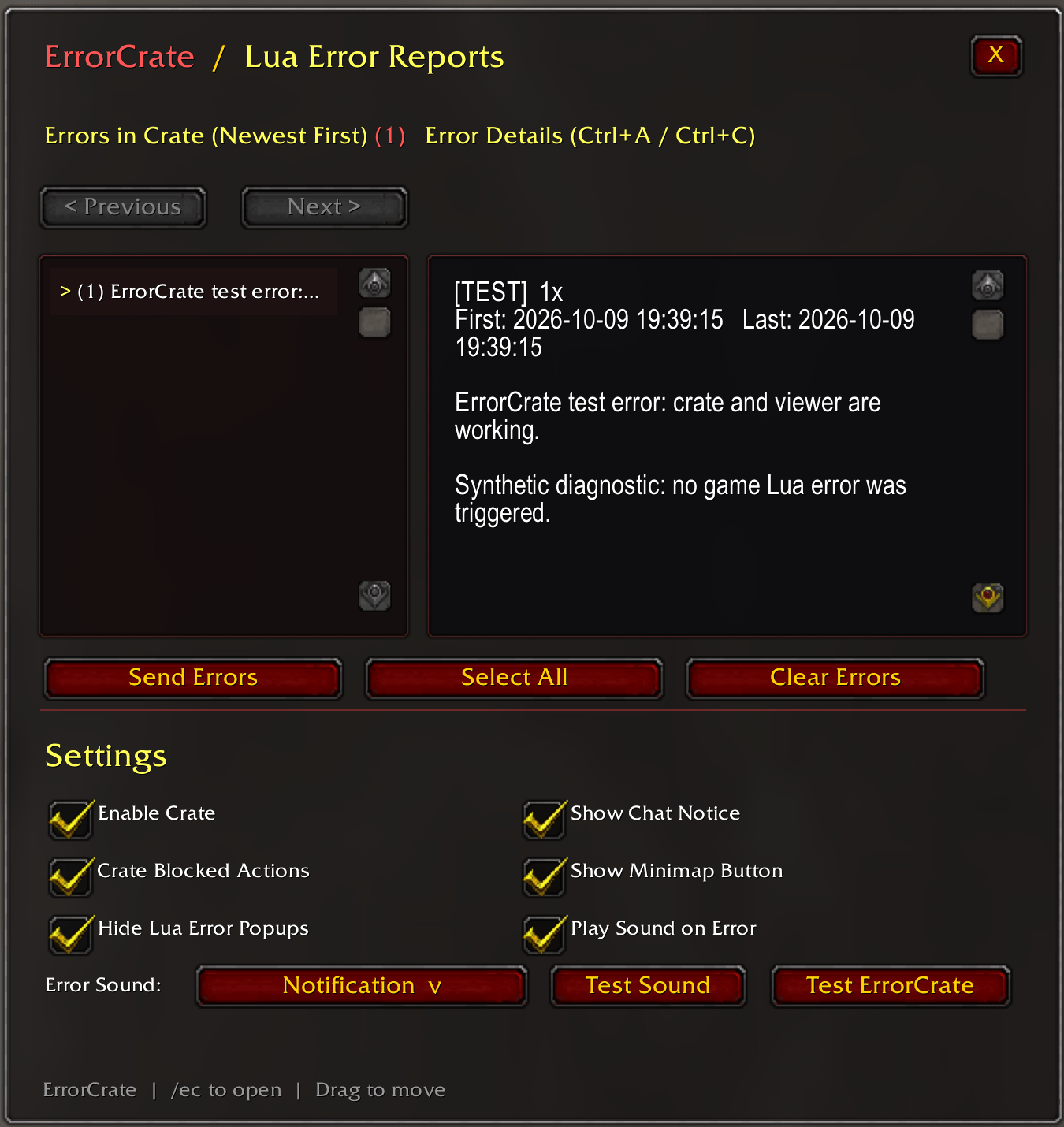
ErrorCrate features a dedicated error management window.
Features include:
- Scrollable error history.
- Newest errors displayed first.
- Previous and Next buttons for navigating reports.
- Displays error occurrence counts.
- Displays detailed Lua error messages.
- Displays available stack traces.
- Shows the first and most recent occurrence timestamps.
- Supports copying error reports using Ctrl+A and Ctrl+C.
- Select All button for quickly copying reports.
- Clear Errors button for removing stored error history.
- Resizable text display area through scrolling.
- Draggable interface window.
- ESC key support for closing the window.
The interface is designed to make identifying problematic addons and sharing debugging information straightforward.
Customizable Error Notifications
Receive notifications whenever ErrorCrate captures an error.
Notification options:
- Enable or disable chat notifications.
- Enable or disable error notification sounds.
- Choose from 10 notification sounds.
- Preview sounds directly from the settings window.
- Automatically delays notifications for errors captured during loading screens.
- Prevents excessive repeated sound notifications.
- Cancels pending notifications when error history is cleared.
Available Notification Sounds (More sounds available upon request only)
- Raid Warning
- Boss Warning
- GM Warning
- Alarm Bell 1
- Alarm Bell 2
- Alarm Bell 3
- Ready Check
- Queue Denied
- Notification
- Whisper Alert
Custom Minimap Button
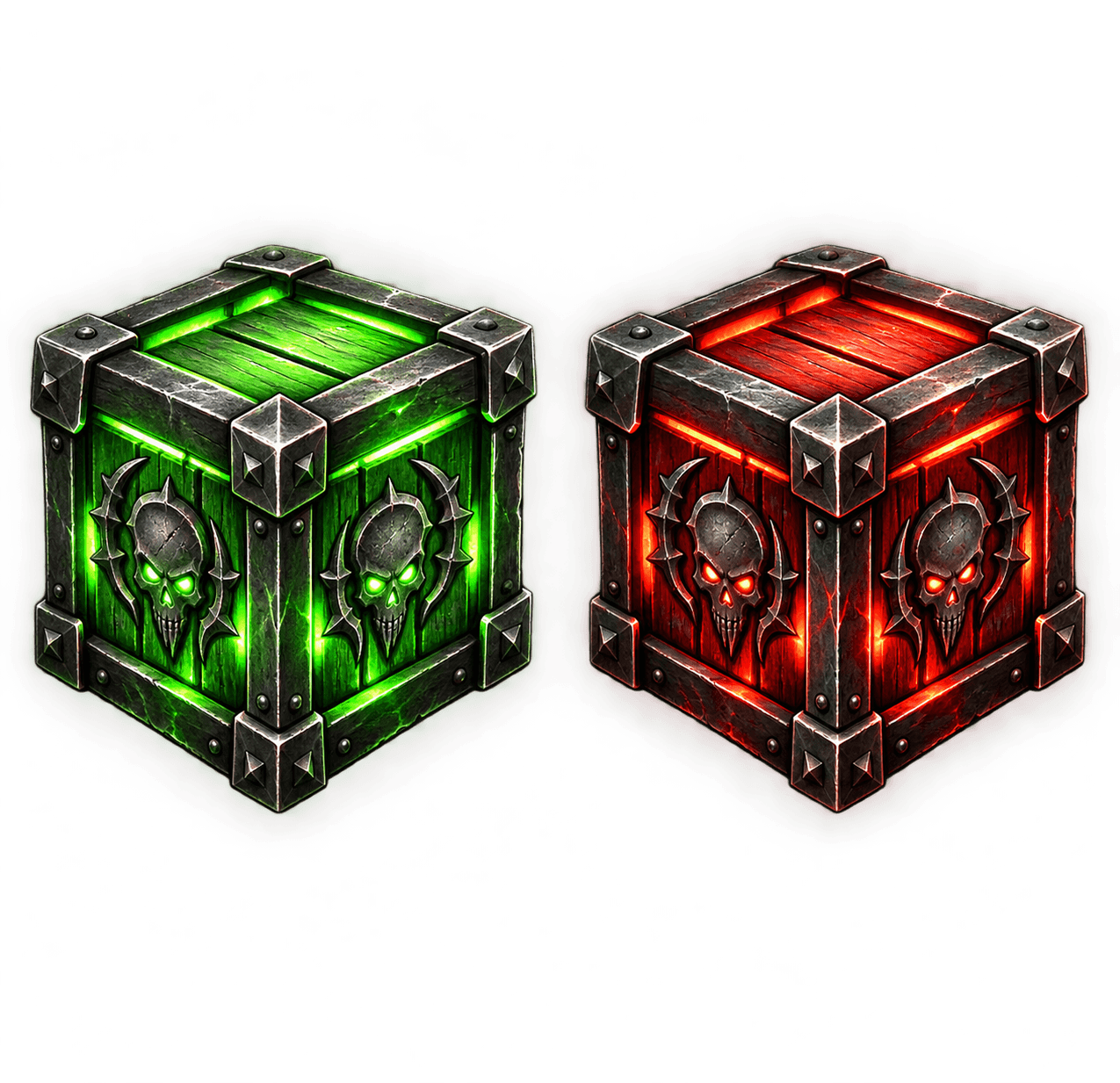
ErrorCrate includes a custom minimap launcher with two distinct visual states.
🟩Green Crate: No errors are currently stored.
🟥Red Crate: One or more errors have been recorded.
Minimap features:
- Custom high-resolution crate icons.
- Automatically changes color when errors are detected.
- Instantly returns to green after clearing errors.
- Click to open or close ErrorCrate.
- Drag to reposition around the minimap.
- Remembers its position between sessions.
- Tooltip displays the cumulative error count.
- Option to completely hide the minimap button.
Send & Receive Error Reports
ErrorCrate allows players to share captured error reports directly with other players running ErrorCrate.
This feature is particularly useful for addon developers, testers, and players troubleshooting Lua errors.
Features include:
- Send error reports directly to another player.
- Transfer up to 100 of your newest stored error reports.
- Automatically receive compatible reports from other ErrorCrate users.
- Received reports are added to your error history.
- Received reports identify the sending player.
- Supports player names containing hyphens.
- Uses private WoW addon communication messages.
- Automatically divides larger reports into smaller transmission packets.
- Includes transmission failure handling and temporary throttle retries.
- Incoming report rate limiting helps reduce unwanted message spam.
- No external communication libraries required.
Note: Both players must have ErrorCrate enabled, and addon messaging must be available between them. Reports are sent only when you use the Send Errors feature.
Customizable Settings
ErrorCrate provides the following options directly within its interface:
Enable Crate
Enable or disable error collection.
Show Chat Notice
Display chat notifications when errors are captured.
Crate Blocked Actions
Record addon attempts to perform protected actions.
Show Minimap Button
Show or hide the ErrorCrate minimap launcher.
Hide Lua Error Popups
Suppress the default Blizzard Lua error popup when ErrorCrate handles an error.
Play Sound on Error
Enable or disable audible error notifications.
Error Sound Selection
Choose from 10 different notification sounds.
Test Sound
Preview the currently selected notification sound.
Test ErrorCrate
Generate a harmless diagnostic record to verify that error collection and the report viewer are working.
Settings and stored error history are automatically saved between sessions.
Slash Commands
/ec — Open the ErrorCrate window.
/errorcrate — Open the ErrorCrate window.
/ec test — Generate a test error report.
/ec clear — Clear stored error history.
/ec on — Enable ErrorCrate.
/ec off — Disable ErrorCrate.
Lightweight & Standalone
ErrorCrate is designed to operate efficiently without unnecessary dependencies.
- No Ace libraries required.
- No external addon dependencies.
- No external sound libraries.
- No external minimap libraries.
- Built-in error deduplication.
- Limited error history to control memory usage.
- Built-in protection against excessive error collection.
- Error-handler compatibility checks for addons loaded afterward.
- Self-contained interface and minimap button.
- Persistent SavedVariables storage.
Compatibility
Version: 1.0.0
Primary target: World of Warcraft Forever
WoW Forever Interface: 16001
Additional WoW interface versions are declared in the addon metadata. Functionality on those clients may require separate testing.
Installation
- Download ErrorCrate.
- Extract the ZIP archive.
- Place the
ErrorCratefolder inside your World of WarcraftInterface/AddOnsdirectory. - Enable ErrorCrate from your addon list.
- Enter the game and type
/ecto open the interface.
No additional addons or libraries are necessary.
ErrorCrate Team