Equipment Forever
- By
Create any equipment set you wish with ease of use and setup. All in one easy to visualize place.
Wow_1MUAXV3zSv.png
Wow_reMAtGYa0D.png
Wow_eZxlreKlIw.png
Wow_ax9Ktag9nj.png
Description
Equipment Forever
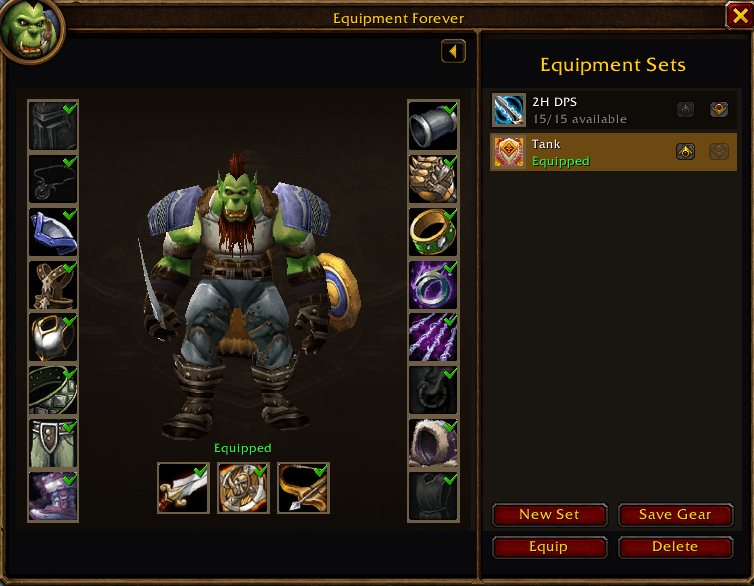
I made Equipment Forever because I wanted a gear manager that felt like it belonged on the character screen. It adds a new tab there with the paper doll and gear slots on the left and your saved equipment sets on the right.
It uses WoW's own equipment-set system. A set made here will still show up in the standard Equipment Manager, and an existing Blizzard set will show up in Equipment Forever.
What you can do
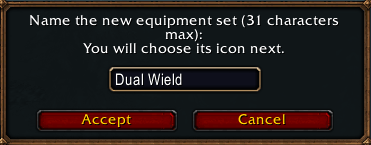
- Create a set from the gear you are currently wearing
- Save your current gear over an existing set
- Equip a set by selecting it or double clicking it
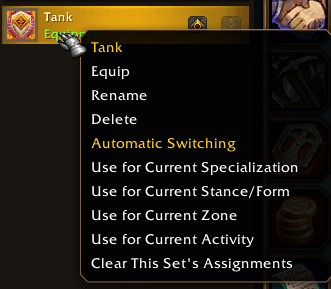
- Rename and delete sets from the right click menu
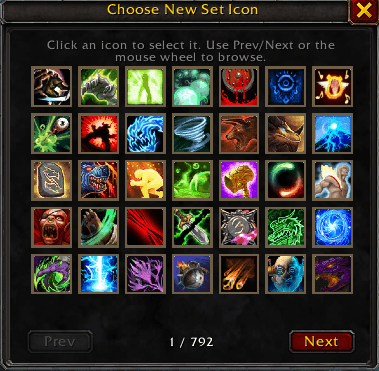
- Pick a set icon from the macro icon list and change it later
- Move sets up and down to keep the list in the order you want
- See which saved items are equipped, in your bags, in the bank, or missing
- Spin the paper doll by dragging it and zoom with the mouse wheel
You can also right click individual gear slots to leave them out of the next save. This is useful for sets that should only change part of your gear. An included empty slot means the item in that slot should be removed; an ignored slot is left alone.
Automatic sets
Sets can be assigned to your current specialization, stance or form, zone, or activity. Activity assignments cover the open world, dungeons, raids, battlegrounds, arenas, and scenarios.
Right click a saved set to add an assignment. Automatic switching turns on when you make the first assignment, and it can be turned off again from the minimap menu or with /ef autoswitch.
What happens in combat
Weapon swaps are attempted immediately when the game allows them. Any armor changes that cannot happen during combat are queued and finished when combat ends. The minimap menu shows an option to cancel the queued set if you change your mind.
Controls
- New Set saves what you are wearing as a new set.
- Save Gear updates the selected set with your current gear.
- Equip equips the selected set.
- Delete removes the selected set after confirmation.
- Double click a set to equip it.
- Right click a set for Equip, Rename, Delete, and automatic set assignments.
- Click a set icon to choose a different icon.
- Right click a gear slot to include or ignore that slot when saving.
The minimap button opens Equipment Forever with a left click. Right click it for addon settings, and drag it to move it around the minimap.
Slash commands
/efor/equipmentforeveropens or closes the addon/ef minimapshows the minimap button if it was hidden/ef resetminimapputs the minimap button back in its default position/ef autoswitchturns automatic switching on or off
Addon settings and set ordering are saved separately for each character. The maximum number of equipment sets is whatever your game client allows.
Equipment Forever Team