Enhanced Controller
- By
Enhanced Controller makes it easier to play WoW Forever with a gamepad by adding an on-screen keyboard, quick chat messages, customizable spell wheels, and controller bindings.
Screenshot 2026-11-12 045846.png
Screenshot 2026-11-12 045858.png
Screenshot 2026-11-12 045928.png
Screenshot 2026-11-12 050005.png
Screenshot 2026-11-12 050056.jpg
Screenshot 2026-11-12 050157.png
Screenshot 2026-11-12 050212.png
Description
Enhanced Controller adds healing and targeting wheels, an on-screen keyboard, and quick chat shortcuts to WoW Forever. Heal a party member while keeping the boss targeted, share your current quest progress, or build a macro entirely with your gamepad.
Healing and targeting wheels
Click the right stick to open the wheel. Keep moving with the left stick while you aim with the right. The right stick controls the camera again when the wheel closes. Both healing modes work in combat and open directly to your spells when you’re solo.
- Hold & sweep. Point at an ally and hold the left trigger. Sweep to a spell and release to cast, or return to the center to cancel.
- Classic. Confirm the ally first, then confirm the spell.
- Target only. Point at a party member and let the stick return to center to target them. In a raid, choose a subgroup first. When solo, the shortcut targets you immediately. Bind Open targeting wheel separately to keep healing and targeting a button press away.
- See who needs help. Check class-colored health bars, debuffs you can dispel, and who is dead or offline. Spell slots show cooldowns, range warnings, and insufficient power when available. After a cast, the wheel can return to the member list, stay on the same ally, or close.
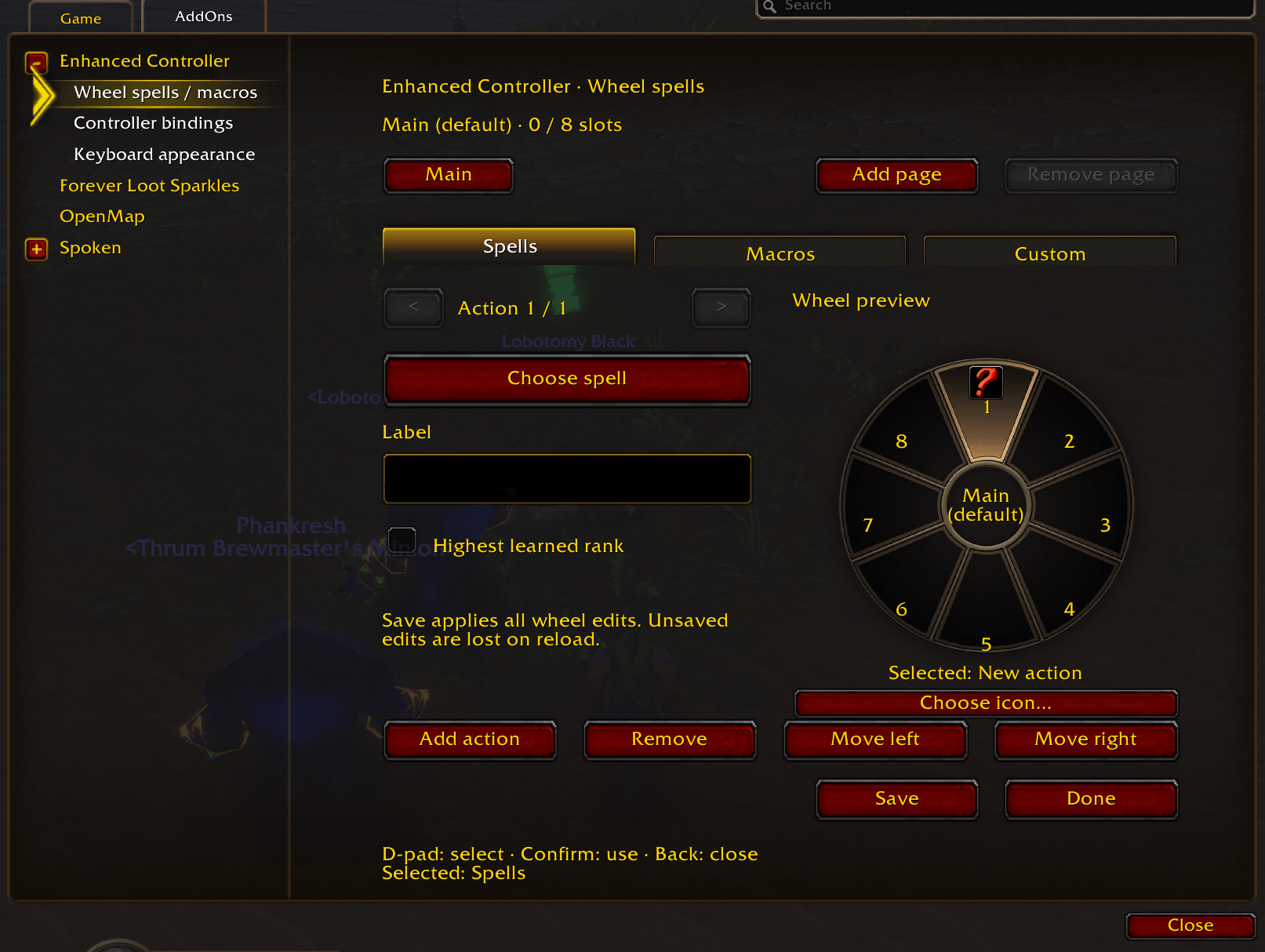
- Build your own wheel. Each character and specialization gets up to 72 actions across nine pages. Add learned spells, saved macros, or custom commands. Choose a spell rank or always cast the highest one you know. You can also add shortcuts to target, focus, whisper, trade, or duel.
Keyboard, quick messages, and chat links
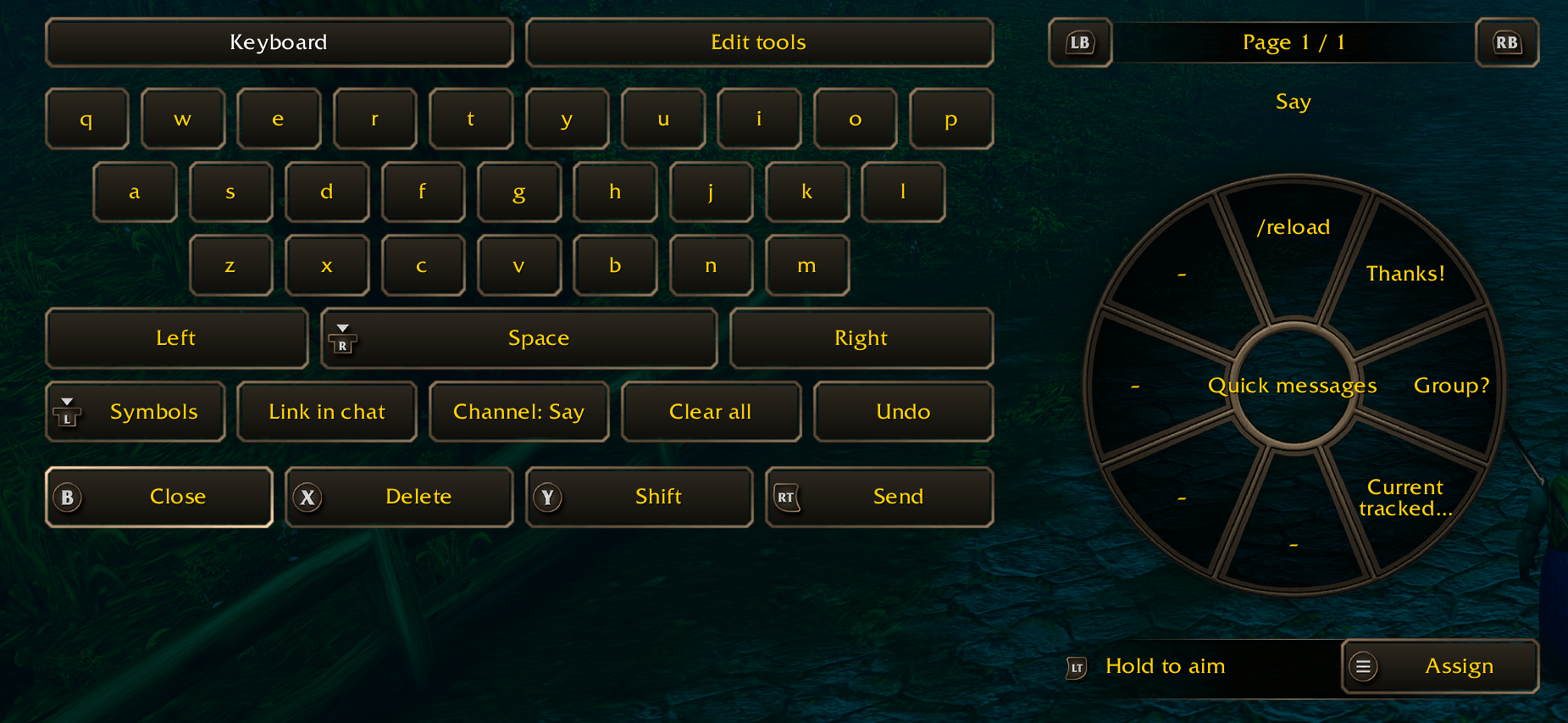
- Type with the D-pad. Outside combat, select a supported field to type in chat, write mail, or search the Auction House or a profession. Edit with cursor controls, undo/redo, and an in-addon clipboard. Supported quantity fields also have a number pad and shortcuts to adjust amounts.
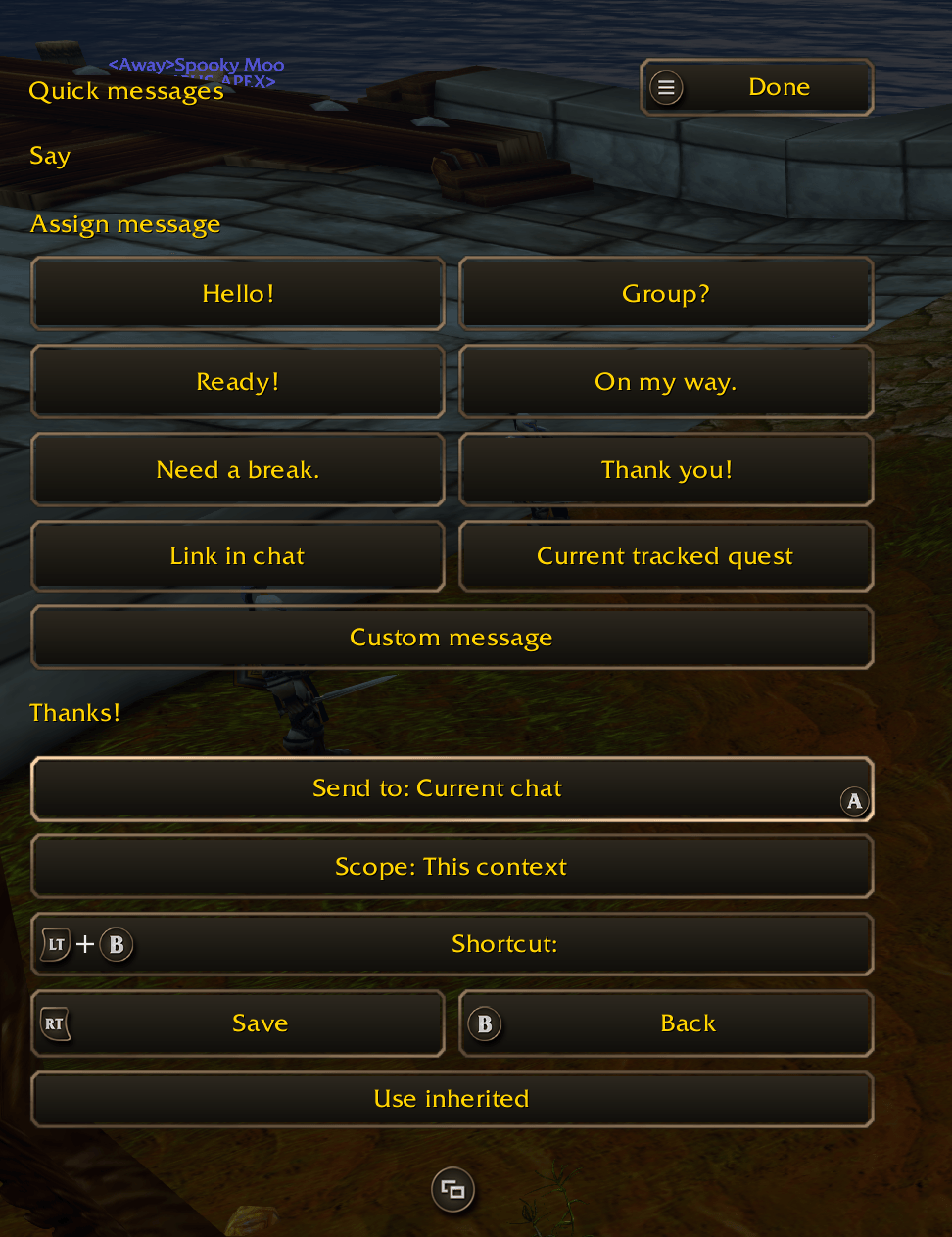
- Send a phrase with the right stick. Hold the left trigger, aim, and release. Each quick-message page has eight slots, and you can add as many pages as you need. Save phrases for one field, one channel, all chat, or everywhere. A shortcut can send “Ready!” to Party while keeping the whisper you’re drafting.
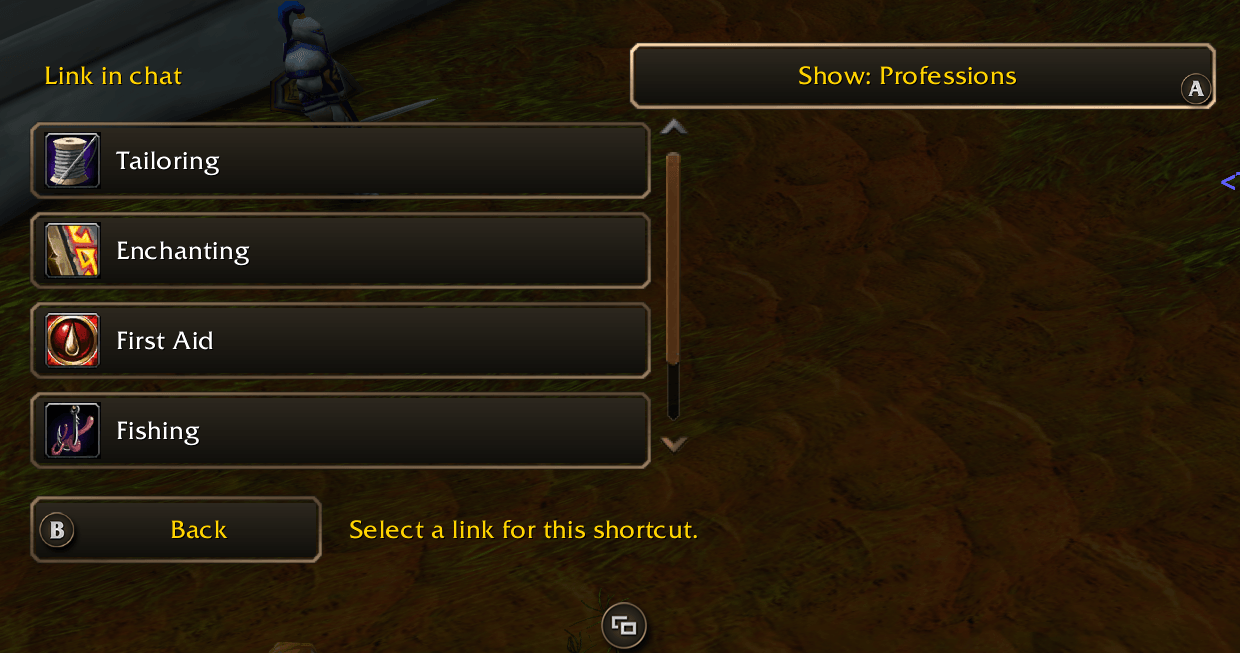
- Share items and quest progress. Link an item from your bags or equipment, a profession, or a learned recipe. Share a quest with its unfinished objectives, pick a single objective to report its count, or save a shortcut that always shares the quest you’re tracking.
Macros, bags, and minimap buttons
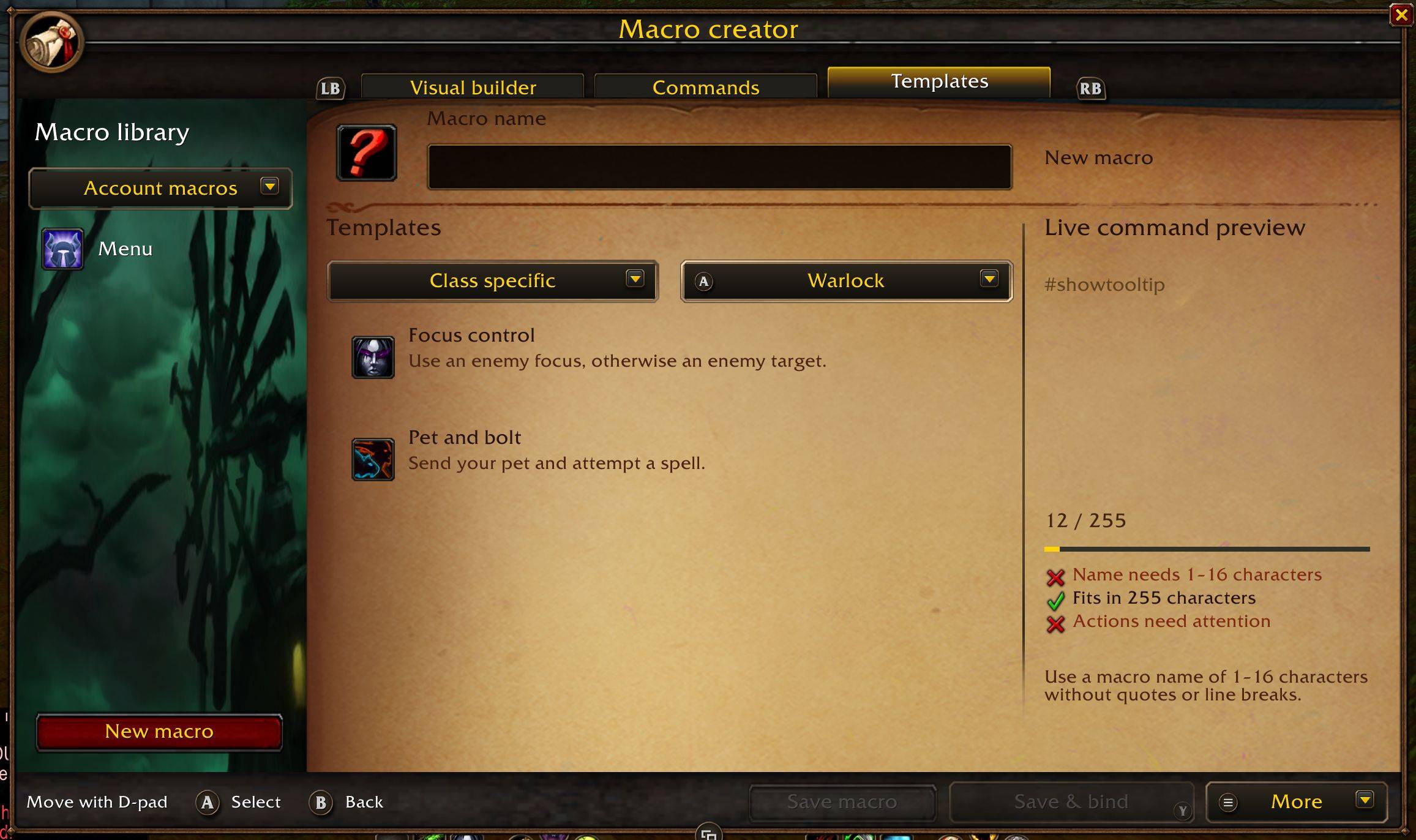
- Create and bind macros. Start from scratch or choose from 28 templates for healing, targeting, modifiers, cast sequences, items, pets, and more. Pick spells and conditions, reorder steps, and check the live command preview and character count. Save to your account or character, choose an icon, then use Save & bind to put it on your controller bar.
- Move a stack with one shortcut. Deposit or withdraw the highlighted stack at the bank. At the mailbox, attach an item, remove it from a draft, or collect a single attachment from an open letter. You review and send the mail yourself.
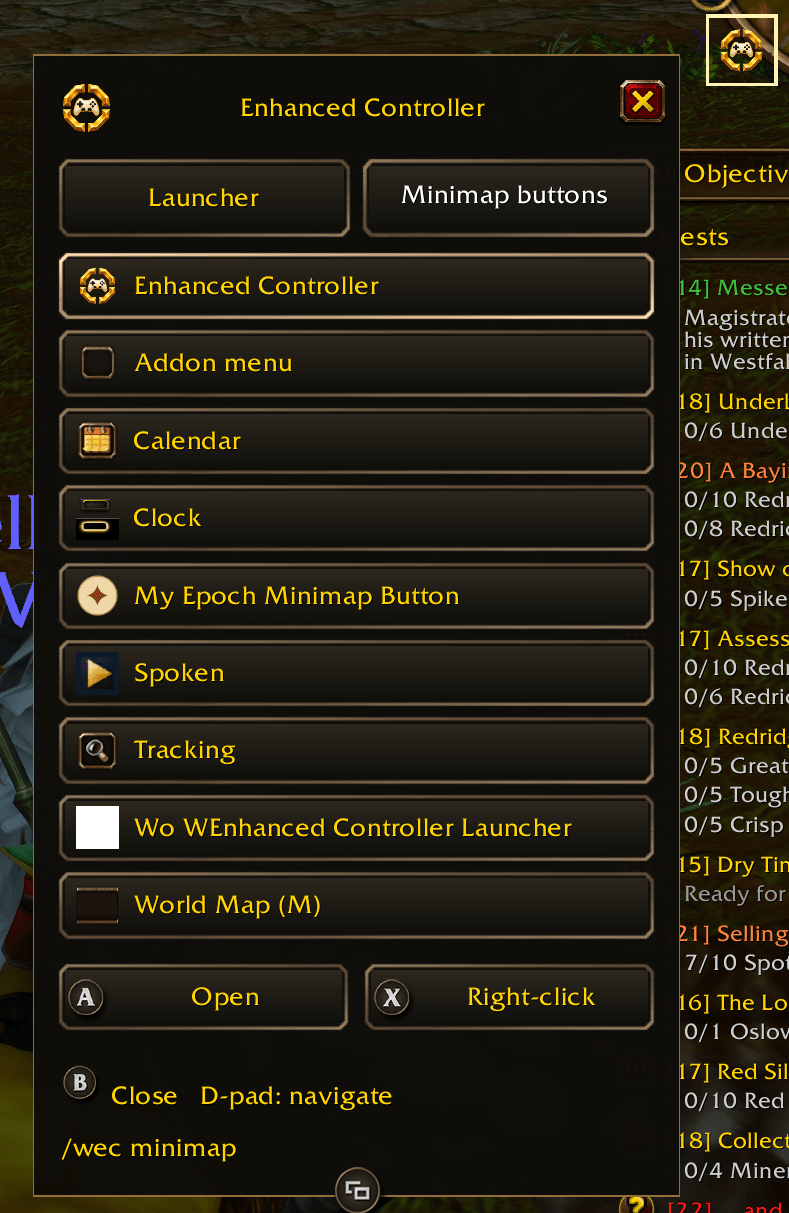
- Browse minimap buttons. Use the D-pad to select a visible minimap button and activate its left- or right-click action.
Getting started
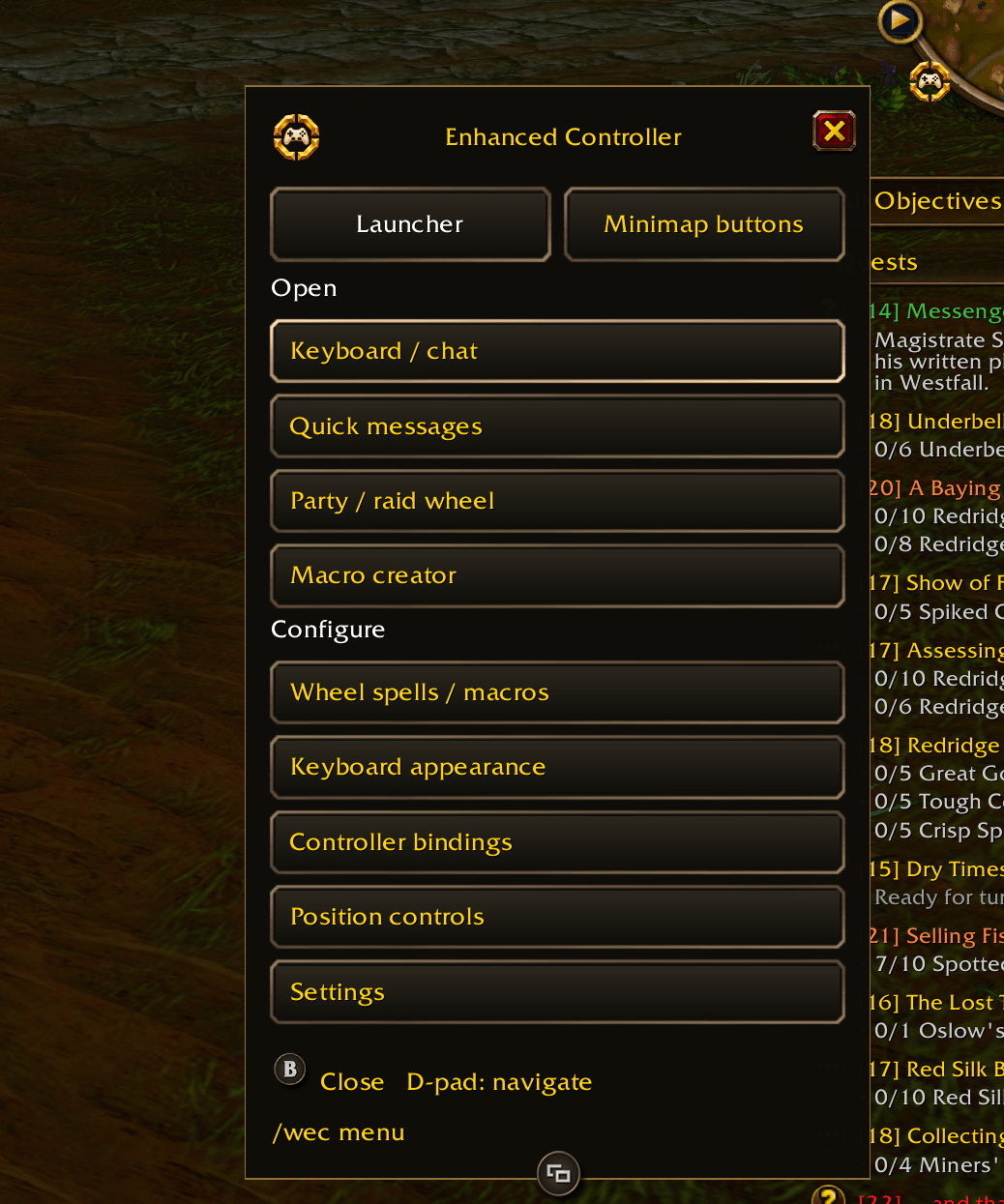
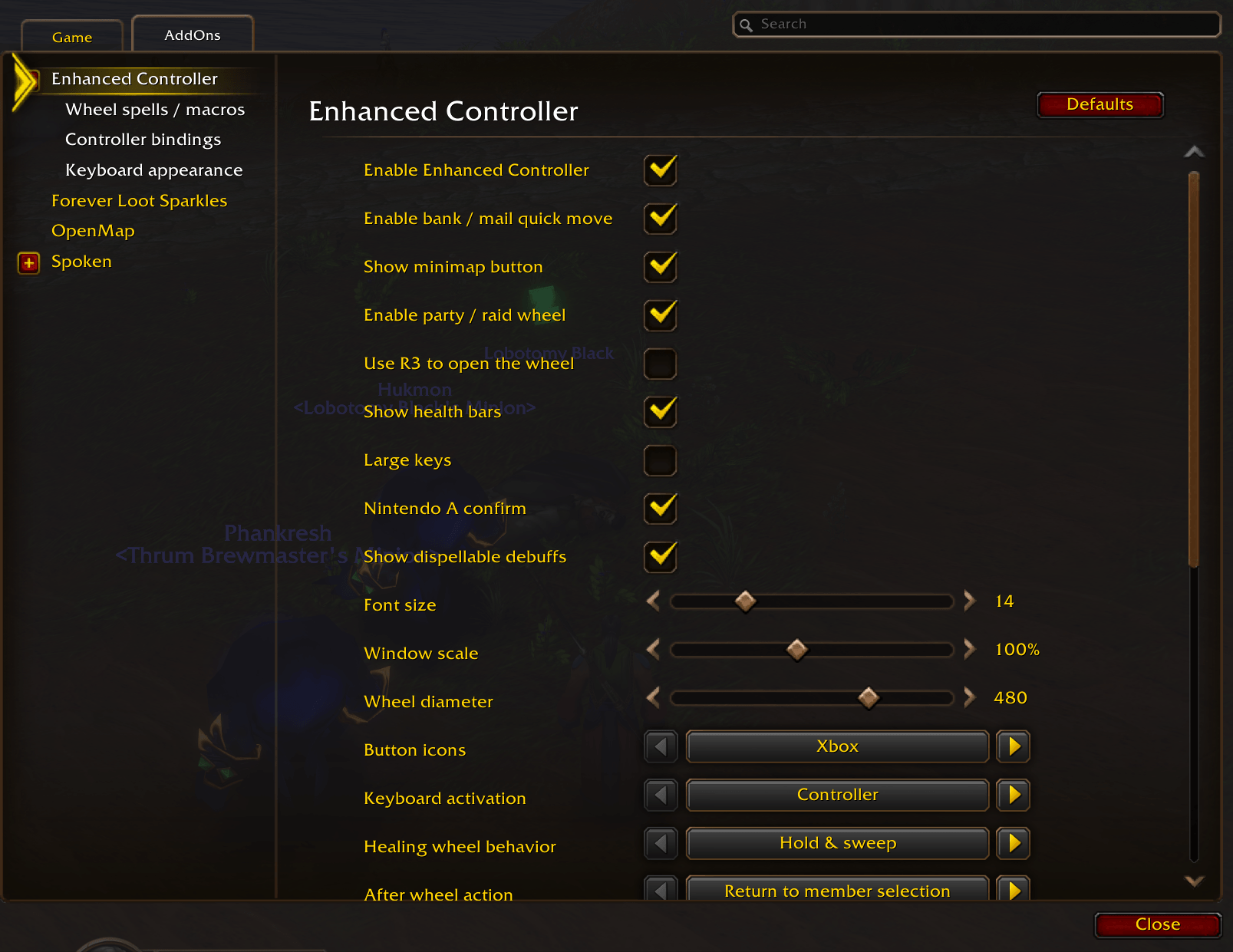
Click the controller icon on the minimap or type /wec menu to open the launcher. Choose your default wheel under Settings → AddOns → Enhanced Controller → Healing wheel behavior.
In settings you can remap keyboard and gamepad controls, choose Xbox, PlayStation, or Nintendo prompts, and adjust key size, text size, window scale, and wheel diameter. Choose from four keyboard skins and toggle the background and border independently. Edit Mode saves keyboard and wheel positions for each layout.
The interface is available in English, German, French, Spanish, Italian, Brazilian Portuguese, Russian, Korean, and Simplified and Traditional Chinese.
Enhanced Controller Team