
Enchant Advisor
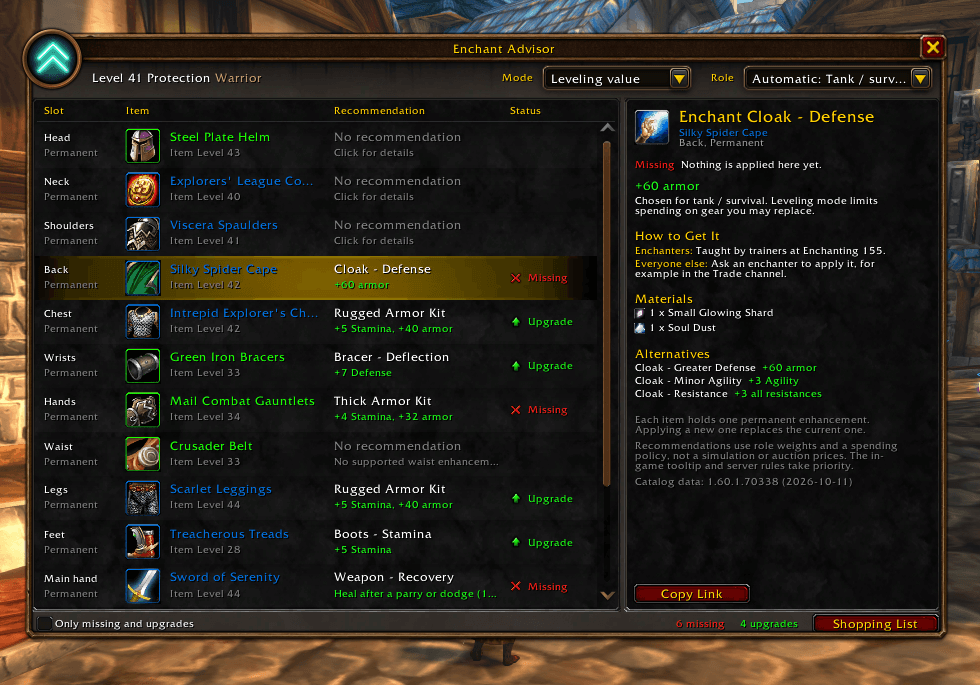
Your equipped gear with the recommended enhancement and status for each slot. Click a slot to see why it was picked, how to get it, the materials needed, and alternatives.
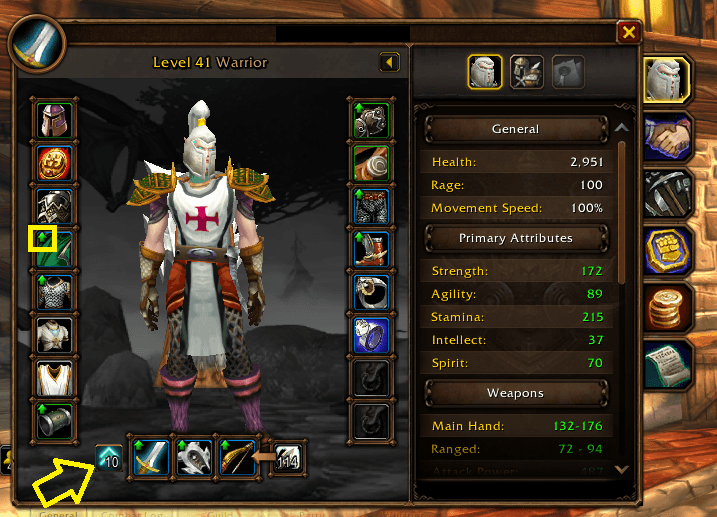
Green arrows mark the gear slots you can enchant or upgrade. The Enchant Advisor button beside your weapons shows how many there are; click it to open your recommendations right next to the Character frame.
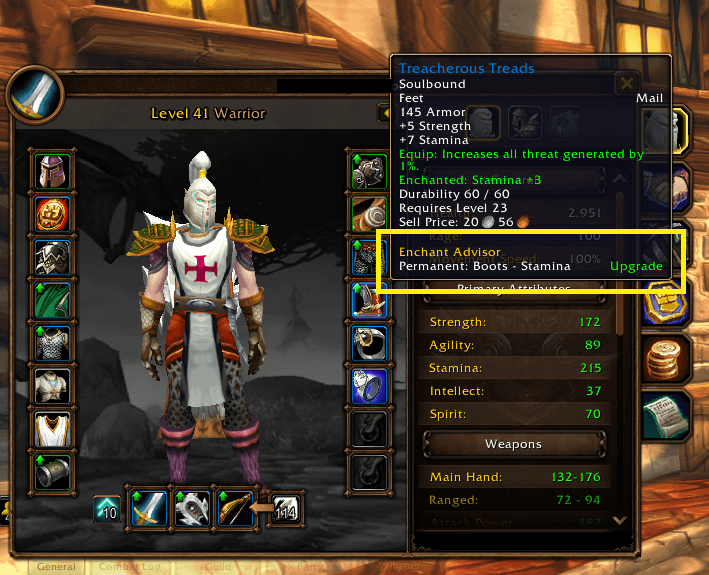
Hover over any equipped item to see its recommended enchant, oil, or stone, and whether it’s Missing, an Upgrade, or already Good.
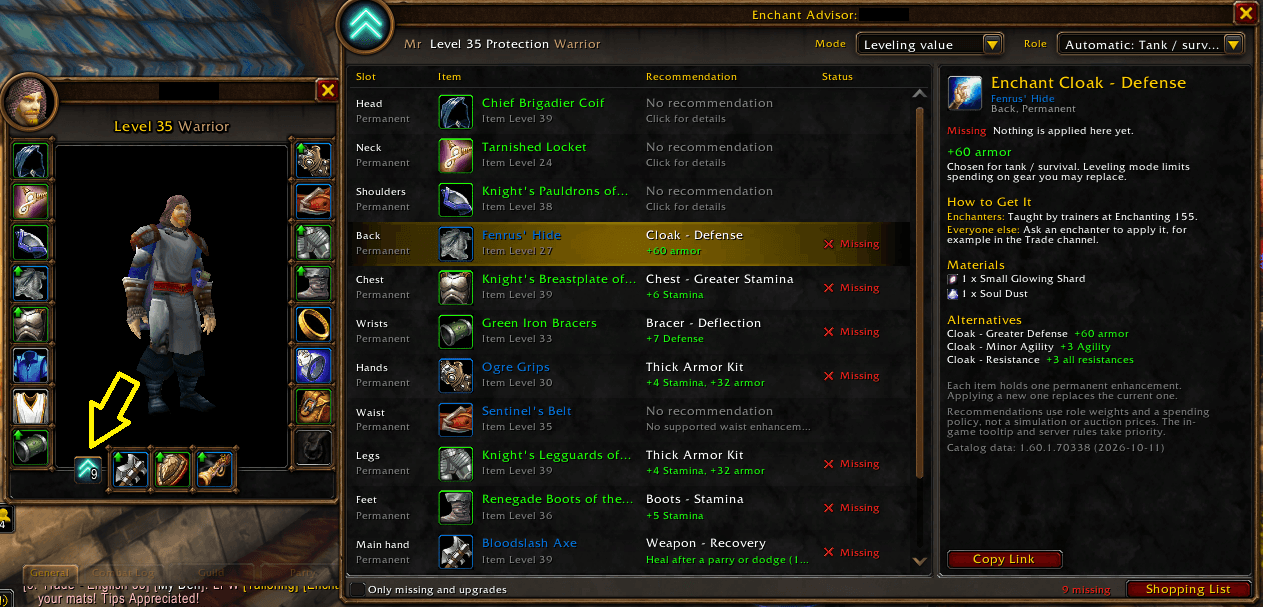
Inspect another player and click the Enchant Advisor button on their Inspect window (arrow) to see what their gear is missing. Their role is read from their talents, and each slot shows the recommended enchant and how to get it.
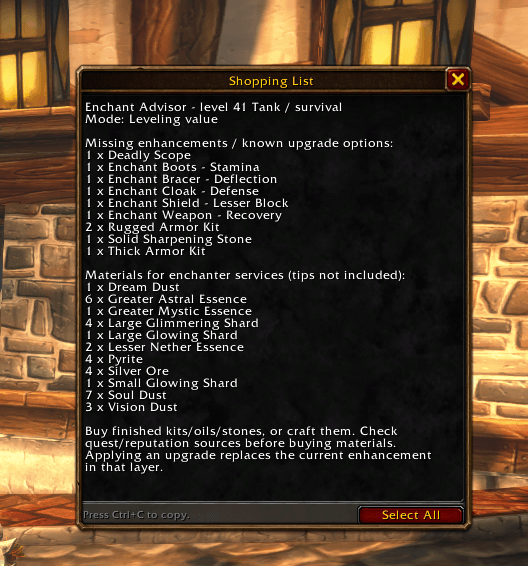
A copyable list of the enhancements to buy or ask a crafter for, plus the enchanting materials you’ll need.
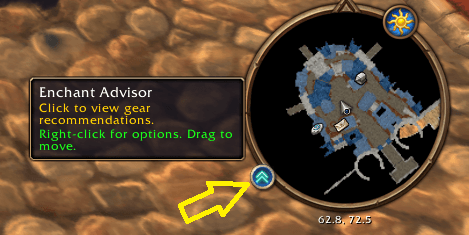
Click to open Enchant Advisor, right-click for options, or drag the button around the minimap.
Description
Enchant Advisor (formerly Forever Enhance) checks your equipped gear and tells you which enchants and enhancements to get in WoW Forever. Type /ea to open it.
It recommends permanent enchants, armor kits, weapon oils, sharpening stones, weightstones, scopes, and selected head, leg, shoulder, necklace and off-hand enhancements. Recommendations depend on your level, role, talents and weapon type.
Features
- Every equipped slot shows a clear status: Missing, Upgrade or Done.
- How to Get It tells crafters where each recipe comes from (trainer, vendor, drop, reputation or quest) and the skill it needs, for Enchanting, Leatherworking, Blacksmithing and Engineering.
- Inspect other players: their Inspect window gets green slot arrows and a button that opens a list of what their gear is missing.
- Green arrows on your Character frame mark the slots that need attention.
- Equipment tooltips show each recommendation and its status.
- Shopping List gathers everything you need, plus the materials for enchanter services.
- Two modes: Leveling value (the default, which skips expensive endgame enchants early on) and Max performance.
- Your role is detected from your talents, and you can change it any time.
- Minimap button, plus options under Esc > Options > AddOns > Enchant Advisor.
Commands
/ea opens the window (/fe still works). /ea help lists the rest.
Good to know
- It uses practical stat weights. It isn't a DPS simulator.
- It never casts spells, buys items, applies enchants or sends chat messages.
- When you inspect another player, only permanent enchants and armor kits are checked, because the game doesn't show their oils and stones.
Feedback and bug reports are welcome in the comments!
Enchant Advisor Team
