


Emoji & React
- By


How to use the Emoji & React addon
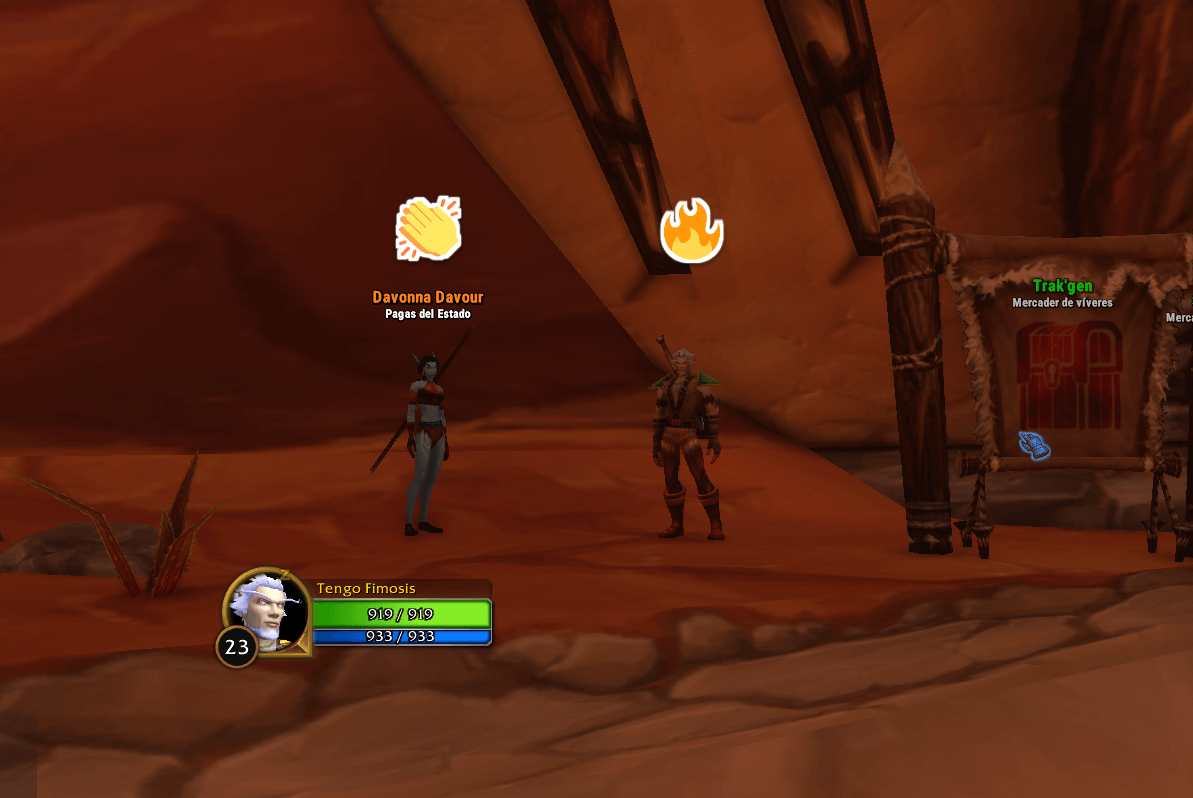
React and everyone nearby with the addon sees it above your head. Here two players react with Applause and Fire in Orgrimmar. Works in party and outside it.
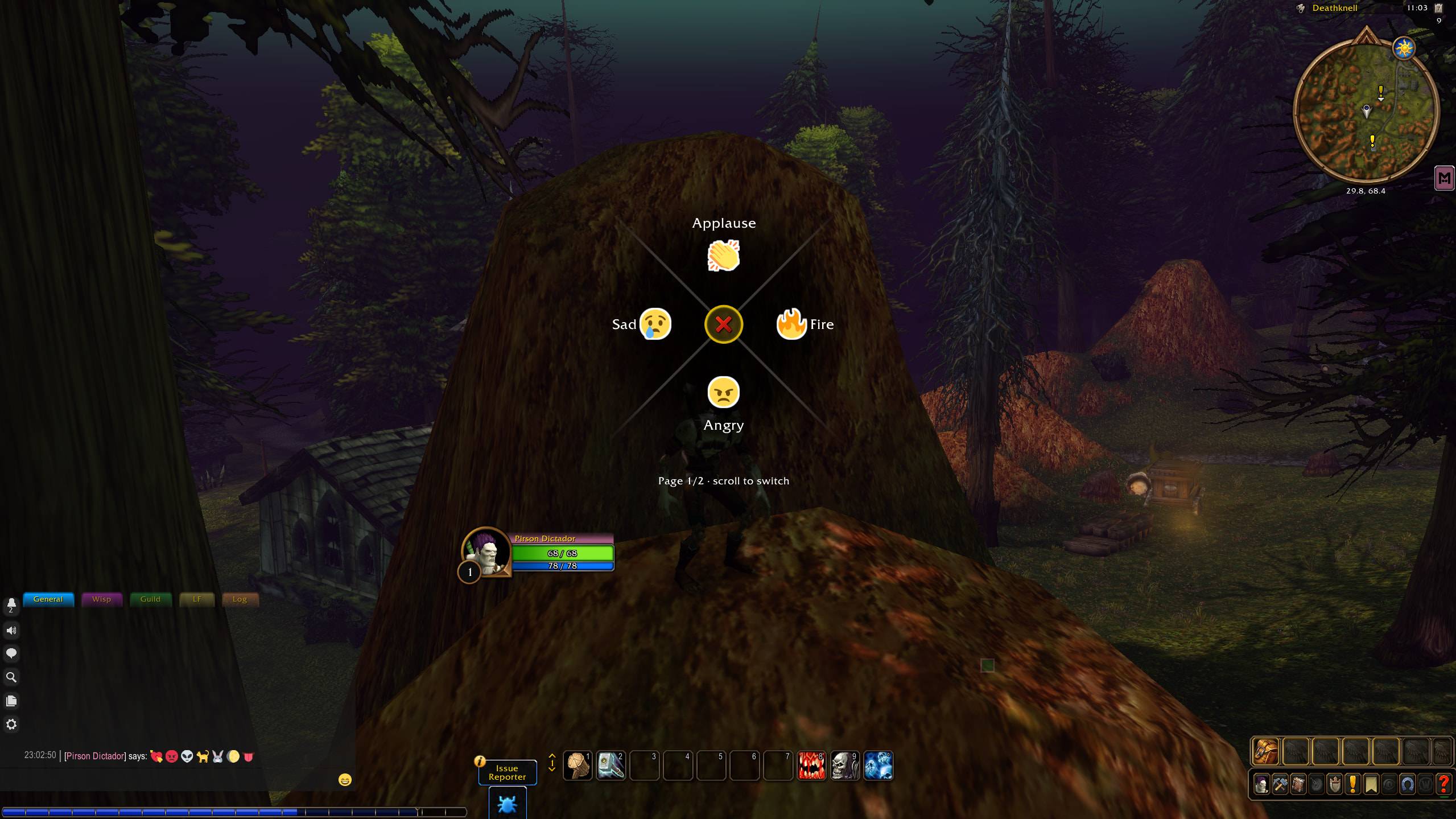
Works like the game's Ping Wheel: hold your key, point the mouse at a reaction and release. Pages of 4 reactions, switched with the mouse wheel or a key, all chosen by you.
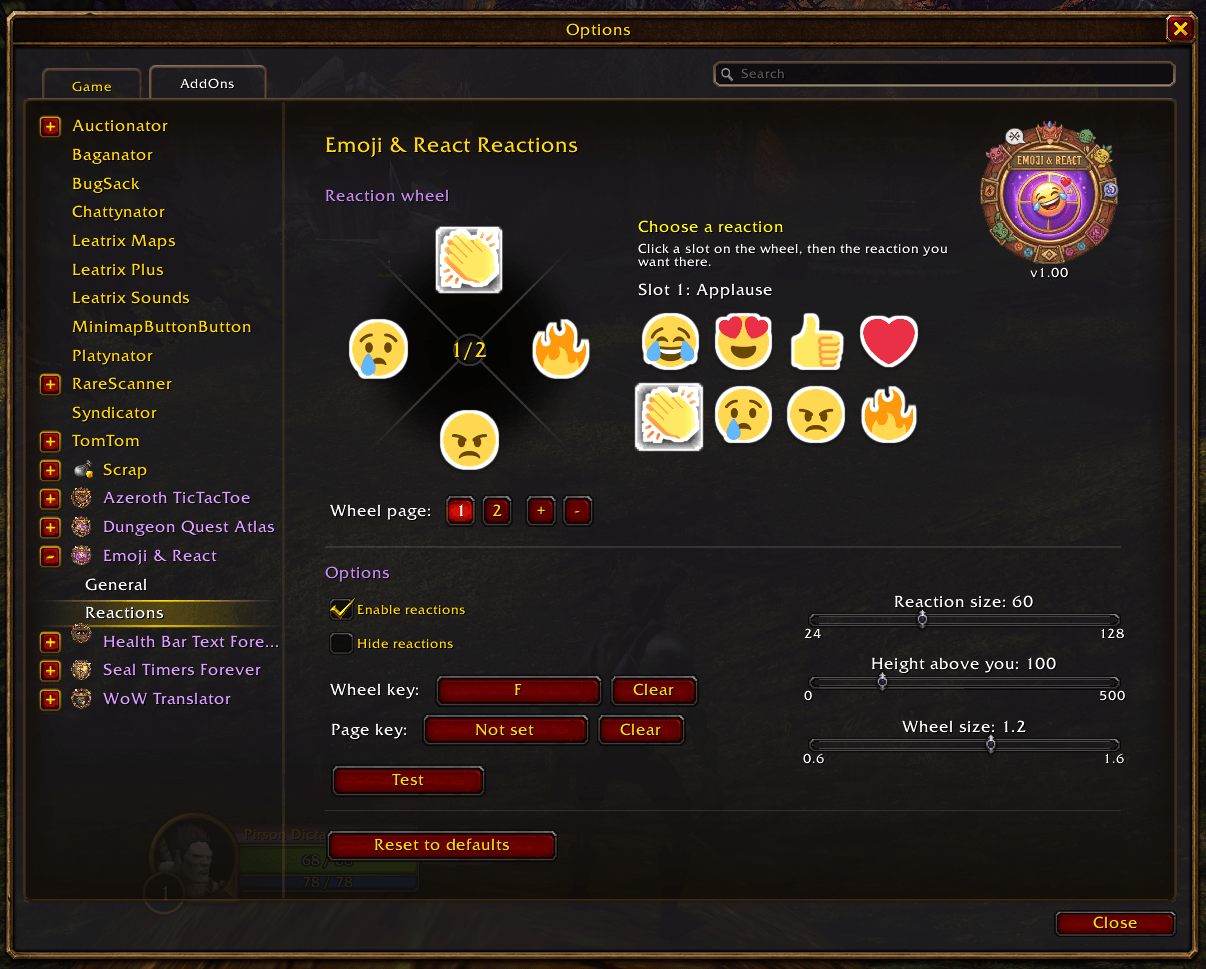
Click a slot on the wheel, then the reaction you want there. Add or remove pages, choose the wheel key and the page key, the reaction size, its height above you and the wheel size.
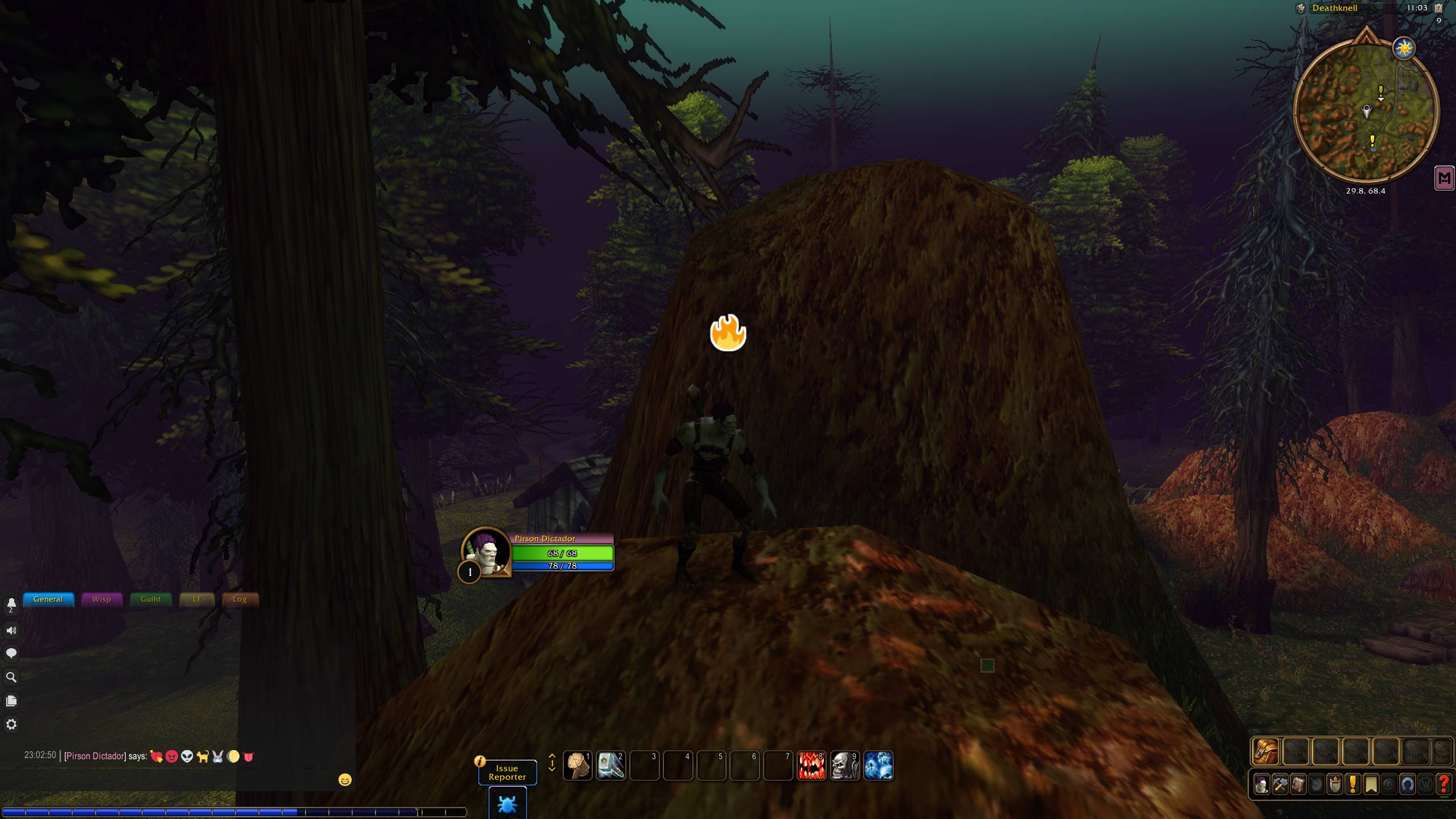
Your own reaction pops up above your character, at the height you choose.
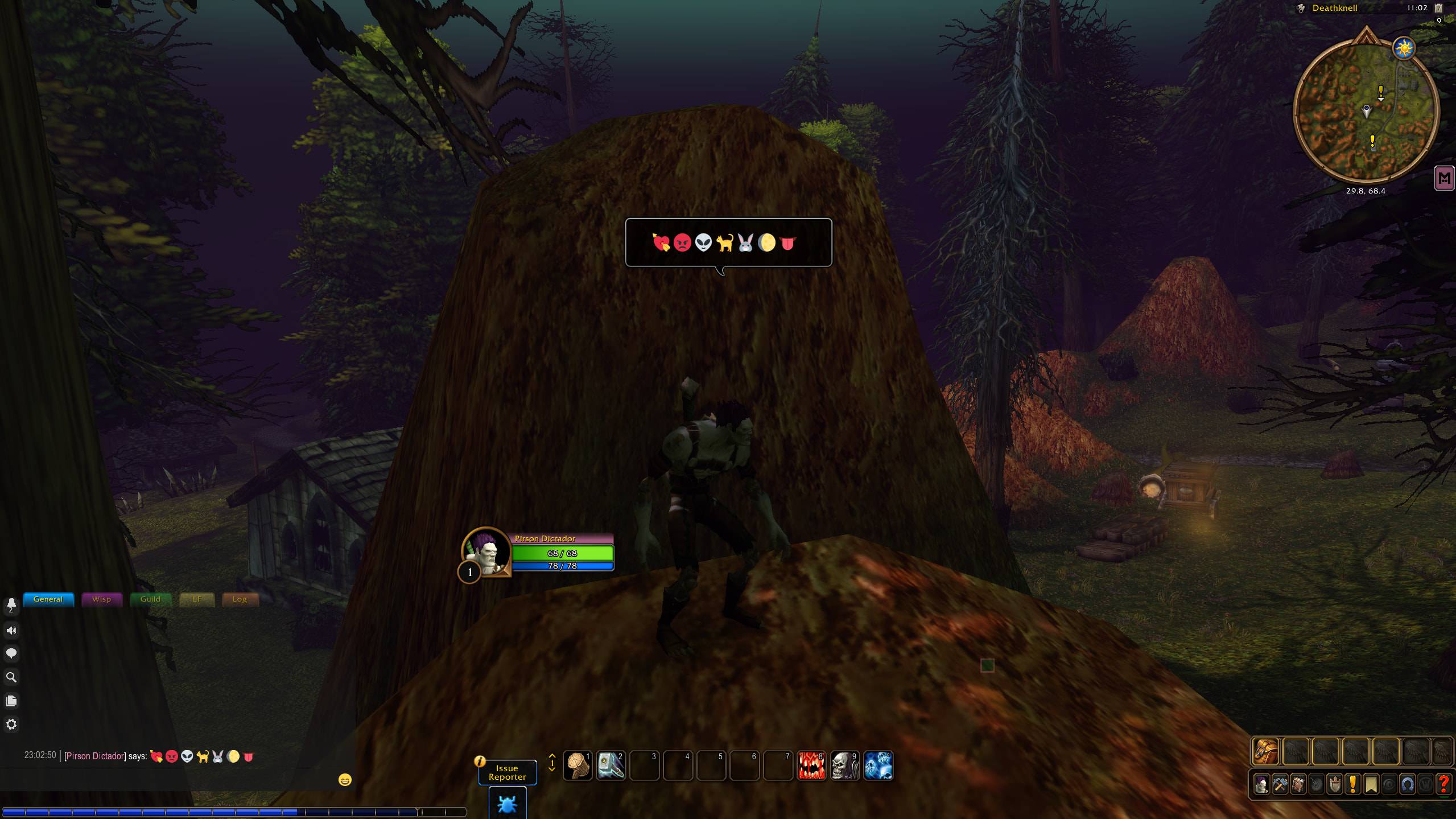
Every emoji in chat and in /say, /yell and party bubbles. Write :joy: like on Discord or paste the emoji; the bubble fits the emojis.
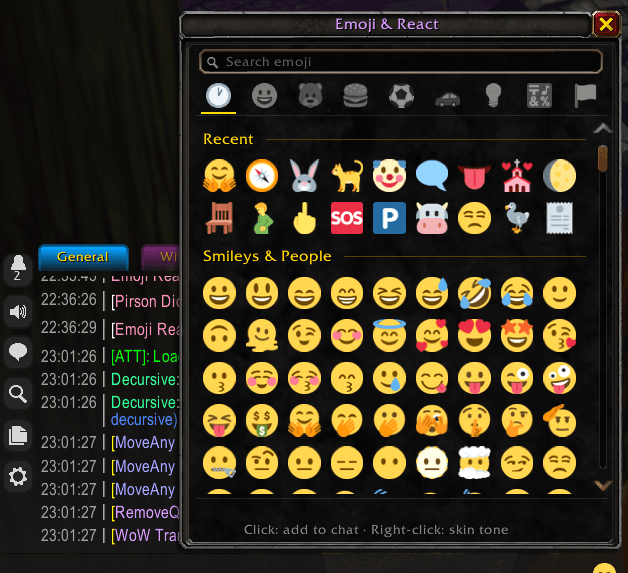
Open it from the button in the chat box, /emoji panel or a key binding. Search in your language, browse by category, recently used and skin tones with right-click.
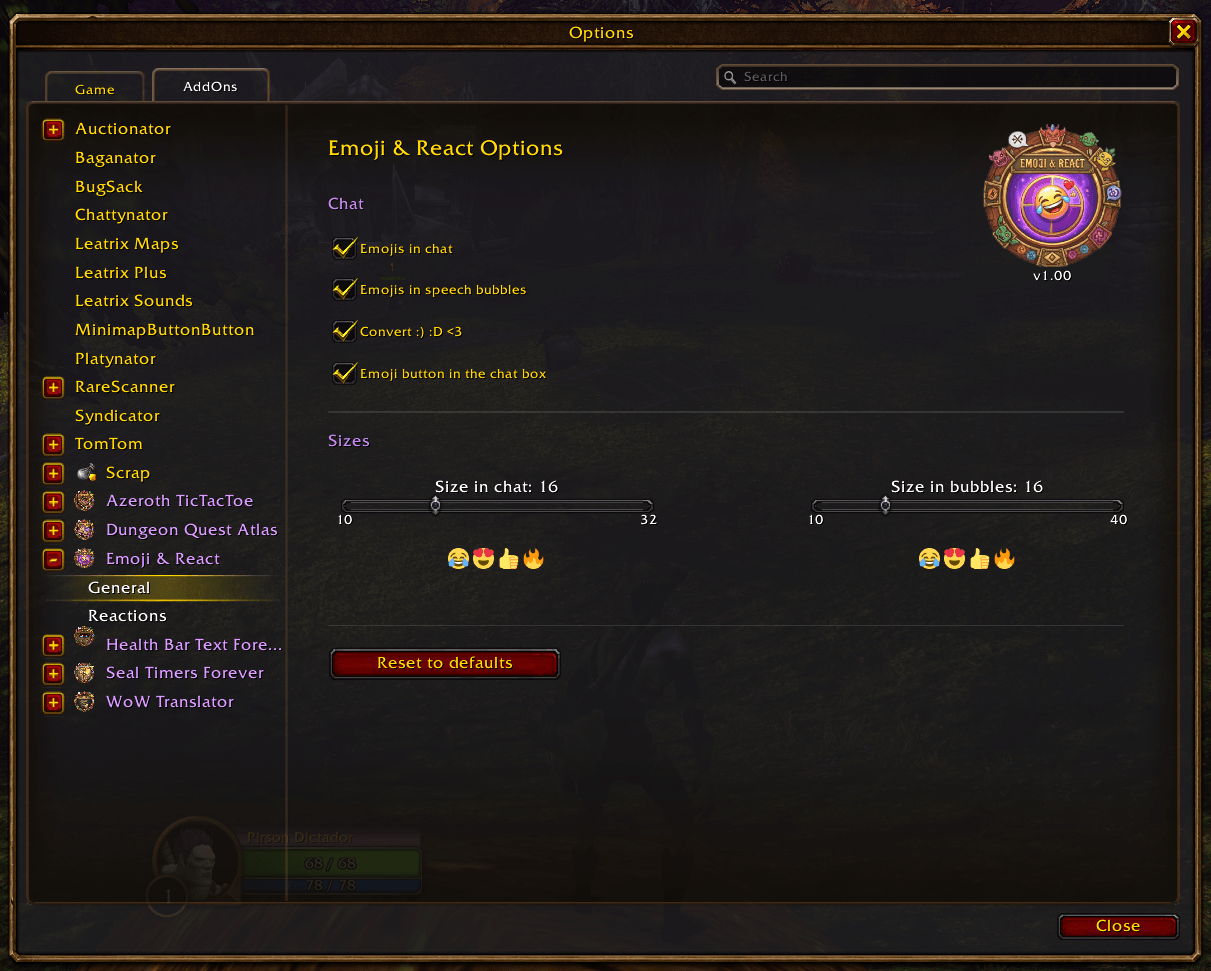
Turn emojis on or off in chat and bubbles, convert :) :D <3, show the emoji button in the chat box and set the emoji size, with a live preview.