Emerse
- By
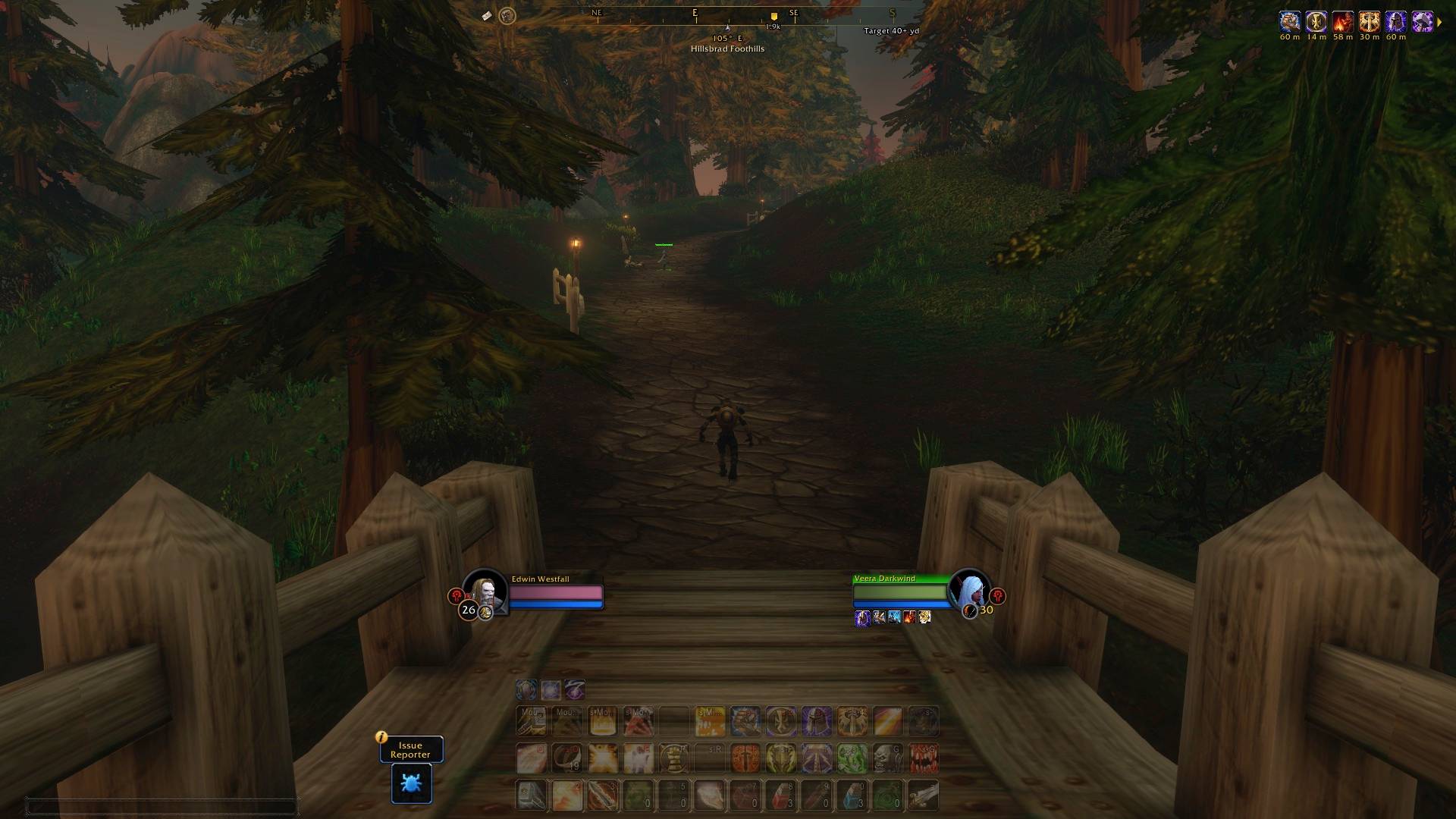
Screenshot-Hillsbrad.jpg
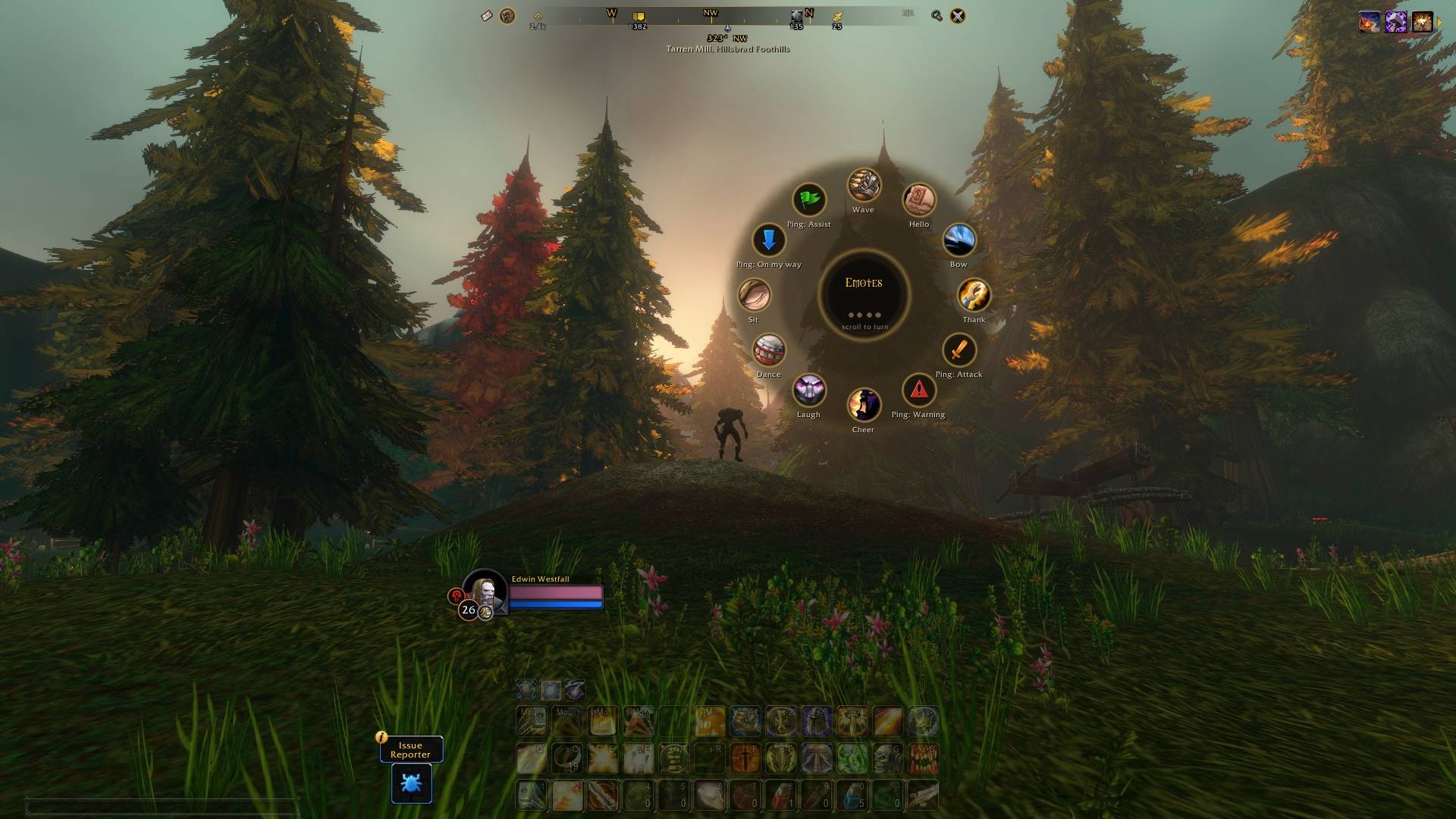
1-emote-wheel.jpg
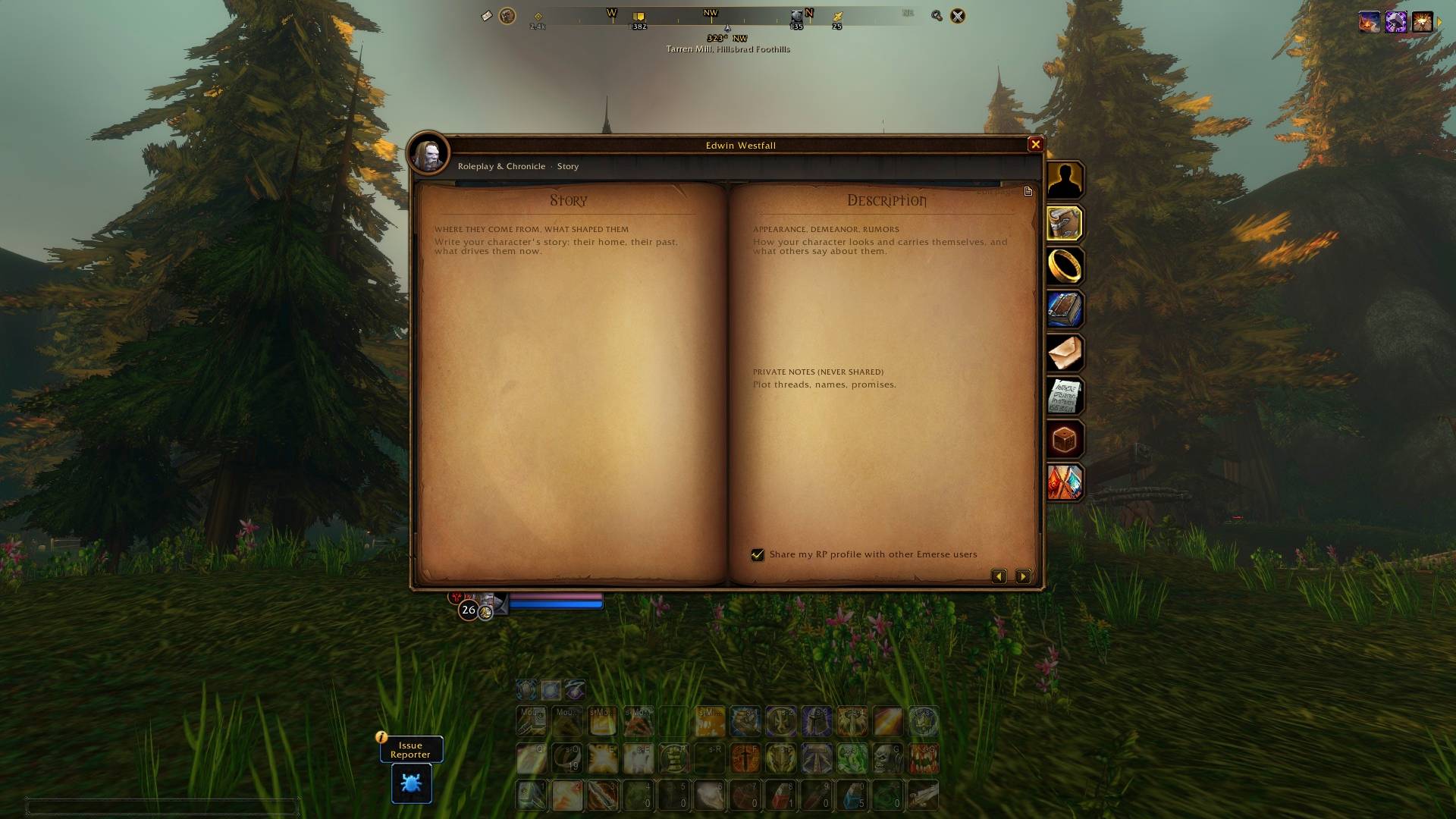
3-rp-book-story.jpg
5-duel-ladder.jpg
7-settings.jpg
Description
Emerse is in beta. It's free, it changes every week, and a lot of it comes from what players tell us on Discord.
Why Emerse
I wanted to play WoW Forever and actually look at the world. Not at a wall of bars, frames and a minimap in the corner. Emerse is the interface I wanted for that: quiet when nothing is happening, and right there when something is.
You tell it how you play once. From then on it adjusts by itself when you go solo, join a group, enter a battleground or run into the other faction in the open world. If you ever want everything back, press /panic.
New here? Your first five minutes
- Install and log in. A row of cards floats up: Hardcore, PvP, PvE and RP. Hover one to see what it changes, then click the one that fits how you play.
- Your layout or ours. Emerse asks if you want to keep your own Edit Mode layout or use one made for your playstyle. Yours is never changed, so you can always go back.
- Look up. The minimap is gone and a thin compass sits at the top of the screen. Quests, flight masters, your group and herbs or ore show on it, with their distance. Hover the compass to bring the minimap back for a moment.
- Press E. A wheel opens for emotes, pings for your group, markers, potions and your mount.
- Press C. Two new tabs sit on your character window: your RP book and your PvP book.
- Type
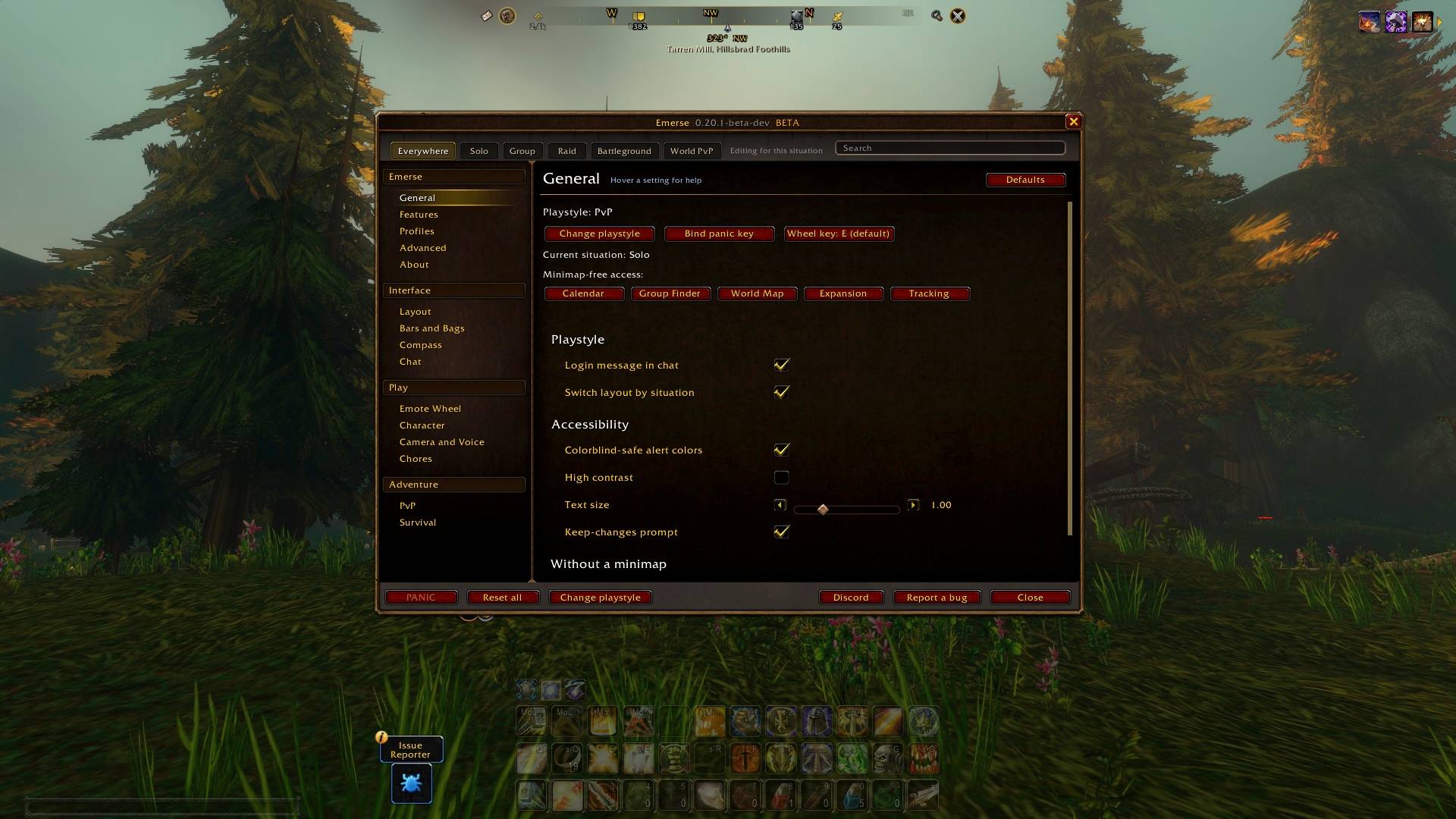
/vui. That's the settings window. Hover any setting and it tells you what it does.
Where did my stuff go?
- Minimap: hover the compass, or turn on Find Herbs or Find Minerals and it stays up while you need it. Settings > Layout > Small minimap decides when it shows.
- Bars: they fade when you're out of combat and come back the moment a fight starts. Each playstyle fades them a different amount.
- Nameplates: in PvP and RP they hide until a fight starts.
- Everything at once: type
/panic. Type it again to go back. - Your old interface: turn Emerse off in your addon list and everything comes back as it was.
Questions people ask
Does it play for me? No. Emerse shows and warns. It never presses a button for you.
Will it mess with my settings? Anything it changes, it puts back when you turn it off. Your own Edit Mode layouts are never edited.
Can I use it with my other addons? Yes. It pairs up with Overlord Forever, Spoken, Chronicle by Purist, GatherMate2 and Total RP 3 (more below). If something clashes, tell us on Discord.
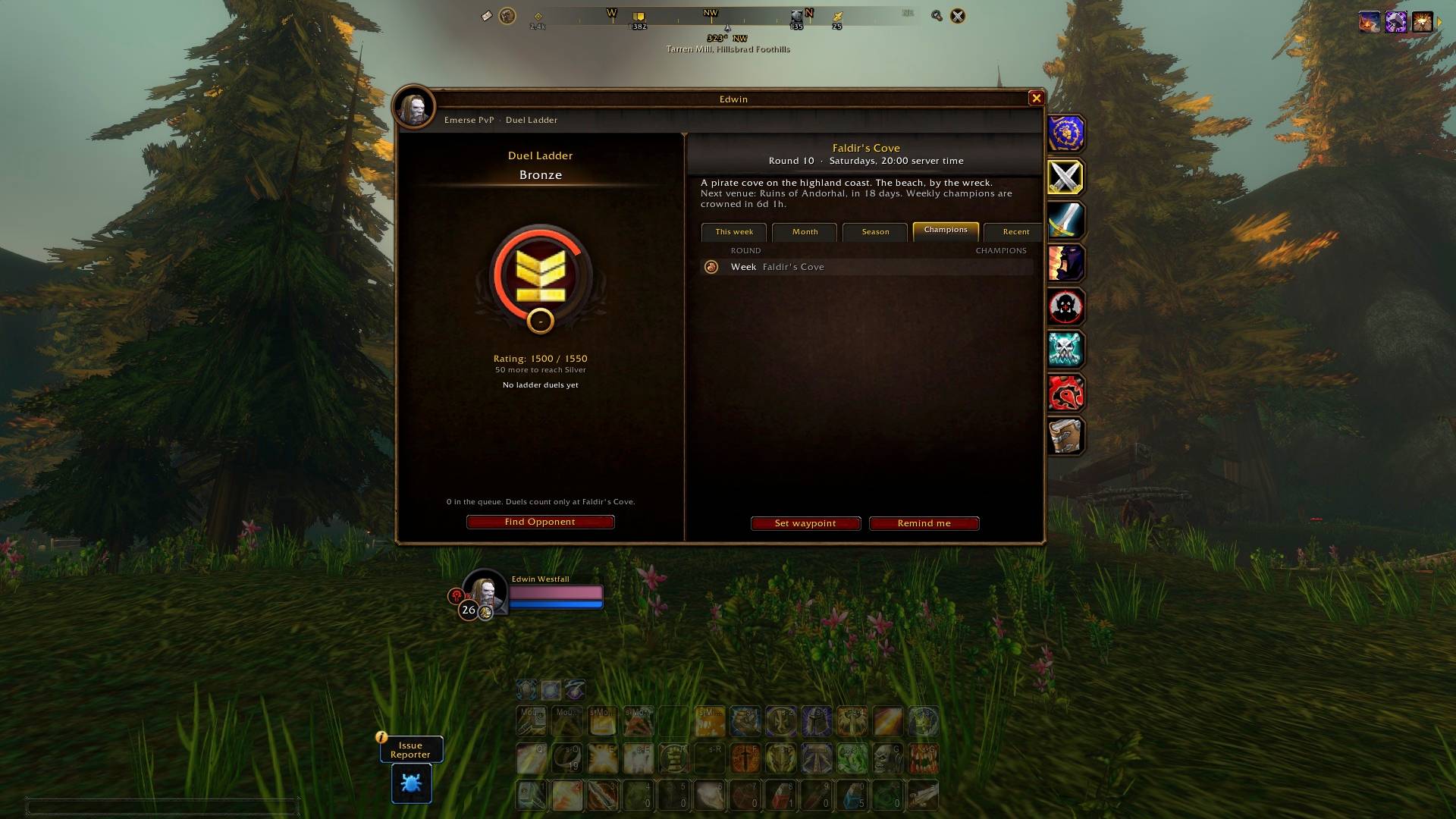
Do my friends need it? No, but some things get better together: RP profiles, pings, the Duel Ladder and the world PvP finder work between Emerse players.
Pick how you play
Hardcore. Bars stay visible, and you get a warning about low health, elites, rares and enemy players before they become your problem.
PvP. Enemy and ally bars with their buffs and debuffs, alerts when your healer gets stunned, and nameplates that show up the moment a fight starts. The camera pulls back so you can see who's coming.
PvE. Quest objectives on screen, the compass leading you to quests and hand-ins, and a golden banner every time you level up.
RP. The interface all but disappears, the camera comes in close, and your character's story travels with you.
Setup shows what each one changes, and asks if you want to keep your own Edit Mode layout or use ours. Yours is never touched.
A compass instead of a minimap
A thin bar across the top of the screen. Turn towards something and its name and distance show up under it. It shows the quests you've ticked and where to hand them in, flight masters, towns, your map pin, your group, enemy players you can see, and herbs and ore (with GatherMate2, every known spot). Turn on Find Minerals and a small minimap pops up under the compass while you need it.
Your PvP book and your RP book
Both open from the tabs on your character window, and both look like they belong there.
The PvP book keeps your record: battles you fought, enemies you've seen, your kill on sight list, a world PvP finder, and the Duel Ladder, a weekly one-on-one ladder between Emerse players.
The RP book holds your character's name, title, story and bonds, the roleplayers around you, and a D&D-style sheet with dice rolls the people nearby can see. It talks to Total RP 3, MyRolePlay and XRP, so their players see your profile and you see theirs.
Little things
- Press E for a wheel of emotes, pings, markers, potions and your mount.
- The camera eases back in fights, gives you more road on a mount, and on a flight path the interface fades out until you land.
- Hover any setting in
/vuiand it tells you what it does.
Plays nicely with
Overlord Forever (war fronts on your compass), Spoken (voice-over for quests), Chronicle by Purist (your gear at every level), GatherMate2 and Total RP 3.
Still in testing
A few features need other Emerse players around, so they start switched off: the Duel Ladder, story events, the world PvP finder and the battle summary. Turn them on in Settings > Features if you'd like to help test them.
Come say hi
Our Discord is where Emerse grows. There are voice rooms for duel nights, roleplay and world PvP spots like Hillsbrad, channels to find a fight or a story, and a #feedback forum. Found a bug? Post it there with a screenshot and the text from /vui report.
Emerse is made with the help of Claude by Anthropic.
Emerse Team