Embers - Campfire Addon
- By
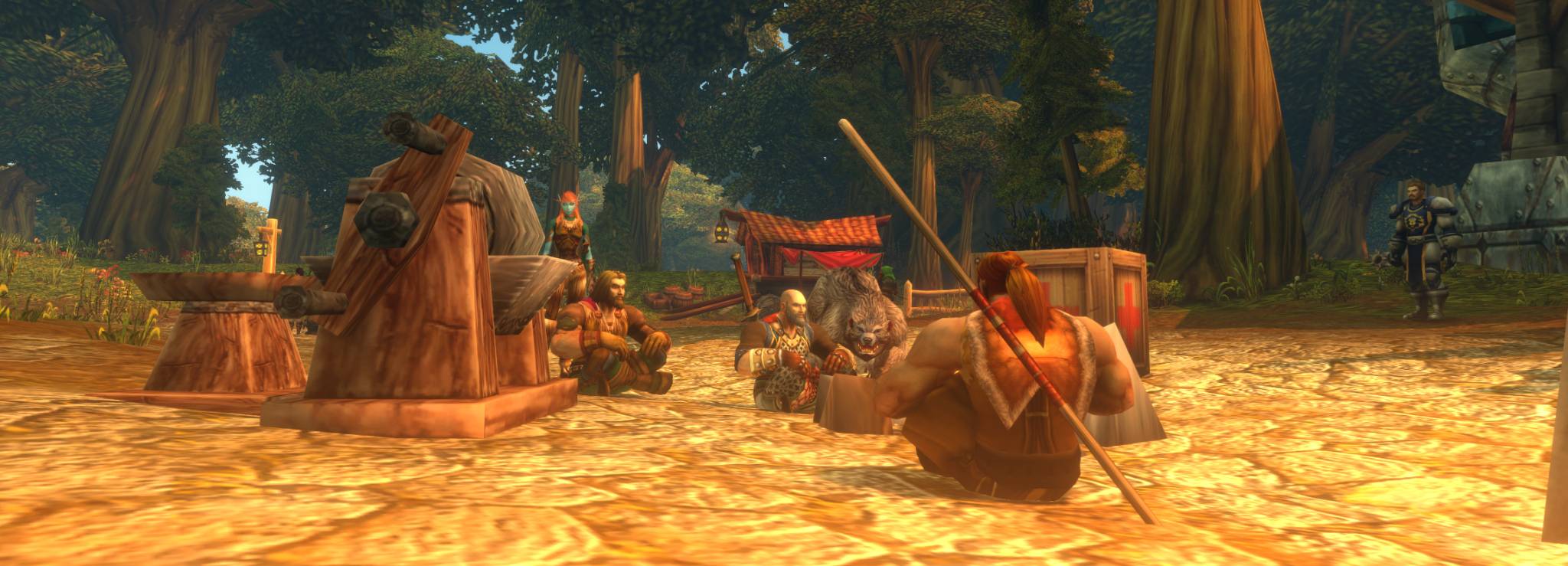
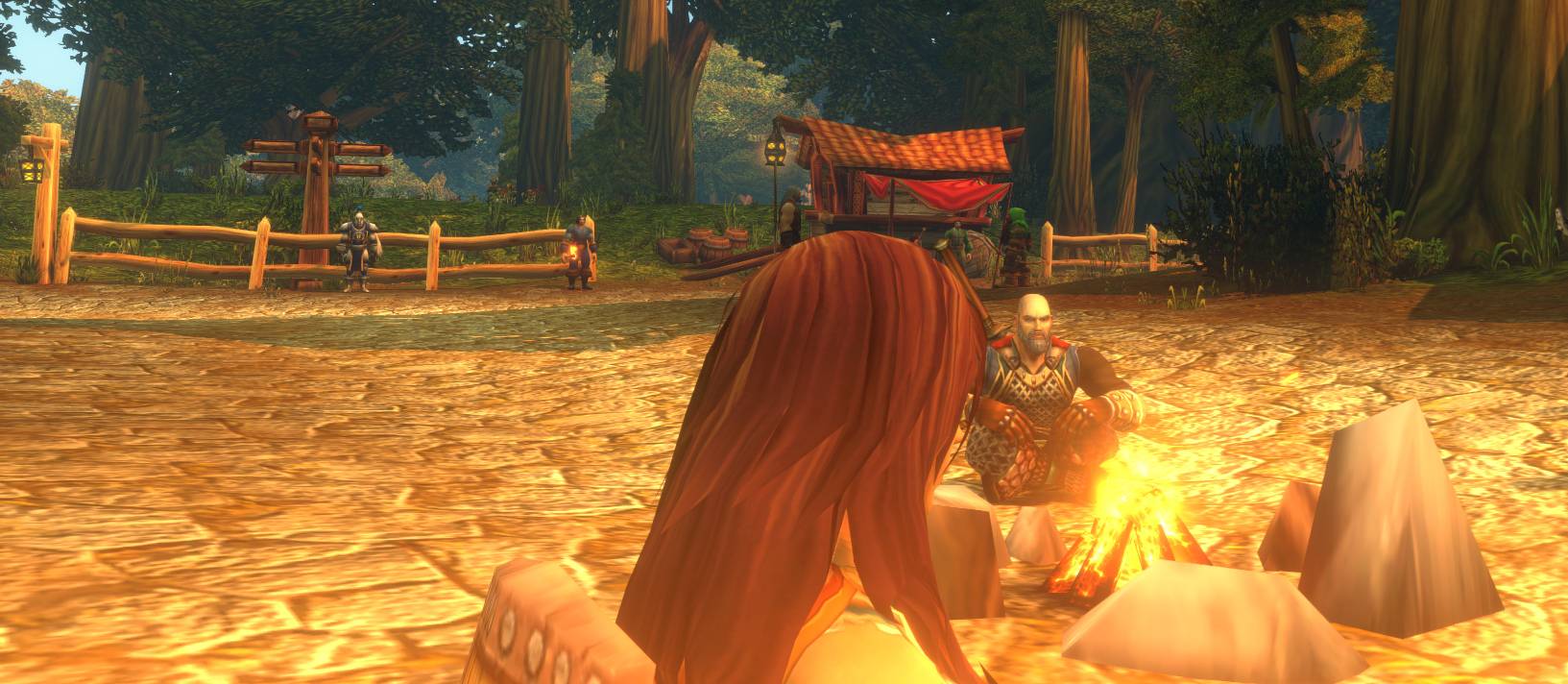
Turn campfire rests into a calm, cinematic pause: the UI fades away, the camera drifts, and the fire glows while you wait for your camp buffs.
Screenshot4(2)_under_2MB.jpg
Screenshot2(3)_under_2MB.jpg
Screenshot1(3)_under_2MB.jpg
Description
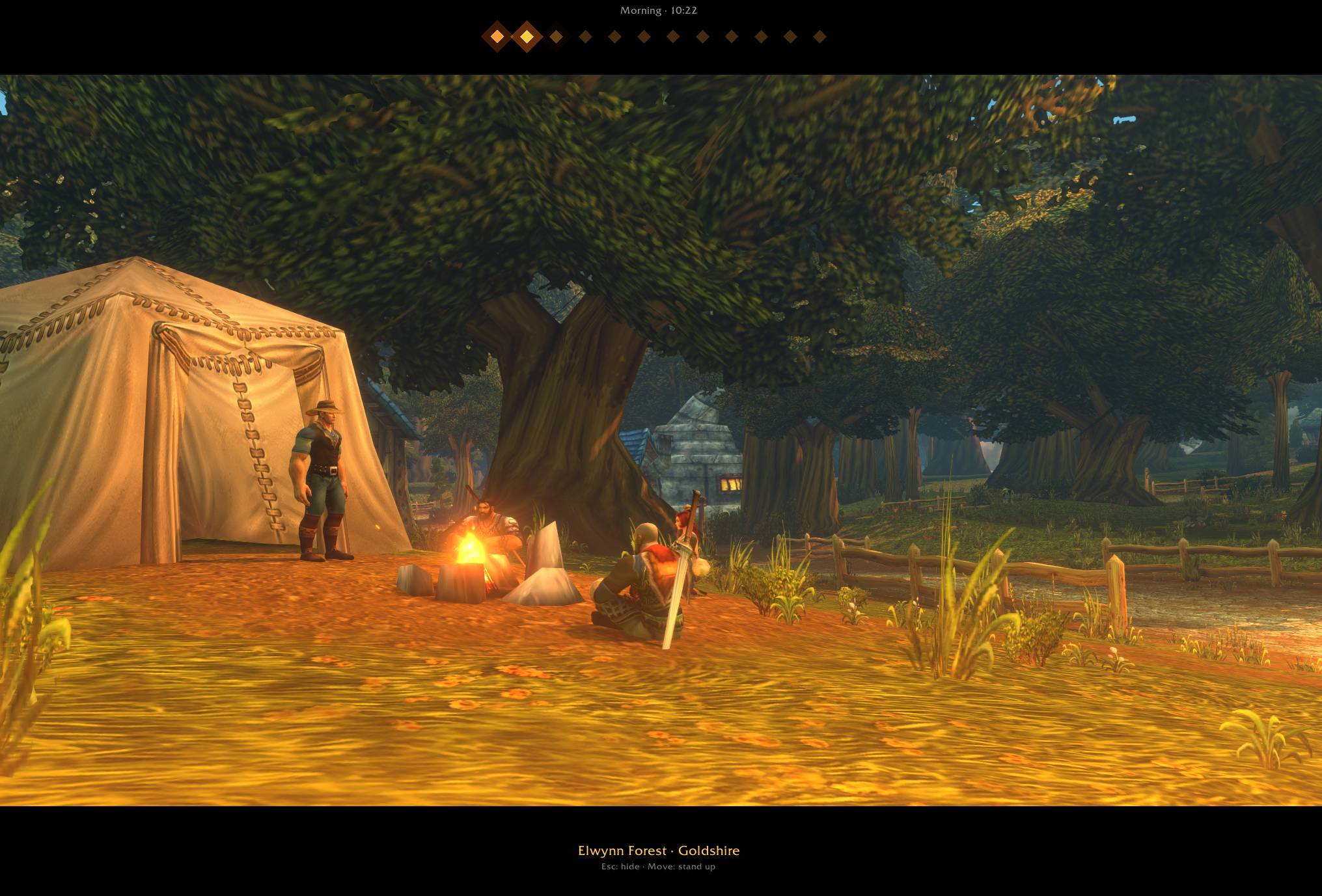





In WoW Forever, you rest at a campfire for a minute to receive your camp buffs. Embers turns that minute into a small, cinematic moment: the UI fades away, the camera drifts slowly around your character, the fire crackles and glows softly while you rest.
Features
- Automatic start: Embers begins when you sit down at a campfire, whether you press X, type /sit or /kneel.
- Cinematic view: letterbox bars, warm flickering firelight and a slowly turning camera. Names and friendly nameplates are hidden for a clean view.
- Ember timer: twelve embers light up one by one during the camp minute, so you know when your buffs are on their way.
- "You feel rested": the fire flares up when the minute is done and shows the buffs you received.
- Campfire sound: a soft crackling fire while you rest (follows your Sound Effects volume).
- Subtitles: /say, /yell, emotes, whispers and party chat appear as film subtitles, so you can follow the conversation around the fire.
- Chat when you need it: press Enter and only the chat box appears. Send your message and it is gone again.
- Craft while you rest: professions, character panel, map and other windows open on top of the cinematic view.
- Social mode: keep chat and nameplates visible if you prefer.
- Easy to set up: every option is in the game's settings, with toggles and sliders.
How it works
Just sit down at a campfire. Move, stand up, press Esc or enter combat to return to the game. Embers never makes your character stand up, so your rest is never interrupted.
You can also start it anywhere with /embers or a keybinding (Options → Keybindings → AddOns).
Settings
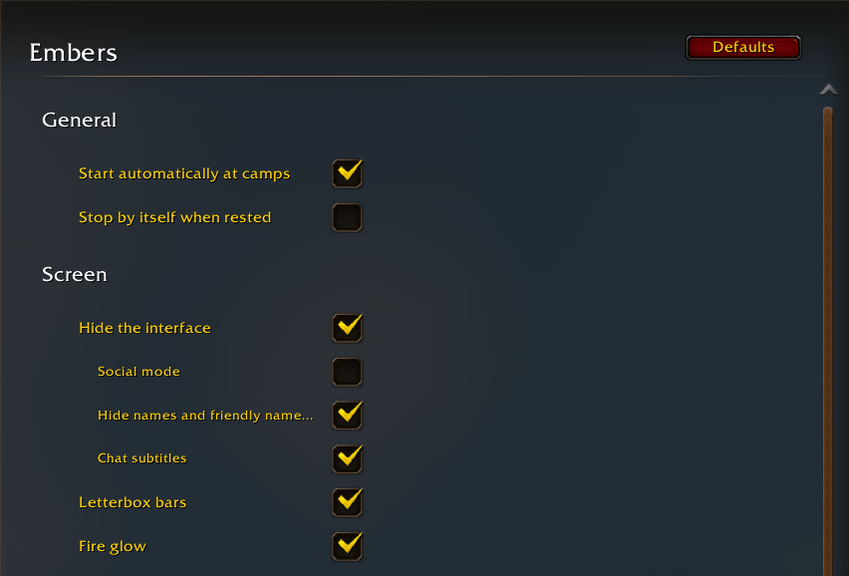
All settings are in Esc → Options → AddOns → Embers. Type /embers config to open the page directly, or /embers help for chat commands.
- General: start automatically at camps, stop by itself when rested
- Screen: hide the interface, social mode, hide names and nameplates, chat subtitles, letterbox bars, fire glow
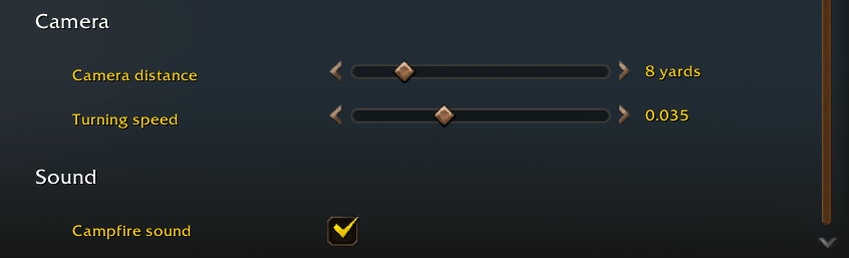
- Camera: camera distance (1–39 yards) and turning speed
- Sound: campfire sound
More moments at the fire
Embers - Campfire Addon Team