Easy Currency Tracker
Track currencies and gold in a customizable bar, list, or grid, independently of your backpack selection.

Description
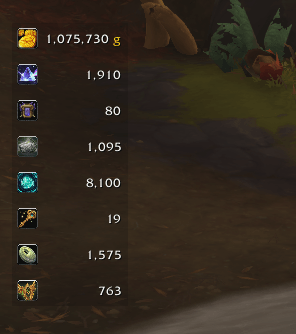
Keep your favorite currencies visible with Easy Currency Tracker, a customizable currency display for World of Warcraft Retail.

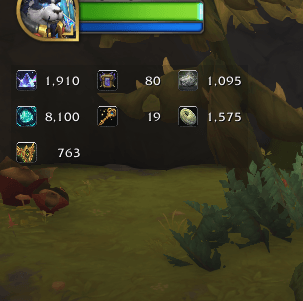
Choose the currencies you want to track without changing your backpack’s currency selection. Display gold, crests, Undercoin, Restored Coffer Keys, and other available currencies in a panel that fits your UI.
Choose your currencies
- Browse available character currencies with icons, names, amounts, and tooltips.
- Select or deselect currencies directly in the addon’s settings.
- Search by name or currency ID.
- Filter the list to show only selected currencies.
- Include currencies from collapsed categories.
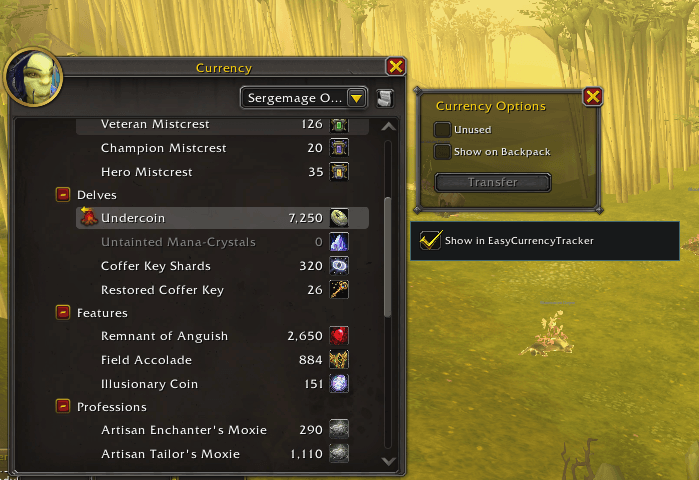
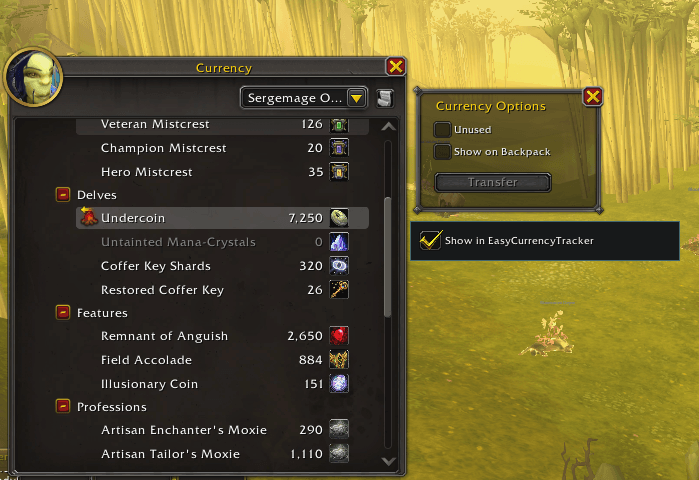
- Add currencies through the Show in EasyCurrencyTracker checkbox in the default Character → Currency window.
Customize your display
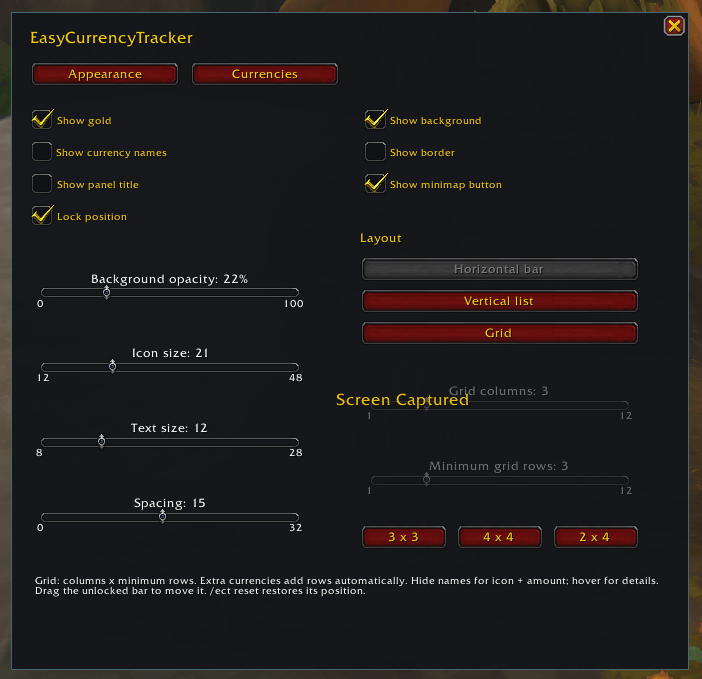
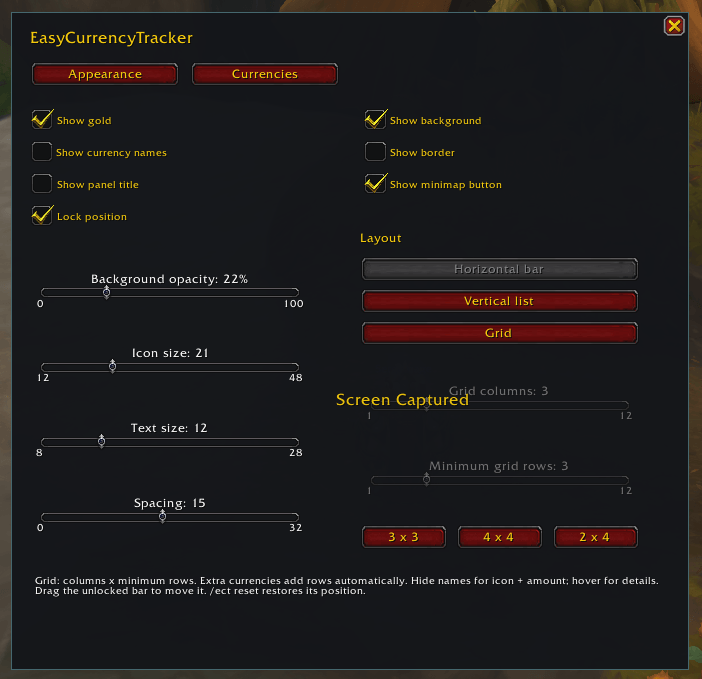
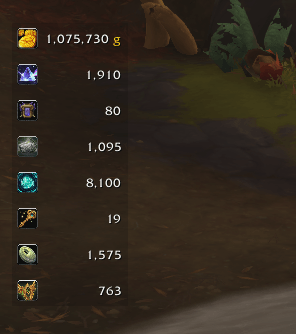
- Choose a horizontal bar, vertical list, or grid.
- Configure grid columns and minimum rows, with 3×3, 4×4, and 2×4 presets.
- Additional currencies automatically add grid rows.
- Adjust background opacity and show or hide the border.
- Show or hide currency names and the panel title.
- Change icon size, text size, and spacing.
- Drag the panel into position and lock it when you’re done.
The default layout is a compact horizontal bar with icons and amounts on a semitransparent background. Settings and selections are saved separately for each character.
Minimap controls
The draggable minimap button features a distinctive teal-and-violet icon and a tooltip showing your tracked currency amounts.
- Left-click: show or hide the panel.
- Right-click: open or close settings.
- Drag: reposition the button around the minimap.
You can hide the minimap button in settings and continue using /ect.
Getting started
Type /ect, open the Currencies tab, and check the currencies you want to display.
Right-click the tracking panel to access settings. To stop tracking a currency, uncheck it in the selector.
Commands (Optional)
/ect— Open or close settings./ect show— Show the panel./ect hide— Hide the panel./ect reset— Restore the panel to the top center and unlock it./ect add ID— Track a currency by its numeric ID./ect remove ID— Stop tracking a currency by its numeric ID.
Compatibility
Built for World of Warcraft Retail 12.1.5. No additional addons or external libraries are required.
Includes English and Spanish interface text. Currency names follow your game language.
Easy Currency Tracker Team