Patron Order Buylist
Build one persistent shopping list from the Patron Orders you CHOOSE, showing ONLY the materials YOU still NEED.
# Patron Order Buylist
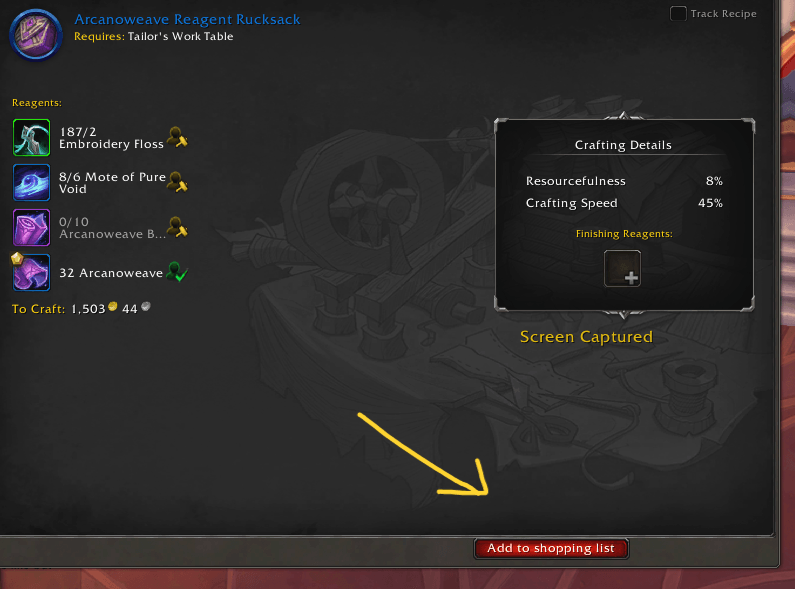
Turn the Patron Orders you choose into one practical shopping list. Add orders individually from Blizzard's order details, then gather or buy the reagents for all of them together.
## Shopping list
- Combines the reagent needs of the orders you add.
- Deducts reagents supplied with the order and materials in your bags.
- Counts quality variants as the same material.
- Keeps materials marked as covered after you have enough, so they do not return to the buy list when you use them to craft.
- Shows item icons and the remaining quantity.
- Optionally sends missing materials to Auctionator for searching. You review the results and buy manually.
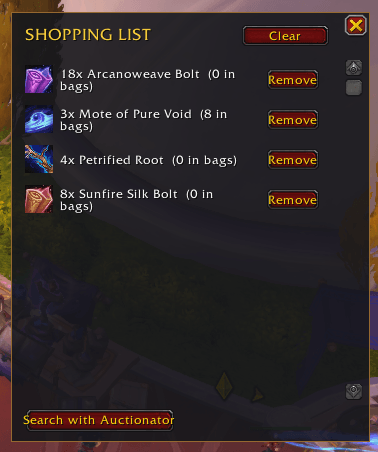 Auctionator searches are optional and require Auctionator and an open Auction House. QuickCheck sends the material search terms; check the remaining quantities in the list when buying.
## At the crafting table
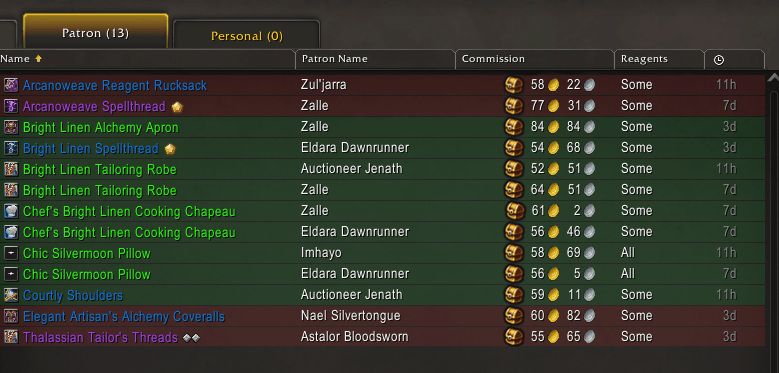
QuickCheck also adds subtle row colors and a tooltip with an estimated order status, net tip, and additional rewards. This is a secondary convenience; the shopping list is the main feature.
Auctionator searches are optional and require Auctionator and an open Auction House. QuickCheck sends the material search terms; check the remaining quantities in the list when buying.
## At the crafting table
QuickCheck also adds subtle row colors and a tooltip with an estimated order status, net tip, and additional rewards. This is a secondary convenience; the shopping list is the main feature.
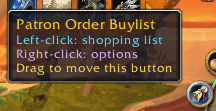
The minimap button opens or hides the shopping list with a left-click and opens options with a right-click.
 QuickCheck does not claim, reject, craft, complete, or buy orders for you.
Patron Order Buylist Team