Easy Chat Manager
- By
A modern in-game messenger with cross-character chat history, account-wide contacts, detachable conversations, customizable notifications and Quick Messages.
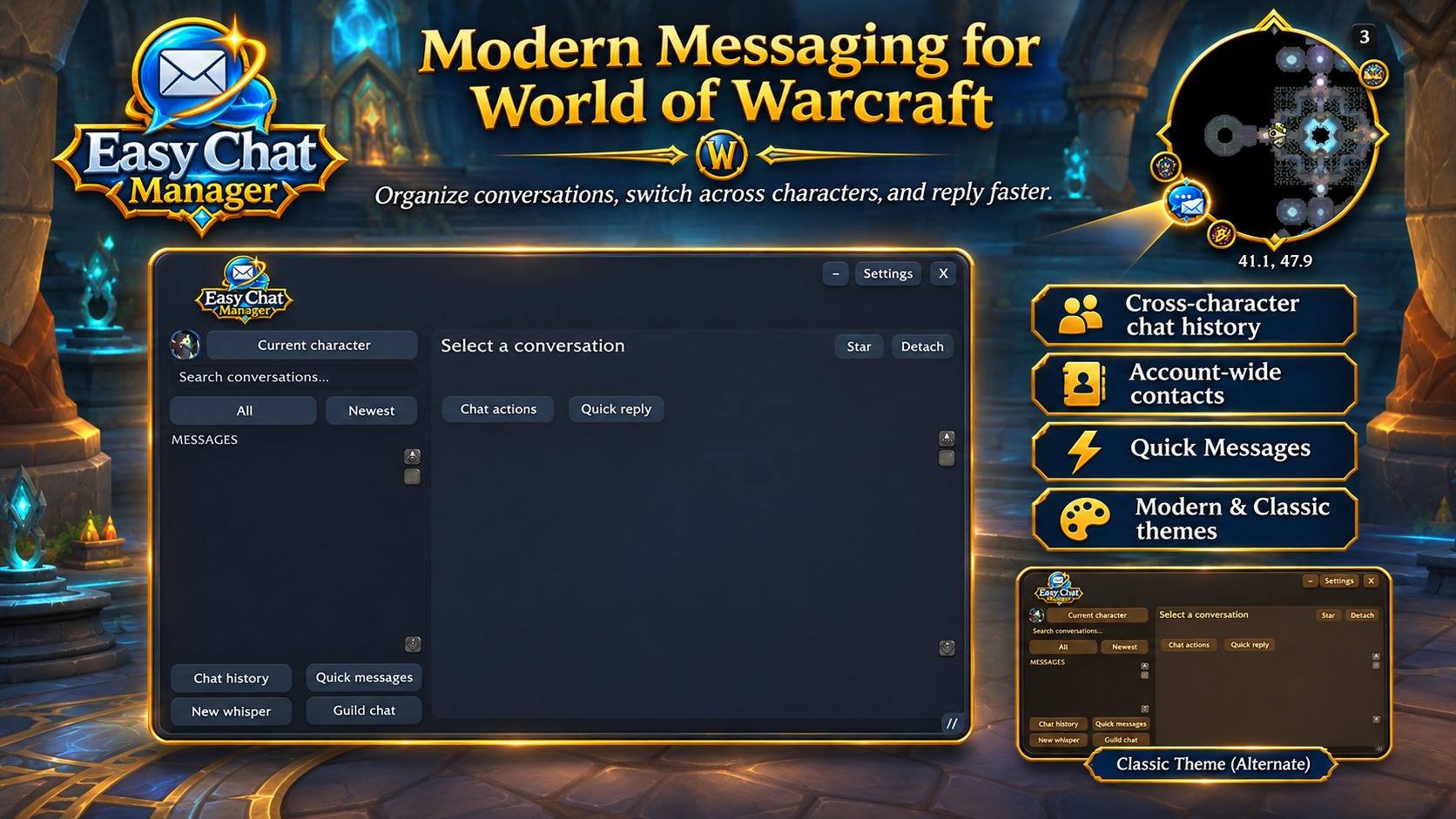
organize conversations, browse local cross-character chat history, use account-wide contacts and Quick Messages, and choose a modern or classic theme.
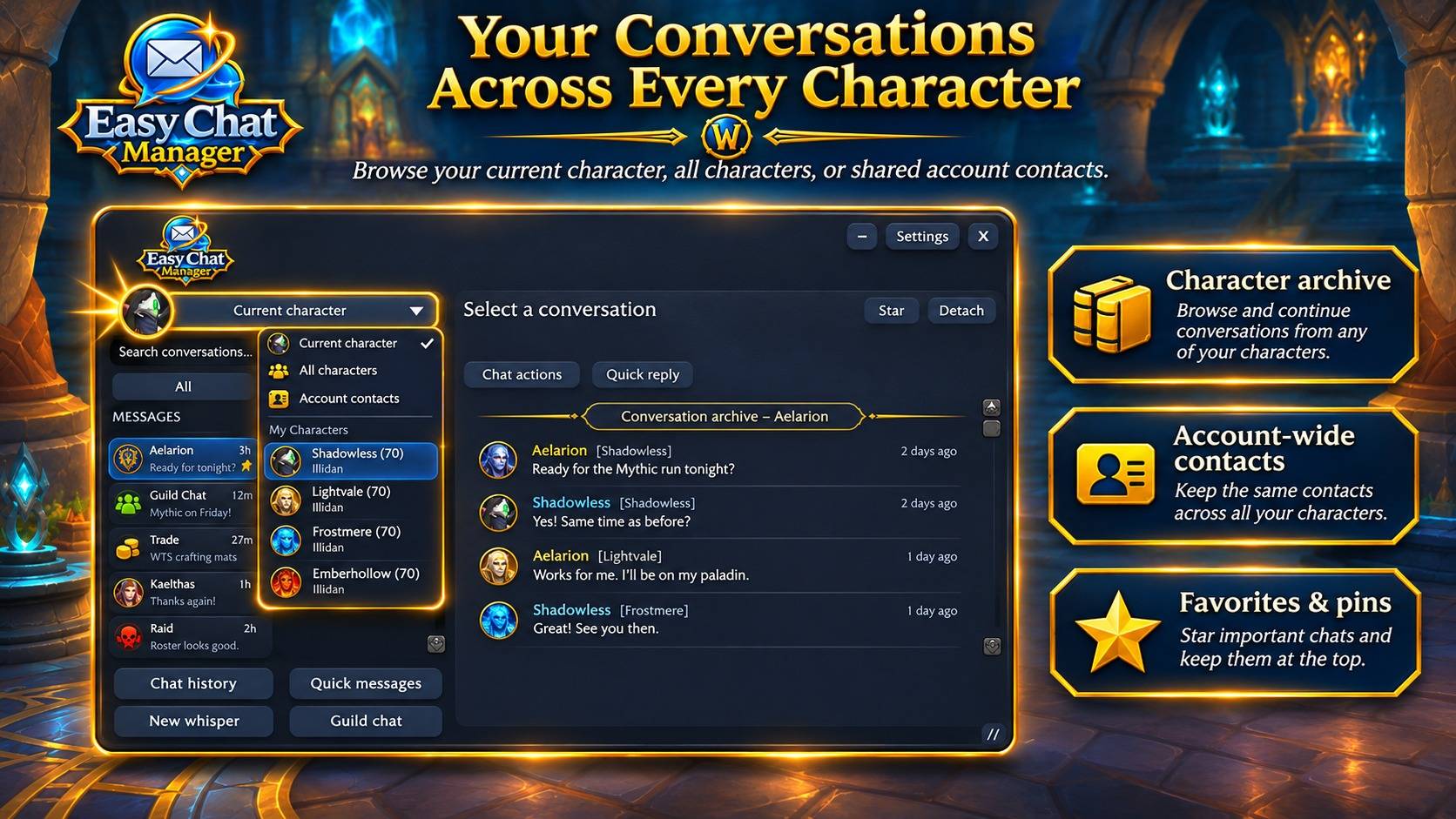
browse saved conversations from your current character or alts, keep account-wide contact shortcuts, and mark favorites or pins. Archived conversations are read-only; reply from your active character.
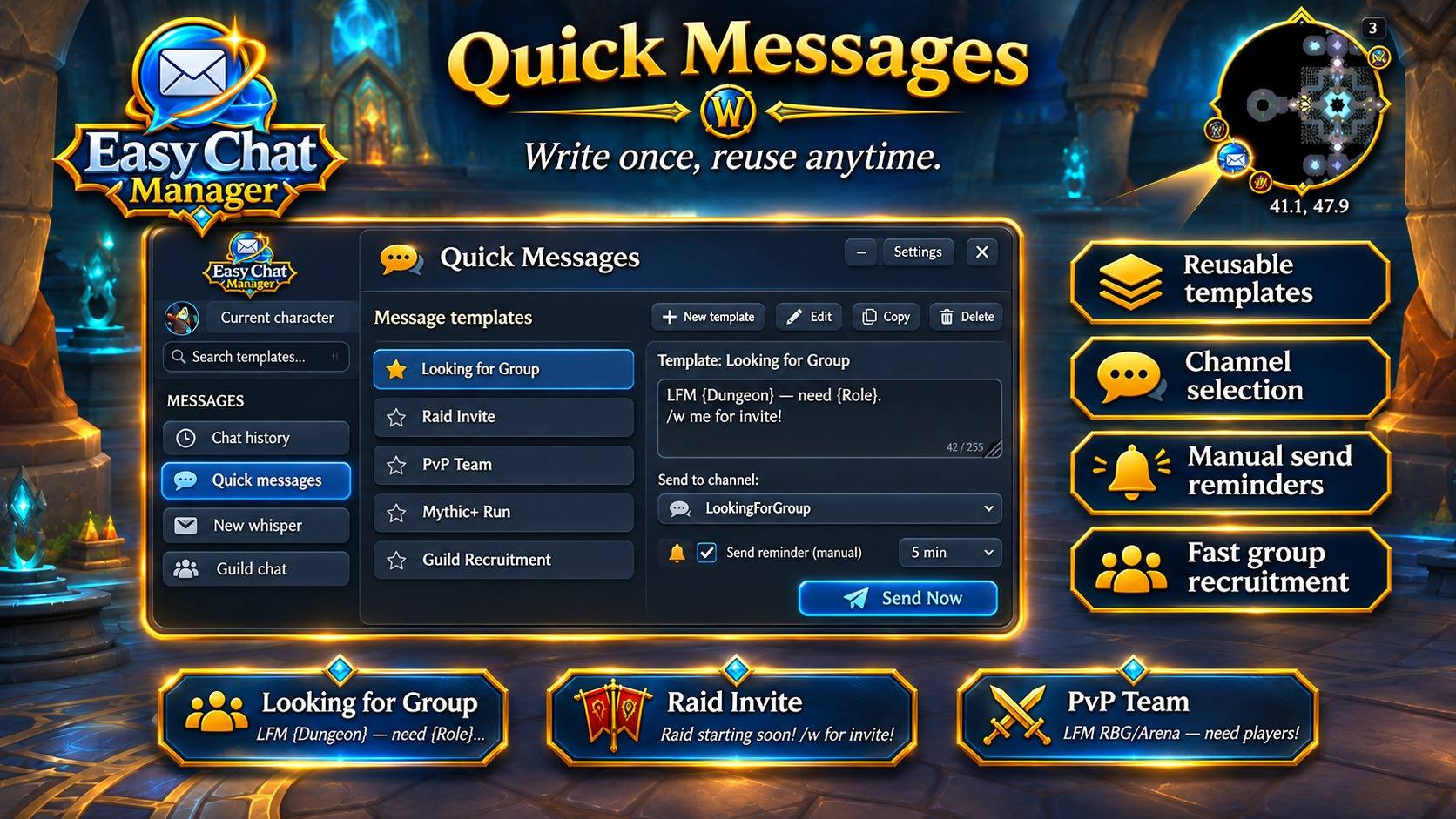
create reusable message templates, choose an available chat channel, and use manual send reminders. Messages are sent only through an explicit player action.
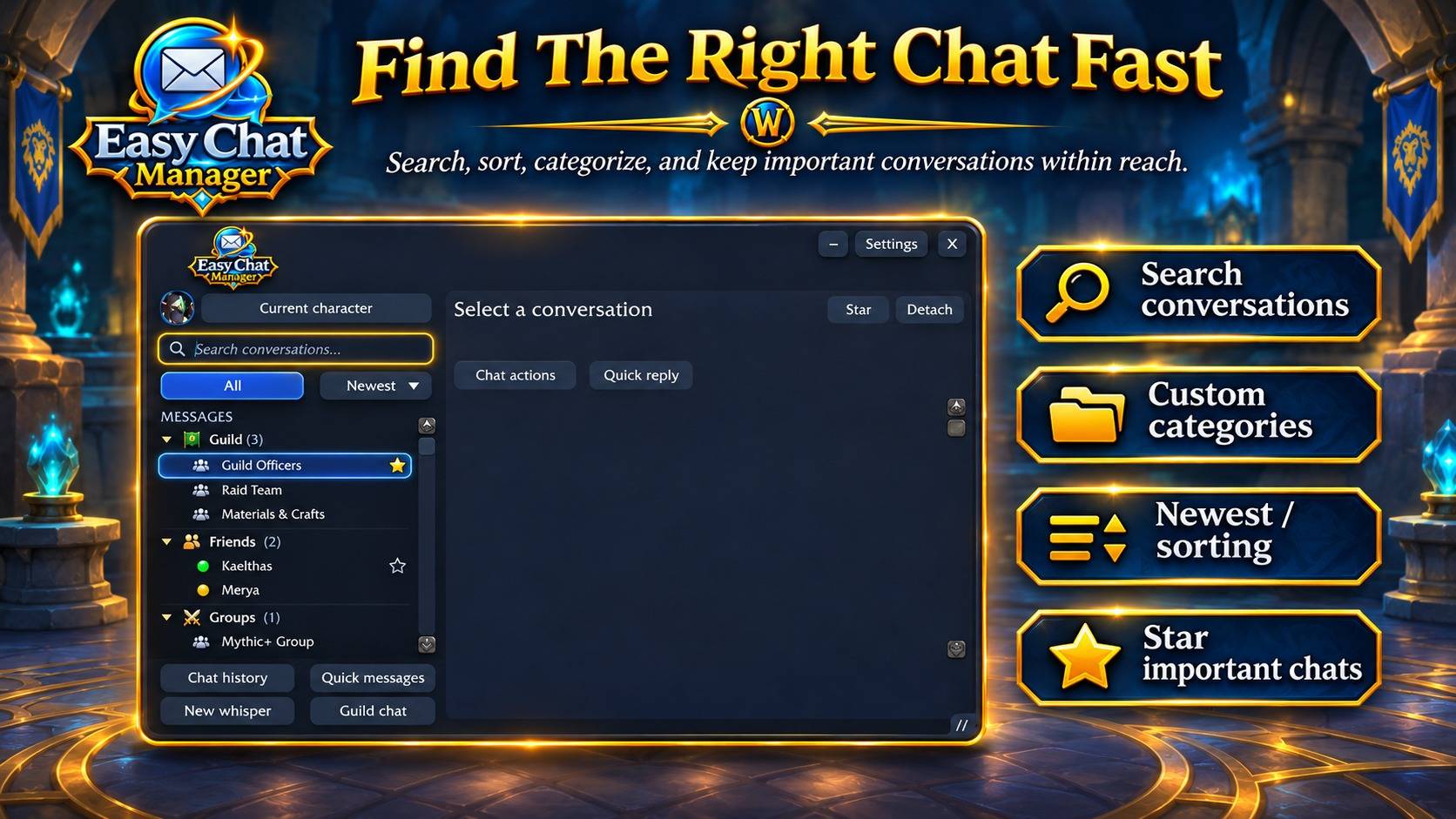
search conversation history, sort by name or recency, filter by category, and keep important conversations accessible with favorites and pins.
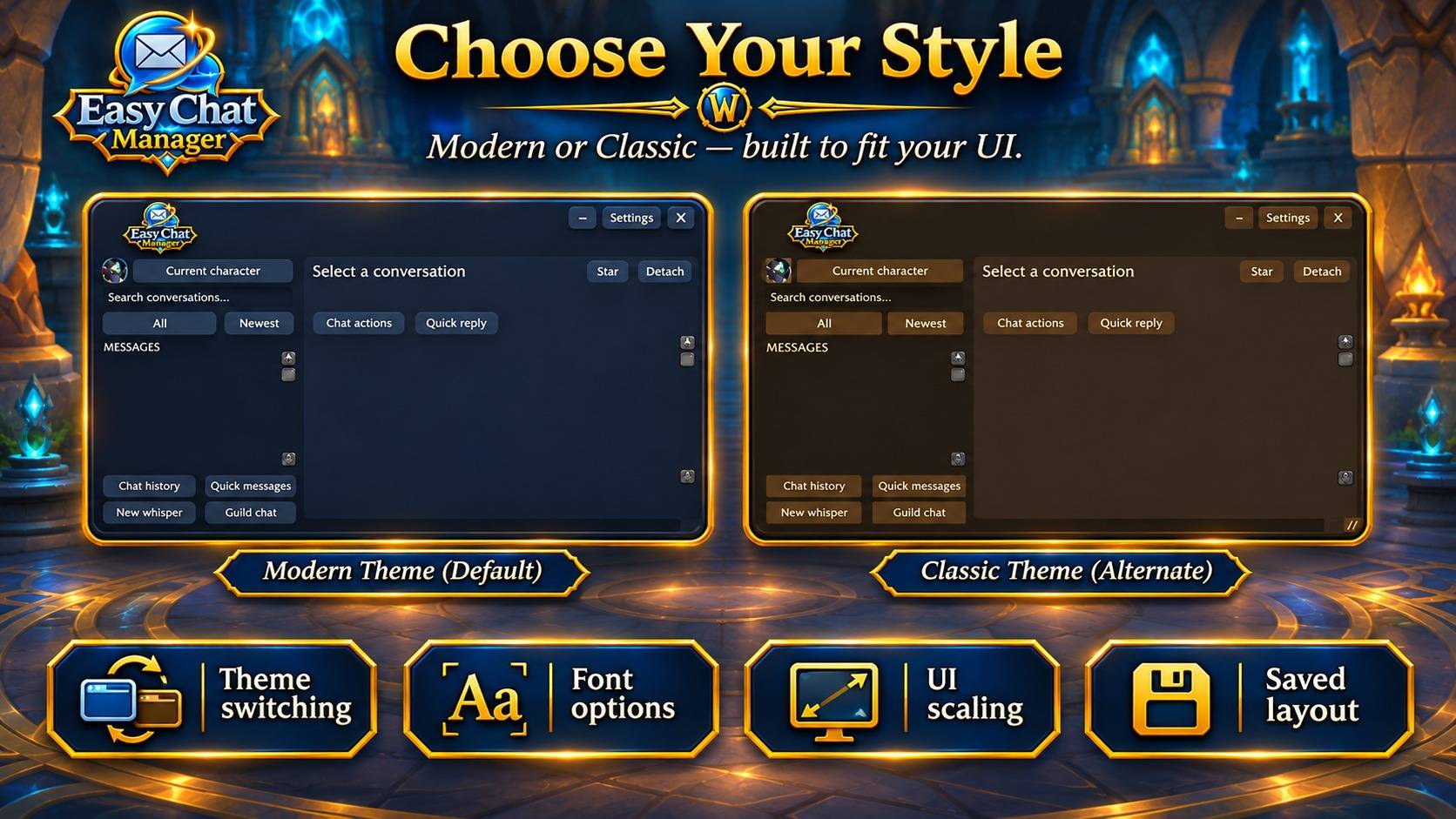
switch between modern and classic themes, choose available fonts, adjust interface scale and save your preferred window layout.
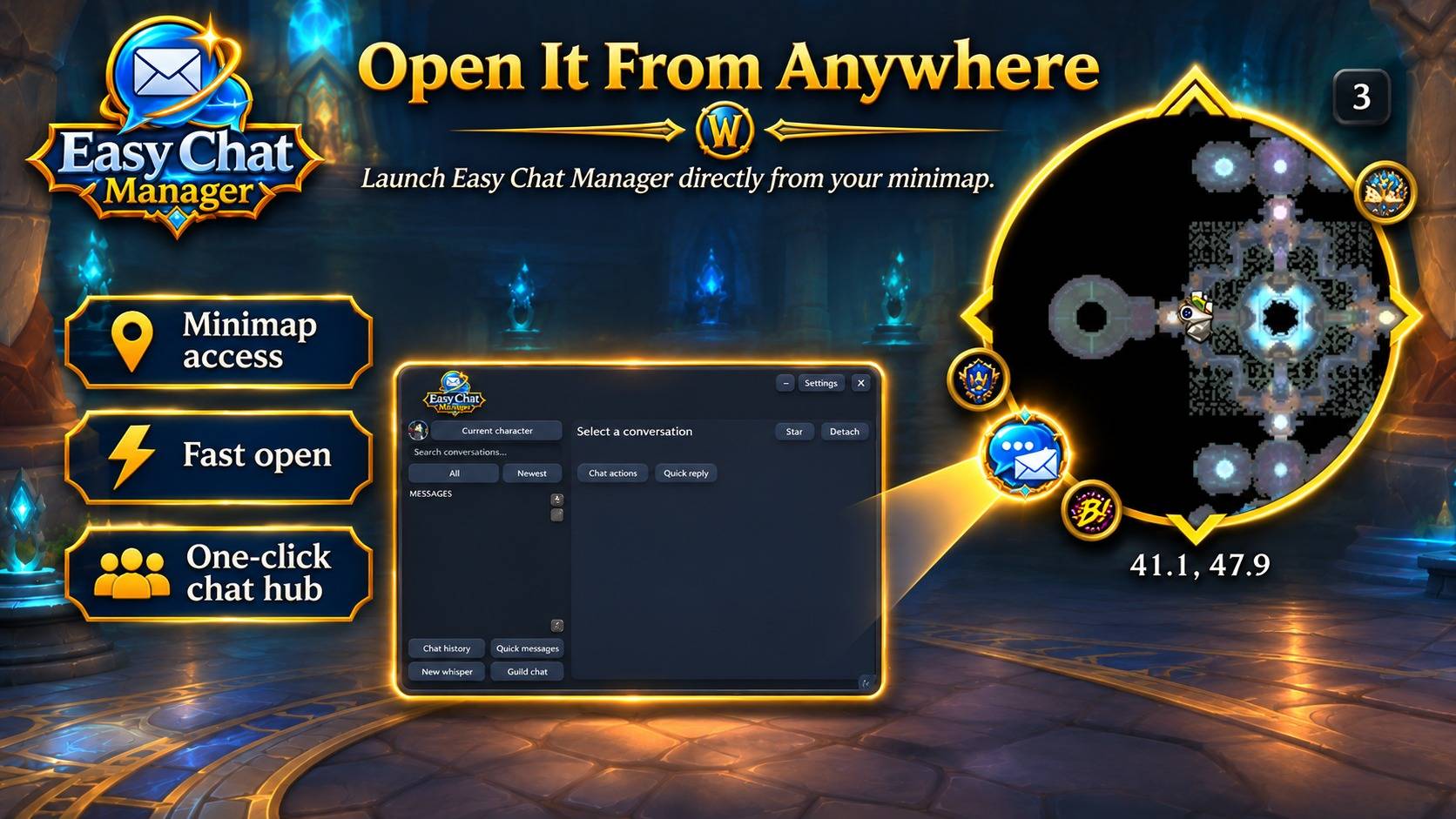
open or minimize the messenger using its native minimap button, without an external minimap library.
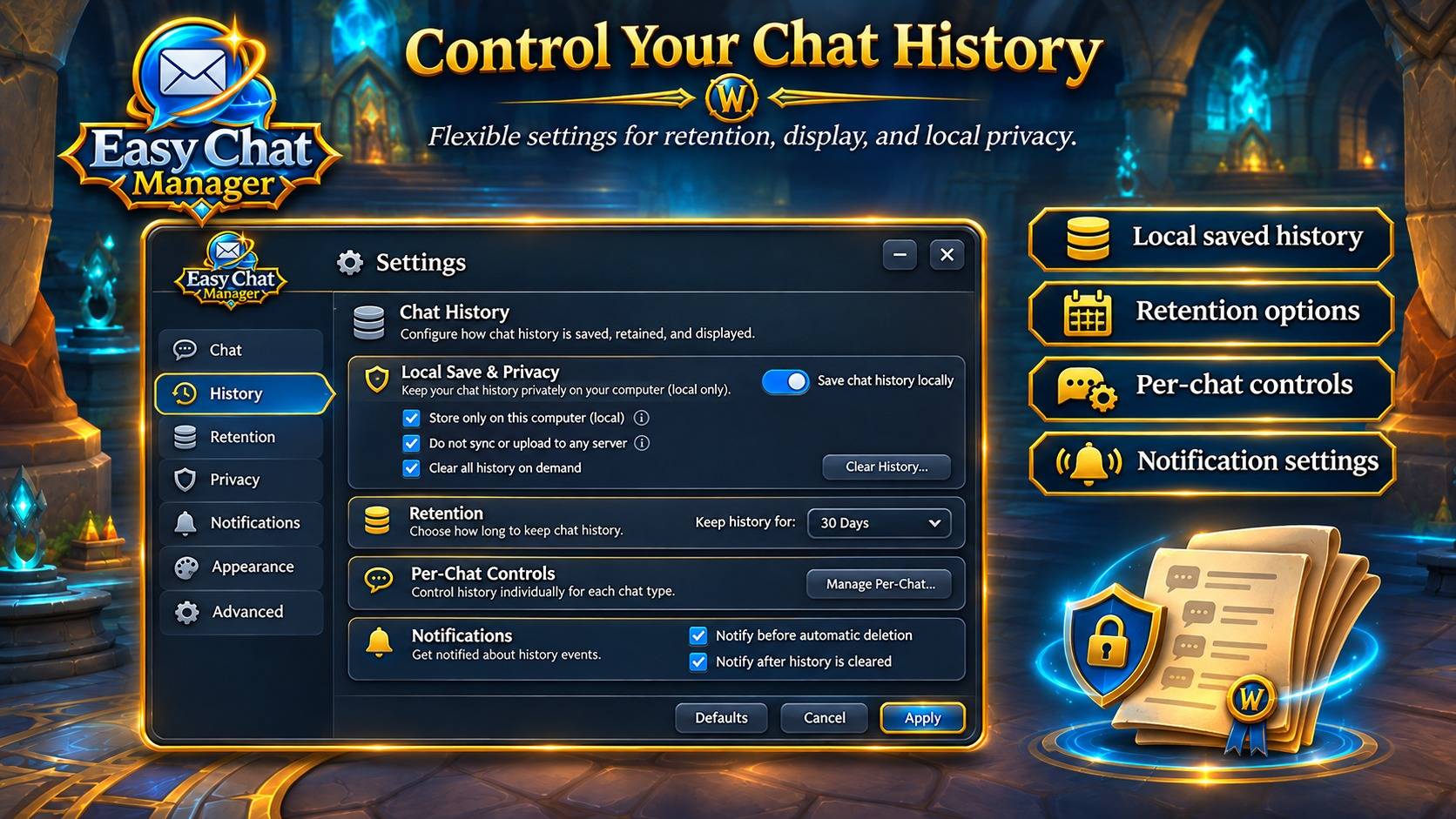
manage locally stored chat history, configure retention and capture options, hide message previews, and review expired messages before confirming deletion.
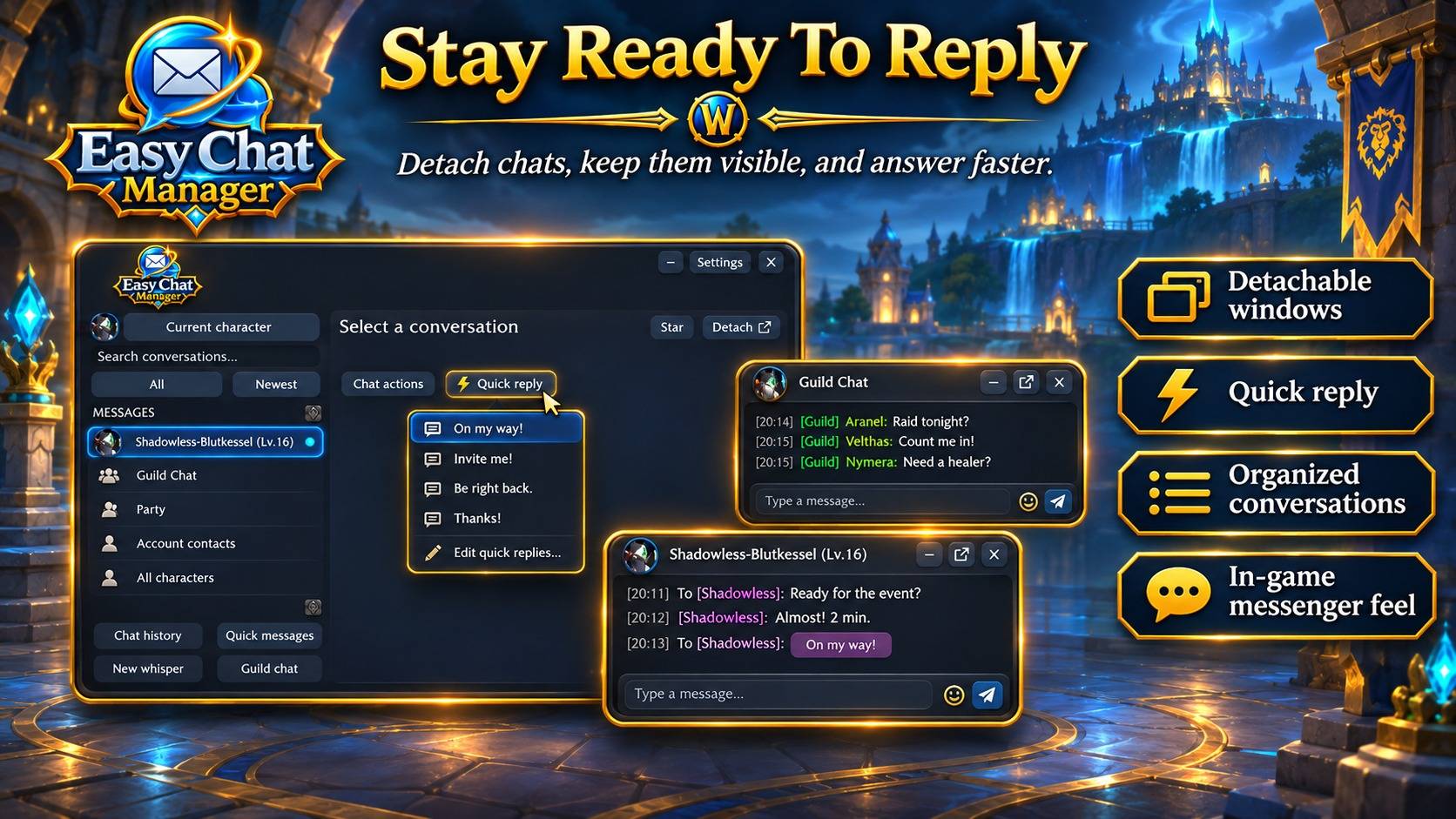
detach individual conversations into movable windows, keep important chats visible, and reply manually without reopening the main messenger.
Description
A modern messenger for World of Warcraft
Easy Chat Manager (ECM) brings your conversations together in one dedicated in-game messenger. Keep important chats within reach, browse your saved history across characters, and spend less time searching through the default chat window.
Whether you're organizing a dungeon group, coordinating with your guild, or catching up with friends, ECM gives you a convenient place to manage your conversations.
Your conversations across every character
- Browse saved conversations from your current character, individual alts, or all characters.
- Maintain shared account-wide contact shortcuts and favorites.
- Review historical conversations without logging into another character. When replying, use a separate conversation on your active character.
- Pin important chats to keep them easily accessible.
Quick Messages — write once, reuse anytime
Create reusable templates for group recruitment, raid invitations, guild announcements, everyday replies, and more. Organize your templates, select an available chat channel, and use optional manual send reminders.
You remain in control: sending requires an explicit player action. Reminders do not automatically send messages.
Find the right chat fast
Search saved conversations and messages, assign custom categories, filter by chat type or favorites, and sort by name or recency. Unread indicators and pins help you find conversations that need your attention.
Stay ready to reply
Detach conversations into independent, movable chat windows, resize them to suit your interface, or dock them back into the main messenger. Keep important conversations visible while playing and reply without repeatedly opening the main window.
Control your chat history and notifications
- Chat history is stored locally through WoW SavedVariables; ECM does not upload your conversations to an external server.
- Configure retention rules, chat capture and contextual information.
- Review expired messages before confirming cleanup.
- Customize notification sounds, duration, position and message previews, or mute individual conversations.
Choose your style
Switch between the modern dark theme and a warm classic theme. Adjust available fonts, font size and UI scale, and keep your preferred window positions and sizes between sessions.
Open it from anywhere
Use the integrated minimap button to open or hide the messenger, or type /ecm or /chatmanager in the game chat.
Installation and getting started
- Install Easy Chat Manager through CurseForge, or extract the addon into your WoW Interface/AddOns folder.
- Enable the addon on the character selection screen.
- Enter the game and use the minimap button or
/ecm. - Explore your conversations, settings, and Quick Messages.
Compatibility and feedback
Available chat channels and functions depend on your WoW client, game permissions, and Blizzard's addon restrictions. Check the Files tab for the supported game versions. This project is in early development; feedback and reproducible bug reports are welcome.
The gallery graphics above are illustrative feature previews. Actual in-game appearance and available options may differ by version.
Developed by Shadowless Studios.
Easy Chat Manager Team