Ease AddOn Controller
- By
Ease AddOn Controller is an advanced in-game addon manager, you can easily categorize, search, and load addons with EAC.
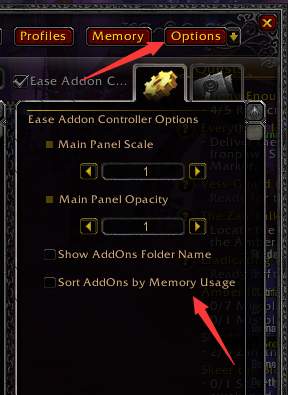
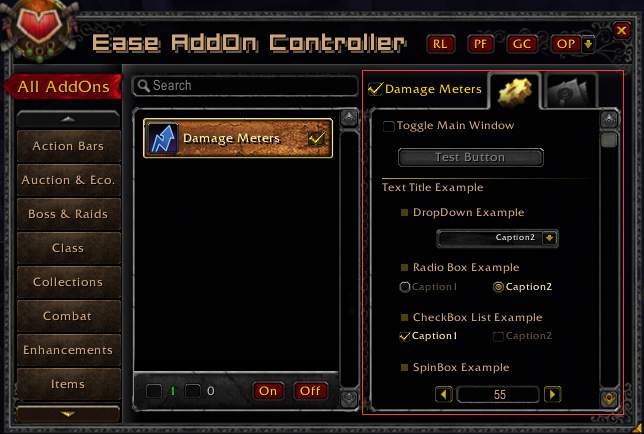
- Each addon can have a options page. This image shows the EAC itself's options.
- The options page can be constructed in very simple lua code.
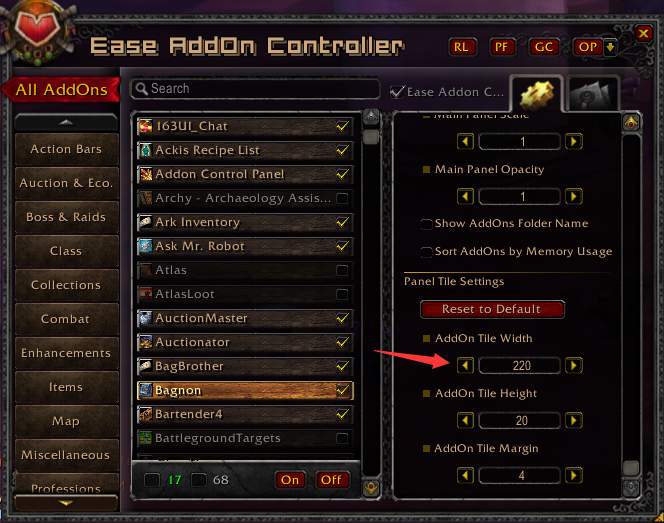
v1.0.3 - Configurable Tile Size
tutorial-step4
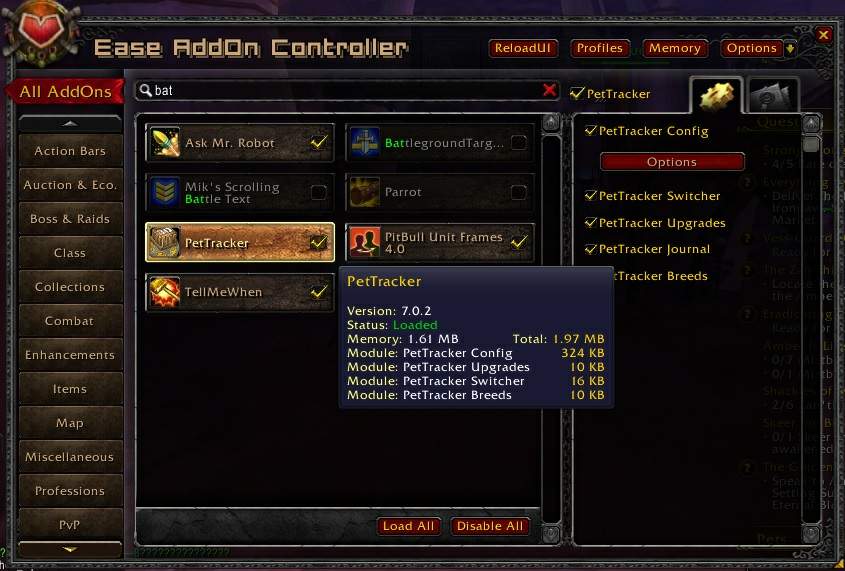
- typing 'bat' in the search box, and results are shown in real time.
- Not only addon title is searched, but also the modules, the options and even the description notes.
- Tooltip shows an addon's version, status and memory usage w...
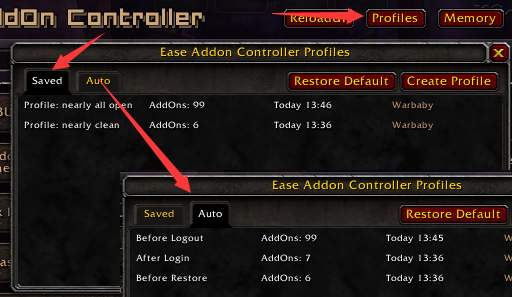
- Save/Load addons state on the fly
- EAC can auto save backups at curtain point.
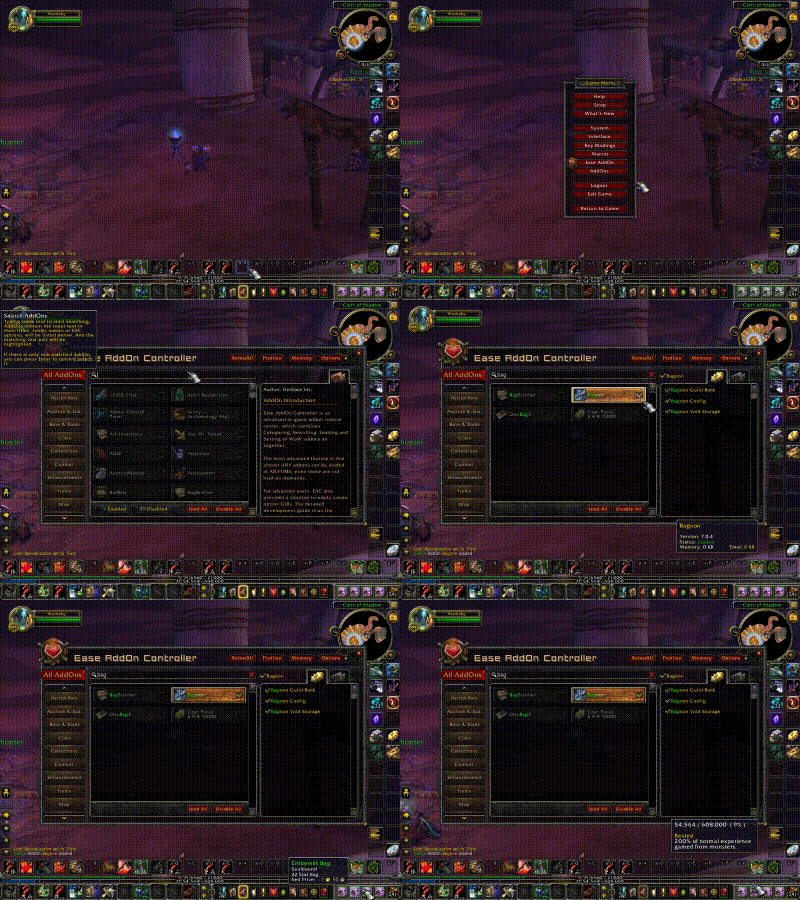
Use EAC to Open Bagnon Without Reload
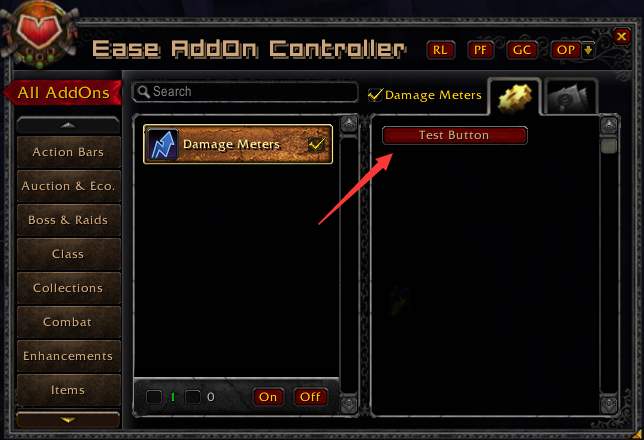
tutorial-step2
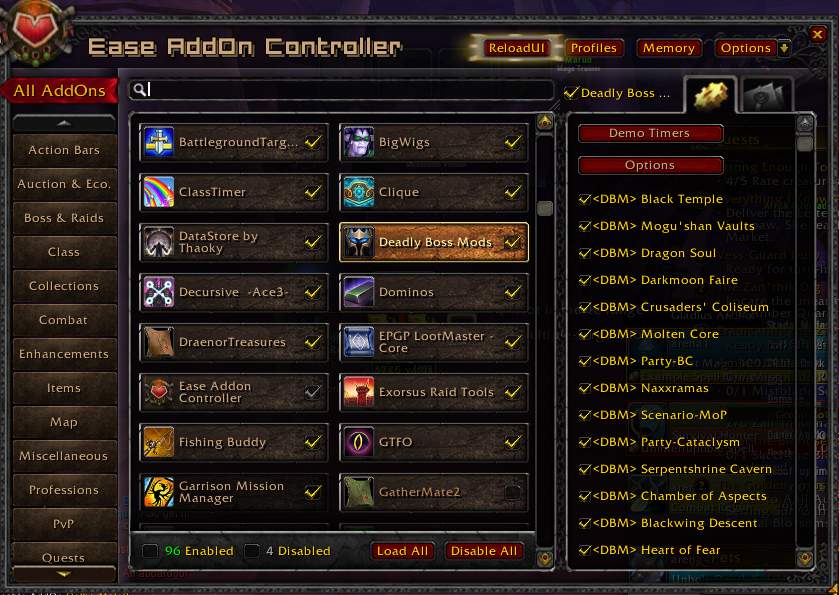
- AddOns listed as buttons, and each button may contains many modules.
- Left panel is addon categories, Popular addons is auto categorized as same as curse site.
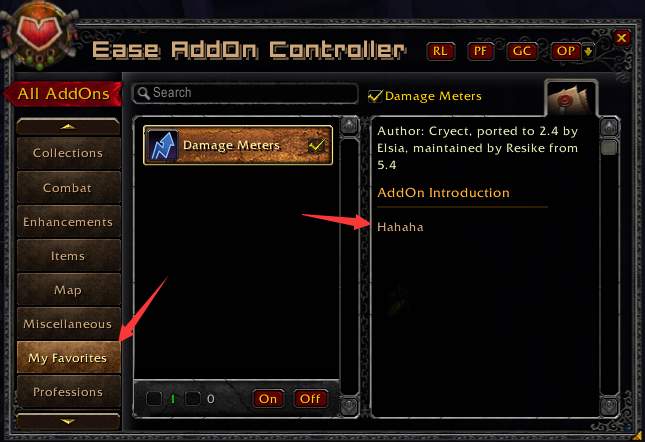
tutorial-step1
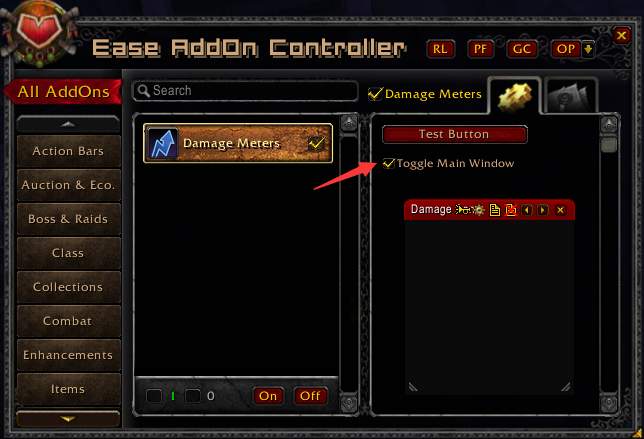
tutorial-step3
Description
Main Features
- Load most addons on the fly WITHOUT reloading, see details for more information.
- Search addons by folders, titles and even descriptions. Never scroll the super-long list again!
- Group addons by the same categories on Curse site.
- Perfect companion of Curse Client, enhancing the in-game addon management.
- Profiles for different characters and different gaming phase.
- List only main module for multi-folder addons, clean and clear.
- Convenient option panels for each addon, best choice for AddOn-Packs authors.
Major Updates
- 2016.10.15 v1.0.3: Adds options for tiles size:
Details
Ease AddOn Controller is an advanced in-game addon control center, which combines Categoring, Searching, Loading and Setting of WoW addons all together.
The most advanced feature is that almost ANY addons can be loaded at ANYTIME, even those are not load-on-demands. In one of the screenshots, you can see the bags seperated at beginning, and I typed "bag" and found bagnon, and with just one simple click, the addon is loaded, and the bags are integrated immediately. And I have to point out that the addon (Bagnon) is not Load-On-Demanded, and it is just installed using Curse Client, WITHOUT any modification.
You may be curious about how to implement this load-on-the-fly feature. The thought is smart and even a little tricky, but the principle is easily understood if you are an addon developer. Actually we can always EnableAddOn("Bagnon") and LoadAddOn("Bagnon"), but it will not work properly because many initial events like VARIABLES_LOAD and PLAYER_LOGIN have already been fired, and the newly loaded addon will receive none of them and never get to start. And you can guess now, that EAC just simulates those events to the frames newly created, and kicks them to start working. The real situation is more complicated, and many hooks and tricks are played, and not cover 100% addons. But you can enjoy it most of the time, and just /reload if encount any problem.
For advanced users, EAC also provides a solution to easily create option GUIs. Here is a step-by-step tutorial Tutorial
You can also open Configs/_CfgExample.lua to review a complete properties list. Here
Use EAC to Open Bagnon Without Reload (Bagnon is not a load-on-demand addon)
Ease AddOn Controller Team


Owner