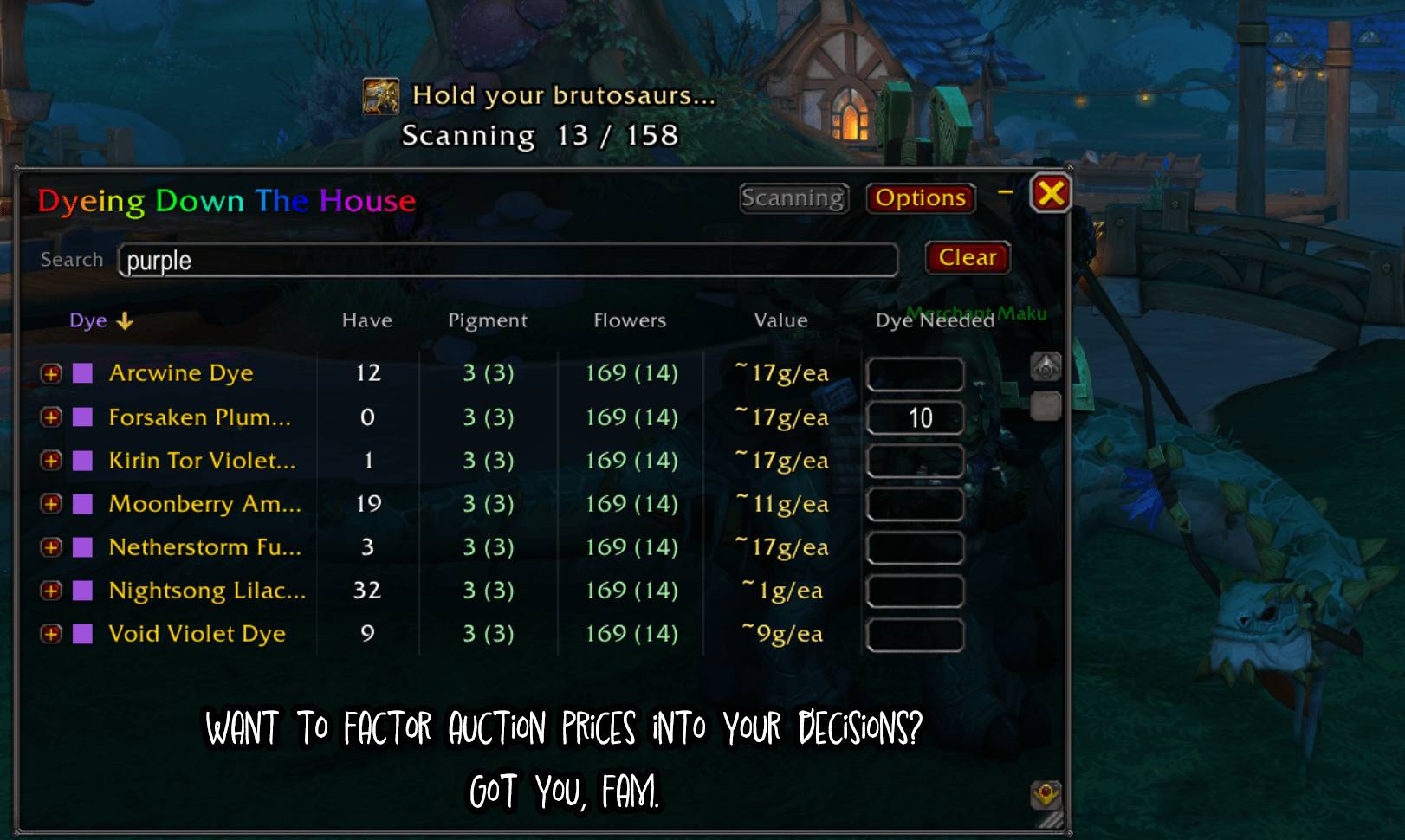
holdyourbrutosaurs.png
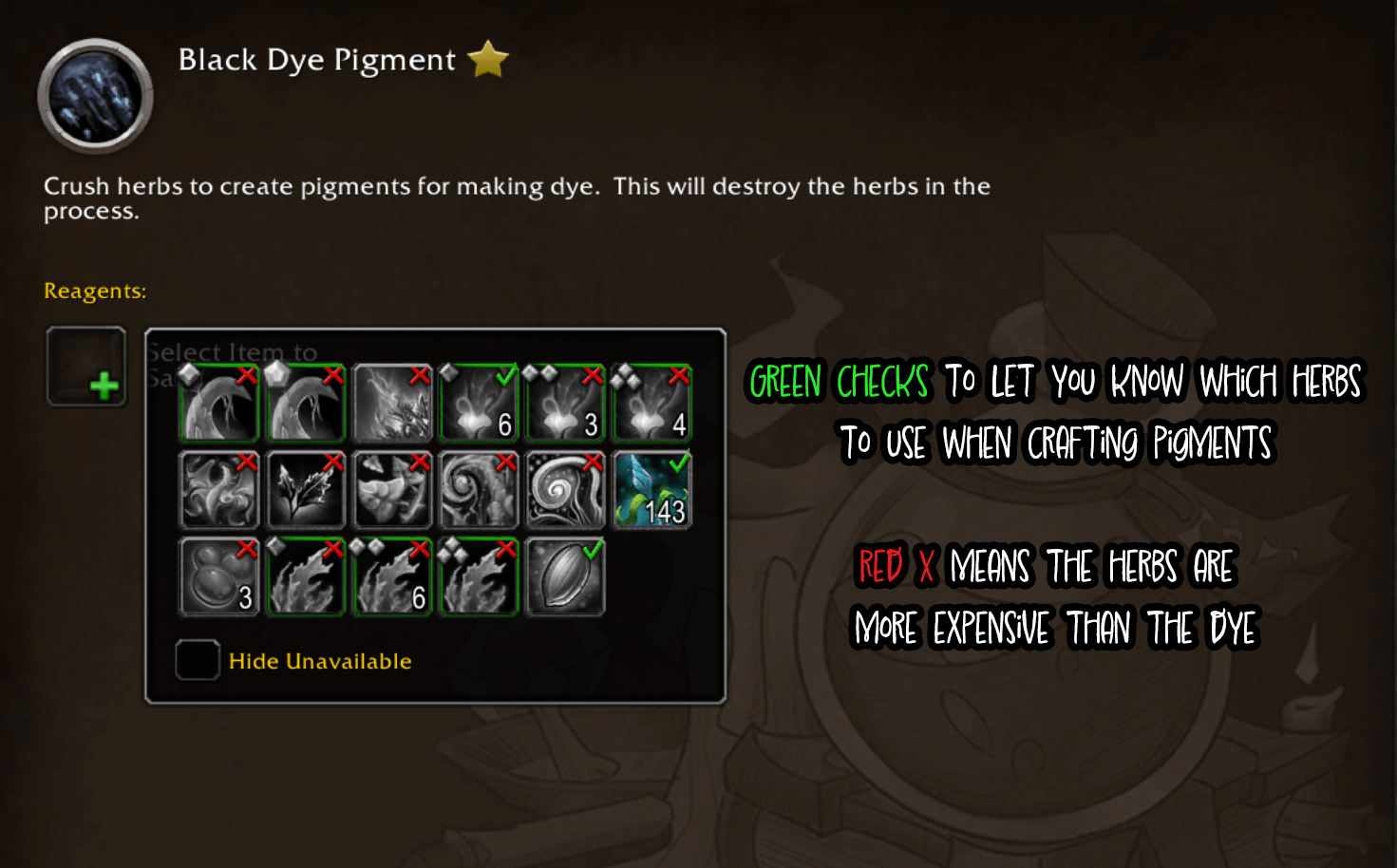
PigmentCrafting.png
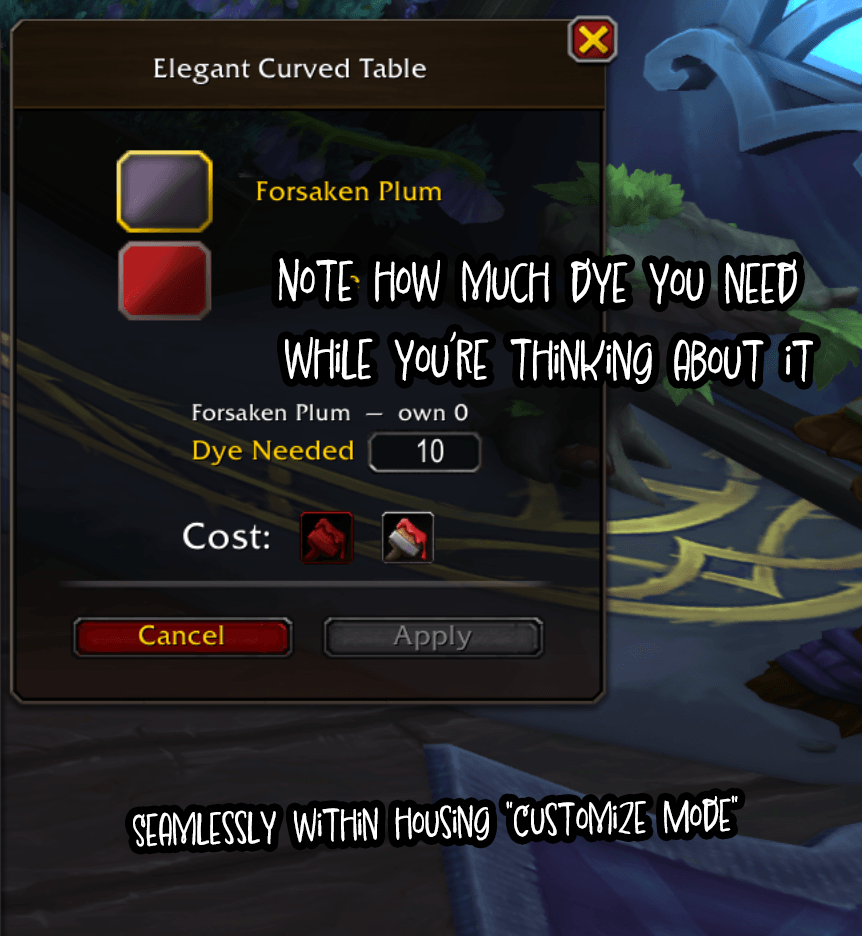
housing_needlist.png
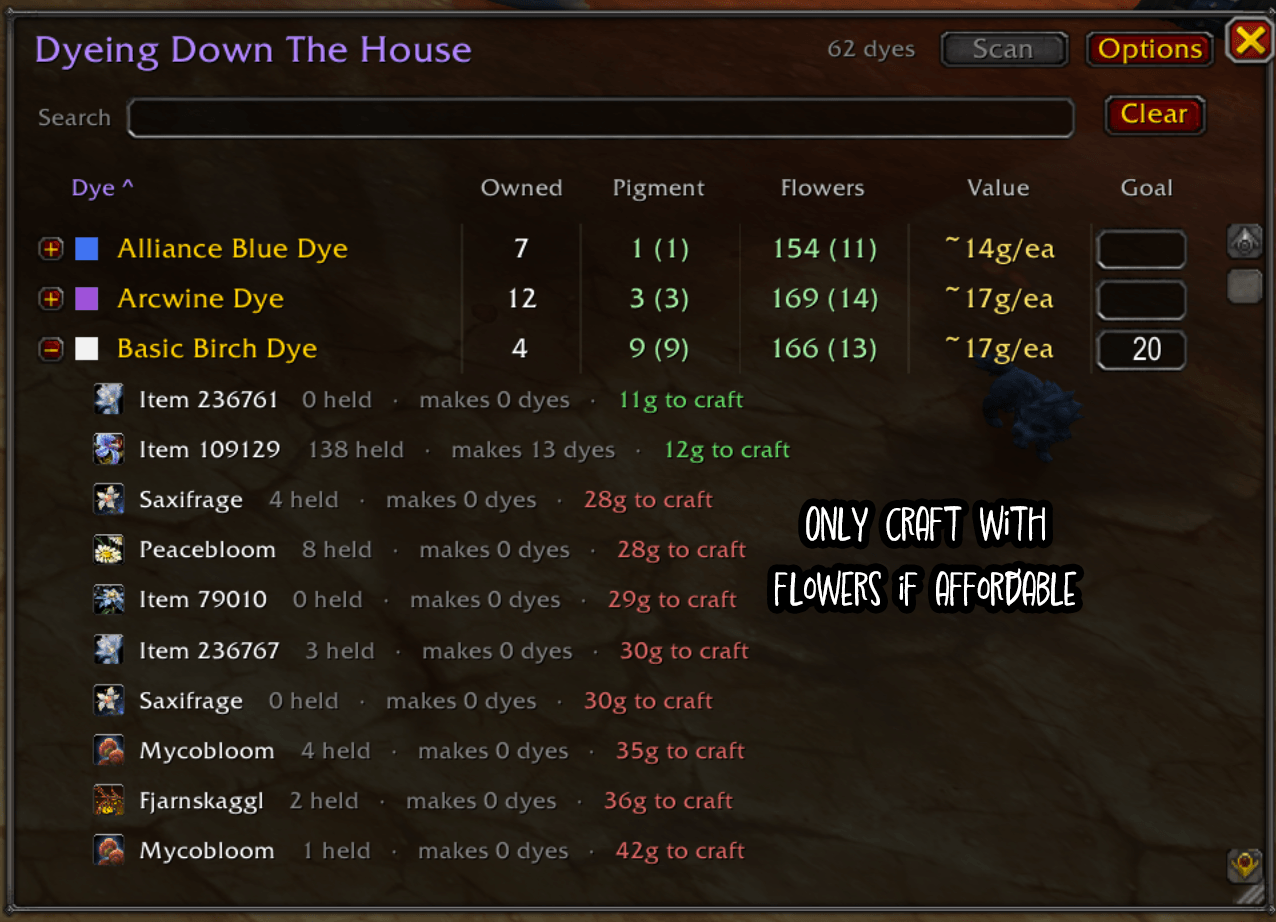
dyelist2.png
dyelist1.png
config2.png
Description
Dyeing Down The House
Write it down without leaving the house.
You're hours deep into decorating. The wall wants a warmer green. You go to apply it — you're out.
So off you go to fix that. And somewhere between the Dye Station, the auction house and the bank alt, it's gone: which green was it? How many did you need? Two? Six? And was it cheaper to mill it yourself or just buy the thing outright?
Back to the house to check. Again.
Dyeing Down The House lets you write it down the second you notice — then remembers it for you, prices it, and tells you the cheapest way to get it.
🏠 Note it down while you're standing right there
Select a dye on a piece of decor and a Dye Needed box appears in the panel, just above the Cost line. Type how many you want. Done — you can go back to decorating.
No alt-tabbing to a spreadsheet, no "I'll remember." The number is captured at the exact moment you know it.
📋 It remembers, so you don't have to
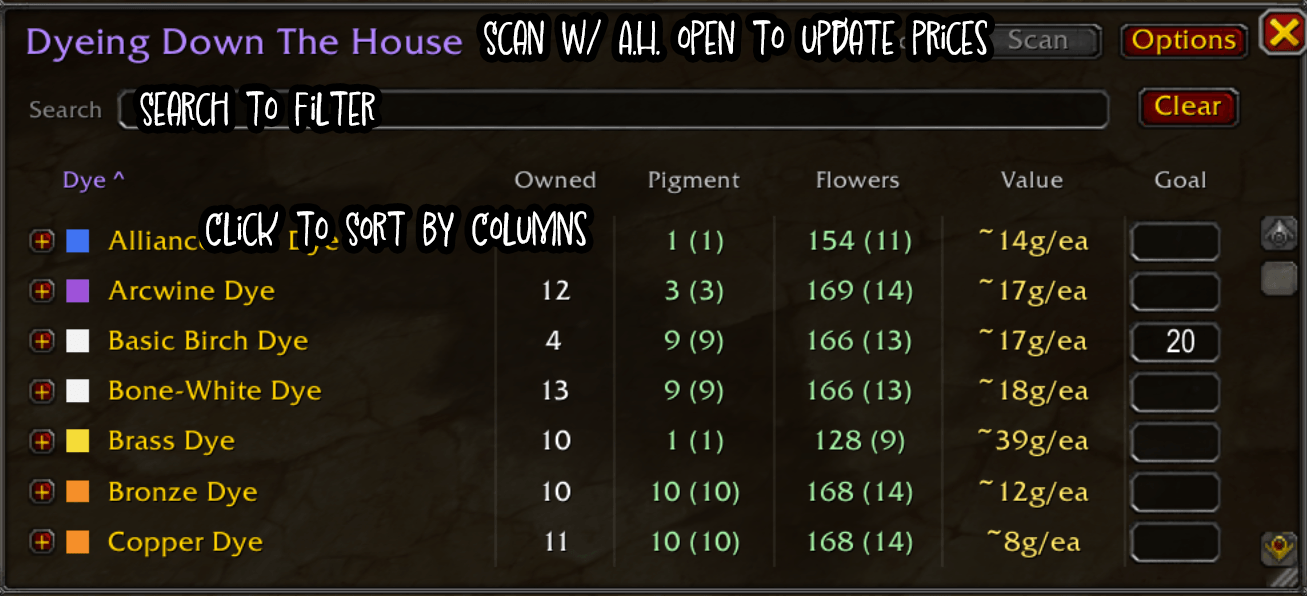
/dye opens the list: every dye you've set a goal for, how many you actually own,
and how far short you are.
"Own" means everything — every character's bags, every character's bank, and the Warband bank, all totalled. That green you were sure you were out of might be sitting on the alt you never play.
A green check appears next to a goal once you're covered, counting dyes you hold plus pigment already sitting there ready to become more. No check, no worry.
💰 Then it tells you the cheapest way to get it
Craft it, or just buy it? That depends on today's prices, and the answer changes week to week.
Open the Auction House, hit Scan, and every dye and flower gets priced. Now click any dye to expand it — you get every flower that mills into it, how many you hold, how many dyes that alone would make, and what going that route would cost. Green if crafting beats buying, red if it doesn't. Cheapest first.
The prices are honest, too. It doesn't take the lowest buyout — one person listing a single unit at a silly price would poison every verdict in the addon. It takes the lowest price with real depth behind it, so a lone gouger can't move your numbers.
🪄 And it follows you to the crafting window
You've decided to craft. Open Dye Crafting and the addon is already there:
🟡 A yellow ! on exactly the recipes you're short on — no scrolling the list trying to remember which one it was.
📋 A "You have 6 / need 10" line under the recipe title, green once you get there.
✅ A green check or red X on every herb in the reagent picker: is milling this one worth it for this color, at today's prices? No more guessing which of fifteen herbs is the cheap one.
All of it can be switched off if you'd rather it stayed out of the way.
🧮 Let the addon do the math
Ten of the same flower make a pigment. So forty flowers spread across four different types make zero pigments, not four. The Flowers column knows the difference — no hauling a bag of odds and ends to the mill for nothing.
Flowers that mill into two colors count toward both, because they genuinely can go either way. Spending them on one just denies the other.
🔍 Find the one you meant
Can't remember what the green was called? Type green — you get the dyes literally
named "…Green…" and every dye in the green family, whatever it happens to be
called.
Sort by name, amount owned, goal, value, or by how much of it you could make right now.
⚙️ Configurable
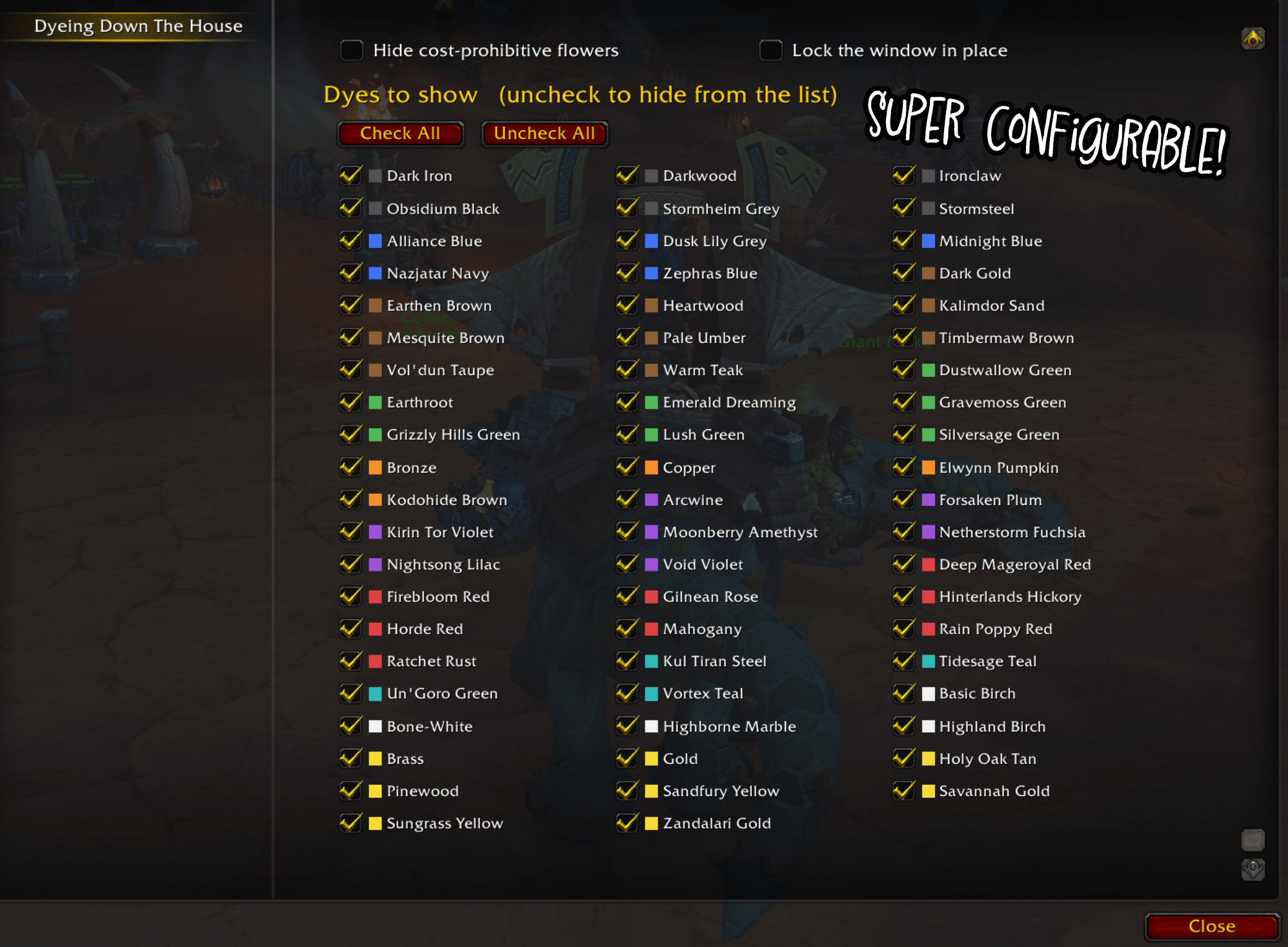
Everything lives in one options panel. Pick your columns, hide cost-prohibitive flowers, lock the window, toggle the rainbow title.
Two collapsible checklists trim the list to what you care about: all 62 dyes grouped by color with swatches, and every flower by name. Uncheck what you'll never make, and scans stop wasting queries pricing it.
The window drags anywhere, resizes by the corner grip, remembers where you left it, and collapses to a slim title bar if you'd rather tuck it away than close it.
⌨️ Commands
/dye— toggle the window/dye scan— price everything (at the auction house)/dye search <text>— filter by dye name or color family/dye sort <alpha | price | owned>— change the order/dye hidezero— hide dyes you have none of/dye lock·/dye unlock— freeze or free the window/dye reset— recenter the window/dye options— settings/dye chars— characters, and when each was last scanned/dye forget <Name-Realm>— drop a deleted character/dye help— the full list
/dyes and /ddth work too.
🌱 Optional: DataStore
Already run DataStore and DataStore_Containers? Dyes held by characters you haven't logged into this session get counted too. Entirely optional — the addon works fine on its own.
📦 Install
Unzip into World of Warcraft/_retail_/Interface/AddOns/, make sure the folder is
named DyeingDownTheHouse, and restart. That's it, it works out of the box.
Midnight (12.0.7+). No libraries, no required dependencies.
KTM (abitofmoss) · MIT · bugs and suggestions welcome.
The Dyeing Down The House Team