

• Browse
    Browse all (123)
    • iconMinecraft
    • iconThe Sims 4
    • iconWorld of Warcraft
    • iconMinecraft Bedrock
    • iconArk Survival Ascended
    • iconHytale
    • iconinZOI
    • iconStarCraft II
    • iconKerbal Space Program
    • iconStardew Valley
    • iconAmerican Truck Simulator
    • iconHogwarts Legacy
    • iconTerraria
    • iconWildStar
    • iconWorld of Tanks
    • iconPalworld
    • iconRunes of Magic
    • iconRift
  • Create
    MOD AUTHORS
    • Become an Author
    • Start a Project
    • Project Submission Guide
    MODDING TOOL DEVELOPERS
    • Apply for an API Key
    • Documentation
    • Terms & Conditions
    SOCIAL
    • Join Our Discord!
    • Authors Discord
  • Studios
    GAME DEVELOPERS
    • Unlock Modding for Your Game
    • Documentation
  • Help Center
  • Our Blog
  • Follow Us
    • Discord
    • Instagram
    • Reddit
    • TikTok
    • Twitter / X
    • YouTube
  • Surprise Me
  • Legacy
  • Go Premium
  • Get CurseForge App
Fantasy fuel!
DiscoverBrowse All
  • World of Warcraft
  • Addons
DwRaid logo

DwRaid

  • By
    LiLRichyLiLRichy
  • Addons
A small collection of commands that are useful for a raid leader to make setting up and managing raid groups quicker and easier.
Total Downloads
1.6K
Last Update
Feb 25, 2015

DwRaid

Details

Downloads
1,697
Created
1 decade ago
Updated
1 decade ago
Project ID
87306
License
All Rights Reserved

Flavors

  • Retail

Categories

  • Raid Frames
  • Boss Encounters
  • Unit Frames
  • Combat

informative placeholder

Game Versions

    6.1.06.0.3

Links

Source

Main File

6.1.0

v1.1.8
Latest release
  • R
  • Retail
  • Feb 25, 2015

Recent FilesView all

WoW Retail

v1.1.8
Latest release
  • R
  • Retail
  • Feb 25, 2015

  • Description
  • Comments (5)
  • Files
  • Gallery (4)
  • Relations
  • Issues
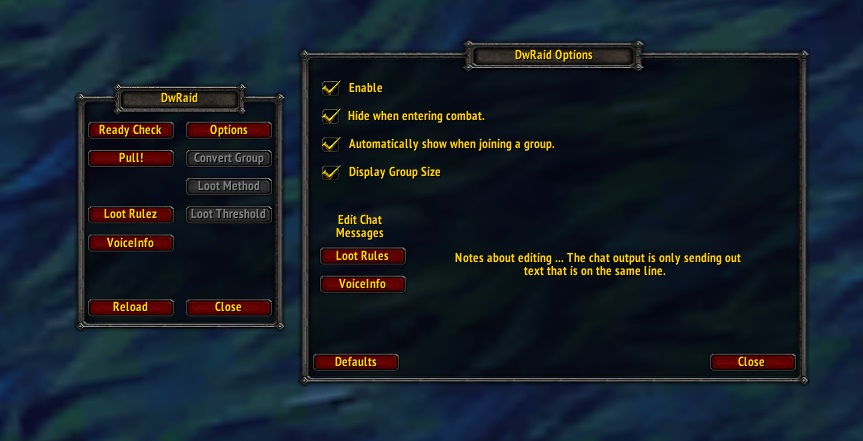
  • Thumbnail <p>Main window and options window with new Loot Rules and Voice Info options. Group options are greyed out in this pic because I was not in a group. They become available only while grouped.</p>

    Main window and options window with new Loot Rules and Voice Info options. Group options are greyed out in this pic because I was not in a group. They become available only while grouped.
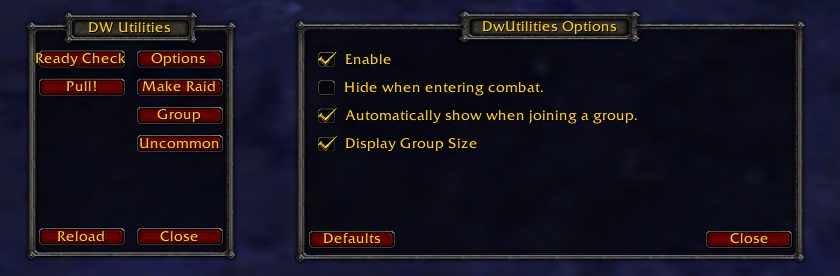
  • Thumbnail <p>Both of these windows are draggable, so you can position them how ever you want to.</p>

    Both of these windows are draggable, so you can position them how ever you want to.
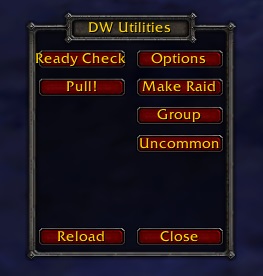
  • Thumbnail <p>The main window for DwUtilities. 
Type /dw to show this.</p>

    The main window for DwUtilities. Type /dw to show this.
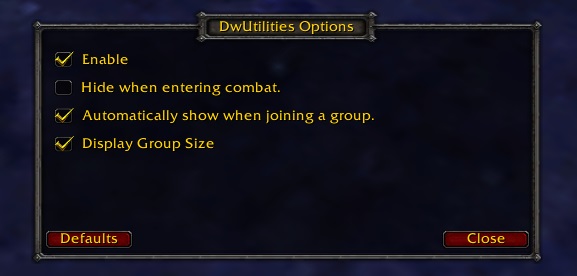
  • Thumbnail <p>Recently add the options window to allow some customizing. </p>

    Recently add the options window to allow some customizing.

World of WarcraftDiscoverBrowse
CurseForge - a world of endless gaming possibilities for modders and gamers alike.
Download the best mods and addons!
  • Games
    • All games
    • Minecraft
    • World of Warcraft
    • The Sims 4
    • Starcraft II
    • Kerbal Space Program
    • Minecraft Dungeons
    • World of Tanks
  • Create
    • Start a project
    • Project submission guide
    • Author Rewards Program
    • Apply for an API Key
    • 3rd Party API T&C
  • Community
    • Join Our Discord!
    • Ideas Portal
    • CF blog
    • Newsletter
    • Roadmap
    • Bukkit forums
    • CurseForge Servers
  • Support
    • Knowledge base
    • Troubleshooting
    • Contact us
  • Companions
    • Overwolf
    • CurseForge for Studios
    • Tebex
    • Nitro
  • Terms of Service
  • Privacy Policy
  • Licenses
  • Mod Author Terms
© 2026 Overwolf. All rights reserved.