Duskfall — Auto Contrast, Brightness, Bloom & Gamma
- By
Duskfall sets gamma, brightness, contrast and bloom for every place you go: a cave, a city, a dungeon, indoors or out, day or night. Changes glide in, or adapt like real eyes do. With HDR support.
Description
Duskfall by Dukul
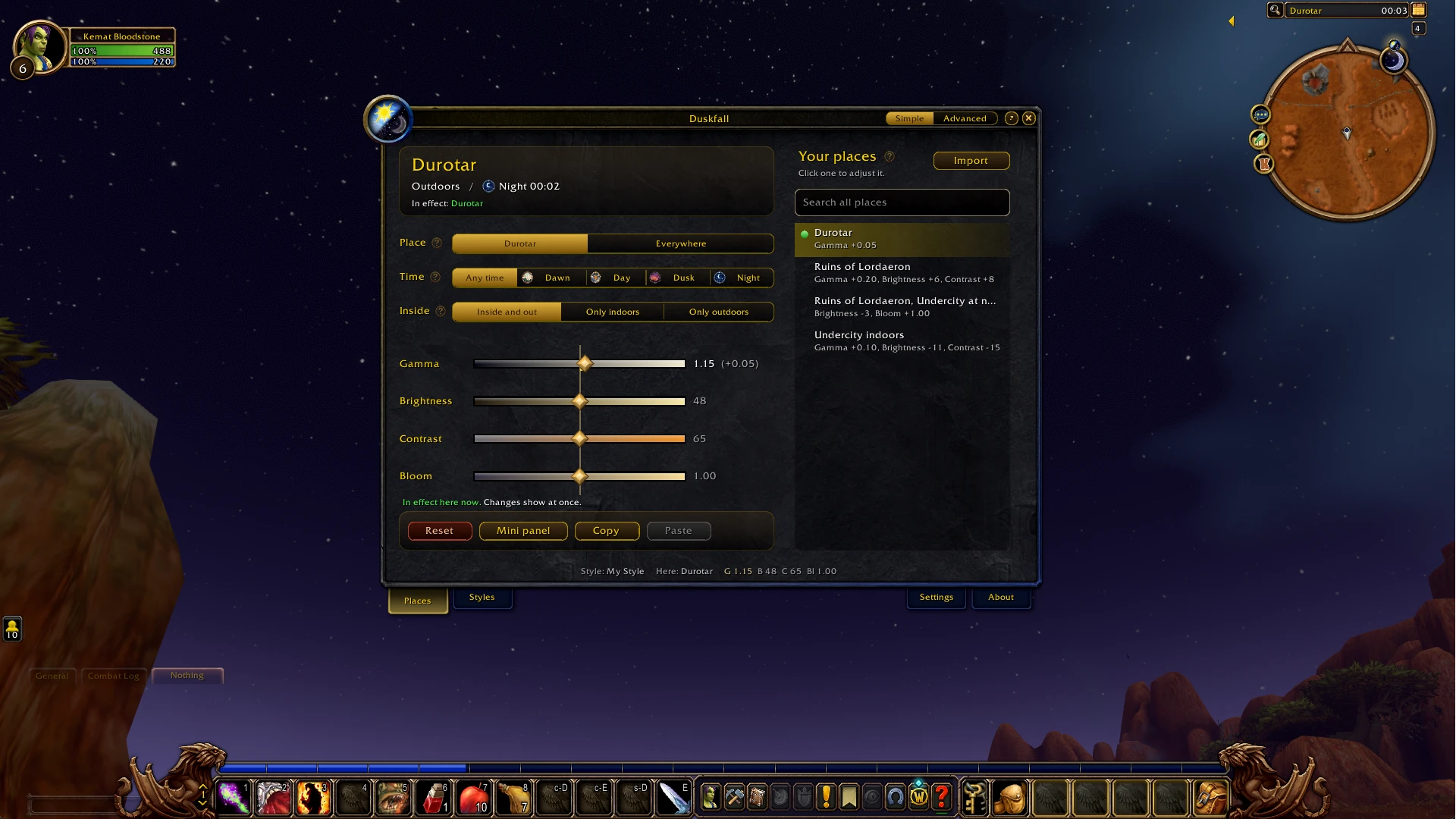
Duskfall gives you gamma, brightness and contrast that follow you through the world. It automatically sets the game's Gamma, Brightness, Contrast and Bloom for where you are and what you are doing, and moves between them smoothly, the way your eyes adjust when you would walk from sunlit outside into a dark cave.
What it does
- Places, found as you play. Every subzone, zone and instance you visit is listed. Nothing changes until you set something, so the game looks the way you had it until you want otherwise.
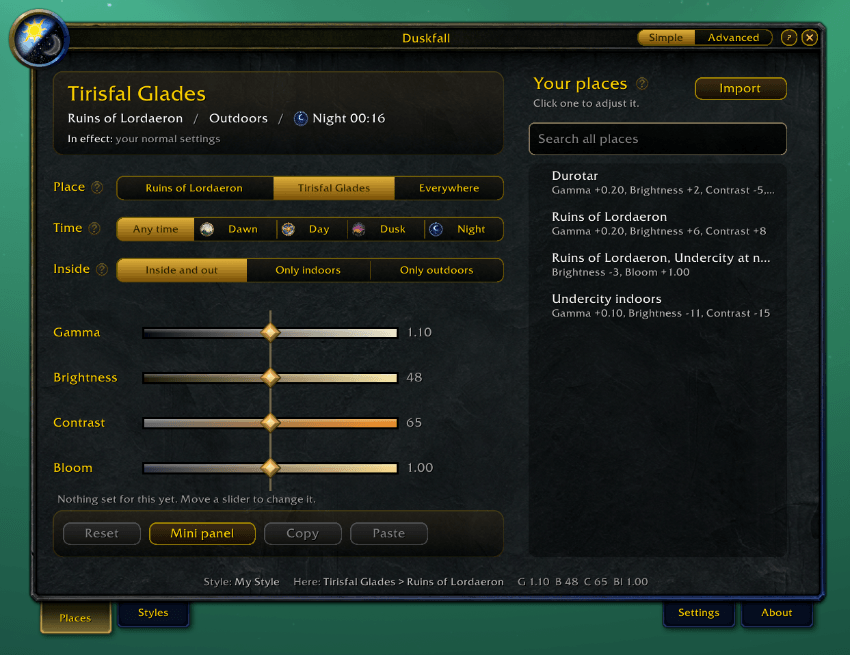
- Simple to start. Open Duskfall where you stand, pick the place (this part of the zone, the whole zone or everywhere), a time of day, and indoors, outdoors or underwater if you like, and move a slider for Gamma, Brightness, Contrast or Bloom. The change shows at once. The mini panel swaps the window for just the sliders, so you see the whole screen while you adjust.
- Looks, when you want more. Advanced mode shows every place and a full editor. A Look is a set of values (as offsets from your own settings, or fixed values) for one or more places, optionally only indoors or outdoors, at dawn, day, dusk or night (or your own hours), in combat, mounted, swimming, underwater, resting or as a ghost. The most specific Look wins, and each value it leaves unset falls through to the next one. Preview shows a Look anywhere, and Revert undoes what you changed.
- Styles: how changes feel. Instant, Smooth, or Like your eyes: slowly into the dark with a short dip, quickly out into the light with a short glare, as real eyes adjust. One slider sets the speed, and Try it shows you. A Style is a named set of Looks with its own feel; every character uses one, and all of them can share one.
- A head start. The Dark Places Style adds a little more light in the darkest zones and at night. Coming from another lighting addon? Duskfall can bring its settings along as a Style, and tells you when two addons would fight over the same settings.
- Compare and brighten. Hold Compare (or its key) to see your own settings for a moment, or hold the Hold to brighten key to peer into a dark corner.
- Calibrate and HDR. Grey squares to set your own look by, and an HDR tab for HDR screens: peak brightness, paper white and strength, which the game's own options do not have.
- Time of day. Dawn, day, dusk and night follow the server clock, the one the sky uses. Drag the edges of the day bar to change when each part starts, or use your computer's clock. A new part of the day fades in slowly, so you hardly notice it.
- Sounds. A short sound when you walk into a new place, and one when a setting starts, if you like. Sounds from other addons can be picked too.
- Share. Export a setting or a whole Style as one line of text and give it to a friend; Import takes it back in.
- Your settings stay yours. Your own values are the baseline every setting changes from. Logging out or switching Duskfall off puts them back. Moving one of the game's sliders yourself is kept while you stay where you are.
- Out of the way. The minimap's day and night moon opens Duskfall, and glows softly while a setting is in effect. A minimap button shows up when another addon hides the moon. Duskfall is also in the addon compartment and on broker bars, there are key bindings to switch it on and off, compare and brighten, and an optional floating display shows what is in effect when it changes, with a bar while the change runs. The game's colorblind filter is close at hand on Settings > Display.
- Help built in. A short welcome on your first login, a help button in the window that explains everything in a few plain topics with links to the pages, and the patch notes for every version.
- In your language. Duskfall follows your game's language, or pick one in Settings: Simplified and Traditional Chinese, German and French, with English for everything else. Slash commands are the same in every language.
Commands
- /dusk, /duskfall or /df opens Duskfall
- /dusk settings opens it on Settings
- /dusk status where you are and what Duskfall shows, in chat
- /dusk save / clear sub, zone or instance [conditions] from chat
- /dusk on / off switch Duskfall on or off (also a key binding)
- /dusk refresh puts the settings for here back if the screen ever seems stuck
- /dusk notes the patch notes
- /dusk help the help, with every command
Duskfall — Auto Contrast, Brightness, Bloom & Gamma Team