Dungeon Wheel
- By
A slick radial menu for casting your Mythic+ dungeon teleports. One keybind opens a beautiful wheel of the current season's portals — aim, click, go. Secure, lightweight, multi‑language.
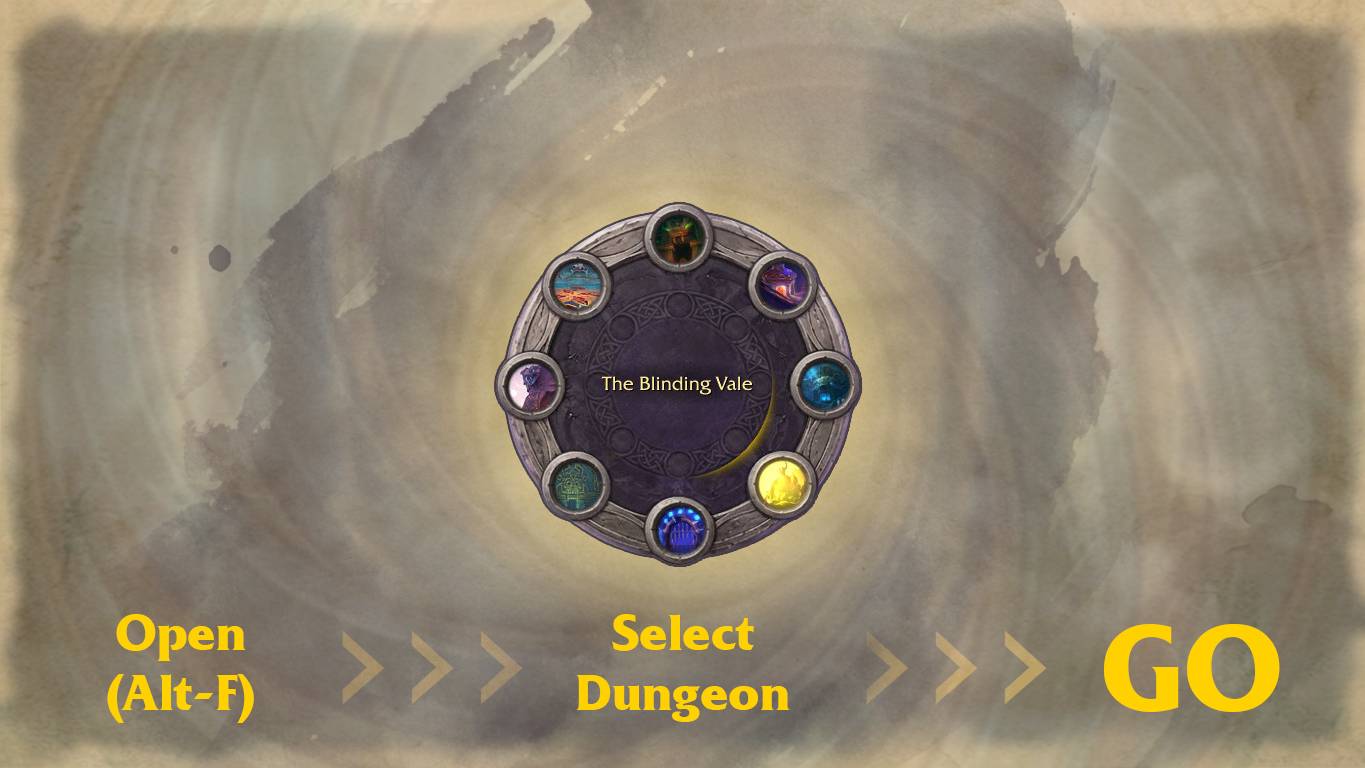
open>select>go
Description
🌀 What is Dungeon Wheel?
Dungeon Wheel puts all your Mythic+ dungeon teleports onto one clean radial wheel in the center of your screen. No more scrolling the spellbook, no more clunky macros, no more forgetting which teleport you unlocked.
Bind a key → the wheel blooms open from the center → point at a dungeon → click to teleport. That's it.
Built for World of Warcraft: The War Within / Midnight and the live Mythic+ season 2 dungeon pool.
✨ Features
- 🎯 One‑key access — open the whole season's teleports with a single keybind (Alt+F default).
- 🖱️ Point‑and‑click, ping‑wheel style — a glowing marker follows your cursor to the aimed slot.
- 🛡️ 100% secure & taint‑free — real
SecureActionButtoncasts; nothing is cast "programmatically," so it just works and never breaks your action bars. - 🖼️ Custom hand‑made art — a painted stone wheel with slots, rotating glow ring, and a smooth expand/collapse animation.
- ⏳ Live cooldowns — each portal shows its remaining cooldown right on the icon.
- 🔒 Smart visibility — shows the dungeons you've unlocked; optionally show not‑yet‑earned ones dimmed.
- ⌨️ In‑game keybinding with conflict detection — set your key inside the options; if the combo is already used, Dungeon Wheel tells you what it's bound to before you reassign.
- 🌍 Multi‑language — English, Deutsch, Русский, and custom Українська, with a language picker (Auto by default).
- ⚙️ Native options panel — everything lives in Game Menu → Options → AddOns → Dungeon Wheel: scale, language, keybind, visibility.
- 🪶 Featherweight — no libraries, no dependencies, tiny footprint.
▶️ How to use
- Install & enable Dungeon Wheel.
- Open Options → AddOns → Dungeon Wheel (or type
/dw) and set your keybind (default Alt+F). - Press the key anywhere out of combat → aim at a dungeon → click to teleport.
- Close it with the same key,
Esc, or by clicking outside the wheel.
🌐 Languages
English · Deutsch · Русский · Українська (custom). Dungeon names verified against Wowhead localizations. Pick a language manually or leave it on Auto (uses your client locale).
The Dungeon Wheel Team