Dungeon Crew
- By
Track dungeon runs with your crew. Logs time, gold/hour, and party members per run. Rate teammates 1–5 stars. See who made you the most gold and get suggestions for the best player to fill your last spot. /dc to open.
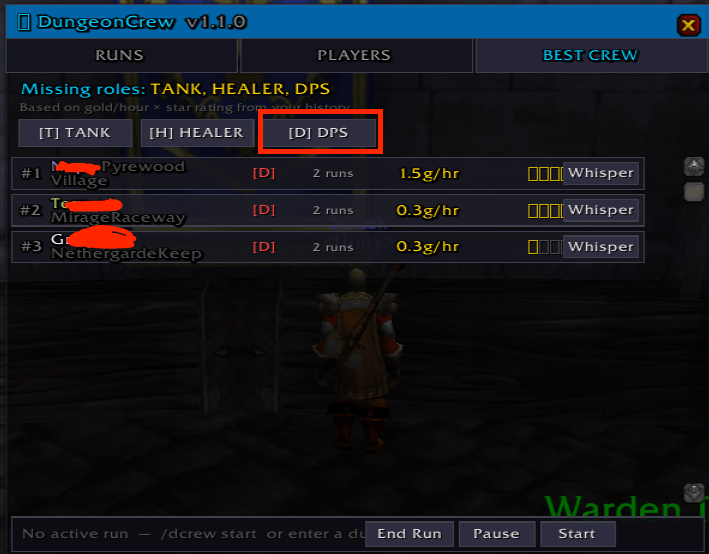
Need to find a tank for your next run.. whisper the best tank with 1 click
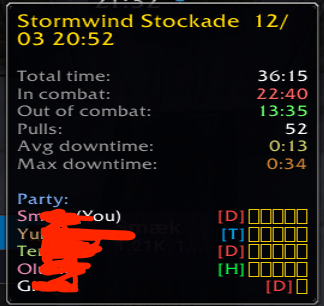
After the run you can rate your team (and yours) effort
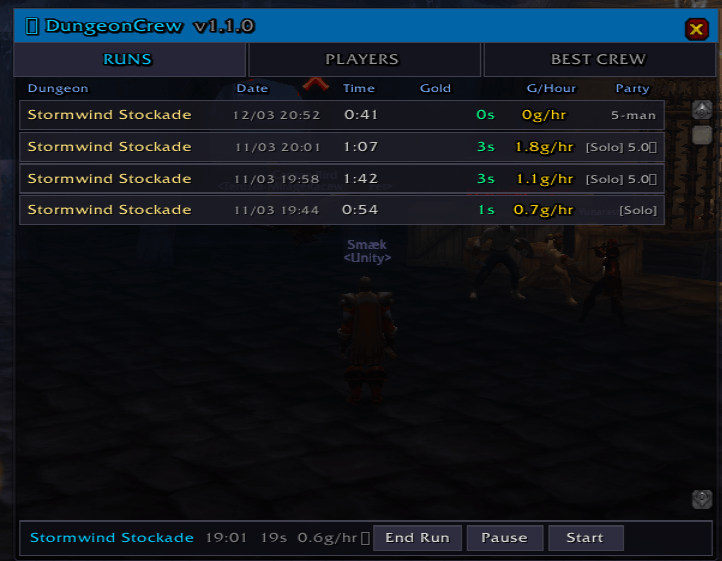
List of what dungeons you have done, and earnings, with mouse over you can see Crew
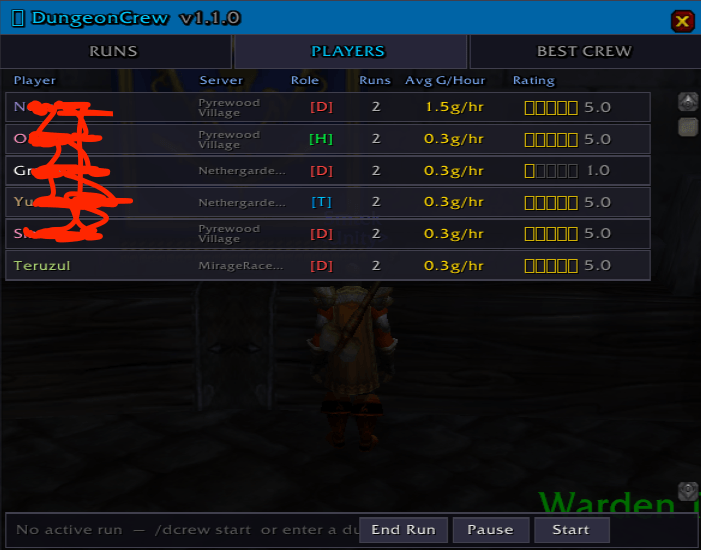
A great overview of players you have encountered
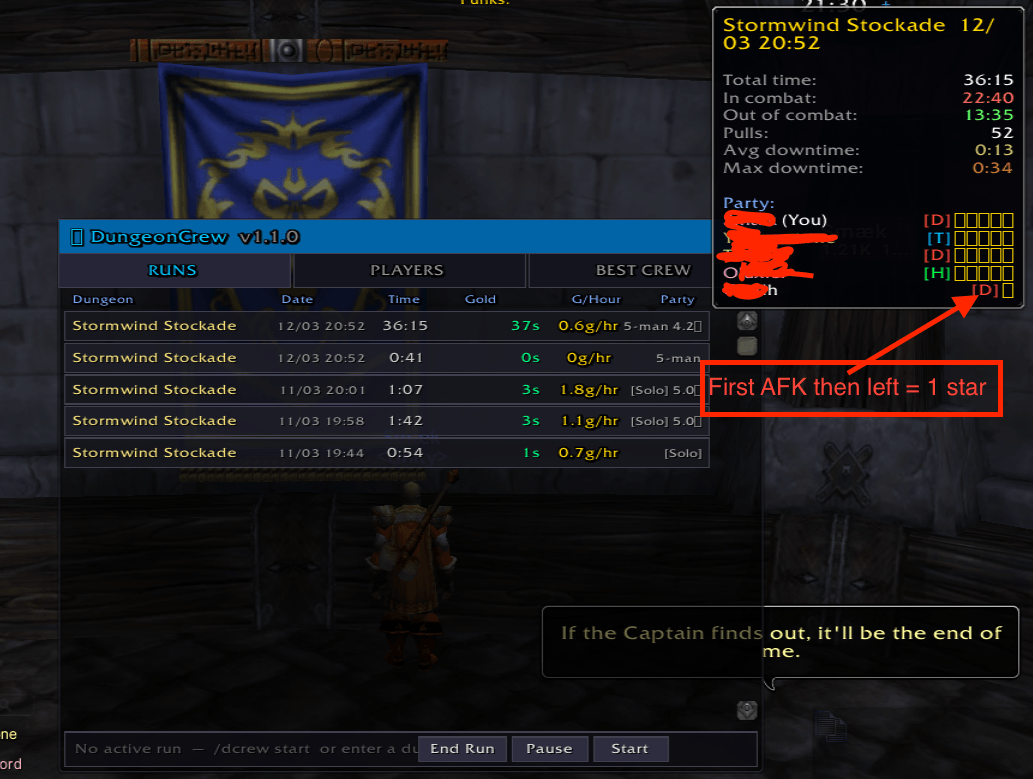
get details from each run
Description
DungeonCrew
👥 Track your dungeon runs, your crew — and find the team that makes you the most gold.
You've had that run. The one where everything clicked — the pulls were clean, the healer never went oom, the tank knew every patrol. You cleared in 28 minutes and walked out with more gold than you'd made all afternoon.
Then you can never find those people again.
DungeonCrew fixes that. Every run is logged. Every party member is remembered. Over time, DungeonCrew builds a personal database of every player you've ever grouped with — ranked by the gold per hour your group actually made together, and the star rating you gave them.
When you need one more for your group, DungeonCrew tells you exactly who to whisper.
🔽 How it works
  You enter Scarlet Monastery with 4 others
       ↓
  DungeonCrew logs the run: time, gold, party
       ↓
  You clear in 31 min — 18.4g earned — 35.7g/hr
       ↓
  Post-run popup: rate each player 1–5 stars
       ↓
  Next time you need a healer?
  DungeonCrew shows your best options — ranked.
⚔️ Features
⏱️ Run Tracking — Auto-detects dungeon entry and exit. Logs total time, gold earned and gold per hour for every run. Pause and resume if you go AFK mid-run.
👥 Crew Database — Every party member is saved: name, realm, class, level and role. Hybrid role detection — uses the LFG role if assigned, falls back to class, and is always overrideable.
⭐ Star Ratings — A popup after each run lets you rate every party member 1–5 stars. Ratings are averaged across all your runs together. A great player on a bad run still builds their long-term score. Skip rating any time — data is saved either way.
🏆 Best Crew Suggestions — Filter by Tank, Healer or DPS. DungeonCrew ranks every player you've run with by a combined score of gold/hour performance and your star rating. Players already in your group are filtered out. One-click whisper to recruit them directly.
📊 Live Status Bar — While inside a dungeon, a bar at the bottom of the window shows live run time, gold earned so far, and current gold per hour — updating every second.
🗺️ Minimap Button — Draggable. Left-click: toggle window. Right-click: start or end a run manually.
🖥️ GUI Overview
Open with /dc or click the minimap icon.
- Runs tab — full history of every dungeon: name, date, time, gold, gold/hour, party size
- Players tab — your crew database sorted by average gold/hour, with class colours, role, run count and star rating
- Best Crew tab — ranked suggestions per role for your open group spot, with whisper button
- Rating popup — appears after each run, hover-preview on stars, skip option
- Status bar — live run stats at a glance, plus manual start / pause / end buttons
⌨️ Commands
| Command | What it does |
|---|---|
/dc |
Toggle the main window |
/dc start |
Manually start a run |
/dc stop |
End the current run |
/dc pause |
Pause the run timer |
/dc resume |
Resume the run timer |
/dc reset |
Clear all saved data |
/dc help |
Show all commands |
🔧 Role Detection: Under the Hood
Classic Era has no native role API outside of the dungeon finder. DungeonCrew handles this in three layers:
- 🎯 LFG role — if the group was formed via the dungeon finder, the assigned role is used directly
- 📝 Class default — Warriors default to Tank, Priests and Shamans to Healer, everything else to DPS
- ✏️ Manual override — any auto-assigned role can be corrected before the run is saved
Roles are stored per player and used to power the Best Crew suggestions — so a Druid you've always seen tank is suggested as a Tank, not a Healer.
🗺️ Planned for V2
- LibDataBroker support — live gold/hour in TitanPanel, ChocolateBar or Bazooka
- Details! and Recount integration — import DPS data to flag carry runs
- Combat activity tracking — detect players who were AFK during a run
- Role override UI directly in the party panel during a run
📦 Installation
- Download and extract to
Interface/AddOns/DungeonCrew/ - Folder should contain:
DungeonCrew.toc,DungeonCrew.lua,DungeonCrew_GUI.lua /reloador restart WoW- Type
/dcto open
Built for Classic Era 1.15.x. No libraries, no dependencies. Standalone.
Dungeon Crew Team