


Dragon Soul ExtraActionButton
- By
Addon that makes the new ExtraActionButton used in two of the Dragon Soul boss encounters movable. /eab for more options.
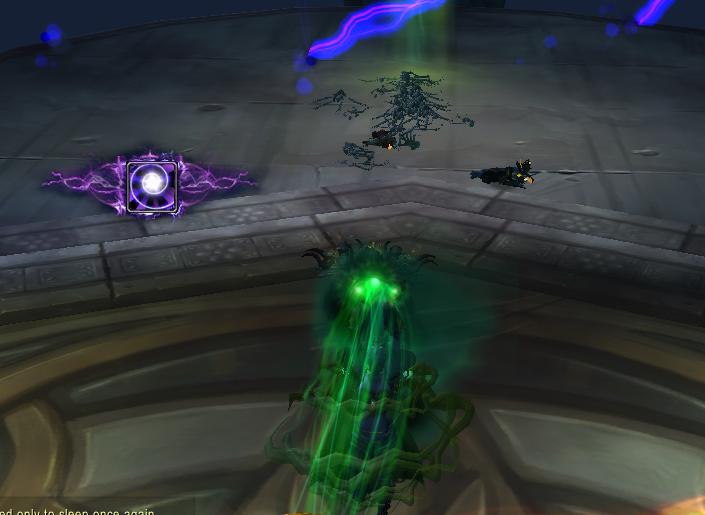
Here the ExtraActionButton has been moved to a new position on the screen.
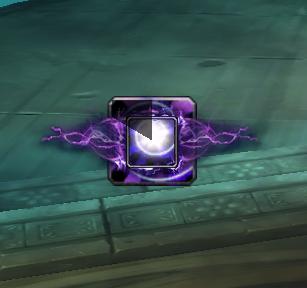
Here the ExtraActionButton has been made larger, making it easier to click.
Description
A simple addon automatically making the new ExtraActionButton used in two Dragon Soul boss encounters movable by mouse dragging, even during the fight.
------------------------------
A short menu with more options, including a few to make the button easier to click, is also provided, shown by using the command /eab help.
Available settings:
/eab lock - Locks the button, making it unmovable again. Use when you are happy with the position.
/eab unlock - Unlocks the button. Use it to move it again.
/eab hide - Hides the button completely. Use when you prefer to use a keybind.
/eab show - Makes the button show up again.
/eab large - Makes the button bigger, so it is easier to click. Note: you can't move the button in this size!
/eab huge - Makes the button even larger, and even easier to click. Note: you can't move the button in this size!
/eab normal - Returns the button to it's original size, useful if you want to move the button again.
/eab small - Makes the button smaller, making it take less space in your UI.
/eab keybind x - Sets a keybind to the button. Examples: '/eab keybind J' or '/eab keybind SHIFT-R'. You can have multiple keybinds active at the same time.
IMPORTANT: Change these settings before you engage a boss, some settings are not changable while in combat!
------------------------------
All feedback is appreciated!
------------------------------
The Dragon Soul ExtraActionButton Team


