DropScout
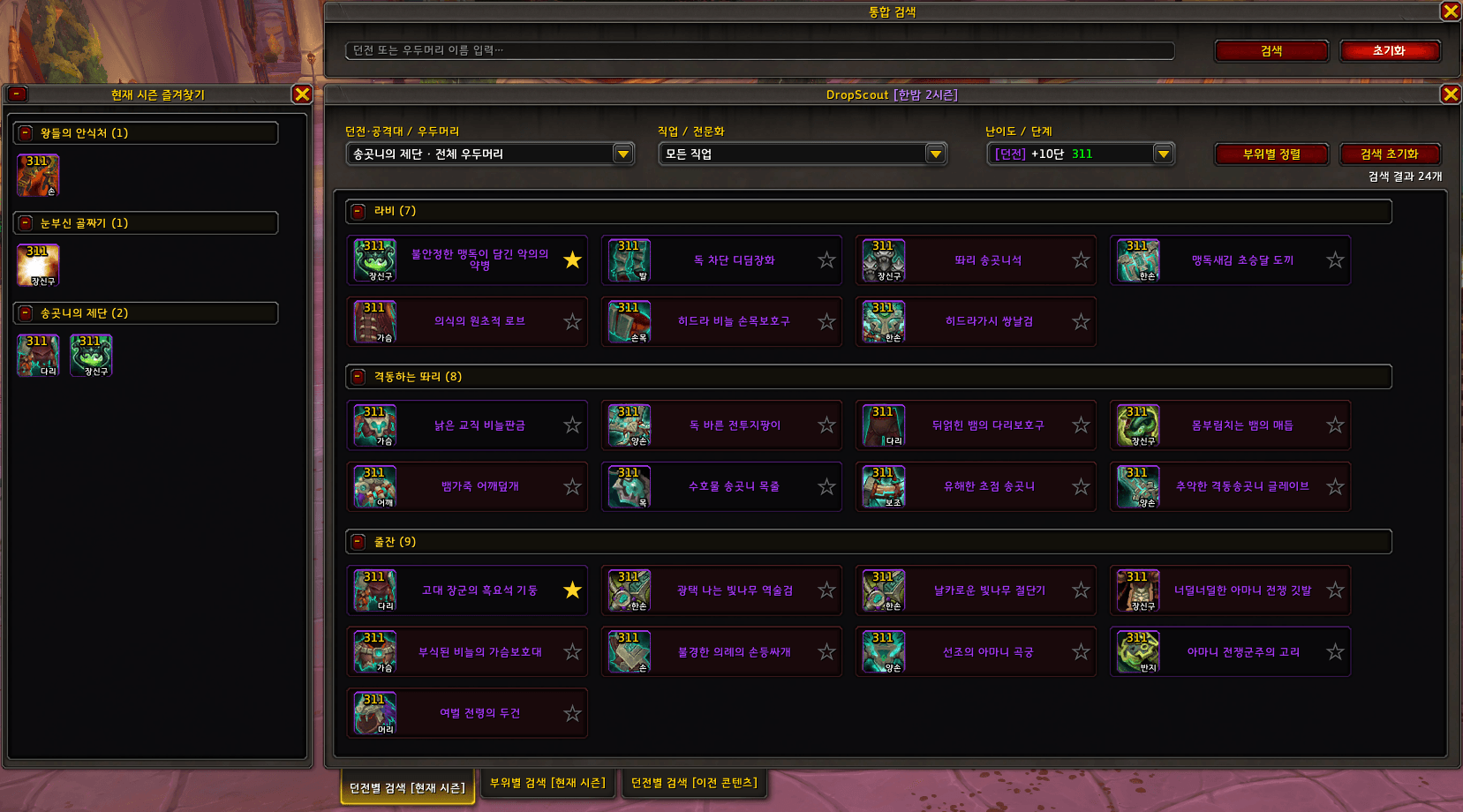
Search Midnight Season 2 dungeon and raid loot by slot, stats, armor type, and difficulty—then save your favorites.
íë©´ ìº¡ì² 2026-09-12 181221.png
íë©´ ìº¡ì² 2026-08-29 005033.png
íë©´ ìº¡ì² 2026-08-29 005109.png
Description
DropScout
DropScout is an offline loot browser for World of Warcraft: Midnight. It searches an embedded loot database without opening or modifying the Encounter Journal. Developed with the assistance of AI.
Core Features
- Three search modes:
- Current-season loot by slot and stats
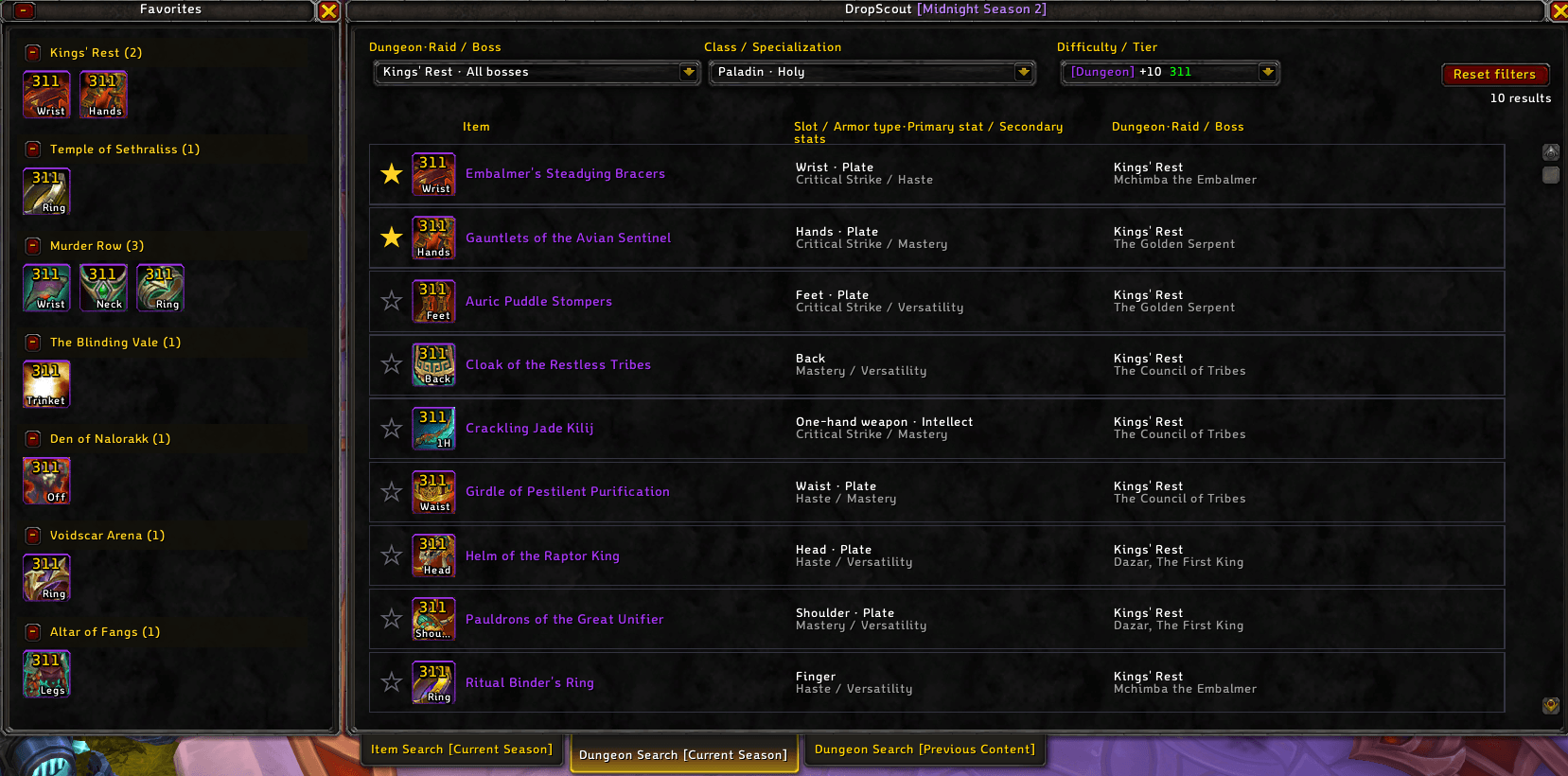
- Current-season loot by dungeon, boss, class, and specialization
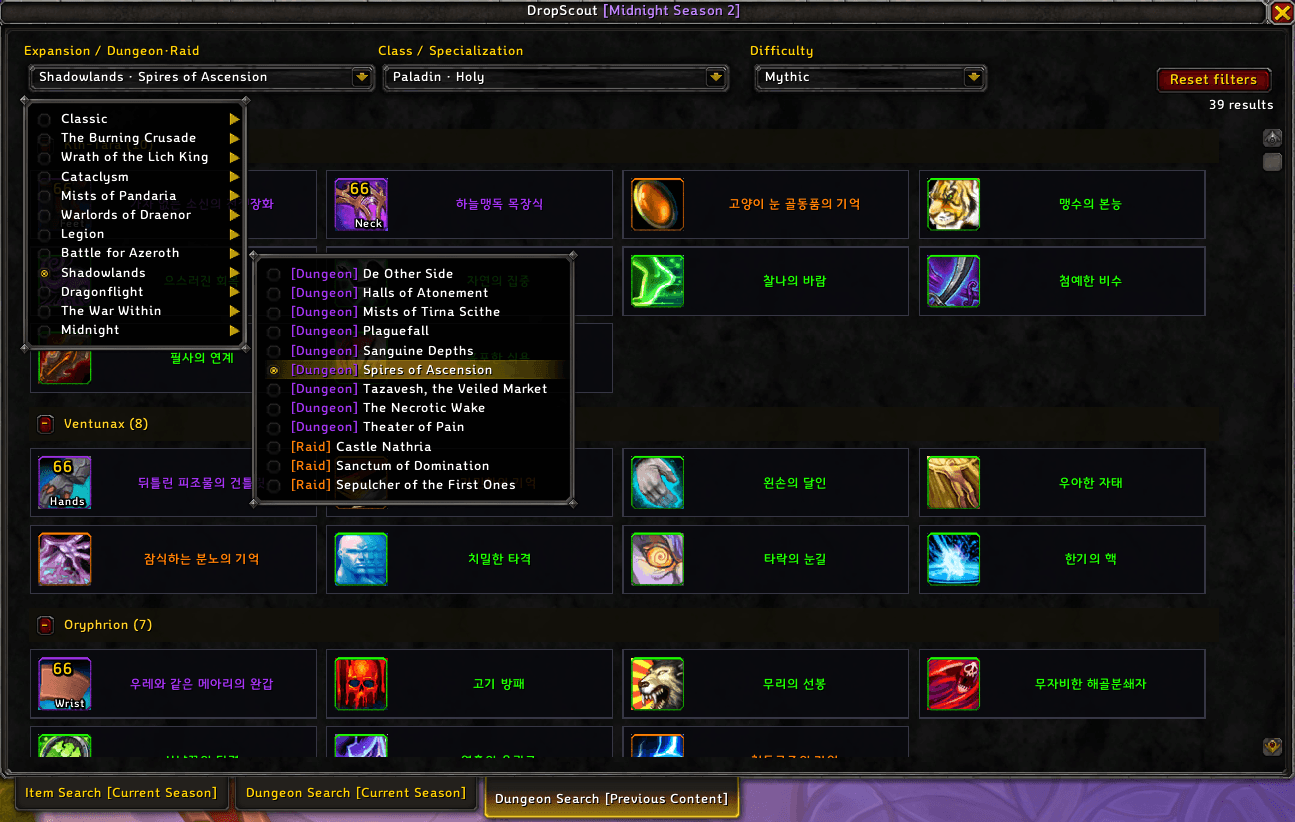
- Previous-content loot from Classic through Midnight
- Filters by slot, armor type, primary stat, secondary stats, source, and difficulty
- Class and specialization filtering based on WoW ItemSpec and item-specific override data
- Difficulty-aware item links with native icons, quality colors, item levels, upgrade tracks, source descriptors, and Blizzard tooltips
- Support for unusual loot such as Venomcursed equipment, raid tokens, recipes, housing decor, and other non-equipment drops
- Previous-content results displayed as collapsible boss groups in a compact card grid
- Persistent favorites grouped by dungeon or raid
- Ctrl-click item preview and Shift-click item linking
- English and Korean UI with automatic or manual language selection Midnight Season 2 Content Dungeons Kings' Rest, Temple of Sethraliss, Ruby Life Pools, Murder Row, The Blinding Vale, Den of Nalorakk, Voidscar Arena, and Altar of Fangs. Raids The Tidebound Grotto and The Venomous Abyss. Controls
- /dropscout or /ds: Open or close DropScout
- Minimap button: Open the most recently used search tab
- Right-click minimap button: Open settings
- Shift-drag minimap button: Reposition it
- Bottom tabs: Switch between the three search modes
DropScout
DropScout는 월드 오브 워크래프트: 한밤의 전리품을 검색하는 오프라인 전리품 브라우저입니다. 모험 안내서를 열거나 변경하지 않고 애드온에 내장된 데이터베이스를 사용합니다. 이 애드온은 AI의 도움을 받아 제작되었습니다.
핵심 기능
- 세 가지 검색 방식:
- 현재 시즌 부위·능력치별 검색
- 현재 시즌 던전·우두머리·직업·전문화별 검색
- 오리지널부터 한밤까지 이전 콘텐츠 검색
- 부위, 재질, 주 능력치, 2차 스탯, 드롭처 및 난이도 필터
- WoW ItemSpec과 아이템별 예외 데이터를 이용한 직업·전문화 전리품 필터
- 난이도에 맞는 아이템 링크와 Blizzard 기본 아이콘, 등급 색상, 아이템 레벨, 강화 트랙, 획득처 문구 및 툴팁 표시
- 맹독저주 장비, 공격대 토큰, 주문식, 가구 등 특수·비장비 전리품 지원
- 이전 콘텐츠 결과를 우두머리별 접이식 카드 그리드로 표시
- 던전 및 공격대별로 그룹화되는 영구 즐겨찾기
- Ctrl+클릭 아이템 미리보기와 Shift+클릭 아이템 링크 지원
- 자동 감지 및 수동 선택을 지원하는 한국어·영어 UI 한밤 2시즌 콘텐츠 던전 왕들의 안식처, 세스랄리스 사원, 루비 생명의 웅덩이, 죽음의 골목, 눈부신 골짜기, 날로라크의 소굴, 공허흉터 투기장, 송곳니의 제단. 공격대 해일결속 동굴, 맹독 심연. 조작 방법
- /dropscout 또는 /ds: DropScout 열기 및 닫기
- 미니맵 버튼 클릭: 마지막으로 사용한 검색 탭 열기
- 미니맵 버튼 우클릭: 설정 열기
- Shift+드래그: 미니맵 버튼 위치 이동
- 하단 탭: 세 가지 검색 방식 전환
DropScout Team