DjinnisVendorer
DjinnisVendorer upgrades the merchant window with a vertical list view, powerful search filters, bulk buying, junk selling and smart repair. A modern continuation of Vendorer for WoW Midnight.
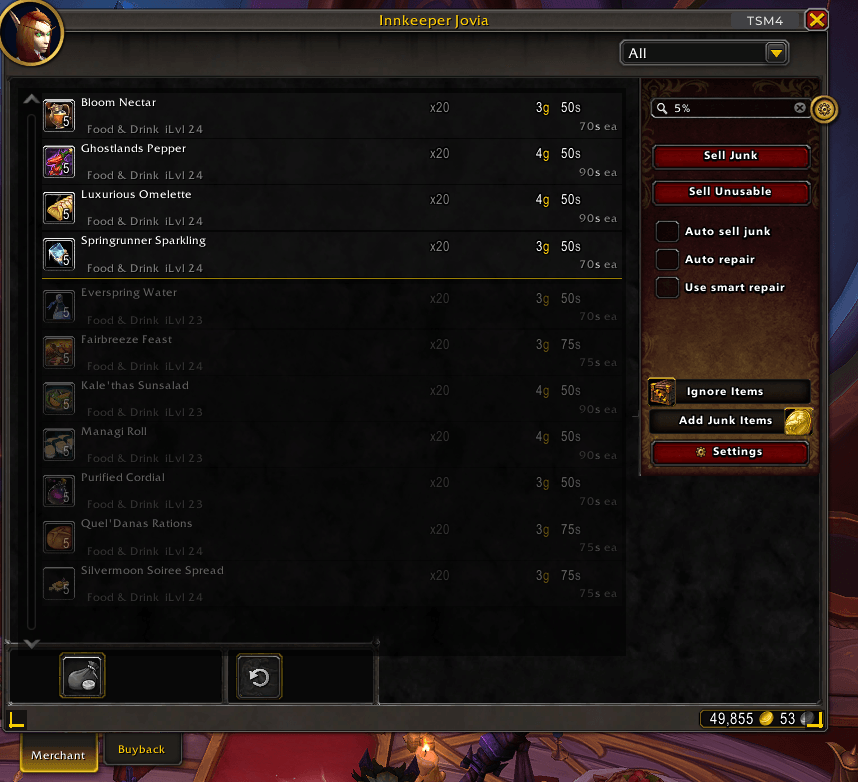
SearchExample2.png
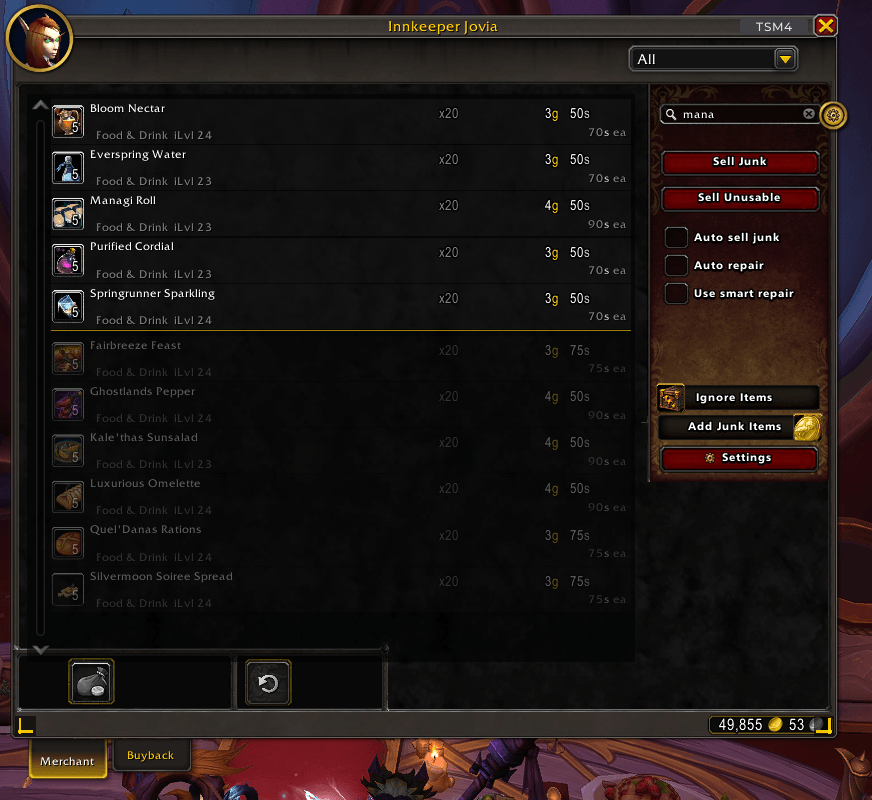
SearchExample1.png
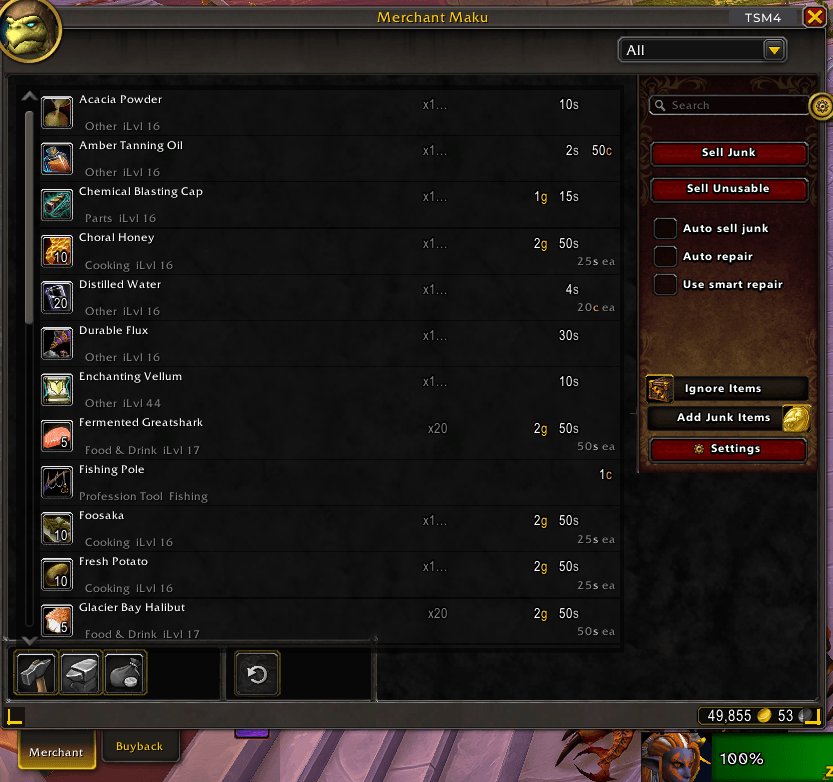
List view.png
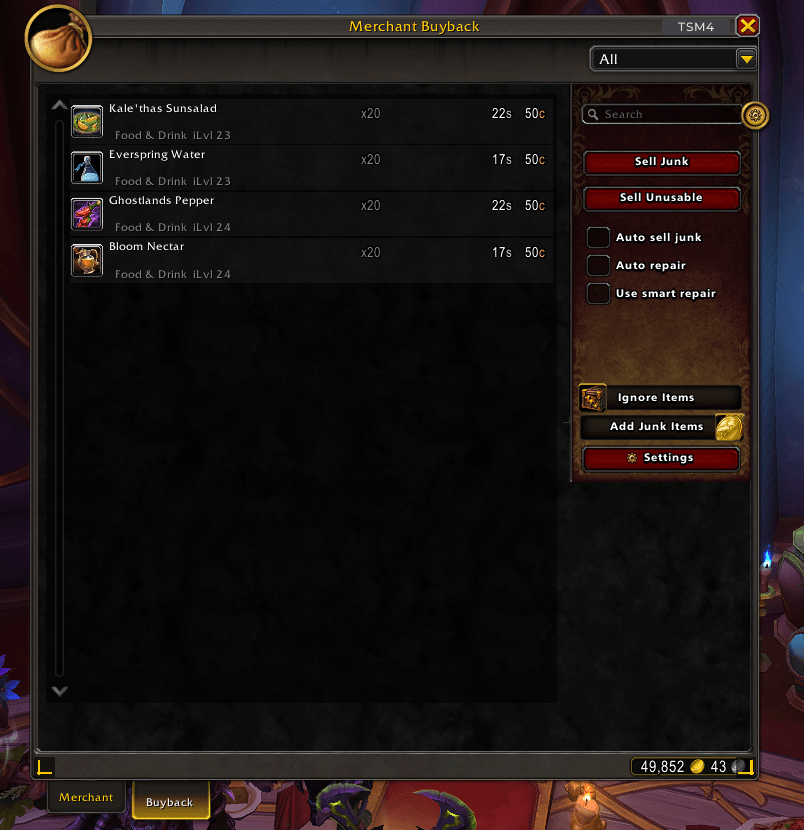
Buyback list view.png
SearchExample2.png
Description
A merchant frame overhaul for World of Warcraft: Midnight. Wider frame, vertical list view, flexible search, bulk buying, and smarter selling and repairs.
What it is
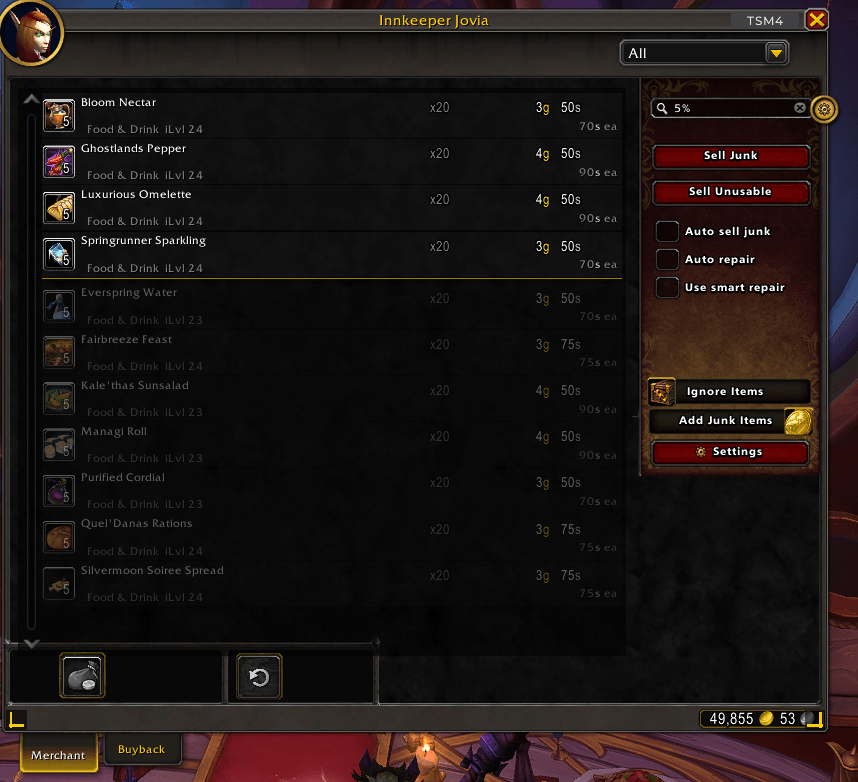
DjinnisVendorer replaces the default merchant window with something that actually copes with vendors who sell hundreds of items. The frame is wider so more items fit at a glance, a scrollable list view gives you a single-column layout with name and cost columns, and a live search box lets you filter by name, rarity, type, required level, item level, price, currency, or tooltip text.
- Wider frame | More items on screen at once without scrolling
- Vertical list view | Single-column layout with name, cost, and stack hint; replaces the buyback tab too
- Live search | Filter by name, type, slot, rarity, required level, item level, price, or full tooltip text
- Prefix filters |
id,r,i, and price values (12g34s56c) with range operators (>=,<=,>,<) - Magic words |
usable,purchasable,equippable,known,unknown,canafford,transmogable,unknowntransmog, and more - Negation | Prefix any filter with
!or-to exclude matches - Phrase search | Wrap words in quotes to match an exact phrase in order
- Bulk purchase | Buy multiple stacks in one go; total cost shown upfront; throttle rate configurable
- Sell junk | One-click (or automatic) selling of grey items when you visit a vendor
- Sell unusables | Optionally sell or destroy soulbound items your character can no longer use
- Ignore list | Protect specific items from ever being sold or destroyed
- Smart repair | Spends your guild-repair allowance first before touching your own gold
- Transmog awareness | Marks items whose appearance you haven't collected yet (requires Can I Mog It)
Search and filtering
Type anything into the search box to narrow the merchant list in real time.
Prefix filters
| Prefix | Matches | Example |
|---|---|---|
| (none) | Item name or tooltip text | flask |
id |
Item ID | id6948 |
r |
Required character level | r92 |
i |
Item level | i200 |
| (price) | Item cost in gold/silver/copper | 12g34s56c |
Prepend <, <=, >, or >= to any numeric filter for range queries. Combine multiple filters in one search: >=r90 <=500g finds items requiring level 90 or higher that cost 500 gold or less.
Magic words
usable, unusable, equippable, unequippable, purchasable, known, unknown, available, canafford, transmogable, unknowntransmog
Other tricks
- Prefix
+for strict exact matching:+Valor Tokendiscards everything that isn't an exact name match. - Prefix
!or-to negate:!knownshows only items you don't already own. - Wrap words in quotes to require an exact phrase:
"Rank 3".
Search text can persist between sessions or reset each time you close the vendor. Configure this in Settings.
Selling and repairs
Buttons appear alongside the merchant for selling and repairing.
| Action | How it works |
|---|---|
| Sell Junk | Sells all grey items in your bags. Can run automatically whenever you open a vendor. |
| Sell Unusables | Sells soulbound items your character can no longer equip or use. Toggle in Settings. |
| Destroy Junk / Unusables | Destroys unsellable items of those types. Off by default. Take care with what you enable. |
| Auto Repair | Repairs your gear whenever you visit a repair vendor. |
| Smart Repair | Uses your maximum guild-repair allowance first, then your own gold for the remainder. Can be disabled in Settings. |
Items on the ignore list are never sold or destroyed, regardless of other settings. Add items via /djv ignore or right-click them.
If a vendor turns out not to buy items, DjinnisVendorer detects this and adds it to an auto-sell ignore list automatically. Clear that list by holding Ctrl when clicking Sell Junk.
Slash commands
/djinnisvendorer or /djv
| Command | What it does |
|---|---|
/djv |
Prints command usage |
/djv ignore [item] |
Opens the ignore list, or adds/removes a specific item |
/djv junk [item] |
Opens the junk-sell list, or adds/removes a specific item |
/djv autosell |
Toggles automatic junk selling |
/djv autorepair |
Toggles automatic repair |
/djv smartrepair |
Toggles smart repair |
/djv eqolwarn |
Re-enables the EnhanceQoL conflict warning if you previously dismissed it |
Optional integrations
| Addon | Used for |
|---|---|
| Can I Mog It | Marks items whose transmog appearance you haven't yet collected |
Conflicts
DjinnisVendorer takes over the merchant frame. It will conflict with any addon that does the same. The known overlap is the Merchant submodule of EnhanceQoL: DjinnisVendorer detects this on first contact and offers to disable EnhanceQoL's merchant changes. If you accidentally dismiss the warning, /djv eqolwarn brings it back.
If you don't use other merchant-frame addons, or theirs only make minor cosmetic changes, the risk of conflict is low.
DjinnisVendorer Team